

AirPods Pro 3 switching between modes on their own? Why it happens
Adaptive mode changes noise control on its own by design, and Conversation Awareness changes volume when you talk. Here is how to tell those from a real fault.
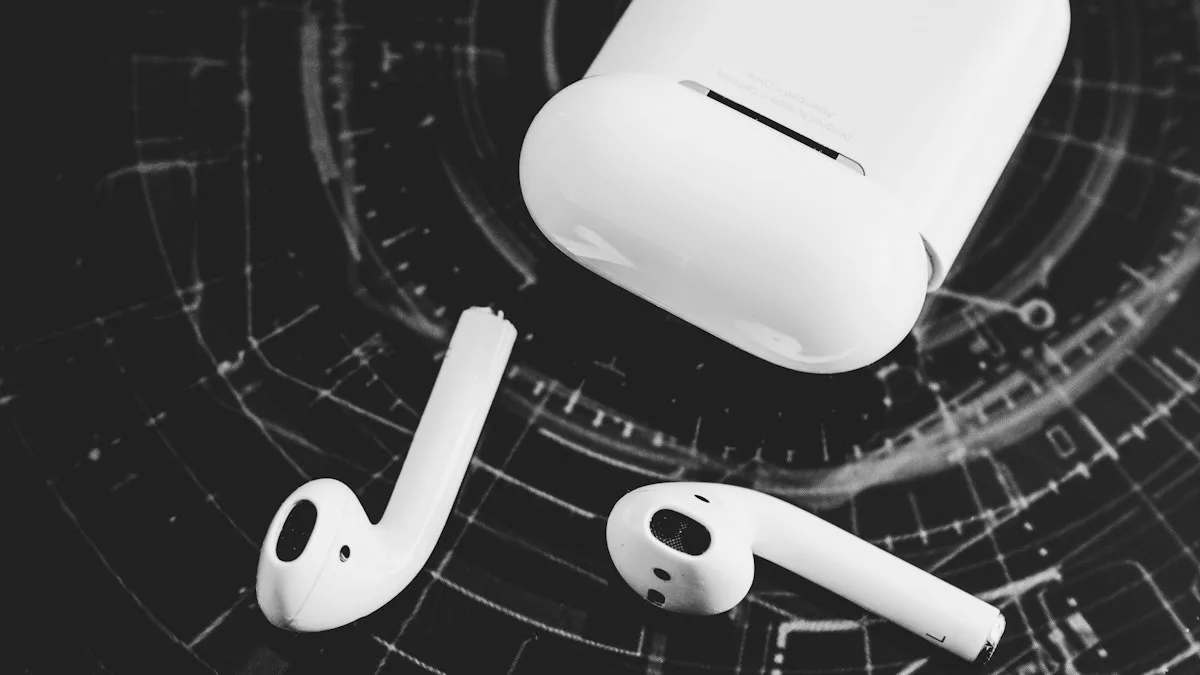
Photo by atelierbyvineeth on Unsplash
You are walking down the street. The world goes quiet, then it comes back, then it goes quiet again. Or your podcast dips in volume every time you say hello to someone. It feels like a bug. Most of the time it is a feature doing its job, and one setting change stops it.
The 4 listening modes, in plain words
| Mode | What Apple says it does | Does it change by itself? |
|---|---|---|
| Noise Cancellation | Blocks out external noise to help you focus. | No |
| Transparency | Lets you hear the sounds around you. | No |
| Adaptive | Combines Noise Cancellation and Transparency and automatically adjusts the level based on the noise around you. | Yes, on purpose |
| Off | Turns off all listening modes. On AirPods Pro 2 and 3 it appears only after you turn it on in Settings. | No |
That table explains most complaints. Adaptive is meant to move between more and less noise cancellation as you go from a quiet room to a busy street. If you leave it on and then notice the world changing, nothing is broken.
The fix
6 causes and fixes, in order
- 1
Set a fixed mode instead of Adaptive.
On your iPhone, open Control Center, touch and hold the volume control, tap the Listening Mode button at the bottom left, then choose Noise Cancellation or Transparency.
- 2
Turn off Conversation Awareness.
Open Settings, tap the name of your AirPods near the top, then turn Conversation Awareness off. If you do not see it, tap Audio & Routing first.
- 3
Check what a stem press does.
In Settings, tap your AirPods, then under Press and Hold AirPods choose Left or Right and set the action. If you do not see those options, tap Controls & Gestures first. A press and hold can switch modes.
- 4
Slow down the press.
Open Settings › Accessibility › AirPods and check Press Speed and Press and Hold Duration, so a light touch while adjusting does not count.
- 5
Look at other devices.
Disconnect the AirPods from an iPad, Mac or Apple Watch and test again. Users report another device changing the mode when AirPods hop over to it. Apple does not confirm this.
- 6
Update, restart and reset.
Update iOS, restart the iPhone, and put both earbuds in the case. If the problem stays, follow our guide to resetting AirPods.
Why does the sound change when I talk?
This one is Conversation Awareness, and it is available on AirPods Pro 2 and Pro 3. Apple says that when it is on, media volume lowers when you start speaking, and voices in front of you are enhanced while background noise is reduced. If you are listening to spoken media such as a podcast, it pauses after a few seconds. The volume returns to its previous level after your conversation ends. To end it by hand, press and hold the stem.
It can feel like the modes are flipping, because noise control and volume both shift at the same moment. If you hum, sing along or talk to yourself while walking, it may keep triggering. Turn it off in Settings if you would rather control everything yourself.
How to turn Off listening mode on AirPods Pro 3
Some people want no noise control at all. On AirPods Pro 2 and Pro 3, Apple says the Off option only shows up after you enable it. Open Settings, tap the name of your AirPods, and turn on Off Listening Mode. If you do not see it, tap Audio & Routing first. Then use the Listening Mode slider in Control Center to choose Off. Apple warns that your hearing is not protected when the listening mode is set to Off.
Adaptive too aggressive? Use the slider
You do not have to give Adaptive up. Apple's guide says there is a slider for it. Open Settings, tap the name of your AirPods, tap Adaptive below Listening Mode, then drag the slider toward more Transparency or more Noise Cancellation. A setting nearer one end makes the changes less noticeable, which is often enough.
When the mode flips over and over
Some owners on Apple Community describe something different: one earbud flicking between Transparency and Noise Cancellation several times a second, sometimes with a buzz or chirp. That does not look like Adaptive doing its work. Apple does not document it, so we cannot tell you it is a hardware fault, but it is a reason to test.
- Choose a fixed mode, not Adaptive, and see whether the flipping stops.
- Test each earbud alone. Put one in the case and wear the other, then swap.
- Clean the earbud mesh and the case contacts gently with a dry, soft brush.
- Reset the AirPods and set them up again.
- If one earbud still flips, contact Apple Support and ask whether your AirPods are covered.
For a full reset walkthrough, read resetting your AirPods. If the AirPods also drop the connection while the mode flips, see AirPods that keep disconnecting.
Every place that can change the mode
A mode change does not always start on your iPhone. Apple's guide lists several ways to switch listening modes, and any of them can be the one you did without thinking about it.
- The stem. Apple says to press and hold the stem on either AirPod until you hear a chime. On AirPods Pro 2 and Pro 3 the same press can switch to Adaptive Audio, depending on your Press and Hold setting.
- iPhone or iPad Control Center. Touch and hold the volume control, then tap the Listening Mode button.
- Mac. Click the AirPods icon in the menu bar, or open System Settings and click the AirPods name in the sidebar.
- Apple Watch. Open Control Center, tap the AirPods icon, then choose a mode.
- Apple TV. Open Control Center and choose the AirPods icon next to the time.
If you wear a watch and carry a phone, check them both. A mode picked on the watch will show on the phone. If you keep touching the stem to adjust the fit, a long press may switch the mode as well, which is why the Press and Hold and Press Speed settings above matter.
Which mode should you use?
Pick by what you are doing, using Apple's own descriptions of each mode. These are suggestions, not Apple instructions.
- Noise Cancellation for a flight, a train or a study session, when you want a steady quiet.
- Transparency for walking in traffic, listening for announcements or chatting for a while.
- Adaptive for a day that moves between quiet and loud places, when you are happy for the AirPods to decide.
- Off only if you really want no processing, and remember Apple warns that your hearing is not protected in that mode.
Once you choose one mode on purpose, the switching you noticed usually stops. Leave the setting alone for a few days. If the problem returns with a fixed mode selected, it is no longer a feature and you should work through the reset steps and the flipping checklist above.
Did a software update cause it?
Several forum posts say the problem started after an update, and one AirPods Pro 3 owner said their AirPods defaulted to Transparency and went back to it whenever they chose Off. We cannot confirm that. What we can say is that an update can reset your listening mode settings, so it is worth opening Control Center and the Settings screen above after every update and checking that the mode is still the one you chose.
Is it safe to leave Adaptive on?
Yes. Adaptive is designed to help you hear what you need to hear. On a busy street it lets more sound in, and in a quiet room it blocks more. The only reason to turn it off is that you want a steady sound, for example on a flight or while studying. Pick Noise Cancellation then. Pick Transparency when you need to hear traffic or announcements.
Frequently asked questions
Why do my AirPods Pro 3 keep switching between Transparency and Noise Cancellation?
If the mode is set to Adaptive, they are meant to. Apple says Adaptive combines Noise Cancellation and Transparency and adjusts automatically as noise conditions change. Pick Noise Cancellation or Transparency instead to lock one mode.
How do I stop AirPods Pro 3 from switching modes?
Choose a fixed mode in Control Center instead of Adaptive, and turn off Conversation Awareness in Settings under your AirPods. Then check the Press and Hold setting so a stem press does not cycle modes.
Why does my music get quieter when I talk?
That is Conversation Awareness. Apple says it lowers media volume and enhances voices in front of you when you start speaking, then returns the volume after the conversation ends.
Is a mode that flips twice a second a hardware problem?
It may be. Apple does not document it, and users report it on Apple Community. If it continues after a reset on both earbuds, contact Apple Support.
What to try next
Sources
Official pages these steps are based on. Menus can differ by software version.
People also ask
Why won’t my AirPods light flash amber?
The case may be too low on battery, or the AirPods are not seated. Charge the case for 30 minutes, clean the contacts and try again with the lid open.
Read the full guide: Reset AirPodsI never had an iPhone. Why do iPhone texts not arrive?
Check that you have not blocked the number, that Google Messages is your default app, and that RCS chats are on. The iPhone sender can also turn on Send as Text Message.
Read the full guide: Android missing texts from iPhoneRelated guides
Reset AirPods
Reset any AirPods in under a minute: the setup button for older models, the case tap for AirPods 4 and Pro 3, and the two buttons on AirPods Max.
Android missing texts from iPhone
Android not receiving texts from iPhone users? Deregister your number from iMessage, turn on RCS chats and check blocking and your default messages app.
More guides you may need
Continue setup on iPhone
Apple Watch says continue setup on iPhone but nothing happens? Finish pairing, restart, reset in pairing mode, or unpair and start again. Steps for each case.
Apple Watch keeps opening Compass
Apple Watch keeps opening Compass or will not leave it? Change Return to Clock, turn off Return to App, end Backtrack and check the Action button. 7 easy fixes.