

How to delete all emails from one sender in Gmail
Search for the sender, select everything, then delete. The web version can clear thousands in one go.
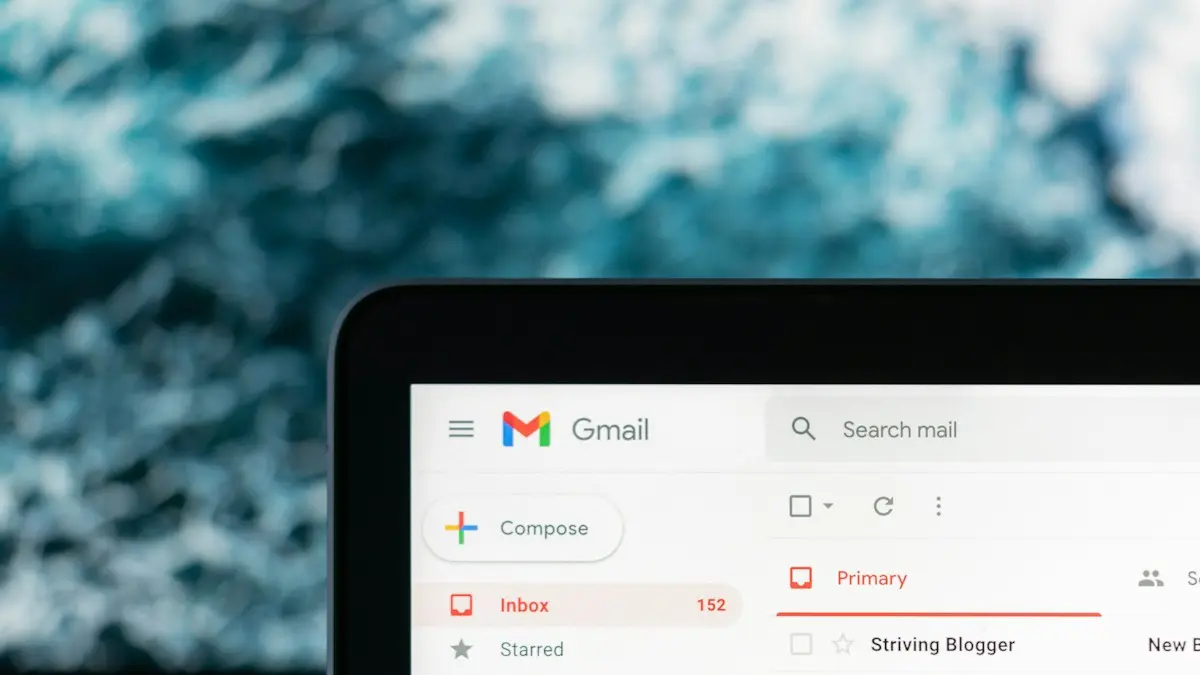
Photo by Justin Morgan on Unsplash
The fix
On a computer (fastest)
- 1
Search for from:their address in Gmail.
- 2
Tick the checkbox above the list.
- 3
Click Select all conversations that match this search.
- 4
Click the Trash icon and confirm.
The fix
In the Gmail app
- 1
Search for the sender’s address.
- 2
Touch and hold the first email, then tap each other one.
- 3
Tap the Trash icon.
The fix
Delete their future emails automatically
- 1
On the web, click the filter icon in the search bar.
- 2
Enter the address in From and click Create filter.
- 3
Tick Delete it and click Create filter.
How to delete all emails from one sender in Gmail on a computer
The web version of Gmail is the only place you can delete thousands of emails in one go. Use a computer, or open gmail.com in your phone's browser and request the desktop site.
- Go to mail.google.com and sign in.
- In the search bar, type from:news@example.com using the sender's exact address, and press Enter. You can also type just part of the address or the sender's name.
- Check that the results only show emails you want gone. Scroll a little to be sure.
- Click the empty checkbox above the email list. This selects the 50 or 100 on the current page.
- A line appears: Select all conversations that match this search. Click it.
- Click the Trash icon and confirm with OK.
For very large numbers, Gmail may take a minute and show a progress message. Leave the tab open until it finishes.
Useful search tricks
- Whole company: from:@example.com catches every address at that domain, such as news@, deals@ and receipts@.
- Older than a date: add older_than:1y to keep the last year and delete the rest.
- Keep important ones: add -is:starred so starred emails are not selected.
- Big emails only: add larger:5M to target large attachments.
- Promotions tab: category:promotions from:example.com limits the search to that tab.
In the Gmail app on iPhone and Android
The Gmail app lets you search by sender, but it does not offer Select all for search results. On Android and iPhone, tap the round picture next to an email to select it, then tap the pictures on the others. Tap the trash icon at the top. This works for a few dozen emails. For hundreds, use a browser. Some Android versions show a select all checkbox for a folder, but not for search results.
If Gmail is set up in the iPhone Mail app instead, search for the sender, tap Edit, then Select All if it appears and Trash. Results depend on how many messages Mail has downloaded.
Where deleted emails go and how to undo
Deleted emails go to Trash and stay there for 30 days. To undo right away, click Undo in the message at the bottom left. Later, open Trash, select the emails and click Move to Inbox. After 30 days, or after you empty Trash, they are gone for good. Google Workspace administrators can sometimes restore emails for a short time after that, but personal accounts cannot.
Empty Trash to free storage
Gmail, Google Drive and Google Photos share 15 GB of free storage. Emails in Trash still count. Open Trash and click Empty Trash now to free the space at once. Storage figures update within a day. Check your total at one.google.com/storage.
Stop new emails from that sender
Deleting old emails does not stop new ones. Pick the right tool:
- Unsubscribe: for real companies and newsletters. Open one of their emails and click Unsubscribe next to the sender's name, or the link at the bottom. Legitimate US senders must honor it within 10 business days under the CAN-SPAM Act.
- Block: open an email, click the three dots and choose Block. New mail from that address goes to Spam.
- Filter: the steps above create a rule that deletes or archives new mail automatically. Filters can also skip the inbox and apply a label.
Do not click unsubscribe in obvious scam or spam emails. It confirms your address is active. Mark them as spam instead.
Apply the filter to old emails too
When you create a filter, Gmail shows a checkbox: Also apply filter to matching conversations. Tick it and the filter deletes all existing emails from that sender at the same time as setting up the rule. This is a fast way to clean up and prevent future clutter in one step.
Archive instead of deleting
If you might need the emails later, such as receipts, bank statements or shipping notices, archive them instead. Archived emails leave the inbox but stay in All Mail and still show in searches. Use the archive icon instead of Trash after selecting them. Archiving does not free storage.
Mistakes to avoid
- Searching a name instead of an address can catch emails from other people with the same name, or emails that only mention it.
- Deleting a bank, utility or tax sender can remove records you need. Archive these instead.
- A filter set to delete can hide important emails like password resets. Use it only for true junk.
If emails from someone you want are missing, a filter may be deleting them. Check Settings › See all settings › Filters and Blocked Addresses, and see Gmail not receiving emails for other causes.
Find which senders fill your inbox
Gmail does not show a list of top senders, but there are quick ways to find them. Open the Promotions and Updates tabs and look at the names that repeat. Search unsubscribe to show nearly every marketing email you have. Sort big files with has:attachment larger:10M. Google's storage manager at one.google.com/storage also lists large emails and items in Trash and Spam.
Third party cleanup apps can group emails by sender, but they need permission to read your whole inbox. Only use well known ones, check what access they ask for, and remove that access at myaccount.google.com/permissions when you are done.
Delete emails from several senders at once
Use OR in the search bar: from:(deals@shop.com OR news@site.com OR alerts@app.com). Select all matching conversations and delete them together. The same search can go into a filter to handle all three senders from now on.
Delete the Spam folder too
Spam is emptied automatically after 30 days, but if you need space now, open Spam and click Delete all spam messages now. Emails in Spam do count toward your storage.
Does the sender know?
No. Deleting, blocking or filtering a sender is private. They are not told, and emails they send still leave their side normally. Only unsubscribing sends anything back, which is the request to stop mailing you.
Running low on space after cleaning?
Emails are usually small. If your storage is still full after deleting thousands of them, the space is probably taken by Google Photos or Drive files. Check the breakdown at one.google.com/storage. If you keep getting signed out of Gmail while you work through this, see why Gmail keeps signing you out.
Why mass deleting works only on the web
Google designed the Gmail app for quick reading and replies, not bulk cleanup, so its search results load in small batches and cannot all be selected at once. The web version talks to Gmail's servers directly and can act on every matching conversation, even tens of thousands, in a single command. On a phone without a computer nearby, open Chrome or Safari, go to gmail.com, tap the menu and choose Desktop site or Request Desktop Website. The steps then match the computer version, though the page is small, so zoom in to tap the select all link.
Using Gmail through Outlook or another app
If you read Gmail in Outlook or another mail app, deleting there moves emails to that app's trash folder, which syncs with Gmail's Trash. Large deletes through other apps can be slow or stop partway. For thousands of emails, the Gmail website is faster and more reliable.
Frequently asked questions
Can I do it in the Gmail app?
Yes, but the app has no select all. Long press one email, tap the others, then Delete. For many emails, use a browser.
Where do deleted emails go?
To Trash, where they stay for 30 days. Empty Trash to free the storage right away.
How do I mass delete emails in the Gmail app?
The app has no select all for search results. Tap the sender's picture on each email to select it and tap Trash, or use Gmail in a browser where you can select every matching conversation at once.
Does deleting emails from a sender free up storage?
Yes, once they leave Trash. Emails stay in Trash for 30 days and still count toward your 15 GB of Google storage until you empty it.
People also ask
What happens when Google storage is full?
Your 15 GB is shared between Gmail, Google Drive and Google Photos. When it is full, new emails are returned to the sender and you stop receiving mail until you free up space or buy more storage.
Read the full guide: Gmail not receiving emailsWhy is my iPhone Mail not showing new emails?
The account may be set to Manual or Fetch, Background App Refresh may be off, or Low Power Mode may be pausing updates. A password change or a full iCloud mailbox also stops new mail.
Read the full guide: iPhone Mail not updatingWhy does Gmail work in the Gmail app but not in iPhone Mail?
The Mail app connects through IMAP and your saved Google sign-in. If you changed your Google password or IMAP is off, Mail stops syncing while the Gmail app keeps working. Remove the account from Mail and add it again.
Read the full guide: Gmail not working on iPhoneDo Galaxy Buds work well with iPhone?
Music, calls and the mic all work. You lose auto switching, Samsung’s best codec and, on newer models, most settings, since the iPhone app only supports older Buds.
Read the full guide: Connect Galaxy Buds to iPhoneRelated guides
Gmail not receiving emails
Gmail not receiving emails? Check Spam, All Mail and your Google storage, then fix filters, blocked addresses, forwarding and app sync with these 9 checks.
iPhone Mail not updating
iPhone Mail not updating or not syncing new emails? Check Fetch settings, Background App Refresh, Low Power Mode and storage, then re-add the account. 8 fixes.
Gmail not working on iPhone
Gmail not working on your iPhone? Fix it in the iPhone Mail app or the Gmail app: re-add your Google account, turn on IMAP, change Fetch and check storage.

Connect Galaxy Buds to iPhone
Connect Galaxy Buds to your iPhone through Bluetooth in under a minute. How to put each model in pairing mode, which features work and the Galaxy Buds app.
More guides you may need
Change your Android keyboard
Change your default keyboard on Android, switch Samsung Keyboard to Gboard or back, and change the keyboard size, theme and language in a few taps.
Change km to miles on iPhone
How to change km to miles on iPhone: set Measurement System for Apple Maps and Distance units in Google Maps. Also change temperature units.