

How to connect Samsung earbuds to iPhone (all Galaxy Buds)
Galaxy Buds work with any iPhone as regular Bluetooth earbuds. You only need to put them in pairing mode first.
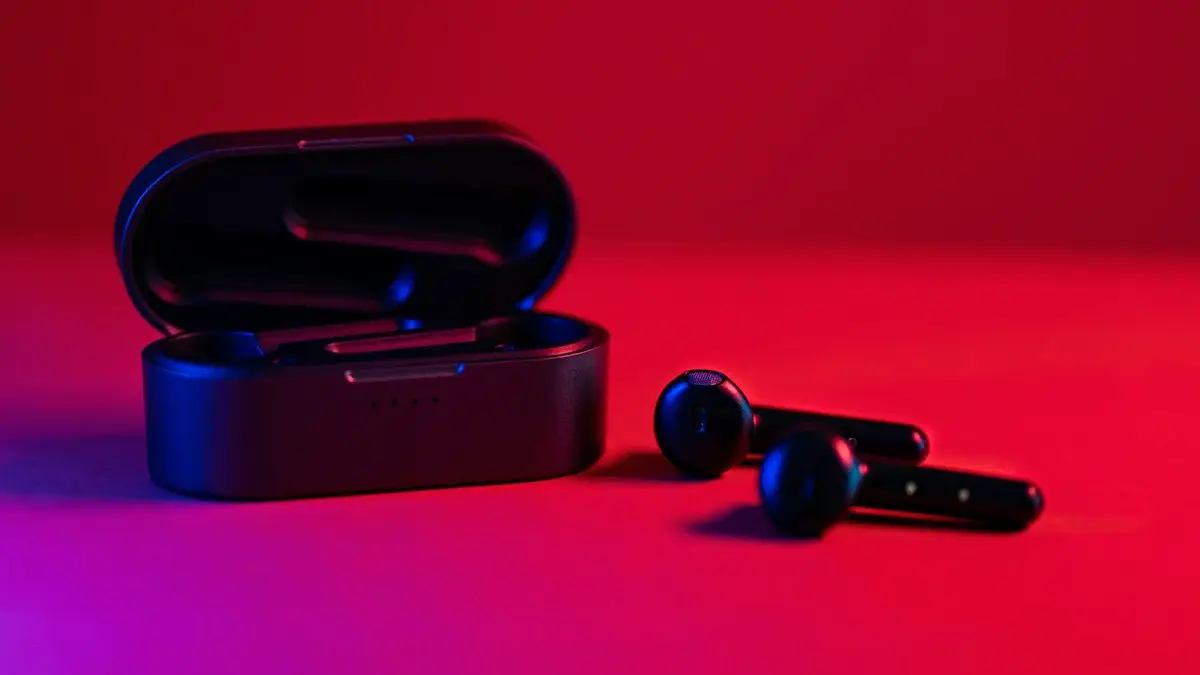
Photo by TheRegisti on Unsplash
The fix
Pair with Bluetooth
- 1
Put the Buds in the case and open the lid.
- 2
Start pairing mode if needed.
Wear them and touch and hold both touchpads until you hear the pairing tone. Some models also enter pairing mode when you open a new case.
- 3
On iPhone, go to Settings › Bluetooth.
- 4
Tap your Galaxy Buds under Other Devices.
The fix
Galaxy Buds+ and Buds Live: use the app
- 1
Install Samsung Galaxy Buds from the App Store.
- 2
Open it and tap Get started, then follow the steps.
Do Galaxy Buds work with iPhone?
Yes. Galaxy Buds are Bluetooth earbuds, and Bluetooth works across brands. Once paired, you can play music, take calls and use the microphone like any other headset. What you lose are Samsung-only features, such as automatic switching between your Samsung devices, some sound codecs, the full Galaxy Wearable app and, on newer models, several settings you can only reach from a Samsung phone. The iPhone uses its standard AAC audio, which sounds fine for most listeners.
Put each model in pairing mode
The steps differ slightly by model. In general, place the Buds in the charging case, open the lid, then take them out and touch and hold both touchpads until you hear a tone or the light flashes. Some models enter pairing mode when you open the case for the first time or after you reset them. If your model has a button on the case, hold it for a few seconds. Check Samsung's support page for your exact model, because names such as Buds, Buds+, Buds Live, Buds2, Buds2 Pro and Buds3 are not all the same.
Connect step by step
- On the iPhone, open Settings › Bluetooth and make sure Bluetooth is on.
- Put the Buds in pairing mode.
- Wait for the Buds to appear under Other Devices, then tap their name.
- Accept any pairing request. A status of Connected means it worked.
- Open Music or YouTube and check the sound in both ears.
Using the Galaxy Buds app on iPhone
Samsung offers a Galaxy Buds app on the App Store for some older models. It lets you change controls and see the battery level. Newer Buds models depend on the Galaxy Wearable app, which is made for Android. If the app does not list your Buds, you can still use them with the iPhone's Bluetooth settings, but you will not be able to change touch controls or noise control from the phone. You can set those on a Galaxy phone first, then pair with the iPhone, and the settings often stay.
Buds not showing up or won't connect
- Forget the Buds on any Galaxy phone or tablet they were paired to, or turn that device's Bluetooth off.
- Charge the Buds and the case for at least 15 minutes.
- Put the Buds in the case, close the lid for 10 seconds and try again.
- On the iPhone, turn Bluetooth off and on, or restart the phone.
- Reset the Buds using Samsung's instructions for your model, and then pair again.
- Reset Network Settings on the iPhone as a last step.
Our guides to iPhone Bluetooth not working and AirPods not connecting cover steps that help with any wireless earbuds.
Sound, microphone and battery tips
If one Bud is quiet or silent, clean the mesh with a dry soft brush and check the left and right balance in Settings › Accessibility › Audio & Visual. For the microphone, check that the iPhone lists the Buds as the audio output in Control Center. Call quality can be lower than on a Galaxy phone. The iPhone shows the Buds battery in the Batteries widget on many models, though the display may be less detailed than with AirPods. Keep the Buds out of heat, because high temperatures wear the battery faster.
Switch back to a Galaxy phone
To move the Buds back to a Galaxy phone, put them in pairing mode again, forget them on the iPhone under Settings › Bluetooth › info button › Forget This Device, and connect from the Galaxy phone. If you use both phones, switch by hand each time, since automatic switching only works across Samsung devices. If you also own AirPods, remember that they pair more smoothly with an iPhone. See connecting AirPods to iPhone.
Should you buy Galaxy Buds for an iPhone?
They work, and often cost less than comparable earbuds, but you lose some features. If you plan to keep an iPhone, check reviews from iPhone owners for your model, and compare with AirPods or other brand earbuds that do not rely on a companion app. If you already own Galaxy Buds, there is no need to buy new ones.
Quick fixes when sound is wrong
- Only one Bud works: put both in the case for 10 seconds, then reconnect.
- Sound plays from the phone speaker: choose the Buds in Control Center's audio output.
- Sound cuts out: stay within about 30 feet and avoid crowded Wi-Fi areas.
- Music is quiet: raise the volume on both the phone and the Buds, and check Volume Limit in Settings › Sounds & Haptics.
- The mic is muffled: clean the mic hole and check Settings › Privacy & Security › Microphone.
Will Samsung features still work?
Basic features such as tap controls work on many models because the earbuds process them. Features like Auto Switch, 360 Audio, Voice Detect and customized touch controls rely on a Samsung phone. Wireless charging of the case works with any Qi charger. Find My Earbuds is a Samsung feature that works through SmartThings Find, so on an iPhone you will not get it. Keep track of your Buds, because losing one is costly.
Update Buds software
Samsung updates Buds software through the Galaxy Wearable app on Android. If you rarely use a Galaxy phone, borrow one once in a while to install updates, since they can fix connection bugs. If you do not have a Galaxy phone, you may not be able to update the Buds, and a model with a fixed firmware may be a better fit for an iPhone-only home.
Use Galaxy Buds for calls and meetings on iPhone
For calls, the Buds work as a Bluetooth headset with the iPhone. If you hear echo or the other person sounds muffled, try moving to a quiet place, reduce the volume and clean the mic holes. For video meetings, pick the Buds in the meeting app's audio settings. Some apps default to the phone's mic, so check before you speak. Your voice may sound different from AirPods, because the iPhone uses its default Bluetooth call codec.
Battery life and charging the case
Battery life shown on the box is a best case with noise cancelling off. Expect less with it on and with calls. Charge the case by cable or a Qi wireless charger. If the Buds do not charge, clean the contacts with a dry cotton swab, and check that they sit properly in the case. After about two years, battery wear is normal. Samsung and some repair shops can replace parts, but replacement Buds are sometimes cheaper. See AirPods not charging for general steps that apply to all earbuds.
Keep Galaxy Buds safe from sweat and water
Many Galaxy Buds are rated for sweat and light water, not swimming. Wipe them with a soft dry cloth after a workout. Do not charge them while wet, and do not use water or alcohol wipes on the mesh. Store them in the case when not in use, since small earbuds are easy to lose.
If you plan to use Galaxy Buds with an iPhone for the long term, keep the case charged, store the Buds in it and update them now and then. Treat them as a standard Bluetooth headset and you will have few surprises.
Frequently asked questions
Do Galaxy Buds work well with iPhone?
Music, calls and the mic all work. You lose auto switching, Samsung’s best codec and, on newer models, most settings, since the iPhone app only supports older Buds.
How do I switch them back to my Galaxy phone?
Put them in pairing mode again and connect from the Galaxy phone’s Bluetooth menu or the Galaxy Wearable app.
Can I use Galaxy Buds noise cancelling on iPhone?
On models that have it, the noise cancelling runs in the Buds themselves and works over Bluetooth. Changing its settings may need the Samsung app or a Galaxy phone.
Why do my Galaxy Buds keep disconnecting from iPhone?
Low battery, distance, interference or an old pairing can cause it. Forget the Buds, charge them, and pair again.
People also ask
Why does no setup card appear?
Make sure Bluetooth is on and the iPhone is unlocked on the Home Screen. If it still does not show, hold the setup button on the case or reset the AirPods.
Read the full guide: Connect AirPods to iPhoneWhy does my phone connect to the car but play no sound?
The car may be on another audio source, or media audio is turned off for that connection. Pick Bluetooth as the source on the car screen and check the device’s settings on your phone.
Read the full guide: Bluetooth won’t connect to carWhy does my Galaxy Watch not buzz when I use my phone?
Smart device selection hides watch alerts while you use the phone. Set Phone notifications on watch to Always show on both if you want alerts on both devices.
Read the full guide: Galaxy Watch not getting notificationsWill downloading remove photos from iCloud?
No. Downloading makes a copy. Your photos stay in iCloud until you delete them.
Read the full guide: Download photos from iCloudRelated guides
Connect AirPods to iPhone
Connect AirPods to your iPhone in seconds with the setup card, or pair them manually in Bluetooth settings. Also how to connect AirPods to a new iPhone.
Bluetooth won’t connect to car
Phone Bluetooth won’t connect to your car? Forget and re-pair it on both sides, clear old devices from the car, check audio settings and try 6 more fixes.
Galaxy Watch not getting notifications
Galaxy Watch not getting notifications from your phone? Check Phone notifications on watch, app switches, Do Not Disturb and battery limits. 9 fixes.
Download photos from iCloud
Download all your iCloud photos to a PC, Mac or iPhone. Use iCloud.com in batches of 1,000, iCloud for Windows, or request a full copy from Apple.
More guides you may need
Where is the clipboard
Where is the clipboard on my phone? iPhone has no clipboard app, but Android keyboards do. See how to view, paste, pin and clear what you copied on each.

Cancel phone service
How to cancel phone service with Verizon, AT&T or T-Mobile: when not to cancel, what you still owe, one line on a family plan, and how to avoid surprise fees.