

How to download all photos from iCloud (PC, Mac or iPhone)
iCloud.com only downloads 1,000 photos at a time. For a whole library, iCloud for Windows, a Mac or Apple’s data copy is easier.
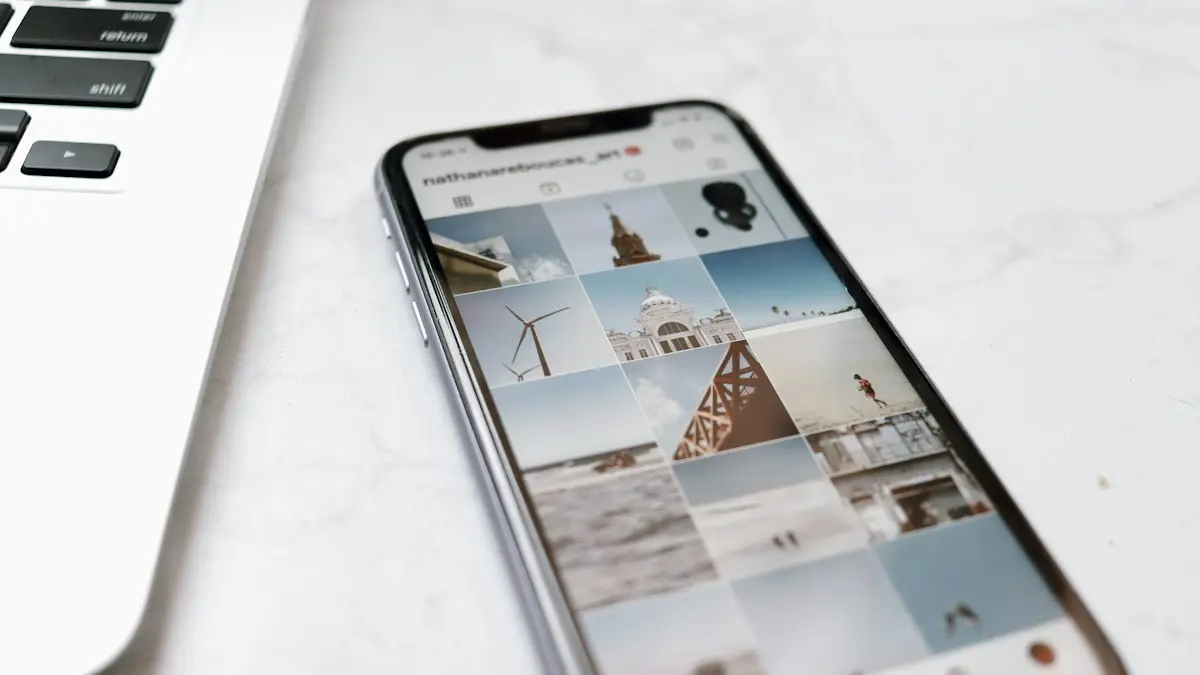
Photo by Nathana Rebouças on Unsplash
People download their iCloud library for different reasons: to keep a second copy, to free up iCloud storage, to move to Android or Google Photos, or before canceling iCloud+. The best method depends on what device you have and how big the library is. Check the size first on your iPhone in Settings › your name › iCloud; the Photos figure tells you how much space you will need on the computer or drive.
Which method should you use?
- Windows PC, large library: iCloud for Windows downloads everything and keeps it updated.
- Mac: the Photos app with Download Originals is the simplest and keeps albums and dates.
- Any computer, a few hundred photos: icloud.com in batches of up to 1,000.
- Everything at once, or moving to Google: Apple’s data copy or transfer at privacy.apple.com.
How to download all photos from iCloud
The fix
Windows PC: iCloud for Windows
- 1
Install iCloud for Windows from the Microsoft Store.
It is free and works on Windows 10 and Windows 11.
- 2
Sign in and turn on Photos.
Click Options next to Photos and make sure iCloud Photos is ticked.
- 3
Open File Explorer › iCloud Photos, select all and choose Always keep on this device.
This downloads full copies rather than placeholders. Keep the PC on and online until the cloud icons in File Explorer turn into green ticks. Then copy the folder to an external drive if you want a separate backup.
The fix
Mac: the Photos app
- 1
Open Photos › Settings › iCloud and turn on iCloud Photos, signed in with the same Apple Account.
- 2
Choose Download Originals to this Mac.
The Mac downloads every full-size photo and video. Make sure the Mac has enough free space first.
- 3
Export if you want plain files.
Select all photos, then choose File › Export › Export Unmodified Originals and pick a folder or external drive. This gives you the original files without edits.
The fix
Any computer: iCloud.com
- 1
Go to icloud.com/photos and sign in.
Use a desktop browser for large batches; phone browsers struggle with big ZIP files.
- 2
Select up to 1,000 photos.
Click the first photo, scroll, then Shift click the last one. Apple limits each download to 1,000 items.
- 3
Click Download and repeat for the next batch.
Click the arrow next to the download button to choose Unmodified Original or Most Compatible (JPEG). Photos arrive as a ZIP file in your Downloads folder.
The fix
Whole library: request a copy from Apple
- 1
Go to privacy.apple.com and sign in.
Use the Apple Account that owns the photos.
- 2
Choose Request a copy of your data and tick iCloud Photos.
- 3
Pick a file size and wait for Apple’s email with the download links.
Apple splits the library into files of the size you choose. Preparing the copy can take up to seven days, and the links expire after a while, so download them promptly.
Move iCloud photos to Google Photos
At privacy.apple.com, choose Transfer a copy of your data, then select iCloud Photos and Google Photos as the destination. You sign in to your Google account and Apple copies the photos and videos directly. It takes several days for large libraries. Your iCloud library is not changed, and you need enough Google storage for the whole library before you start. This is the easiest way to move if you are switching to Android.
Download iCloud photos to your iPhone
With Optimize iPhone Storage on, your iPhone keeps small versions and downloads originals when you open them. To keep every full-size photo on the phone, go to Settings › Apps › Photos and choose Download and Keep Originals. Make sure the iPhone has enough free space for the whole library first, and leave it on Wi-Fi and a charger overnight.
Download to an external drive
An external hard drive or SSD is the cheapest way to keep a lasting second copy. On a PC, download with iCloud for Windows, then copy the iCloud Photos folder to the drive. On a Mac, export unmodified originals straight to the drive. Choose a drive at least twice the size of your library so there is room to grow, and keep it somewhere other than next to the computer.
Shared albums are not included
Photos in Shared Albums are stored separately from your iCloud Photos library, so the methods above skip them unless you saved them to your library. On the iPhone, open the Shared Album, select the photos, tap the Share button and choose Save to Library. On a Mac, select them and drag them into the library. Photos from an iCloud Shared Photo Library are part of your library and are included.
On an Android phone or Chromebook
icloud.com works in Chrome on Android and ChromeOS. Sign in, open Photos, select photos and tap Download, with the same 1,000 limit. For a whole library, the Google Photos transfer at privacy.apple.com is far easier, since the photos land straight in Google Photos on your new phone.
Will I keep dates, albums and edits?
- Dates and locations are stored inside each photo file, so they come across with every method.
- Albums are kept by the Mac Photos app and by Apple’s data copy, which includes a list of which photos belong to which album. iCloud.com and iCloud for Windows give you one flat folder.
- Edits: Unmodified Originals are the photos as shot. Choose the edited version, or Most Compatible on icloud.com, if you want your crops and filters.
- Live Photos download as a photo plus a short video file with the same name.
Download stuck or failing?
- Check free space on the computer or drive. A full disk is the most common reason a download stops.
- On icloud.com, use a smaller batch, such as 500, and a desktop browser like Chrome, Edge or Safari.
- In iCloud for Windows, sign out and back in, and restart the PC if files stay as cloud icons for hours.
- On a Mac, keep the Mac awake and plugged in; turn off sleep in System Settings until it finishes.
Check the download is complete
Compare the number of items. On the iPhone, the bottom of the Library in Photos shows how many photos and videos you have. On the computer, select all files in the download folder and check the count in the status bar or Get Info window. Allow for Live Photos, which can count as two files. Spot check a few old photos from years back, since they are the ones most often missed.
Stay safe while downloading
- Use your own computer where possible. On a shared or library computer, sign out of icloud.com when you finish and delete the downloaded files.
- Avoid third-party download tools that ask for your Apple Account password. The free methods above do the same job without handing over your login.
- Always keep two-factor authentication on. You will be asked for a code when you sign in on a new computer, which is normal.
Leaving iCloud+? Do it in this order
- 1
Download everything using one of the methods above, and check the count matches the library.
- 2
Open a few folders and videos to make sure the files work.
Copy the download to a second place, such as an external drive or another cloud service, so you have two copies before anything is deleted.
- 3
Only then delete from iCloud or cancel your plan.
Deleting photos in iCloud deletes them from every device that uses iCloud Photos. If you cancel iCloud+ without deleting, nothing is removed straight away, but new photos stop uploading once you are over the free 5 GB.
Frequently asked questions
Will downloading remove photos from iCloud?
No. Downloading makes a copy. Your photos stay in iCloud until you delete them.
Why are my downloaded photos HEIC files?
That is the iPhone’s photo format. Windows 11 opens it with the free HEIF Image Extensions from the Microsoft Store, or choose Most Compatible when downloading from iCloud.com.
How long does a full download take?
It depends on your library and internet speed. A few thousand photos take minutes to an hour. A library of 100 GB or more can take a day, and Apple’s data copy can take up to seven days to prepare.
Can I move my iCloud photos straight to Google Photos?
Yes. At privacy.apple.com, choose to transfer a copy of your data and pick Google Photos. Apple copies the library directly, so you do not need to download and upload it yourself.
What to try next
Sources
Official pages these steps are based on. Menus can differ by software version.
People also ask
Why does Google Photos say waiting for Wi-Fi?
Backup is set to Wi-Fi only. Connect to Wi-Fi, or allow mobile data in Photos settings › Backup › Mobile data usage.
Read the full guide: Google Photos not backing upWhy does it say Syncing Paused?
Low Power Mode is on, the battery is low, the phone is hot, or you are on cellular without permission. Charge on Wi-Fi and tap Resume.
Read the full guide: iCloud Photos not syncingHow long does Restoring from iCloud take in Photos?
From a few minutes to a few days. It depends on the size of your library, your Wi-Fi speed and whether the phone stays plugged in and awake.
Read the full guide: Photos stuck restoring from iCloudDoes iCloud Backup include my photos?
Not if iCloud Photos is turned on, because your photos are already stored in iCloud. If iCloud Photos is off, your photos are included in the backup.
Read the full guide: Back up your iPhoneRelated guides
Google Photos not backing up
Google Photos not backing up or stuck on Preparing backup? Check your storage, Wi-Fi and battery saver, pick the right folders and give it full photo access.
iCloud Photos not syncing
iCloud Photos not syncing or stuck on Paused? Check the status in Photos, turn off Low Power Mode, charge and use Wi-Fi, free up storage and try 4 more fixes.
Photos stuck restoring from iCloud
Photos stuck restoring from iCloud on your iPhone? Learn how long it takes, then fix it with Wi-Fi, power, Low Power Mode, cellular and iCloud Photos settings.
Back up your iPhone
Back up your iPhone to iCloud or a Mac or Windows PC step by step, see what a backup includes, and get free temporary iCloud storage for a new iPhone.
More guides you may need
Change screen lock time on iPhone
Change how long your iPhone screen stays on before it locks. Use Auto-Lock, fix it when it is greyed out or stuck at 30 seconds, and keep the screen on longer.
Connect iPhone to TV
Connect your iPhone to a TV wirelessly with AirPlay screen mirroring, or with an HDMI adapter. Works with Apple TV and many Samsung, LG, Roku and Vizio TVs.