

Apple Watch won't turn on? 7 fixes to try
A watch that looks dead may be drained, in Power Reserve or simply in Theater mode with the screen off.
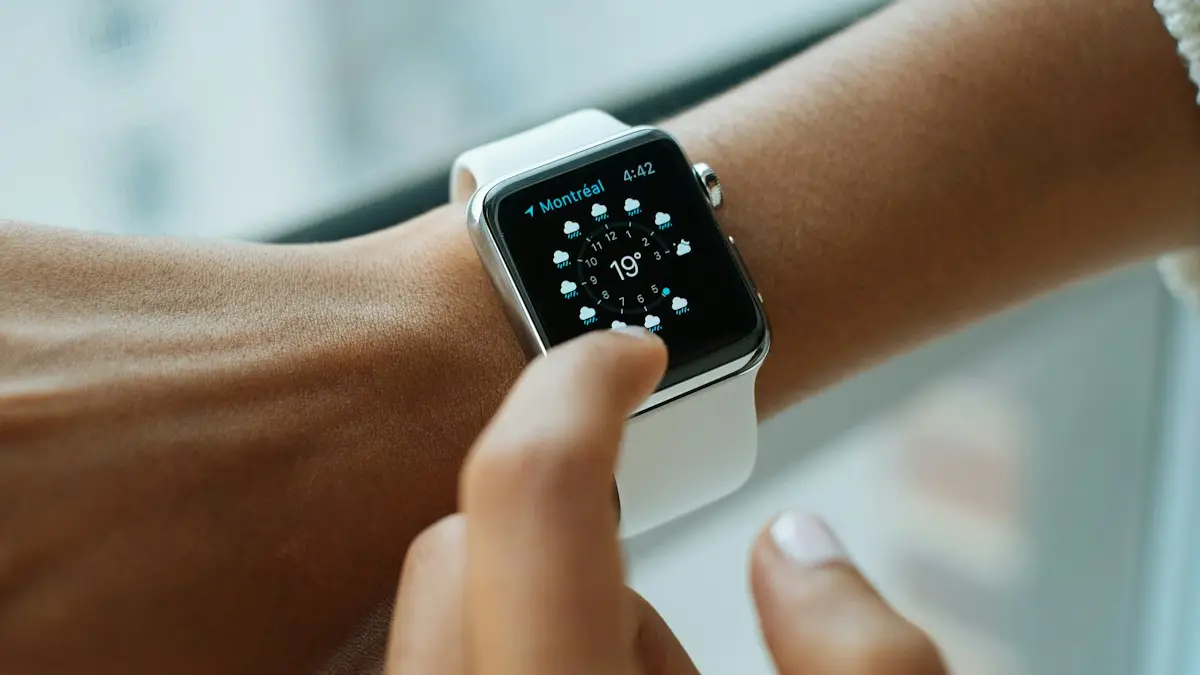
Photo by Luke Chesser on Unsplash
A black Apple Watch is not always a dead one. The screen can be off because of a setting, the watch can be in a low battery mode, or the battery can be empty. Check the easy things first. Most watches that look dead come back with a good charge and a restart.
How to fix an Apple Watch that won’t turn on
The fix
7 fixes, in order
- 1
Charge it for 30 minutes.
A fully drained watch may not show anything until it has charged for a while. Use the Apple charger that came with it.
- 2
Check the charger and the connection.
Clean the back of the watch and the puck with a soft, dry cloth, and plug the adapter into a wall outlet.
- 3
Press and hold the side button.
Hold it for at least 10 seconds until the Apple logo appears.
- 4
Check for Power Reserve or Theater mode.
Power Reserve shows only the time. Theater mode keeps the screen dark until you tap it.
- 5
Force restart.
Hold the side button and the Digital Crown together for at least 10 seconds, until you see the Apple logo.
- 6
Try a different charger and outlet.
If you can, test with another cable and adapter.
- 7
Contact Apple Support.
If nothing works, the watch needs a hardware check.
Why won’t my Apple Watch turn on?
The watch has three states that look the same from the outside: off, asleep with the display dark, and in a mode that limits the display. A dead battery is the most common reason it will not start. After that come a charger that is not connecting, a setting that keeps the screen dark, and a software freeze. A damaged battery or a failed board is the rarest cause and shows up after a drop or water.
Is the watch off, asleep or in a special mode?
Before you charge or reset anything, find out which state the watch is in.
- Asleep: the display is dark to save battery. Tap it, raise your wrist or press the Digital Crown.
- Theater mode: the screen stays dark until you tap it, and the watch is silent. You see a pair of masks in Control Center when it is on.
- Power Reserve: only the time shows, and a button on the screen lets you leave it. Press and hold the side button to restart.
- Screen Curtain: a VoiceOver feature that turns the display off completely while the watch works. Turn it off in Accessibility settings.
- Off or drained: no response at all. Charge it.
Charge it the right way
A drained battery needs time. Put the watch on the magnetic charger, with the back flat against the puck, and plug the cable into a wall adapter. After a minute or two, you should see a red lightning bolt, which means the battery is very low. Leave it. After about half an hour, the watch may show the Apple logo and start up. A green bolt means it has charged enough, and is charging normally.
If you see no bolt at all after a few minutes, the charger is not working with the watch. Wipe the back of the watch and the puck, remove the case and try again with a different wall outlet. The steps on this page assume the charger works, so if you suspect a cable or an adapter, use the guide for an Apple Watch that will not charge.
Leave Power Reserve
Power Reserve is a mode that shows only the time and turns off most features, to stretch the last bit of battery. On some older watchOS versions, a very low battery turns it on without asking, and the screen looks like the watch is off. To leave it, press and hold the side button until the Apple logo appears. If the battery is nearly empty, put the watch on the charger first. The watch will restart when it has enough power.
Check Theater mode and Screen Curtain
In Theater mode, the display stays dark until you tap it or press the Digital Crown, and the watch does not wake when you raise your wrist. Swipe up on the watch face, or press the side button, to open Control Center, and tap the Theater mode button, which shows two masks, to turn it off. If you use VoiceOver, check Screen Curtain. On your iPhone, open the Watch app and go to Accessibility › VoiceOver, and turn off Screen Curtain. Triple tap the screen with two fingers also toggles it. Menu names can differ by watchOS version.
A dark watch after a drop, water or a hot day
Think about what happened just before it went dark. A hard knock can loosen the battery connection, water can trip the safety shutdown, and a long time in the sun can make the watch switch itself off to cool. If the watch is wet, dry it with a soft cloth and let it rest. Do not charge it right away. If it was hot, let it cool to room temperature before you try anything else.
Force restart the watch
If the watch will not respond, even after it has been charging, a force restart can clear a software freeze. Press and hold the side button and the Digital Crown together for at least 10 seconds. Keep holding through the screen going dark, and release when you see the Apple logo. Nothing is erased. If you see a red bolt and nothing else, it needs more time on the charger. Wait for another half hour and try again.
If the Apple logo appears and nothing else
A watch that shows the logo and then sticks, or restarts again and again, has a different problem. It points to the software, and it needs other steps, such as updating from the iPhone or erasing the watch. Read the guide on a watch stuck on the Apple logo. Erasing the watch, and then setting it up again, is covered under resetting an Apple Watch.
When the battery or the hardware is the cause
If the watch stays dark after a long charge on a known good charger and a force restart, the problem is physical. The battery may be worn out, the charging coil may be damaged, or the board may have failed. Drops, water and heat all cause this. Signs that point to the battery are a screen that lifts away from the case, or a watch that is very hot to the touch while it charges. In those cases, stop charging, and take it to Apple or an authorized service provider.
What a repair or replacement costs
Apple lists service fees by watch model on its support site, and the cost depends on the model and on whether you have AppleCare+. If the battery holds under 80% of its capacity and the watch is covered, the battery service may be free. For other repairs, expect a fee. Ask for the price before you agree to anything. On an older watch, a repair can cost nearly as much as a newer or refurbished model, so compare the two, and check for trade-in offers. If you are weighing a plan, see AppleCare+ pricing.
What if the watch turns on but the iPhone cannot see it?
Once the watch is awake, it may still not link with your iPhone. Check that Bluetooth and Wi-Fi are on in the iPhone’s Control Center, that Airplane Mode is off on both devices, and that the Watch app shows your watch. If the watch asks to be paired as new, the link was lost. The guide on a watch that will not connect to your iPhone covers this. Keep in mind that a watch you reset needs an iPhone backup to bring your data back, and that you may need your Apple Account password if Activation Lock is on.
How to keep it from happening again
- Charge the watch every night, or whenever it drops below 20%.
- Use the original charger, and clean its surface now and then.
- Keep watchOS up to date from the Watch app.
- Turn on Optimized Battery Charging to slow battery wear.
- Keep the watch away from heat and water beyond its rating.
Frequently asked questions
What is Power Reserve on Apple Watch?
Power Reserve shows only the time to save battery. On older watchOS versions it turns on automatically when the battery is very low. Press and hold the side button until the Apple logo appears to leave it, after charging.
My watch screen is black but it vibrates. Why?
Theater mode or Screen Curtain may be on. Theater mode keeps the screen dark until you tap it. Screen Curtain, a VoiceOver feature, turns the display off completely. Check both in Control Center and Accessibility on your iPhone’s Watch app.
How long should I charge a dead Apple Watch before it turns on?
Leave it on a working charger for at least 30 minutes. A very drained battery can take longer to show the red lightning bolt or the Apple logo.
Will force restarting my Apple Watch erase it?
No. A force restart only turns the watch off and on again, and your data and settings stay in place.
What to try next
Sources
Official pages these steps are based on. Menus can differ by software version.
People also ask
How much charge does an Apple Watch need to update?
Apple says the watch needs at least 50 percent charge, and it should stay on its charger during the update.
Read the full guide: Apple Watch won't updateHow long should I charge a dead iPad?
At least an hour on a wall adapter. A fully drained iPad can show nothing for the first several minutes.
Read the full guide: iPad won't turn onWhy won’t my iPhone turn on even when charging?
The cable or adapter may be faulty, the port may be blocked with lint, or the battery may be so drained it needs up to an hour before the screen responds. Try another cable and leave it on a wall charger for an hour.
Read the full guide: iPhone won't turn onHow long should I charge a dead Samsung before it turns on?
Charge it for at least 30 minutes, ideally an hour. Samsung says the charging icon can take up to 10 minutes to appear on a fully drained phone.
Read the full guide: Samsung phone won't turn onRelated guides
Apple Watch won't update
Apple Watch won't update or says Unable to Verify Update? Check charge, Wi-Fi, storage and the update file. 8 fixes straight from Apple's own steps.
iPad won't turn on
iPad won't turn on or stuck on a black screen? Charge it for an hour with a strong adapter, force restart it for your model, and try 5 more fixes before repair.
iPhone won't turn on
iPhone won't turn on or stuck on a black screen? Charge it, force restart it the right way, and use recovery mode with these 7 fixes before paying for repair.

Samsung phone won't turn on
Samsung Galaxy won't turn on or stuck on a black screen? Charge it properly, force restart it, check for moisture and use recovery mode with these 7 fixes.
More guides you may need
AirPods says Not Your AirPods
AirPods says not your AirPods? Learn what it means, check the serial number, remove old owners in Find My and reset secondhand or swapped AirPods.

Apple Account cannot be created
Apple Account cannot be created or says 'cannot create at this time'? Check your connection, software, VPN and details, or sign up on the web. 7 fixes.