

CarPlay keeps disconnecting? 9 fixes for wired and wireless
CarPlay that drops out mid-drive is usually a cable that cannot carry data reliably, or wireless CarPlay being pulled onto another Wi-Fi network.
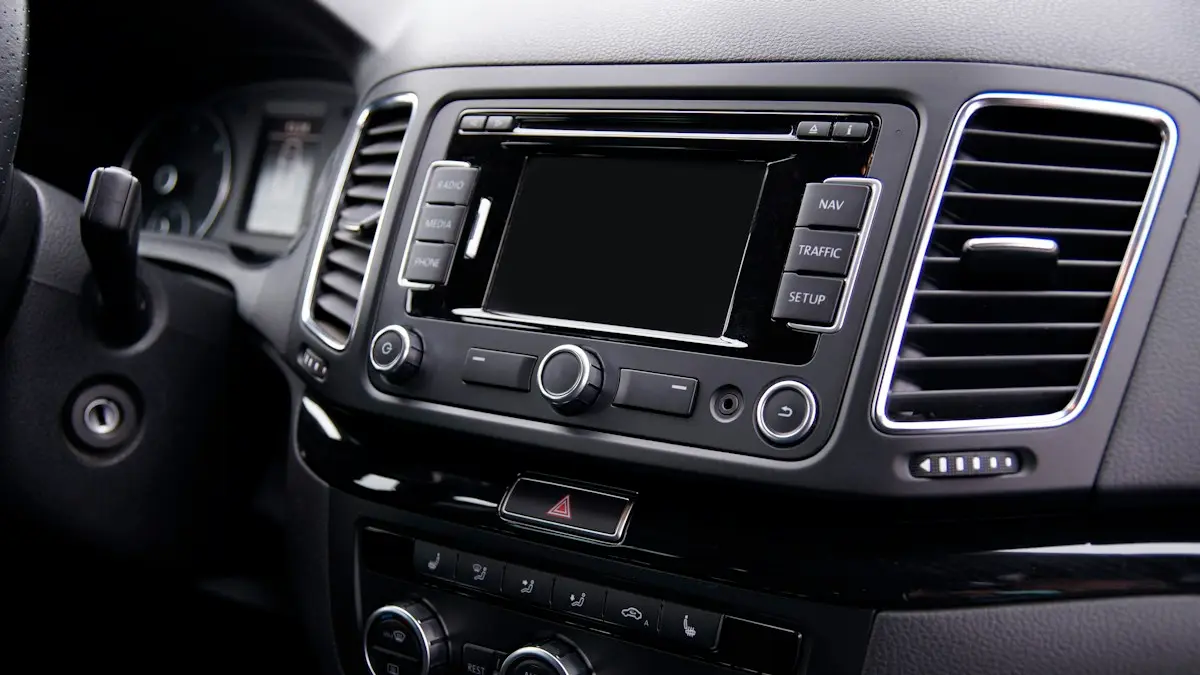
Photo by Dominik Garbera on Unsplash
CarPlay that drops in the middle of a drive is hard to live with, because your maps and music vanish at the worst moment. The cause is usually one of three: a cable that carries power but cannot keep a steady data link, a wireless connection pulled onto another network, or software that is out of date on the phone or the car. These steps cover wired and wireless setups.
9 fixes when CarPlay keeps disconnecting
The fix
9 fixes for CarPlay dropping out
- 1
Swap the cable (wired CarPlay).
Use an Apple or MFi-certified cable. Worn cables lose data before they stop charging.
- 2
Clean the iPhone’s port.
Shine a flashlight inside and remove lint with a wooden toothpick. A loose fit causes drops over bumps.
- 3
Try another USB port in the car.
Use the port marked with a phone or CarPlay icon.
- 4
Stop auto-joining public Wi-Fi (wireless CarPlay).
In Settings › Wi-Fi, tap the ⓘ next to networks like xfinitywifi and turn off Auto-Join.
- 5
Turn off Low Power Mode and VPN.
Both can interrupt the connection during long drives.
- 6
Keep the phone still and cool.
A phone sliding in a cup holder can wiggle the cable, and an overheated phone can drop CarPlay. Use a mount out of direct sun.
- 7
Restart the iPhone and the car.
Turn the car off, open and close the door, wait a minute and start it again.
- 8
Forget the car and pair again.
Settings › General › CarPlay, tap the car, then Forget This Car. Remove the phone in the car’s menu too, then reconnect.
- 9
Update iOS and the car’s software.
Install iOS updates, and check with your carmaker or dealer for infotainment updates.
If CarPlay never connects in the first place, see our guide to CarPlay not working.
Why does CarPlay keep cutting out?
Wired CarPlay sends video, audio and touch data through the cable at once. A cable with thin wires, a bent plug or a dirty port may charge the phone but fail under that load, and a small bump is enough to break the link. Wireless CarPlay starts over Bluetooth, then moves to a direct Wi-Fi link. When the phone is also trying to hold another Wi-Fi network, or sits in a hot spot where the signal is crowded, the link breaks and CarPlay restarts. Heat plays a part too. A phone in a sunny windshield mount can warm up and slow its radios. Hardware, network and software, in that order, is a good way to hunt for the cause.
Wired CarPlay: cable, port and USB socket
Start with the cable. Choose an Apple cable or one marked MFi-certified, and keep it short, ideally under three feet. Long cables, cheap gas station cables and cables that also split into multiple plugs often fail in the car. Check the plugs for bent pins or fraying. Next, look at the port. Pocket lint packs into the Lightning or USB-C port and keeps the plug from seating, which causes drops over bumps. Use a wooden toothpick, not metal. Finally, use the USB port the car marks for phones. A charging-only port in the center console may not carry data at all, and some cars have two ports with different behavior.
Wireless CarPlay and Wi-Fi conflicts
When your iPhone sees a network it already knows, such as a gas station hotspot, a home router in the garage or a public Wi-Fi like xfinitywifi, it may jump to it and leave the car’s link behind. Open Settings › Wi-Fi, tap the ⓘ next to those networks and turn off Auto-Join. You can also turn Wi-Fi off in Control Center while you drive, but do not turn it off in Settings, since wireless CarPlay needs it. Turn off Personal Hotspot, and check that no VPN is active. If you have more than one phone in the car, turn off Bluetooth on the other one so it does not grab the connection.
Settings that interrupt CarPlay
- Low Power Mode: it reduces background work and can drop the link on long drives. Turn it off while you use CarPlay.
- Focus modes: a Driving Focus is fine, but other Focus settings can block notifications and some connection prompts.
- Siri: CarPlay depends on Siri. Check Settings › Siri that it is on and allowed when the iPhone is locked.
- Restrictions: in Settings › Screen Time › Content & Privacy Restrictions › Allowed Apps, make sure CarPlay is allowed.
Heat, mounts and charging
Heat is a quiet cause of drops. In summer, a phone in a mount in direct sun while charging and running maps can reach a temperature where the phone limits itself and CarPlay breaks. Park in shade when you can, point a vent at the phone and take it out of a thick case. If your iPhone also restarts or shuts down in the car, read about an iPhone that restarts on its own. A mount that squeezes the sides of the phone can also press buttons and cause trouble, so check that it does not touch them.
Forget the car and start fresh
A saved CarPlay profile can go wrong after an update. On the iPhone open Settings › General › CarPlay, tap your car and choose Forget This Car. Then open the car’s own menu, find the list of phones and delete yours. Also remove the car under Settings › Bluetooth. Restart the iPhone and the car, and pair again, from the start. For wireless, press the voice button on the steering wheel or open the car’s wireless CarPlay setup and follow the prompts on the iPhone. After a clean pairing, give it a day of normal use before you decide whether the fix worked.
Update iOS and the car’s infotainment software
Apple and carmakers fix CarPlay bugs in updates. Update the iPhone in Settings › General › Software Update. If trouble began right after an iOS update, check the carmaker’s website or an owners’ forum for your model, since some cars need their own update to match. Many makers offer infotainment updates by app, USB stick or at the dealer, often for free. Ask the dealer about it at your next service visit, and keep the date of the first drop, since it helps them find the cause.
Drops that follow a pattern
Write down when it happens, because the pattern tells you the cause. A drop on every bump points to the cable or the port. A drop at the same spot on your commute points to a Wi-Fi network the phone wants to join. A drop after about twenty minutes points to heat or a power setting. A drop when a call comes in points to a Bluetooth conflict, so forget the car in Bluetooth and pair again. A drop only after an update points to software, which means waiting for a patch or reinstalling the car’s pairing. A short note on your phone is enough, and it helps a dealer too.
Is it safe to keep using CarPlay that keeps cutting out?
Do not fiddle with the phone while you drive. If CarPlay drops, let the car’s own radio and navigation take over, and fix the link when you are parked. Set your route before you leave, so a drop does not leave you without directions. Treat repeated drops as a reason to fix the cable or the pairing soon, not as something to live with.
When it still drops: aftermarket stereos and repair
If a different iPhone and a new cable behave the same way, the car’s head unit or USB port may be faulty. Ask your dealer to check it, and see whether it is under warranty. Aftermarket wireless adapters also drop often, especially cheap ones, so update their firmware or go back to the cable for a week to test. If a second car works fine with your phone, the iPhone is not at fault. For Bluetooth-only trouble in the car, see Bluetooth problems in the car, and if your phone’s Wi-Fi is also unstable, read about iPhone Wi-Fi connection trouble.
Frequently asked questions
Why does wireless CarPlay keep disconnecting?
Wireless CarPlay uses a direct Wi-Fi link to the car. If your iPhone auto-joins another network, such as public Wi-Fi at a gas station, the link drops. Turn off auto-join for those networks.
Can a phone charger cable cause CarPlay to disconnect?
Yes. Many cables charge fine but cannot hold a steady data connection, especially when worn. Use an Apple or MFi-certified cable, and keep it short.
Does iOS update cause CarPlay to disconnect?
It can. A new iOS version sometimes breaks the link until the car or Apple releases a fix. Forget the car and pair again, then check for another update.
Why does CarPlay disconnect when I get a call?
A weak cable or a Bluetooth conflict can drop the link when audio switches between music and the call. Replace the cable and forget the old Bluetooth pairing, then connect fresh.
People also ask
Why does CarPlay need Siri?
CarPlay is built around voice control for safety, so you can send messages and get directions without touching the phone. If Siri is turned off, CarPlay will not start. Turn on Siri in Settings › Siri (or Siri & Search).
Read the full guide: CarPlay not workingWhere is the Android Auto app on my phone?
On Android 10 and later, Android Auto is built in rather than a separate app. Find it in Settings by searching for Android Auto, or under Connected devices › Connection preferences › Android Auto.
Read the full guide: Android Auto not connectingDo I need to download Android Auto?
On Android 10 and later it is built in. On older phones, install Android Auto from the Google Play Store.
Read the full guide: Set up Android AutoWhy does my iPhone keep asking to trust this computer?
Apple says the alert returns every time if you chose Don't Trust, and it can appear on every connection if automatic backups are on. It also returns after you reset Location & Privacy.
Read the full guide: iPhone keeps asking to trust this computerRelated guides
CarPlay not working
Apple CarPlay not working or not connecting? Check Siri, Screen Time, the cable and your car’s settings, then re-pair your iPhone with these 10 fixes.
Android Auto not connecting
Android Auto not connecting to your car or keeps disconnecting? Swap the cable, check USB mode, forget the car and fix battery settings with these 10 fixes.
Set up Android Auto
Set up Android Auto for the first time with a USB cable or wirelessly, grant the right permissions, and customize which apps show on your car’s screen.
iPhone keeps asking to trust this computer
iPhone keeps asking to trust this computer every time you plug in? Learn the three real causes and Apple's six-step fix to make the alert stop for good.
More guides you may need
Continue setup on iPhone
Apple Watch says continue setup on iPhone but nothing happens? Finish pairing, restart, reset in pairing mode, or unpair and start again. Steps for each case.
Apple Watch keeps opening Compass
Apple Watch keeps opening Compass or will not leave it? Change Return to Clock, turn off Return to App, end Backtrack and check the Action button. 7 easy fixes.