

Google Photos vs iCloud: which is better for backing up your photos?
Both back up your photos automatically. The right pick depends on your phone, your free storage and how you share pictures.
Photo by Maxim Simonov on Unsplash
Your photos are probably the one thing on your phone you could never replace, so where you back them up matters. Google Photos and iCloud both do it automatically, and both can free up space on your phone. They differ in free storage, in how well they work across devices and in how they handle sharing and privacy. This guide compares them on the points that decide the choice, then gives a short answer by phone type and a safe way to switch.
Google Photos vs iCloud at a glance
- Free storage: iCloud gives 5 GB, shared with backups and files. Google gives 15 GB, shared with Gmail and Drive.
- Works on: iCloud Photos is built into iPhone, iPad and Mac, with a Windows app and a website. Google Photos works on iPhone, Android, the web and computers.
- Best for: iCloud suits people who use only Apple devices. Google Photos suits mixed devices and those who like its search.
- Sync style: iCloud mirrors your library across devices, so a deletion on one removes it from all. Google Photos backs up and keeps a cloud copy, and has its own delete rules.
- Search and editing: Google Photos is known for searching by people, places and things. iCloud has similar search in the Photos app on Apple devices.
Cost and free storage
Neither is really free once you have a few years of photos. iCloud's 5 GB fills quickly because it also holds device backups. Google's 15 GB is shared across your email, Drive files and Photos, so a busy inbox shrinks what is left. Both sell monthly plans, with Apple's iCloud+ and Google One offering several sizes, and the prices change with time and country. Compare the same sizes on each service's plan page before you decide. If a family shares a plan, check how many people can use it, since both let you share bigger plans with family members.
If you are an Apple user and want to know what size to pay for, see how much iCloud storage you need.
Photo quality and originals
iCloud Photos stores your original photos and videos at full quality, and your iPhone can keep smaller versions on the phone to save space. Google Photos lets you choose between Original quality and a Storage saver option that compresses photos and videos to save space. Storage saver is fine for casual photos but it changes the files, so choose Original quality for pictures you may print or edit. Check the setting in the Google Photos app under your profile picture, Photos settings, Backup.
Sharing and family features
- iCloud: Shared Albums and the Shared Photo Library let a family share pictures inside the Photos app. Recipients on Android can view a link in a browser.
- Google Photos: Shared albums, partner sharing and links work with anyone who has a Google Account or a browser. It is easier across Android and iPhone.
- Printing and memories: both offer automatic highlights and photo books, with Google often more ready to suggest edits.
Privacy and security
Both services encrypt your photos in transit and while stored, and both let you protect your account with two-factor authentication. Apple offers Advanced Data Protection, which adds end-to-end encryption for iCloud Photos if you turn it on, and then Apple cannot read your photos, though you are responsible for recovery. Google can scan content on its servers for features such as search and for abuse prevention. The practical risk for most people is not the service but a stolen password, so turn on two-step verification. See how to set up two-factor authentication.
Which should you choose?
A quick guide by phone
iPhone with a Mac or iPad
Use iCloud Photos. It is built in and works without extra apps. Add Google Photos as a second copy if you want.
iPhone with a Windows PC or Android family
Google Photos is easier to share and open on non-Apple devices. You can still use iCloud for device backup.
Android phone
Use Google Photos. It is built into most Android phones. iCloud is not made for Android.
Mixed devices at home
Pick one main library, and use shared albums or links for everyone else. Keep one extra backup on a drive.
Using both without filling both
- 1
Pick your main library.
Choose iCloud Photos or Google Photos as the main one that is always on.
- 2
Use the other for a periodic copy.
Open the second app now and then to upload new photos, or turn on backup and watch the storage.
- 3
Check storage on both every few months.
Free up space in the main one so it never stops backing up.
- 4
Keep an offline copy.
Copy your best photos to a computer or external drive once a year. Neither cloud service is a full replacement for a second backup.
How to switch from iCloud to Google Photos
- 1
Install Google Photos and sign in.
Turn on Backup and choose Original quality, if you have the space.
- 2
Let it back up everything on the phone.
Keep the phone on Wi-Fi and plugged in. It can take hours or days for a big library.
- 3
Download anything that is only in iCloud.
If you use Optimize iPhone Storage, some originals are only in iCloud. See how to download all photos from iCloud.
- 4
Check that the counts match.
Compare the number of photos and videos in both libraries.
- 5
Only then turn off iCloud Photos.
Do this after you are sure everything is safe, and keep an extra copy for a while.
Problems with backup
If photos stop uploading, the fixes depend on the service. For Google, see what to do when Google Photos is not backing up. For Apple, see what to do when iCloud Photos is not syncing. The most common causes are full storage, a weak connection, Low Power Mode or Battery Saver, and a signed-out account.
Which devices each one works on
iCloud Photos is built into iPhone, iPad and Mac, and works on Windows through the iCloud for Windows app and in a browser at icloud.com. There is no iCloud Photos app for Android. Google Photos works on Android, iPhone and any browser, so it suits families with mixed phones and people who may switch platforms later.
Search and editing
Both let you search for things like dog, beach or a person's name. Google Photos has long been stronger at search and adds editing tools like Magic Eraser, some of which need a Google One plan on certain devices. Apple Photos has solid edits, Clean Up on supported iPhones, and keeps processing on the device for privacy.
What happens when you run out of space
When iCloud is full, new photos stop uploading and backups pause, but nothing is deleted. When Google storage is full, Google Photos stops backing up and Gmail can stop receiving mail, since the 15 GB is shared. After two years over the limit or inactive, Google may delete content, after warning you. Either way, watch the warnings.
Getting your photos out
Google Takeout exports your Google Photos library as ZIP files. Apple lets you download originals from icloud.com, request a copy at privacy.apple.com, or transfer directly to Google Photos through Apple's data transfer tool. Exports can be large, so download on a computer with plenty of space.
Cost over time
Both charge monthly for extra space, with similar entry tiers in the US. Google gives more free space (15 GB vs 5 GB). For most iPhone users, the 50 GB iCloud tier is the cheapest way to keep a full library, and our guide to how much iCloud storage you need helps you pick.
Frequently asked questions
Is Google Photos or iCloud better for iPhone?
iCloud Photos is better integrated and simpler on an iPhone. Google Photos is a strong choice if you also use Android, a Windows PC or want its search and sharing tools.
Is Google Photos free?
It uses your Google Account's free storage, shared with Gmail and Drive. When that fills, you need a paid Google One plan.
Can I use both Google Photos and iCloud?
Yes. Many people keep iCloud Photos for the phone and the Google Photos app as a second copy. Just watch your storage, since each service keeps its own copy.
Which is safer for my photos?
Both encrypt photos in transit and storage, and both are reliable. Safety depends more on your account security than the service, so use two-factor authentication and keep a second backup.
What to try next
People also ask
Why does Google Photos say waiting for Wi-Fi?
Backup is set to Wi-Fi only. Connect to Wi-Fi, or allow mobile data in Photos settings › Backup › Mobile data usage.
Read the full guide: Google Photos not backing upWill downloading remove photos from iCloud?
No. Downloading makes a copy. Your photos stay in iCloud until you delete them.
Read the full guide: Download photos from iCloudDoes AirTag work with Android?
Not for setup or tracking. An AirTag needs an iPhone or iPad to set up and to find it. An Android phone can detect an unknown AirTag nearby and alert you, but it cannot manage one.
Read the full guide: AirTag vs TileIs prepaid coverage worse than postpaid?
No, prepaid plans use the same towers as the carrier behind them. The difference is priority: when a tower is busy, prepaid users may get slower data than postpaid users.
Read the full guide: Prepaid vs postpaidRelated guides
Google Photos not backing up
Google Photos not backing up or stuck on Preparing backup? Check your storage, Wi-Fi and battery saver, pick the right folders and give it full photo access.
Download photos from iCloud
Download all your iCloud photos to a PC, Mac or iPhone. Use iCloud.com in batches of 1,000, iCloud for Windows, or request a full copy from Apple.
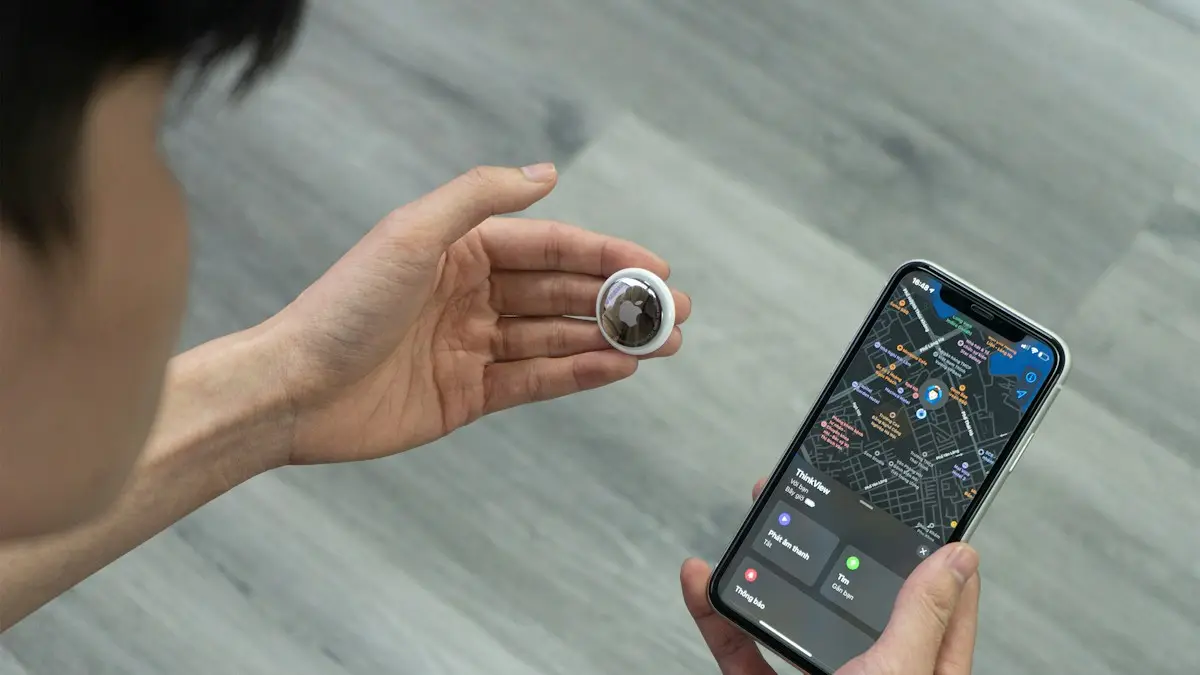
AirTag vs Tile
AirTag vs Tile compared on phone support, network size, precision finding, alerts, battery and cost. See which tracker fits your iPhone or Android.
Prepaid vs postpaid
Prepaid vs postpaid phone plans compared: price, coverage, data priority, phones, credit checks and perks, so you can pick the right plan and stop overpaying.
More guides you may need
What is 5G UC
5G UC is T-Mobile’s fastest 5G, called 5G UW on Verizon and 5G+ on AT&T. What the icon means, how fast it is and how it differs from plain 5G.
AirTag vs Tile
AirTag vs Tile compared on phone support, network size, precision finding, alerts, battery and cost. See which tracker fits your iPhone or Android.