

How to change HEIC to JPG on iPhone (new and old photos)
One camera setting makes future photos JPG. For older photos, a quick copy into Files converts them.
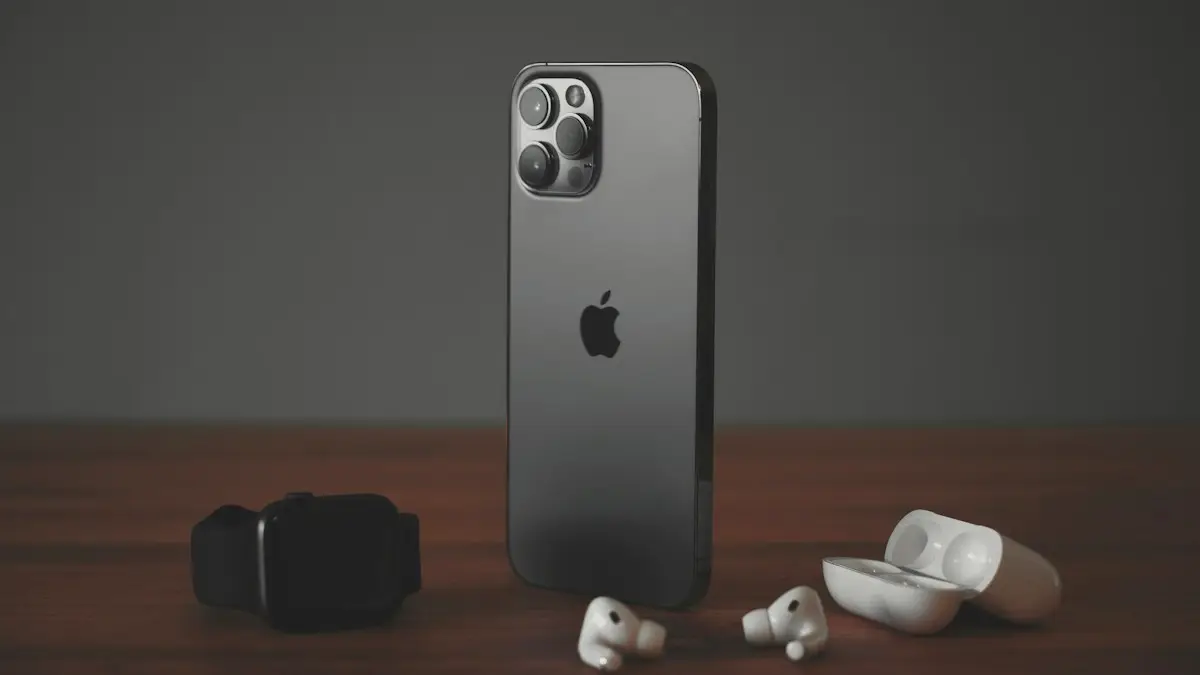
Photo by Dennis Brendel on Unsplash
The fix
Take JPG photos from now on
- 1
Open Settings › Camera.
- 2
Tap Formats.
- 3
Choose Most Compatible.
The fix
Convert existing photos
- 1
Select the photos in Photos and tap Share.
- 2
Tap Copy Photos.
- 3
Open Files, go to a folder, touch and hold an empty spot and tap Paste.
What is HEIC and why does iPhone use it?
HEIC (High Efficiency Image Container) is the photo format iPhone has used by default since iOS 11. It stores the same photo at roughly half the file size of a JPG, so your iPhone and iCloud fill up more slowly. It also supports things JPG cannot, such as Live Photos and wider color. The problem is compatibility: some Windows PCs, older Android phones, websites and printing kiosks will not open HEIC files.
Should you switch to JPG?
For most people, no. iPhone already converts photos to JPG when you share them to places that need it. Switch to Most Compatible only if you often move photos to a Windows PC, upload to websites that reject HEIC, or edit in software that cannot open it. The cost is storage. A typical 12 megapixel photo might be around 1 to 2 MB as HEIC and 2 to 4 MB as JPG, though sizes vary a lot with the scene.
Convert existing photos with the Files app
- Open Photos and tap Select, then tap the photos you want.
- Tap the Share button and choose Copy Photos (or Copy Photo for one).
- Open the Files app and choose On My iPhone or an iCloud Drive folder.
- Touch and hold an empty space in the folder and tap Paste.
- Tap a pasted file and check the name. It should end in .jpg.
If the pasted files still end in .heic, try Save to Files from the Share menu instead, or use the Shortcuts method below. Results can differ between iOS versions.
Make sharing convert automatically
Go to Settings › Apps › Photos and scroll to Transfer to Mac or PC. Choose Automatic. When you connect the iPhone to a computer with a cable, photos are copied as JPG. Choose Keep Originals only if your computer can open HEIC. Our guide to transferring photos from iPhone to Windows covers the whole process.
Mail and Messages to non-Apple phones usually send a JPG copy as well. AirDrop to another Apple device keeps HEIC, since Apple devices open it.
Convert HEIC to JPG with Shortcuts
- Open the Shortcuts app and tap the plus to create a shortcut.
- Add the action Select Photos and turn on Select Multiple.
- Add Convert Image and set it to JPEG.
- Add Save to Photo Album and pick an album.
- Name the shortcut and run it whenever you need JPG copies.
This keeps the originals and adds JPG copies. You can delete the HEIC versions afterward if you need the space, though remember that JPG files take more room.
Convert HEIC on a Windows PC
Windows 10 and 11 can open HEIC after you install the HEIF Image Extensions from the Microsoft Store. Some PCs need the HEVC Video Extensions too, which may cost a small fee. Once installed, open the photo in the Photos app and use Save as, or open it in Paint and save as JPG. For many photos, the iCloud for Windows app or a free converter such as the one built into some photo editors can batch convert.
Convert HEIC on a Mac
Open the photo in Preview, choose File › Export, pick JPEG as the format and save. To convert many at once, select them in Finder, right click and choose Quick Actions › Convert Image, then pick JPEG. You can also export from the Photos app with File › Export › Export Photos and choose JPEG.
Are online HEIC converters safe?
They work, but you upload your photos to someone else's server. Photos can include your location and other details. Avoid them for personal or sensitive images. The iPhone, Mac and Windows methods above keep everything on your own devices.
Convert HEIC to PDF instead
If you need to send photos as a document, iPhone can turn them into a PDF without converting to JPG first. See how to convert photos to PDF on iPhone.
Running out of space after switching?
JPG takes more storage, so keep an eye on it. Check Settings › General › iPhone Storage. If space gets tight, switch back to High Efficiency, or read how to free up iPhone storage and how much iCloud storage you need.
Change it back to HEIC
Go to Settings › Camera › Formats and choose High Efficiency. New photos are saved as HEIC again. Photos you already took stay in whatever format they were taken in.
Why a website or app rejects your iPhone photo
Many upload forms for jobs, government sites and printing services accept only JPG or PNG. If you pick a photo from your library in Safari, iPhone usually converts it to JPG during upload. If a site still rejects it, the file may be too large rather than the wrong format. Try sending a smaller version: in the photo picker, some sites let you choose Actual Size or Large. You can also take a screenshot of the photo, which is saved as PNG and uploads almost anywhere, though at screen resolution.
HEIC vs JPG at a glance
- File size: HEIC is about half the size of JPG for similar quality.
- Compatibility: JPG opens everywhere. HEIC needs support on Windows, older Android and some websites.
- Live Photos: only work with HEIC. With JPG, Live Photos are still captured but stored differently.
- Editing: both edit fine in Photos. Older desktop editors may need JPG.
Sending HEIC photos to Android phones
Current Android phones open HEIC without trouble, and iPhone usually sends a JPG copy over RCS or MMS anyway. If an Android friend says your photos will not open, send them through Google Photos or a shared link, or turn on Most Compatible. See Google Photos vs iCloud if you share photos across both platforms often.
Common problems
- Formats option is missing: you may have an older iPhone that does not support HEIC. Those already shoot JPG.
- Pasted files are still HEIC: use the Shortcuts method, which always outputs JPEG.
- Photos look different after converting: JPG cannot hold the same wide color range, so very colorful scenes may shift slightly.
- Converted copies doubled your storage: delete the HEIC originals or the JPG copies once you no longer need both.
Does converting remove location data?
No. A JPG made from a HEIC photo usually keeps the date, camera details and location. To share without location, tap Options at the top of the Share sheet and turn off Location before you send or save. This works for both HEIC and JPG files, and it is a good habit when you post photos online or send them to people you do not know well.
Whichever method you pick, test with one photo first and open the result on the device or website that gave you trouble. That quick check confirms the format before you convert a whole album and use extra storage you may not need.
Will converting lower the quality?
Slightly, but you will rarely notice. HEIC stores the same picture in about half the space of JPG. When the iPhone converts to JPG, the file gets bigger and a small amount of detail can be lost to compression. For sharing, printing and uploading, the difference is invisible. Keep your originals in HEIC and convert copies only when a website or app needs JPG.
Frequently asked questions
Is JPG worse than HEIC?
Quality looks the same, but JPG files are about twice as large, so they use more storage.
Why do photos arrive as HEIC on my PC?
Set Settings › Apps › Photos › Transfer to Mac or PC to Automatic. The iPhone then converts them to JPG while copying.
Does Most Compatible lower photo quality?
Not in a way most people can see. JPG files are about twice as large as HEIC for the same photo, so they use more storage.
Why do my iPhone photos turn into JPG when I email them?
iPhone converts HEIC to JPG automatically when you share to apps or devices that may not support HEIC, such as email or a Windows PC, if Transfer to Mac or PC is set to Automatic.
People also ask
Why does my iPhone camera go back to 4:3?
The Camera app resets to its default each time unless Preserve Settings is on. Go to Settings › Camera › Preserve Settings and turn on Creative Controls.
Read the full guide: Change aspect ratio on iPhoneWhy does my PC not see my iPhone?
Unlock the iPhone and tap Trust when asked. If the prompt never appears, try another cable or USB port, and install Apple Devices (or iTunes) from the Microsoft Store so Windows has the right drivers.
Read the full guide: iPhone photos to Windows PCCan I change my Instagram password without the old one?
Yes. Log out, tap Forgot password on the login screen and use the link sent to your email or phone. You can also tap Forgot password on the Change password screen while logged in.
Read the full guide: Change Instagram passwordCan you change the shutter speed on iPhone?
Not in Apple's Camera app, which chooses the shutter speed itself. You can get a longer exposure with Night mode or a Live Photo Long Exposure, or set the shutter speed by hand in a manual camera app.
Read the full guide: Change shutter speed on iPhoneRelated guides
Change aspect ratio on iPhone
Change your iPhone camera aspect ratio to 16:9, 4:3 or square, pin the control to the top bar in iOS 27, keep it as default, and reshape photos you took.
iPhone photos to Windows PC
Transfer photos from iPhone to PC in minutes. Use a USB cable, File Explorer or iCloud on Windows 10 or 11, and fix HEIC photos that will not open.
Change Instagram password
Change your Instagram password on iPhone in Accounts Center, reset it if you forgot the old one, and log out every other device so nobody else stays signed in.
Change shutter speed on iPhone
The iPhone Camera app has no shutter speed dial. Learn how to get a longer exposure with Night mode, Live Photo Long Exposure or a manual camera app.
More guides you may need
Pay with Google Pay on iPhone
How to pay with Google Pay on iPhone: you can't tap to pay in stores, but Apple Pay can. See what Google Pay does on iPhone and how to set up Apple Pay instead.
Report bugs on iOS
How to report bugs on iOS: use Feedback Assistant, Apple's feedback page or Apple Support, and learn what makes a bug report useful. Steps for any iPhone.