

iCloud storage full? What to delete and what to keep
Every Apple Account gets 5 GB of free iCloud storage, and it fills up fast. Old device backups are usually the easiest space to win back.
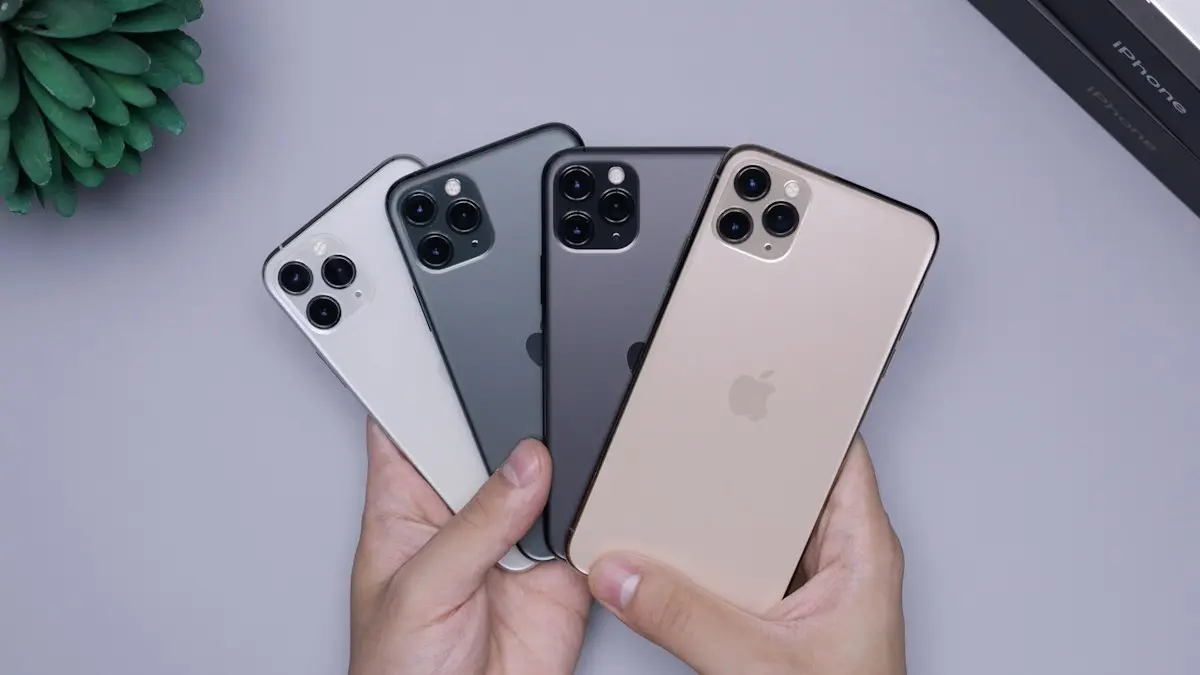
Photo by Tyler Lastovich on Unsplash
What happens when iCloud storage is full
Every Apple Account gets 5 GB of iCloud storage free. When you go over it, nothing you already stored is deleted, but several things quietly stop working:
- iCloud Backup stops. Your iPhone is no longer backed up, so a lost or broken phone could mean lost data.
- New photos stop uploading to iCloud Photos, so they are not on your other devices or protected.
- iCloud Drive and app data stop syncing between your iPhone, iPad and Mac.
- iCloud Mail stops sending and receiving if you use an @icloud.com address.
That is why the warning is worth fixing quickly, either by freeing space or by adding more. Most people can do it in about ten minutes.
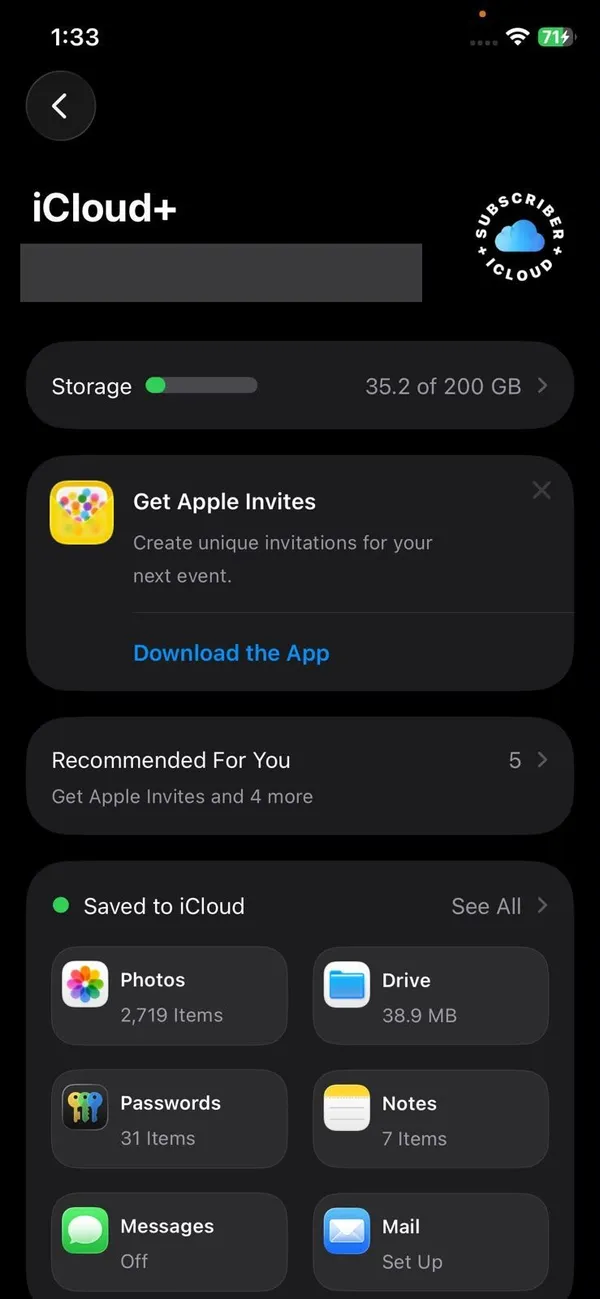
See what is using your iCloud storage
- 1
Open Settings and tap your name.
- 2
Tap iCloud.
- 3
Tap Storage or Manage Account Storage.
The wording varies slightly between iOS versions. You will see a bar and a list of what uses the most space.
What to delete first
The fix
Win back space in this order
- 1
Delete backups of old devices.
Tap Backups in the storage screen. If you see an iPhone or iPad you no longer use, tap it and choose Delete & Turn Off Backup. This is often several gigabytes.
- 2
Stop backing up apps that do not need it.
Open your current iPhone's backup and turn off apps whose data is already stored elsewhere. WhatsApp, for example, has its own separate backup.
- 3
Clear large files in iCloud Drive.
Open the Files app, tap Browse › iCloud Drive, and sort by size to find old downloads and duplicates.
- 4
Remove long videos from Photos.
Open Photos, filter to Videos, and delete clips you do not need. Then empty Recently Deleted.
- 5
Delete old email attachments.
If you use an iCloud email address, emails with large attachments count toward your storage too.
Shrink Messages in iCloud
If Messages is one of the biggest items, photos and videos in old chats are usually the cause. Go to Settings › General › iPhone Storage › Messages and tap Review Large Attachments. Swipe left on anything you do not need, or tap Edit to delete several at once. With Messages in iCloud turned on, deleting them on your iPhone frees the same space in iCloud. You can also set messages to delete after one year in Settings › Apps › Messages › Keep Messages, depending on your iOS version.
Keep your photos safe before deleting
Photos are usually the largest item, and deleting them from iCloud Photos removes them from every device. Before you clear anything, save a copy somewhere else:
- Copy them to a computer. See how to move iPhone photos to Windows, or use the Photos app on a Mac.
- Copy them to an external drive with the Files app, if your iPhone has USB-C.
- Upload them to another cloud service such as Google Photos or Amazon Photos. Amazon Prime members get unlimited full-resolution photo storage with Amazon Photos, which makes it a good second home for a large library.
Check that the copy opens, plays and is complete before deleting anything from iCloud.
Manage iCloud storage from a Mac, PC or the web
- Mac: open System Settings, click your name, then iCloud, and click Manage next to the storage bar. You can delete backups and app data from there.
- Windows: open the iCloud for Windows app and click Storage to see and delete data by app.
- Web: sign in at icloud.com to delete photos, Drive files and mail from any browser. It is easier for bulk deletions than a phone screen.
Mistakes to avoid
- Deleting your current iPhone backup to make room. Delete old devices’ backups instead.
- Turning off iCloud Photos and choosing to remove photos from the iPhone without having another copy.
- Assuming a new iPhone moved your photos. With iCloud Photos on, they live in iCloud, not only on the phone.
- Paying for a bigger plan while an old iPad backup from years ago is using gigabytes.
- Ignoring the warning. Weeks without a backup is when phones tend to get lost or broken.
iCloud storage still full after deleting?
- Recently Deleted: photos and videos stay in Photos › Albums › Recently Deleted for up to 30 days and still use space. Open it and tap Delete All. Do the same in the Files app under Browse › Recently Deleted.
- Time to update: the storage bar can take a few hours to catch up.
- Another device: an iPad or Mac on the same Apple Account may still be backing up or syncing large files.
- Family members: if you share iCloud+ through Family Sharing, everyone’s data counts toward the same total. The storage screen shows how much each person uses.
- Optimize iPhone Storage does not help here: it saves space on the phone by keeping full photos in iCloud, not the other way around.
Should you pay for more storage?
If you use iCloud Photos and back up your iPhone, 5 GB is rarely enough. The smallest iCloud+ plan (50 GB) costs little each month and covers one iPhone for most people. Families can share a 200 GB or larger plan through Family Sharing. Upgrade in Settings › [your name] › iCloud › Upgrade to iCloud+. Prices vary by country and are shown before you confirm.
- 50 GB: one person with a single iPhone backup and a modest photo library.
- 200 GB: a large photo library, or a couple sharing through Family Sharing.
- 2 TB and above: families with years of photos and videos, or people who store work files in iCloud Drive.
If you also pay for Apple Music, Apple TV+ or Apple Arcade, compare an Apple One bundle. Each tier includes iCloud+ storage, and the bundle can cost less than paying for the services separately. Every iCloud+ plan also includes extras such as Hide My Email and iCloud Private Relay.
Sharing storage with your family
With Family Sharing, one person pays for a 200 GB or larger plan and up to five family members use it, each with private data. It is usually cheaper than several separate 50 GB plans. The organizer turns it on in Settings › [your name] › Family Sharing › iCloud+, and each member’s storage screen then shows the shared plan. Everyone’s photos and backups count toward the same total, so check the breakdown now and then to see who is filling it.
Kids often have the biggest backups because of games and videos. Turning off backup for a few large games on their iPhone or iPad can free a lot of shared space without touching anyone’s photos.
Staying under 5 GB for free
It is possible if you keep photos elsewhere. Turn off iCloud Photos after saving your library to Google Photos, Amazon Photos or a computer, keep iCloud Backup on, and turn off backup for large apps you do not need. A backup without photos is often small enough to fit in the free 5 GB. The tradeoff is managing two services, and remembering to check that new photos really are uploading to the other service. See backing up an iPhone for other backup options, including a free backup to a computer.
Frequently asked questions
What happens when iCloud storage is full?
Your iPhone stops backing up, new photos stop uploading to iCloud Photos, and iCloud Drive files and some app data stop syncing. Nothing already stored is deleted.
Does deleting photos from iCloud delete them from my iPhone?
Yes, if iCloud Photos is turned on. It keeps your library identical on every device, so a photo deleted in one place is deleted everywhere. Copy anything you want to keep to a computer first.
Why is my iCloud storage still full after deleting things?
Deleted photos and files sit in Recently Deleted for up to 30 days and still count. Empty Recently Deleted in Photos and in the Files app, then give the storage bar a few hours to update.
Is it worth paying for iCloud storage?
For most iPhone users, yes. The 50 GB plan is the cheapest way to keep a full backup and your photos synced, and the 200 GB plan can be shared with your family.
What to try next
People also ask
Is 5 GB of iCloud storage enough?
Rarely. 5 GB fills quickly with photos and device backups, so most people who keep iCloud Photos or back up their iPhone need at least the 50 GB plan.
Read the full guide: How much iCloud storageWhy does my new iPhone say no backups available?
Usually because you signed in with a different Apple Account than the one that made the backup, or the old phone never completed a backup. A weak Wi-Fi connection can also hide the list.
Read the full guide: No backups availableWhy is my storage full when I have deleted everything?
Deleted photos usually sit in a Trash or Recycle bin for 30 days. WhatsApp media, app caches and the Downloads folder also take space that does not show up as photos.
Read the full guide: Android storage fullWhat is “System Data” and can I delete it?
System Data holds caches, logs and temporary files. You cannot delete it directly, but it usually shrinks after a restart, after clearing Safari data, or once iOS finishes an update.
Read the full guide: Free up iPhone storageRelated guides

How much iCloud storage
How much iCloud storage do I need? Check your usage, add up photos and backups, then pick 5 GB, 50 GB, 200 GB or 2 TB. Includes family sharing tips.
No backups available
Getting no backups available when you restore an iPhone? Check your Apple Account, Wi-Fi, iOS version and iCloud backup list to find the backup that is missing.
Android storage full
Android phone storage full? Find what is using the space, clear junk files and large videos, and move photos to the cloud or an SD card. Works on Samsung too.
Free up iPhone storage
iPhone storage full? Here is how to find what is using the space and clear several gigabytes without losing a single photo or message you care about.
More guides you may need

Boarding pass not on lock screen
Boarding pass not showing on iPhone lock screen? Learn when Wallet shows it, how to turn on Suggest on Lock Screen, and how to open your pass right now.

watchOS 27 compatible Apple Watch
See the watchOS 27 compatible Apple Watch list from Apple, the iPhone you need, and how to update from your iPhone or watch. Plus what to do if it is missing.