

Facebook keeps logging me out or saying Session Expired? Fix it
Repeated logouts are either a security reset on your account or something on your phone or browser blocking Facebook’s login cookies.
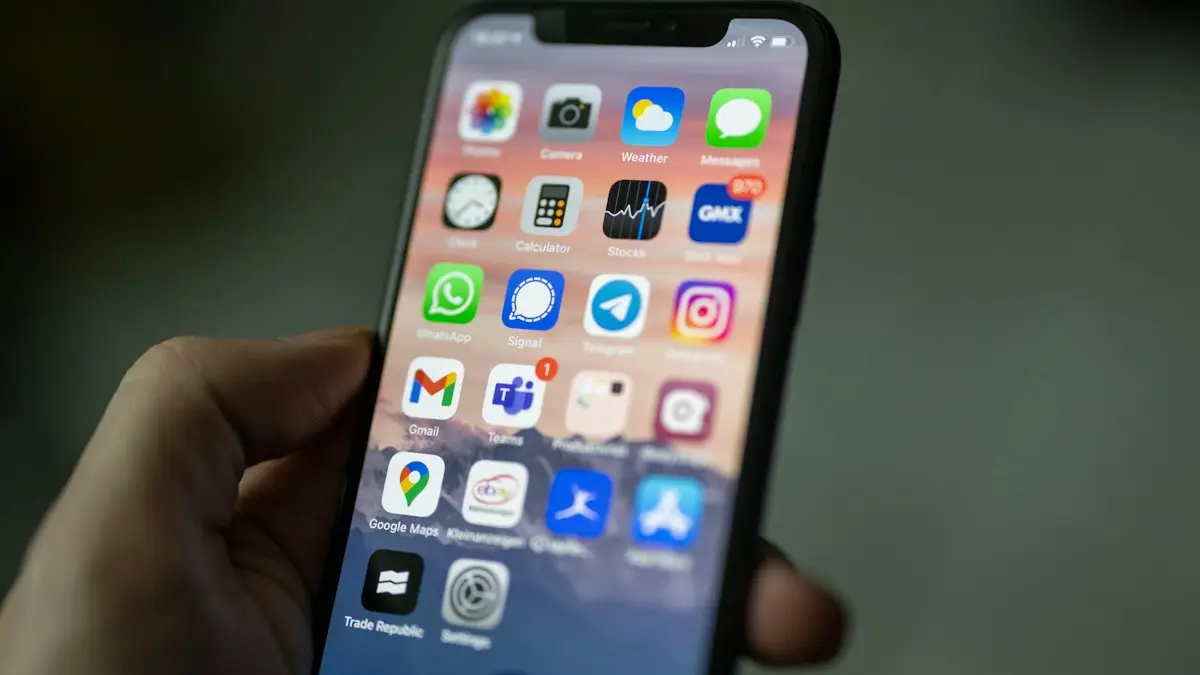
Photo by Timothy Hales Bennett on Unsplash
The fix
8 fixes to stop the logouts
- 1
Check where you are logged in.
In Facebook, open the menu › Settings & privacy › Settings › Accounts Center › Password and security › Where you’re logged in. Log out anything you do not recognize.
- 2
Change your password and turn on two-factor authentication.
Do this in the same Password and security section if anything looked suspicious.
- 3
Update the Facebook app.
Old versions can have login bugs. Update from the App Store or Google Play Store.
- 4
Turn off VPN and ad blockers.
Log in without them. If the problem stops, add Facebook as an exception.
- 5
Clear the app cache (Android) or reinstall (iPhone).
Android: Settings › Apps › Facebook › Storage › Clear cache. iPhone: delete the app, restart and reinstall it.
- 6
Allow cookies in your browser.
Facebook needs cookies to keep you signed in. Make sure your browser or privacy extension is not deleting them when you close it.
- 7
Set the date and time automatically.
A wrong date on your phone or computer can make login sessions expire straight away.
- 8
Remove connected apps you do not trust.
In Settings & privacy › Settings › Apps and websites, remove apps and games you no longer use.
What does it mean when Facebook logs you out?
Facebook keeps you signed in with a session, which is a small piece of data stored in the app or your browser. When the session is deleted, expires or is flagged as unsafe, you see the login screen or a message about your session expiring. Some of the reasons are harmless: you cleared your browser data, updated your phone or changed your password. Others are about security, such as a login from a new place or a flagged device. Work out which type you have before you start clicking around.
Signs that it could be a security issue
- You get an email or alert about a login you did not make.
- Your name, email or phone number on the account has changed.
- Friends tell you they got odd messages from you.
- Pages, ads or posts exist that you did not create.
- The password reset email arrives when you did not ask for it.
If any of these fit, follow the steps in the callout below and change your password first. Our guide to Instagram logouts covers the same checks, since both apps share Accounts Center.
Fix it in the Facebook app on iPhone
- Update Facebook in the App Store.
- Open Settings › General › iPhone Storage › Facebook and tap Offload App, then reinstall it.
- Turn off Low Power Mode and Low Data Mode while you test.
- Check Settings › General › Background App Refresh for Facebook.
- Delete the app, restart and reinstall it as a last step. Know your password first.
Fix it in the Facebook app on Android
- Open Settings › Apps › Facebook › Storage and tap Clear cache.
- Go to Settings › Battery and set Facebook to Unrestricted. Aggressive battery saving can kill the app and its session.
- On Samsung, remove Facebook from Sleeping apps in Settings › Battery › Background usage limits.
- Update Facebook and Android System WebView in Google Play.
- Set the date and time to automatic.
Fix it in a browser
- Allow cookies for facebook.com. In Safari, turn off Block All Cookies. In Chrome, go to Settings › Privacy and security › Third-party cookies and check that facebook.com is not blocked.
- Do not use private or incognito windows for everyday use, since they delete the session when you close them.
- Turn off extensions that clear cookies on exit, such as privacy tools and cleaners.
- Clear Facebook's cookies only, not all of them, then log in and tick Remember password if offered.
- Try another browser to see whether the problem is the browser or your account.
Facebook logs you out on one device only
If your phone works but your laptop logs you out, or the other way round, the problem is on the device. Check the date and time, the browser's cookie settings and any security software that cleans cookies. Remove saved logins from old devices in Accounts Center so Facebook stops checking them. If you share a computer, log out when you leave, and do not tick Remember me on a public device.
Facebook asks to confirm it is you every time
When Facebook does not trust your device, it asks for a code or a photo of your face at each login. Log in from the same phone, on the same network, a few times in a row, and approve the login as Yes, it was me. Once the device is saved as trusted, the prompts stop. Turn on two-factor authentication with an authentication app so you are not stuck waiting for codes. If the code never arrives, read Facebook not sending a code.
Check for apps and extensions that touch your account
Open Settings & privacy › Settings › Apps and websites and review everything with access to your account. Remove old games, quiz apps and tools you do not use. These apps hold tokens that can trigger security resets. Do the same for browser extensions. Remove any that promise to show who views your profile or to download videos, since they are a known source of stolen logins.
What to do right after you log back in
- Open Accounts Center › Password and security › Where you're logged in and review the list.
- Change your password if anything looked wrong, and pick one you have not used before.
- Turn on two-factor authentication. An authentication app is safer than text messages.
- Check Login alerts so you get a message when a new device signs in.
- Review Apps and websites and remove old ones.
How to see your login history on Facebook
In the Facebook app, tap the menu, then Settings & privacy › Settings › Accounts Center › Password and security › Where you're logged in. Each entry shows the device, the place and the time. Tap an entry you do not recognize and choose Log out. If everything looks wrong, choose Select devices to log out and pick all of them, then change your password. Our guide to Facebook not sending a code helps if you are locked out while you do this.
Privacy tools can cause logouts
Browsers and apps that block trackers, such as Safari's strict tracking prevention, Firefox's strict mode, Brave shields and content blockers, can stop the cookie Facebook needs. Add facebook.com as an exception and test. The same applies to cleaners that wipe data on a schedule. If you want to keep strong privacy, use the Facebook app on your phone, which keeps its own data, and use the browser only for things where you can sign in again.
Using Facebook on two phones or a tablet
You can be signed in on more than one device, but use as few as you can. Each device adds a session, and each is a place for a login to be flagged. If you got a new phone, sign out of the old one from Where you're logged in. If you keep an old phone for a child or a relative, make sure it is not signed in to your personal profile. When you hand a phone down, erase it first.
If you lost access to your account
Tap Forgot password on the login screen, use the email or phone number on the account and follow the steps. If you no longer have access to either, choose No longer have access to these and follow the prompts. Facebook may ask for a photo of your face or an ID in some regions. Be careful with sites and people who offer to recover an account for a fee, since many are scams.
If you tried everything and Facebook still signs you out every day, write down when it happens and what the screen says, then report it through Help & support › Report a problem in the app. Detail helps the team find a pattern.
Frequently asked questions
What does Session Expired mean on Facebook?
Your login was ended, so you need to sign in again. It happens after a password change, after long inactivity, when cookies are cleared, or when Facebook detects unusual activity.
Can a VPN log me out of Facebook?
Yes. A VPN can make your login appear to come from a new place each time, which triggers Facebook’s security checks. Try logging in without it.
Why does Facebook say my session expired?
Your login ended because of a password change, cleared cookies, a long break or a security check. Log in again and review your login history.
How can I see where my Facebook account is logged in?
Open Settings, then Accounts Center, then Password and security, and look for where you are logged in. Menu names change often, so use the search box in Settings if you cannot find it.
What to try next
People also ask
Does being logged out mean my Instagram was hacked?
Not always, but it can. If Instagram logs you out and your password no longer works, or you see logins you do not recognize in Accounts Center, secure your account right away.
Read the full guide: Instagram keeps logging me outCan third-party apps get my Snapchat locked?
Yes. Apps and tweaks that add features to Snapchat break its rules and can cause logouts or a temporary lock. Delete them and change your password.
Read the full guide: Snapchat keeps logging me outWhy don’t I see the Lock Profile option?
Facebook does not offer profile lock on every account or in every country. You can get a similar result with the privacy settings in the steps below.
Read the full guide: Lock your Facebook profileDoes being signed out mean my Gmail was hacked?
Not always. Google also signs you out after a password change. Check myaccount.google.com › Security › Your devices for devices you do not recognize.
Read the full guide: Gmail keeps signing me outRelated guides
Instagram keeps logging me out
Instagram keeps logging you out? Find out why, check your account is not hacked, and try 8 fixes including updating, clearing cache and removing apps.
Snapchat keeps logging me out
Snapchat keeps logging you out? Remove third-party apps with access, turn off VPN, update the app, check other devices and try 4 more fixes that work.

Lock your Facebook profile
Lock your Facebook profile so only friends see your posts and photos. Steps for the app and computer, and privacy settings to use if Lock Profile is missing.
Gmail keeps signing me out
Gmail keeps signing you out on your phone or browser? Check your Google account security, update the app, fix cookies and the date, and try 4 more fixes.
More guides you may need
WhatsApp code not received
WhatsApp verification code not received? Check your number, signal and SIM, find filtered texts on iPhone or Android, and use the phone call option safely.
App Store download stuck
iPhone app stuck on Waiting, Loading or Installing? Follow 6 quick fixes in order, from pausing the download to checking storage, payment and Apple Account.