

How to change your Wi-Fi password on iPhone (router, saved or hotspot)
The iPhone does not set your home Wi-Fi password, your router does. You can still change it from your phone in a few minutes.
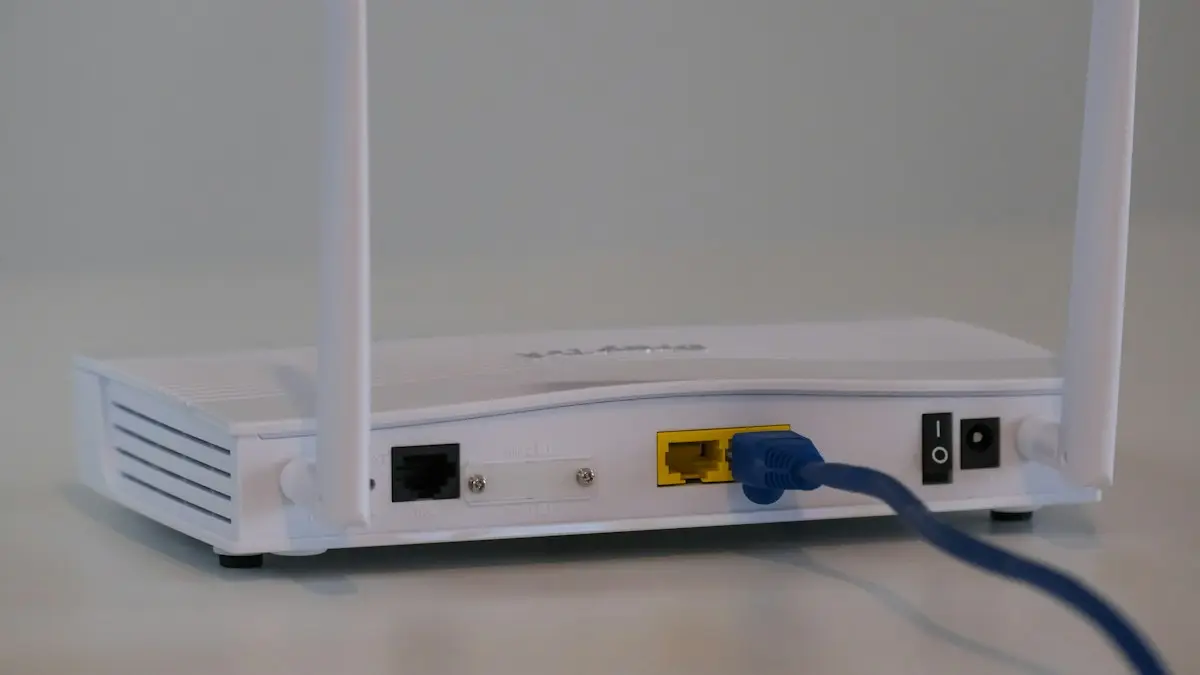
Photo by Compare Fibre on Unsplash
Which password do you want to change?
- Your home Wi-Fi: the password is stored on the router, so you change it there.
- A saved password on the iPhone: when the network’s password changed and your phone still uses the old one.
- Your Personal Hotspot: the password others use to join your iPhone.
The fix
Change your home Wi-Fi password
- 1
Open your internet provider’s app.
Xfinity, Spectrum, AT&T Smart Home Manager, Verizon, Google Home and Eero all let you change it under Wi-Fi or Network settings.
- 2
No app? Use the router’s admin page.
While connected to the Wi-Fi, open Safari and go to 192.168.1.1 or 192.168.0.1. Sign in with the admin password on the router sticker.
- 3
Find Wireless or Wi-Fi settings and change the password.
- 4
Save. Every device disconnects and needs the new password.
The fix
Update a saved Wi-Fi password on the iPhone
- 1
Open Settings › Wi-Fi.
- 2
Tap the info button next to the network, then Forget This Network.
- 3
Tap the network again and enter the new password.
The fix
Change your Personal Hotspot password
- 1
Open Settings › Personal Hotspot.
- 2
Tap Wi-Fi Password.
- 3
Enter at least 8 characters and tap Done.
Before you change it: what will happen
When you change the Wi-Fi password, every device on the network disconnects, including phones, laptops, smart TVs, printers, cameras and smart speakers. Each one needs the new password. Make a list of what is connected, and plan to be home when you do it. Pick a time when nobody is on a video call or a game. If you have smart home devices that are hard to reconfigure, such as thermostats and doorbells, keep their manuals nearby.
Choose a strong Wi-Fi password
- Use at least 12 characters. A long phrase beats a short random string.
- Do not use your phone number, address or the name of the network.
- Do not leave the default password printed on the router if it is easy to guess.
- Choose WPA2 or WPA3 as the security type. Avoid the old WEP option.
- Write it down and keep it somewhere safe, or save it in a password manager.
Use your router app: the easiest way
Most US internet providers have an app. Xfinity's app has a Wi-Fi tab where you tap your network and Edit. Spectrum has a Services tab. AT&T has Smart Home Manager, Verizon has My Fios, and Google Nest Wifi uses the Google Home app. Eero and other mesh systems have their own app. In each, find the network name, tap it, choose the password field, type the new one and save. The network restarts for a minute.
Use the admin page if there is no app
While connected to the Wi-Fi, open Safari and type the router address. Common ones are 192.168.1.1, 192.168.0.1 and 10.0.0.1. The address is often printed on a sticker on the router, along with the admin name and password. Log in, open Wireless or Wi-Fi, find the Security or Password box and change it. Save, then wait for the router to restart. If the page does not load, check that you are on that router's Wi-Fi and not on cellular data.
What if you forgot the router admin password?
Look for a sticker on the router. If you changed it and forgot, press and hold the small Reset button for about 10 seconds with a paper clip. This restores the factory settings, including the Wi-Fi name and password on the sticker. It also erases any custom settings, so you must set up the router again. Call your provider if you are unsure. Many providers can change the password for you or reset the router from their side.
Update the password on your iPhone and other devices
After the change, your iPhone may show a Wrong Password message or keep trying to join. Open Settings › Wi-Fi, tap the info button, choose Forget This Network, then join again. Do the same on other phones, tablets and laptops. On a smart TV or game console, open the network settings and enter the new password. Printers and smart plugs often need a reset or the maker's app. If the iPhone will not reconnect, see iPhone not connecting to Wi-Fi.
Share the new password safely
With the iPhone connected, a friend's Apple device near you shows a prompt to share the password. Tap Share Password. Or open Settings › Wi-Fi, tap the info button and use Password to see it with Face ID. Our guide to seeing a saved Wi-Fi password has the details. For guests, turn on a guest network on the router. It keeps your main devices separate and lets you change the guest password any time without touching yours.
Change the hotspot password too
If you share your phone's connection, set a different password under Settings › Personal Hotspot › Wi-Fi Password. Use at least 8 characters, and pick something that is not the same as your home Wi-Fi. If the hotspot will not connect, check iPhone hotspot not working.
Signs someone else is using your Wi-Fi
- Your internet is slower than usual and you cannot explain it.
- Your router app shows devices you do not recognize.
- The router's activity light blinks when everything is off.
Check the list of connected devices in your router app, change the password and turn on WPA3 if your router has it. Then reconnect only your own devices.
Different routers, different menus
Names differ by brand, so look for the right words. On Netgear and TP-Link, open Wireless or Wireless Settings. On Linksys, look under Wireless then Wireless Security. On ASUS, choose Wireless and find the WPA Pre-Shared Key. On Eero, tap the network name in the app and then Wi-Fi password. If you rent the router from an internet provider, the provider may hide some settings and push you to its app. Check the provider's support page for your model if you are lost.
Two networks: 2.4 GHz and 5 GHz
Many routers broadcast two or three networks with the same name or with 2.4 and 5 in the name. If they have separate passwords, change each one. Some routers share one password between them. After the change, devices that were using one band may need to be joined again. If a smart plug or an old printer cannot join, try the 2.4 GHz network, since many simple devices cannot use 5 GHz.
What to do on a work, school or public network
You cannot change the password on a network you do not own. Ask the person who manages it. If your iPhone cannot join because it keeps asking for a password, forget the network and add it again, or ask for a new password. A mobile hotspot from your own phone is a good fallback while you wait.
Check it worked
Join with the new password on your iPhone, open Safari and load a page. Then check a second device. If one device refuses, forget the network on that device and try again. If every device fails, check that you saved the change on the router and that you typed the password the same way each time. Letter case counts, and a space at the end of a password causes failures that are hard to spot.
Should you change your Wi-Fi password regularly?
Not on a schedule. A strong password that you have not shared widely is safe for years. Change it when someone you no longer trust knew it, when a former roommate or guest still has it, when you see unknown devices on the router, or when you sell or return the router. Changing it for no reason only means more devices to reconnect.
QR codes make sharing easy
On many Android phones, Settings › Wi-Fi › your network shows a QR code. An iPhone can scan it with the Camera app and offer to join. You can also create a QR code for guests with a free generator and print it for the fridge. Learn more in our guide to scanning a QR code. Only share a code with people you trust, and use a guest network for visitors.
Frequently asked questions
I changed my router password. Why won’t my iPhone connect?
It still has the old one saved. Tap the info button next to the network, choose Forget This Network, then join again with the new password.
I do not know the router’s admin password.
It is often printed on a sticker on the router. If it was changed and forgotten, a factory reset of the router brings back the sticker password.
How do I share the new password with family?
Once your iPhone is connected, other nearby Apple devices get a prompt to share it. You can also view it in Settings › Wi-Fi › info button › Password.
Should I change my Wi-Fi password regularly?
Not on a schedule. Change it if someone you do not trust had it, if you see unknown devices on your router, or after a security problem. A strong, private password is enough.
People also ask
Why is Personal Hotspot greyed out or missing?
Your plan may not include hotspot, or cellular data is off. Turn on Cellular Data, install a carrier settings update, and ask your carrier to enable it.
Read the full guide: iPhone hotspot not workingWhere do I change my iPhone name?
Settings › General › About › Name. Type the new name and tap Done.
Read the full guide: Change your iPhone nameWhy does my iPhone say No Internet Connection on Wi-Fi?
The iPhone joined the router, but the router is not getting internet, or the network needs a sign-in page. Check another device, restart the router, and open Safari to see if a login page appears.
Read the full guide: iPhone not connecting to Wi-FiWhy does my iPhone Wi-Fi keep turning off by itself?
Check for a Shortcuts automation that turns Wi-Fi off, Airplane Mode turning on, and a weak signal that makes the iPhone drop the network. Then update iOS and reset network settings if it continues.
Read the full guide: iPhone Wi-Fi keeps disconnectingRelated guides
iPhone hotspot not working
iPhone hotspot not working, not showing up or disconnecting? Turn on Maximize Compatibility, keep the hotspot screen open, turn off Low Data Mode and more.
Change your iPhone name
How to change your iPhone name in Settings › General › About › Name. See where it shows in AirDrop, Bluetooth and hotspot, and fix a name that won't save.
iPhone not connecting to Wi-Fi
iPhone won't connect to Wi-Fi, or connects with no internet? Forget the network, renew the lease, restart the router and try 7 more fixes to get back online.
iPhone Wi-Fi keeps disconnecting
iPhone Wi-Fi keeps disconnecting or going in and out? Turn off Private Wi-Fi Address, forget weak networks, restart the router and try 6 more fixes.
More guides you may need
Change album cover
Change any album cover in the iPhone Photos app with Make Key Photo, plus which albums cannot be changed and what to do if the cover will not update.
Archive to Trash in Mail
Make iPhone Mail delete emails instead of archiving them for Gmail and other accounts, with one account setting. Plus the same fix in the Gmail app.