

Spotify keeps pausing? 8 fixes for iPhone and Android
The two most common causes are someone else using your account and your phone’s battery saving closing Spotify in the background.

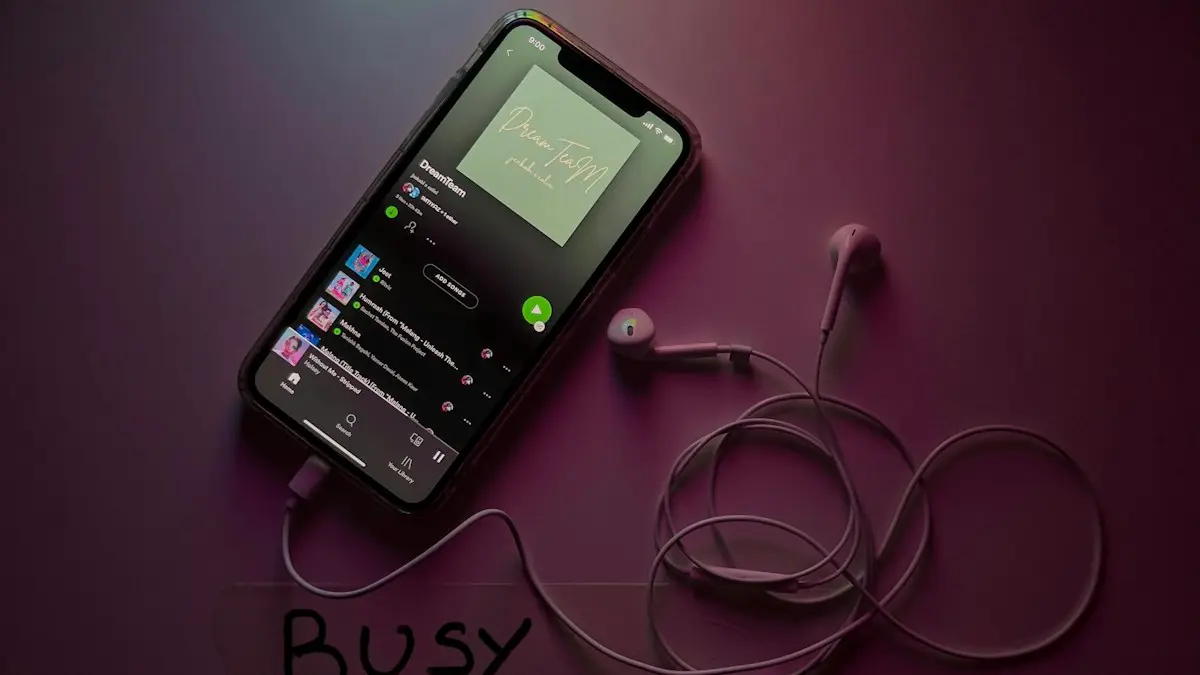
Photo by Thibault Penin on Unsplash
The fix
8 fixes, in order
- 1
Sign out everywhere.
On spotify.com › Account › Sign out everywhere, then change your password.
- 2
Allow background activity.
Android: Settings › Apps › Spotify › Battery › Unrestricted.
- 3
Turn off Low Power Mode or Battery Saver.
- 4
Disconnect unused Bluetooth devices.
Headphones and cars can send pause commands.
- 5
Check your connection or download songs for offline.
- 6
Update Spotify.
- 7
Clear Spotify’s cache.
In Spotify, Settings › Storage › Clear cache.
- 8
Reinstall Spotify.
Why Spotify keeps pausing
Spotify pauses for four main reasons. Something tells it to stop, such as another device on your account, a pair of headphones or a car. Your phone shuts it down in the background to save battery. The music runs out of buffer because the connection drops. Or the app itself has a glitch, often from a corrupted cache. The fixes above follow that order, starting with the cause that is easiest to check and most often missed.
Is someone else using your account?
A Spotify Premium account can only play on one device at a time, unless you are on a Duo or Family plan where each member has their own login. If someone else signs in with your account and presses play, your music stops. You might see a message like "Spotify is playing on another device". This is the most common reason for pauses that come with no pattern.
- On a computer, go to spotify.com and log in.
- Open Account and find Sign out everywhere. It signs out every device, including your own, within about an hour.
- Change your password right after, or the other person can sign back in.
- If you logged in with Facebook, Google or Apple, also check that account's password.
Also check Spotify Connect. Tap the device icon at the bottom of the Now Playing screen. If you see a speaker, TV or game console you do not recognize, that device may be taking over playback.
Does battery saving kill Spotify in the background?
Android phones, especially Samsung, Xiaomi and OnePlus models, aggressively stop apps that run in the background. Spotify then pauses when the screen turns off or a few minutes after you switch apps.
- Samsung: Settings › Apps › Spotify › Battery › Unrestricted. Then go to Settings › Battery › Background usage limits and remove Spotify from Sleeping apps and Deep sleeping apps.
- Pixel: Settings › Apps › Spotify › App battery usage › Unrestricted.
- Xiaomi: Settings › Apps › Manage apps › Spotify › Battery saver › No restrictions, and turn on Autostart.
- iPhone: Low Power Mode limits background activity. Turn it off in Settings › Battery, and make sure Background App Refresh is on for Spotify in Settings › Apps › Spotify.
Are your headphones or Bluetooth pausing Spotify?
Wireless earbuds can send pause commands. In ear detection pauses music when a bud slips out of your ear or the sensor gets confused by hair or a hat. Touch controls can be triggered by brushing them. A weak Bluetooth connection can drop for a second, and Spotify pauses when audio output changes.
- AirPods: Settings › your AirPods › turn off Automatic Ear Detection to test.
- Galaxy Buds: Galaxy Wearable app › Earbuds settings › turn off in ear detection or lock touch controls.
- Pixel Buds: Pixel Buds app or Bluetooth settings › turn off in ear detection.
- Forget Bluetooth devices you do not use, so your phone does not keep jumping between them.
If pauses happen only with one pair of headphones, the headphones are the cause. If wired headphones pause too, a dirty headphone port or adapter can send a false unplug signal.
Why does Spotify pause in the car or on a smartwatch?
Car systems with Bluetooth, Android Auto or CarPlay can pause Spotify when a navigation prompt plays, a call comes in, or the car's own media source changes. Turn off auto play features in the car's media settings, and check that the car is not set to start a different audio app. Smartwatches with media controls can also send pause commands when you bump the screen.
Is a sleep timer or Focus mode pausing it?
Spotify has a sleep timer that stops music after a set time. Open the Now Playing screen, tap the three dots and check if Sleep timer is on. On iPhone, the Clock app timer can also be set to Stop Playing. Shortcuts automations can pause music at a set time or place too.
Is a weak connection or offline mode the cause?
Streaming pauses when the buffer runs out. This happens on trains, in elevators and when Wi-Fi switches to cellular. Premium users can download playlists for offline listening: tap the download arrow on a playlist or album. On a free account, you cannot download most music, so a stronger signal is the fix. Also turn off Data Saver in Spotify settings if you want more stable streaming.
Should you clear the cache and reinstall?
In Spotify, tap your profile picture, then Settings and privacy › Storage › Clear cache. This removes temporary files but keeps your downloads. If pauses continue, uninstall Spotify, restart the phone and install it fresh. Downloads are removed when you uninstall, so you will need to download playlists again.
What if Spotify on a computer keeps pausing?
On Windows and Mac, the same account rule applies. Also check that the computer is not going to sleep, that hardware acceleration is not causing trouble (Settings › Compatibility in the desktop app), and that your headphones are not switching audio output. The web player in a browser tab can be paused by the browser to save memory, so keep the tab active or use the desktop app.
Still pausing?
Check Spotify's status on Downdetector or the Spotify Status account on X. If other people report problems, wait. If not, contact Spotify through support.spotify.com. Tell them whether pauses happen on one device or all of them. If the whole app will not play or load, see Spotify not working.
Why does Spotify pause after one song or at the same spot?
If playback always stops after a track ends, check that Autoplay is on in Spotify settings under Playback. With it off, Spotify stops when an album or playlist finishes. If one song always pauses at the same second, the downloaded file may be damaged. Remove the download for that playlist and download it again, or clear the cache.
Are other apps taking audio focus?
Only one app can play audio at a time. A video in Instagram or TikTok, a game, a voice message, a navigation prompt or a phone call will pause Spotify. Most of the time Spotify does not resume on its own after a video or call. Games that play their own music can pause Spotify the moment they open; look for an option in the game to turn off its music or allow other audio. On iPhone, a Siri request can also stop playback.
Family and Duo plans
On Family and Duo plans, each person must log in with their own account. If two people share one login on the plan, they keep pausing each other just like on an individual plan. The plan manager can invite members from the Account page on spotify.com. Each member gets their own playlists and recommendations, and nobody gets kicked off.
Free accounts
Spotify Free plays ads between songs and limits some features on mobile. An ad that fails to load can look like a pause. Free accounts also stop playback after long periods without interaction on some devices. If you listen a lot, Premium removes these limits, but check the fixes above first, since most pauses are not caused by the plan.
Is your phone's storage full?
Spotify needs free space to cache songs as it streams. With less than about 1 GB free, it may pause while it waits for space. In Spotify settings under Storage you can see how much the app uses and lower the download quality to save space.
YouTube pausing for the same reasons? Many of these fixes apply there too; see why YouTube keeps pausing.
Frequently asked questions
Why does Spotify pause when someone else plays?
Most plans allow only one device to play at a time. If someone uses your account elsewhere, your music stops. Sign out everywhere and change your password.
Why does Spotify stop when my screen turns off?
Battery saving is closing it. Set Spotify’s battery use to Unrestricted on Android, or turn off Low Power Mode on iPhone.
Why does Spotify keep pausing on my Samsung?
Samsung's battery saving puts Spotify to sleep in the background. Set Spotify to Unrestricted in Settings › Apps › Spotify › Battery and remove it from Sleeping apps in Background usage limits.
Why does Spotify pause when I take my earbuds out?
That is the in ear detection feature on AirPods, Galaxy Buds and Pixel Buds. Turn off automatic ear detection in the earbuds settings if it triggers when you do not want it to.
People also ask
Why does Spotify say I am offline?
Offline mode may be on, or Spotify cannot use mobile data. Turn off Offline mode in Settings › Playback and allow mobile data for Spotify.
Read the full guide: Spotify not workingWhy don’t I see Start a Jam?
You need Spotify Premium and the latest app. Update Spotify and check you are not in a Kids or Family child account.
Read the full guide: Start a Spotify JamWhy does YouTube ask “Video paused. Continue watching?”
YouTube pauses after a long time without interaction to save data. Tap Yes to continue. There is no setting to turn this off in the app.
Read the full guide: YouTube keeps pausingWhy does YouTube buffer when my internet is fast?
The phone may be on a crowded 2.4 GHz band, a VPN may be slowing YouTube down, or the app cache is corrupted. Try the other Wi-Fi band and turn off the VPN.
Read the full guide: YouTube keeps bufferingRelated guides
Spotify not working
Spotify not working, crashing or not playing? Check for an outage, turn off Offline mode, clear Spotify’s cache and try 6 more fixes for iPhone and Android.
Start a Spotify Jam
Start a Jam on Spotify from any song or playlist, invite friends by link or QR code, and let them add songs. The host needs Premium, guests can use Free.

YouTube keeps pausing
YouTube keeps pausing by itself? Turn off Remind me to take a break, fix headphones that disconnect, check data saver and try 5 more fixes on your phone.

YouTube keeps buffering
YouTube keeps buffering on your phone? Lower the video quality, switch Wi-Fi band, turn off your VPN, clear the app cache and try 5 more fixes that work.
More guides you may need
WhatsApp code not received
WhatsApp verification code not received? Check your number, signal and SIM, find filtered texts on iPhone or Android, and use the phone call option safely.
YouTube keeps buffering
YouTube keeps buffering on your phone? Lower the video quality, switch Wi-Fi band, turn off your VPN, clear the app cache and try 5 more fixes that work.