

Can you use an eSIM on a locked iPhone?
A locked iPhone accepts an eSIM from the carrier it is locked to. An eSIM from any other carrier will not work until the iPhone is unlocked.
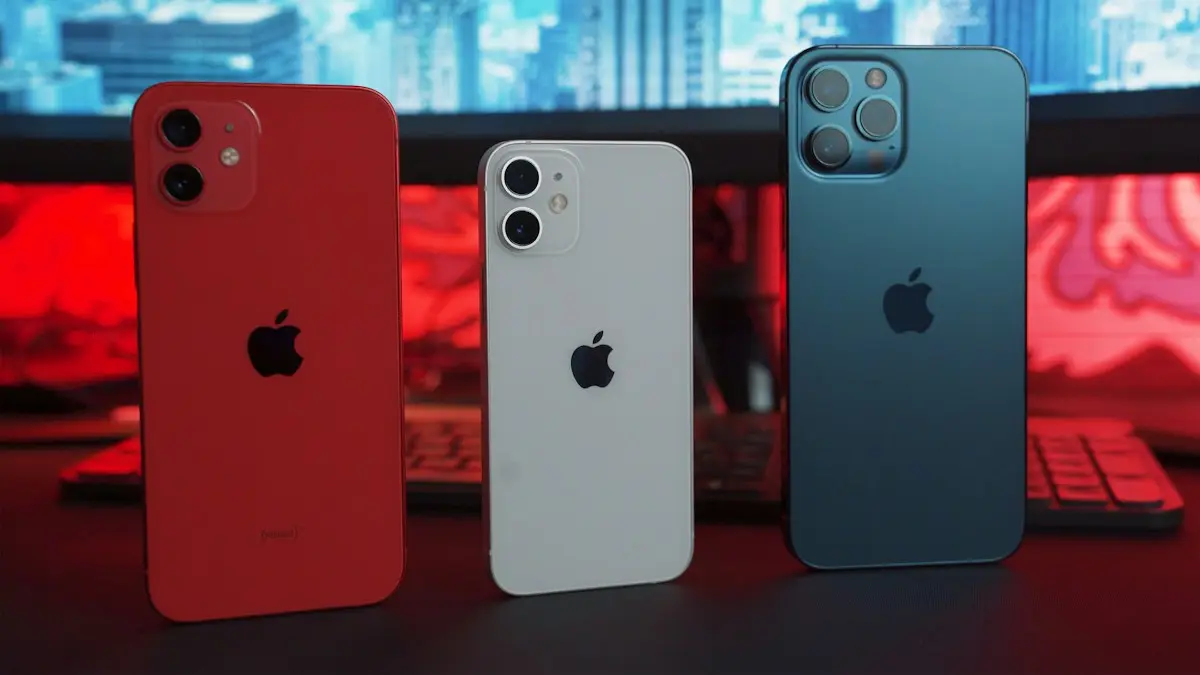
Photo by User_Pascal on Unsplash
Many eSIM sellers say any iPhone that supports eSIM will work. That is only true for an unlocked iPhone. A carrier lock is a rule set by the carrier that sold the iPhone, usually while you still owe money on it. The iPhone compares the carrier on the eSIM with the carrier it is locked to, and it only activates when they match.
What works and what does not
- Works: an eSIM from the carrier the iPhone is locked to, such as moving your own line to eSIM.
- Does not work: an eSIM from a different carrier, a travel eSIM or a prepaid eSIM from another provider.
- Works after unlocking: any eSIM from any carrier, as long as the iPhone model supports eSIM.
How to check if your iPhone is locked
- 1
Open Settings › General › About.
- 2
Scroll to Carrier Lock.
It says No SIM restrictions if the iPhone is unlocked. If it shows a restriction message, the iPhone is locked.
- 3
Not sure? Ask the carrier.
The carrier can tell you whether the iPhone is locked and when it can be unlocked.
Our guide to checking if your phone is unlocked shows more ways to check, including with a different SIM.
How to unlock your iPhone for any eSIM
Only the carrier that locked the iPhone can unlock it. Most carriers unlock an iPhone when you have paid it off or finished the contract, and some after a set number of days on their network. Ask the carrier, follow their steps, and wait for the confirmation. After that, restart the iPhone and check Carrier Lock again. Our guide to unlocking an iPhone from a carrier explains the process.
Traveling with a locked iPhone
If your iPhone is locked and you are going abroad, a travel eSIM will not work. Instead, use your own carrier's international option, such as a day pass or an international plan, or buy a local SIM only after the iPhone is unlocked. Wi-Fi calling can also keep you in touch on hotel Wi-Fi. See using your iPhone in Europe for options.
Buying a used iPhone? Check the lock first
A locked iPhone can look the same as an unlocked one, and the lock decides which eSIM it can use. Before you pay, check Carrier Lock in Settings and confirm it says No SIM restrictions. Also check that your iPhone model supports eSIM, which you can do in our guide to which iPhones support eSIM.
What carrier lock means for eSIM
A carrier lock ties the iPhone to the carrier that sold or financed it. On a locked iPhone you can usually add an eSIM from that same carrier, but not from another network. That is why a travel eSIM or a cheaper plan from a different company fails to activate. Locked is about the carrier, not about the SIM type, so a physical SIM from another carrier fails in the same way.
Brands that run on your carrier's network
Some prepaid brands use the network of a bigger carrier. Visible runs on Verizon, Cricket on AT&T and Metro on T-Mobile, so a phone locked to the parent carrier may work with its brand, depending on the carrier's rules and whether the phone is eligible. Ask the new brand to check your IMEI before you switch. Our guide to checking carrier compatibility explains how.
What the error looks like
When a locked iPhone rejects an eSIM, you may see a message that the eSIM cannot be added or that the plan cannot be activated, or the plan may install but never connect. The wording varies by iOS version and by the company selling the eSIM. If you see this, check the lock status in Settings › General › About, where Carrier Lock should say No SIM restrictions on an unlocked iPhone.
If the carrier will not unlock it
Carriers usually unlock a phone once it is paid off and has been active for a set time, and they must follow their own rules. If your request is refused, the phone may still be on a payment plan, reported lost or stolen, or too new. Ask for the exact reason and the date it will be eligible. Steps for each case are in how to unlock an iPhone from a carrier. If you buy a used iPhone, check the lock before you pay with how to know if a phone is unlocked.
Is it worth unlocking before you travel?
If you often travel, unlocking your iPhone can save real money, because local data eSIMs are usually far cheaper than roaming from your home carrier. Ask your carrier to unlock it a few weeks before the trip, since some requests take days, and make sure the phone is paid off first. If you cannot unlock in time, use Wi-Fi, a day pass from your own carrier or a physical SIM from a local shop on a phone that accepts them.
Frequently asked questions
Can I use an eSIM on a locked iPhone?
Only an eSIM from the same carrier the iPhone is locked to. An eSIM from a different carrier will not activate until the iPhone is unlocked.
How do I check if my iPhone is locked?
Open Settings › General › About and look for Carrier Lock. It says No SIM restrictions on an unlocked iPhone, and shows a restriction message on a locked one.
Will a travel eSIM work on a locked iPhone?
Usually not. A travel eSIM is from another provider, so a carrier locked iPhone will refuse it. Unlock the iPhone first, or use your own carrier's international plan.
How do I unlock my iPhone so I can use any eSIM?
Ask the carrier that locked it. Carriers unlock an iPhone when you meet their conditions, such as having paid it off. Check our unlock guide for the steps.
What to try next
People also ask
Will my phone work in Mexico?
Almost certainly, if you have a recent phone from a major US carrier. Most Verizon, AT&T and T-Mobile unlimited plans include talk, text and data in Mexico at no extra cost. On other plans you may need a daily pass or a travel eSIM.
Read the full guide: Use your phone in MexicoWhy does my Apple ID keep getting locked?
Someone may be trying to sign in with your email, or an old device keeps using an old password. Turn on two factor authentication and update the password on all your devices.
Read the full guide: Apple ID lockedHow do I know if my iPhone is unlocked?
Go to Settings › General › About and look at Carrier Lock. If it says No SIM restrictions, the iPhone is unlocked.
Read the full guide: Unlock iPhone from carrierCan I use a physical SIM and an eSIM at the same time?
Yes, on most dual-SIM phones. You can use one line for calls and another for data, for example your home number plus a travel data plan.
Read the full guide: What is an eSIMRelated guides

Use your phone in Mexico
How to use your phone in Mexico without a surprise bill. See what Verizon, AT&T and T-Mobile include, when to buy a pass or eSIM, and settings to check first.
Apple ID locked
Apple ID locked for security reasons? Unlock it by resetting your password on a trusted iPhone or at iforgot.apple.com, and stop it from locking again.
Unlock iPhone from carrier
Check if your iPhone is carrier locked in Settings, then ask your carrier to unlock it for free. Covers Verizon, AT&T and T-Mobile rules and what to do next.
What is an eSIM
An eSIM is a digital SIM built into your phone. Learn how it differs from a physical SIM, which phones support it, and how to set one up on iPhone and Android.
More guides you may need

Best iPhone for seniors
Choosing an iPhone for a parent or grandparent? Check screen size, Face ID or Touch ID, software support, battery and safety features, then set it up simply.
How long iPhones last
How long do iPhones last? Most last five to seven years if the battery and updates hold. Learn the signs to upgrade and how to make yours last longer.