

iPhone screen goes black during a call? 7 fixes
The screen should go dark at your ear and wake when you move away. If it stays dark, the proximity sensor is blocked or stuck.
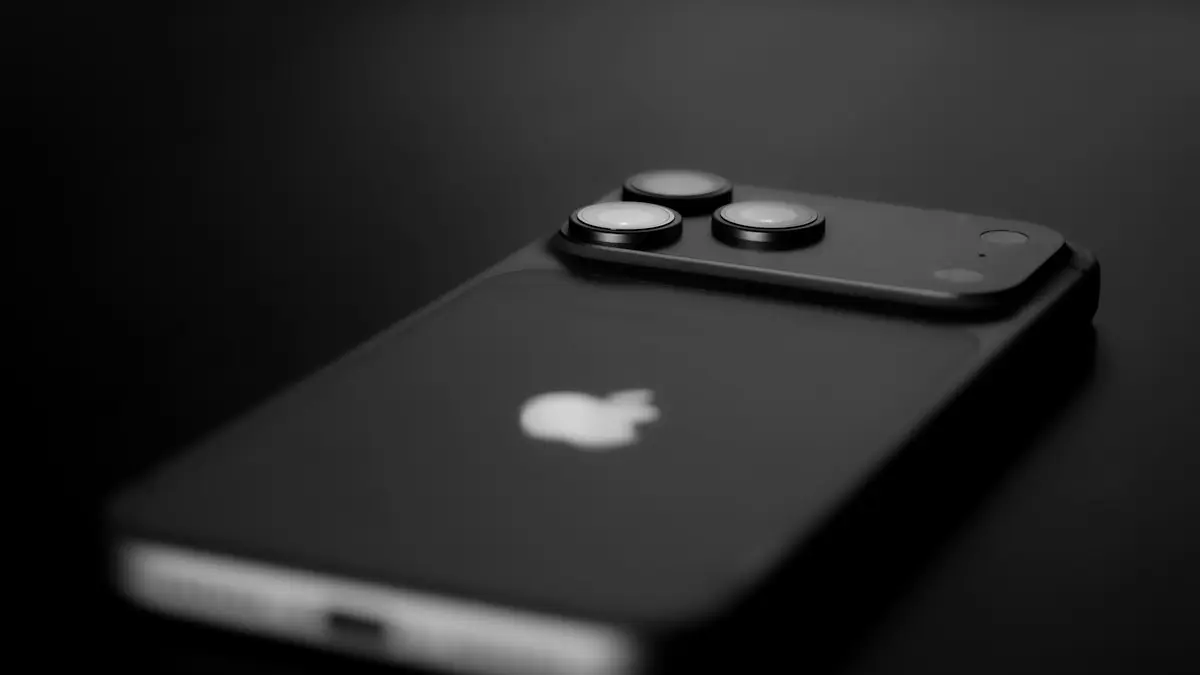
Photo by ubeyonroad on Unsplash
The fix
7 fixes, in order
- 1
Clean the area above the screen.
- 2
Remove the screen protector and case.
- 3
Restart the iPhone.
- 4
Update iOS.
- 5
Use speaker or headphones as a workaround.
- 6
Reset all settings.
Settings › General › Transfer or Reset iPhone › Reset › Reset All Settings.
- 7
Book a repair if it started after a drop.
Why your iPhone screen goes black during calls
Every iPhone has a proximity sensor at the top of the front, inside the notch or Dynamic Island on newer models. It sends out invisible infrared light and checks whether something is close. When you lift the iPhone to your ear, the sensor sees your head and turns off the display so your cheek does not press buttons. When you move the phone away, the screen should come back within a second.
The problem comes when the sensor thinks something is still close. Dirt, a screen protector, a case edge or a software glitch can all fool it. Then the screen goes dark the moment a call starts and will not wake up, so you cannot hang up, use the keypad or switch to speaker.
Test the sensor in 30 seconds
- Call someone or call your own voicemail.
- Cover the top of the screen with your hand. The display should turn off.
- Move your hand away. The display should turn on right away.
If the screen stays off with nothing near it, the sensor is blocked or faulty. If the screen never turns off when covered, the sensor is not seeing anything at all, which also points to a blockage or damage.
Clean the sensor area
Makeup, skin oil and pocket lint build up at the very top edge of the screen. Wipe the area above and around the notch or Dynamic Island with a soft microfiber cloth, slightly damp if needed. Do not spray liquid onto the phone. Check the earpiece grille too, since dirt there sits right next to the sensor.
Screen protectors and cases
This is the most common cause after a new purchase. Privacy screen protectors are the worst, because their dark filter blocks infrared light at certain angles. Thick tempered glass, bubbles near the top edge, or a protector that is not shaped for your model can all cover the sensor. Peel it off and test a call. If the problem disappears, buy a protector made for your exact iPhone model, ideally one with a clear area over the sensor. Some cases have a raised lip at the top that also gets in the way, so test without the case too.
Restart and update
A restart clears a stuck sensor reading. Press and hold the side button and a volume button, slide to power off, wait 30 seconds and turn it back on. Then check Settings › General › Software Update. Apple has fixed proximity sensor bugs in past iOS updates.
How to hang up when the screen stays black
- Press the side button once. This ends a regular phone call by default.
- If pressing the side button only locks the screen, check Settings › Accessibility › Touch › Prevent Lock to End Call and make sure it is off.
- Say "Hey Siri, hang up". Turn on Call Hang Up in Settings › Accessibility › Siri, or Settings › Siri on some versions.
- With wired or Bluetooth headphones, press the button on the cable or squeeze the stem on AirPods.
Workarounds while you wait for a fix
Use speakerphone or headphones. When the iPhone is not at your ear, the sensor is not involved as much. Set calls to start on speaker in Settings › Accessibility › Touch › Call Audio Routing › Speaker. On some iOS versions you can also use Back Tap or AssistiveTouch to reach controls without the screen.
Reset All Settings
If the problem started after an update or a settings change, go to Settings › General › Transfer or Reset iPhone › Reset › Reset All Settings. This puts settings like Wi-Fi passwords, wallpaper and accessibility options back to default. It does not delete apps, photos or messages. If it still fails, a full restore is the last software step, but back up first.
After a drop, water or a screen repair
If the screen started going black after the iPhone fell, got wet or had its screen replaced, the sensor is likely damaged or was not moved over properly. Third party screen replacements are a common cause, because the proximity sensor sits on a flex cable that must be transferred carefully. Some cheap shops skip parts or damage them. Go back to the shop first. If that fails, an Apple Store or Apple Authorized Service Provider can test the sensor with their diagnostics.
What a repair costs
If the iPhone is under warranty and has no damage, Apple repairs the sensor for free. With AppleCare+, accidental damage repairs have a fixed service fee. Without coverage, a sensor fault on Face ID models can mean a screen or TrueDepth repair, which costs more. Ask for a quote at getsupport.apple.com before you agree. If you are weighing repair against replacing the iPhone, compare the quote with the value of a newer model.
Same problem on Android?
Samsung and Pixel phones use the same kind of sensor. The fixes are similar: clean the top edge, remove the screen protector and restart. On Samsung, the Phone app has a setting to turn off the screen during calls in some versions, and the Samsung Members app has a sensor test under Diagnostics.
If the screen does not respond to touches even outside calls, see iPhone touch screen not working.
Screen goes black during calls on speaker or FaceTime
The proximity sensor is used on regular calls and on some VoIP apps like WhatsApp when you hold the phone to your ear. If the screen goes black even on speaker or in FaceTime video calls, the sensor is reporting something close all the time. That points strongly to a protector, case or hardware fault, not your ear. Test without any accessories first.
Screen stays black after the call ends
If the display stays off after you hang up, press the side button to wake it. If it still will not wake, force restart: press and quickly release volume up, press and quickly release volume down, then press and hold the side button until the Apple logo appears. This works on iPhone 8 and later. If the screen stays black outside calls too, the display itself may be failing.
Check Attention Aware and Auto-Lock
Sometimes the screen is not going black from the sensor at all. Auto-Lock can dim and lock the screen during a long call on speaker. Set a longer time in Settings › Display & Brightness › Auto-Lock. On Face ID models, Attention Aware Features in Settings › Face ID & Passcode dims the screen when you are not looking at it. Turning it off can help on long speakerphone calls.
Back up before a repair
Before you hand the iPhone in for repair, back it up to iCloud or a computer. Repairs on the front sensors usually do not erase data, but a replacement device or a restore during testing will. Turn off Find My only when the repair shop asks you to.
In most cases the cause is simple: dirt or a screen protector over the sensor. Start with those two, and you may not need a repair at all.
Does a case with a front lip cause this?
Rugged cases and wallet cases with a flap can sit right over the top edge of the screen. A flap folded behind the phone during a call can also touch the sensor area when you hold it. If your case has a cover, take the phone out and make a test call before you try anything else.
Frequently asked questions
How do I hang up if the screen stays black?
Press the side button once to end the call. Turn on this option in Settings › Accessibility › Touch › Lock to End Call if needed.
Is it normal for the screen to turn off during calls?
Yes, when the iPhone is at your ear. It should turn back on as soon as you move it away.
Can a screen protector make my iPhone screen go black during calls?
Yes. Thick protectors, privacy filters and those with a cutout in the wrong place can cover the proximity sensor. Remove it and test a call before buying another.
Can the proximity sensor be replaced?
Yes, but on iPhones with Face ID it is part of the TrueDepth module, so the repair is more involved. An Apple Store or Apple Authorized Service Provider can test and replace it.
People also ask
Why won’t my iPhone turn on even when charging?
The cable or adapter may be faulty, the port may be blocked with lint, or the battery may be so drained it needs up to an hour before the screen responds. Try another cable and leave it on a wall charger for an hour.
Read the full guide: iPhone won't turn onHow do I know if the screen is broken?
If the phone rings, vibrates and connects to a computer but the screen stays black after a force restart, the display or its cable is likely damaged.
Read the full guide: Android black screenHow long should I charge a dead iPad?
At least an hour on a wall adapter. A fully drained iPad can show nothing for the first several minutes.
Read the full guide: iPad won't turn onHow long should I charge a dead Samsung before it turns on?
Charge it for at least 30 minutes, ideally an hour. Samsung says the charging icon can take up to 10 minutes to appear on a fully drained phone.
Read the full guide: Samsung phone won't turn onRelated guides
iPhone won't turn on
iPhone won't turn on or stuck on a black screen? Charge it, force restart it the right way, and use recovery mode with these 7 fixes before paying for repair.
Android black screen
Android phone black screen but it still rings or vibrates? Charge it, force restart it, raise the brightness and try safe mode before blaming the screen.
iPad won't turn on
iPad won't turn on or stuck on a black screen? Charge it for an hour with a strong adapter, force restart it for your model, and try 5 more fixes before repair.
Samsung phone won't turn on
Samsung Galaxy won't turn on or stuck on a black screen? Charge it properly, force restart it, check for moisture and use recovery mode with these 7 fixes.
More guides you may need
Notifications silenced
Seeing notifications silenced under a text on iPhone? It means a Focus is on. Learn who sees it, how to stop sharing it, and how to let a message through.
Safari wrong location
Safari showing the wrong city or state on your iPhone? Find out why sites guess your location from your IP address and how to fix it with a few settings checks.