

Can you use a phone with a cracked screen? Risks and what to do now
A cracked phone often still works, but it will not stay that way. Here is what to do today to stay safe and keep your data.
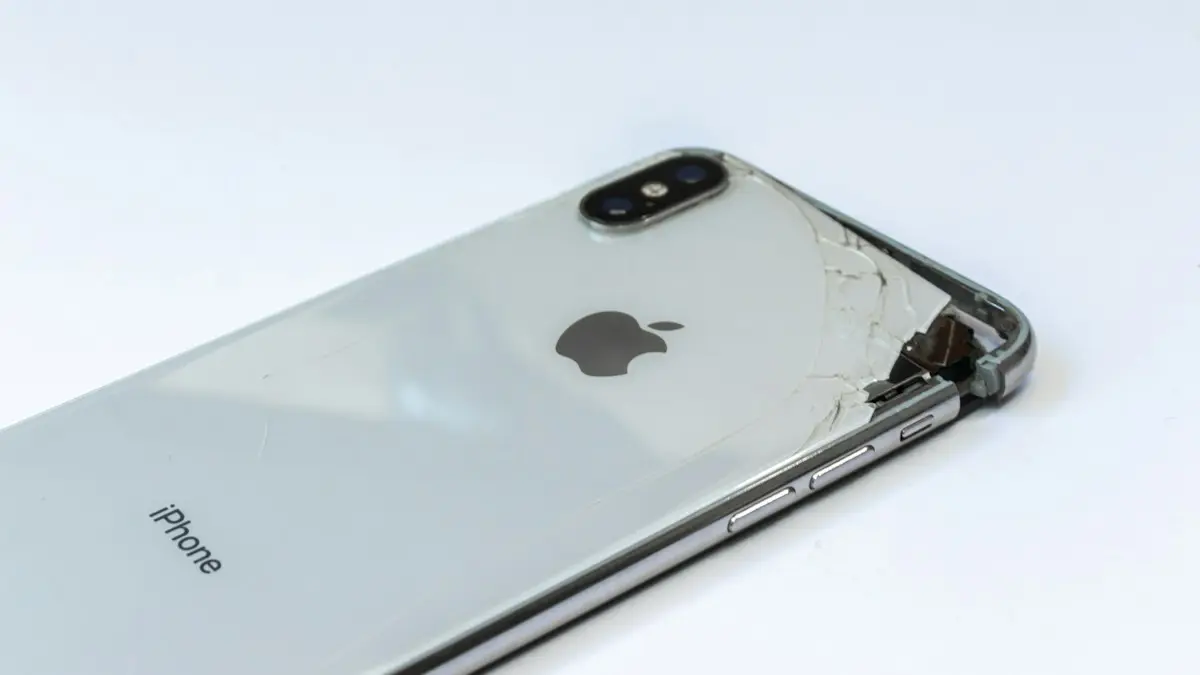
Photo by Fili Santillán on Unsplash
A crack does not always mean a dead phone. Many cracked phones work for months. But a cracked screen is damage that keeps getting worse, and it comes with a few real risks: cuts, spreading cracks, moisture and a touch screen that fails at the worst moment. This guide explains what is safe, what is not, what to do today to protect yourself and your data and how to decide when it is time to fix it.
Is it safe to keep using a cracked phone?
It depends on how bad the damage is. A hairline crack in a corner that does not catch your finger is mostly cosmetic. A crack that crosses the screen, glass that flakes or shards that stick out are different. Those can cut you, and they let moisture and dust inside. Check these four things before you decide.
- Can you run your finger across it without catching? If not, cover it or stop using the phone for now.
- Does the touch work everywhere? Dead zones and ghost taps suggest the display layer is damaged.
- Is the display clear? Colored lines, black blots or flicker mean the screen itself has failed.
- Are there signs of damage to the body? A bent frame or a bulging back can mean the battery is hurt.
What to do today: 6 steps
- 1
Back up your phone.
A cracked screen can stop working without warning. On iPhone, use iCloud or a computer, see how to back up an iPhone. On Android, see how to back up an Android phone.
- 2
Cover the crack.
Apply a tempered glass protector over the crack or wrap clear packing tape across it. This keeps shards in place, stops cuts and slows the spread of the crack.
- 3
Take off any loose glass.
Wear thin gloves or use tape to lift small pieces. Do not pick at the cracks with your fingers.
- 4
Keep it dry.
Avoid rain, sinks and the bathroom. A crack lets water reach the display and the circuits.
- 5
Use a case with raised edges.
It protects the phone from another drop and reduces the pressure on the glass.
- 6
Plan the repair.
Get a price and book a time. Waiting makes the repair no cheaper and the damage no better.
Why a cracked screen gets worse
Glass is under tension, and a crack is a weak line. Each time you press on the screen, put the phone in your pocket, or the temperature changes, the crack grows a little. The display under the glass is also thin, and the crack can reach it, causing lines, dead pixels or black spots. Once moisture gets into the layers, the screen can fail in patches. That is why a phone that looks fine after a drop may be unusable a month later.
The touch screen is acting up
A crack can break the touch layer, so parts of the screen stop responding or tap on their own. Try restarting the phone, removing the case and screen protector and cleaning the screen. If the touch is still wrong, you can use Voice Control, AssistiveTouch on iPhone or Voice Access on Android to get around the dead areas until you fix it. If it is not cracked but the touch is off, see what to do when an iPhone touch screen is not working or what to do when an Android touch screen is not working.
When to stop using the phone
- The glass is shattered, flaking or pushing out.
- Dark liquid or colored patches spread on the display.
- The phone gets hot, swells or smells strange.
- The touch is failing so often that you cannot unlock it or answer calls.
- The phone has been wet and you see fogging or corrosion.
Will a cracked screen affect water resistance?
Yes. The IP rating on most phones, which describes resistance to water and dust, applies to a phone in perfect condition. A crack in the glass, or a damaged seal around it, breaks that protection. Water that reaches the display layers can cause stains, dead patches or short circuits that appear days later. So a cracked phone should not go in a pool, a sink or a bathroom, even if it was rated for it when new. Resistance also fades with age and after repairs, so do not count on it for a phone that has been dropped.
If a cracked phone gets wet, power it off, dry the outside and do not charge it. Follow the steps in what to do if your phone gets wet, and book a repair soon.
Cracked screen or cracked back glass?
Back glass cracks are less urgent, because they do not affect touch, but they still let in water and can cut you. A case and a clear skin hold the pieces together. Wireless charging may stop working if the coil area is damaged. Some plans, including AppleCare+, treat back glass damage the same way as a screen. Treat a cracked camera lens more seriously, because broken glass in front of the lens ruins photos and may scratch the sensor. Replace the lens cover or the camera module soon.
Repair, replace or trade in?
Start with the price of a repair. For a recent phone that works well otherwise, repair is usually the best choice, and coverage such as AppleCare+ or Samsung Care+ makes it much cheaper. If the phone is old, slow or has a worn battery, compare the repair cost with the price of a replacement. A cracked phone can still be traded in, with a lower value. Read what an iPhone screen replacement costs and what a Samsung screen replacement costs to compare your options, and check whether phone insurance would pay.
Can you still use Face ID, a fingerprint reader or the camera?
It depends where the crack is. A crack near the top of an iPhone can interfere with Face ID sensors, and a crack over an under-screen fingerprint reader on a Galaxy or Pixel can stop it from reading your finger. If biometrics fail, you can still unlock with your passcode, so make sure you remember it. A crack on the camera lens cover hurts photo quality, and shards near the lens can scratch the sensor. Payments with Apple Pay or Google Wallet work only if you can unlock the phone, so keep a card with you until it is fixed.
How to clean a cracked screen safely
- 1
Turn the phone off and unplug it.
- 2
Wipe with a dry or slightly damp microfiber cloth.
Use light pressure, and wipe away from the crack, not across it.
- 3
Do not spray liquid on the phone.
Cleaner can seep into the crack and reach the display.
- 4
Use tape to lift tiny glass dust.
Press clear tape lightly on the surface and pull it off.
Will a screen protector fix a crack?
No. A protector placed over a cracked screen keeps the glass together and stops cuts, but it does not repair anything. It can also hide how far the crack has spread. Think of it as a bandage. A glass protector is better than a plastic film for this job, because it is stiffer, and you should replace it if it cracks too. Never use super glue or clear nail polish on a crack. They can leak into the display and make a repair more expensive.
Take care of your data before the repair
- 1
Make sure the backup finished.
Check the date on the latest backup in Settings.
- 2
Turn off Find My iPhone or Find My Mobile if the shop asks.
Some repairs need it off. Do not give the shop your password.
- 3
Hide or sign out of sensitive apps.
You can sign out of banking and email apps, or hide them, before the repair. See how to hide apps on an iPhone.
- 4
Set a strong passcode.
Technicians may need to turn the phone on, so use a passcode you will change afterward.
Frequently asked questions
Is a cracked phone screen dangerous?
It can cut your fingers or face, and broken glass can scratch your skin. It can also let in water and dust. If the glass is shattered or flaking, treat it as unsafe.
Will a cracked screen get worse?
Usually yes. Cracks spread from daily pressure, pocket flex and temperature changes. A small crack can become a full web of cracks within weeks.
Can a cracked screen damage the phone inside?
It can. Moisture can reach the display and the circuits, and a hard impact that cracks the glass may also damage the battery or the board.
Does a cracked screen void my warranty?
It often does for the standard warranty, because accidental damage is not covered. Plans such as AppleCare+ and Samsung Care+ do cover cracks, for a fee.
What to try next
People also ask
How much does AppleCare+ charge for a cracked screen?
In the US, AppleCare+ has charged a flat service fee for screen or back glass damage, far below the out-of-warranty price. The fee depends on your plan and model, so check your coverage in Settings › General › About › Coverage.
Read the full guide: iPhone screen replacement costMy iPhone says Liquid Detected. What now?
Unplug the cable, tap the phone gently against your hand with the port facing down, and wait at least 30 minutes before trying a cable again.
Read the full guide: Phone got wetCan I recover photos from a phone that will not turn on?
Often yes, if they were backed up to iCloud, Google Photos or another cloud service. If not, a professional lab may recover them from the storage chip, depending on the damage and the encryption.
Read the full guide: Recover data from a dead phoneHow do I hang up if the screen stays black?
Press the side button once to end the call. Turn on this option in Settings › Accessibility › Touch › Lock to End Call if needed.
Read the full guide: Screen black during callsRelated guides
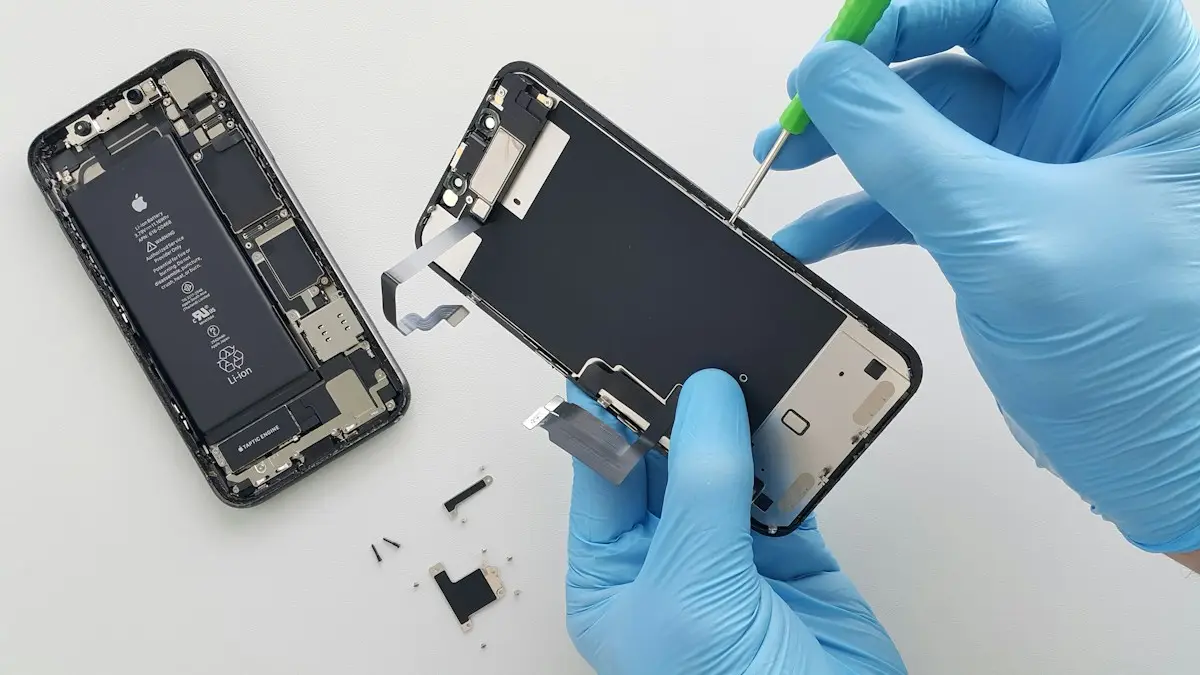
iPhone screen replacement cost
What an iPhone screen replacement costs and why prices vary. Compare Apple, Best Buy, AppleCare+ and repair shops, and decide whether to fix or replace.
Phone got wet
Phone got wet? Turn it off, dry the outside, shake water from the ports and let it air dry for a day. Why rice makes it worse and when to get a repair.
Recover data from a dead phone
How to recover data from a dead phone, starting with free options. Check cloud backups, try a charge and force restart, and know when a lab is worth paying.
Screen black during calls
iPhone screen goes black during calls and will not wake? Clean the sensor, remove the screen protector, update iOS and reset settings. Plus how to hang up.
More guides you may need
Verizon verification code
Verizon not sending verification code texts for logins and apps? Check blocked short codes, spam filtering, your plan blocks and port delays, then call Verizon.
All circuits are busy
Hearing all circuits are busy on a cell phone call? Learn what it means, how to tell if it is your carrier or theirs, and how to get your call through.