

iPad keeps restarting? 8 fixes for an iPad that reboots itself
Random iPad restarts usually come from a software bug, full storage or a failing charger. Start with the quick fixes below.
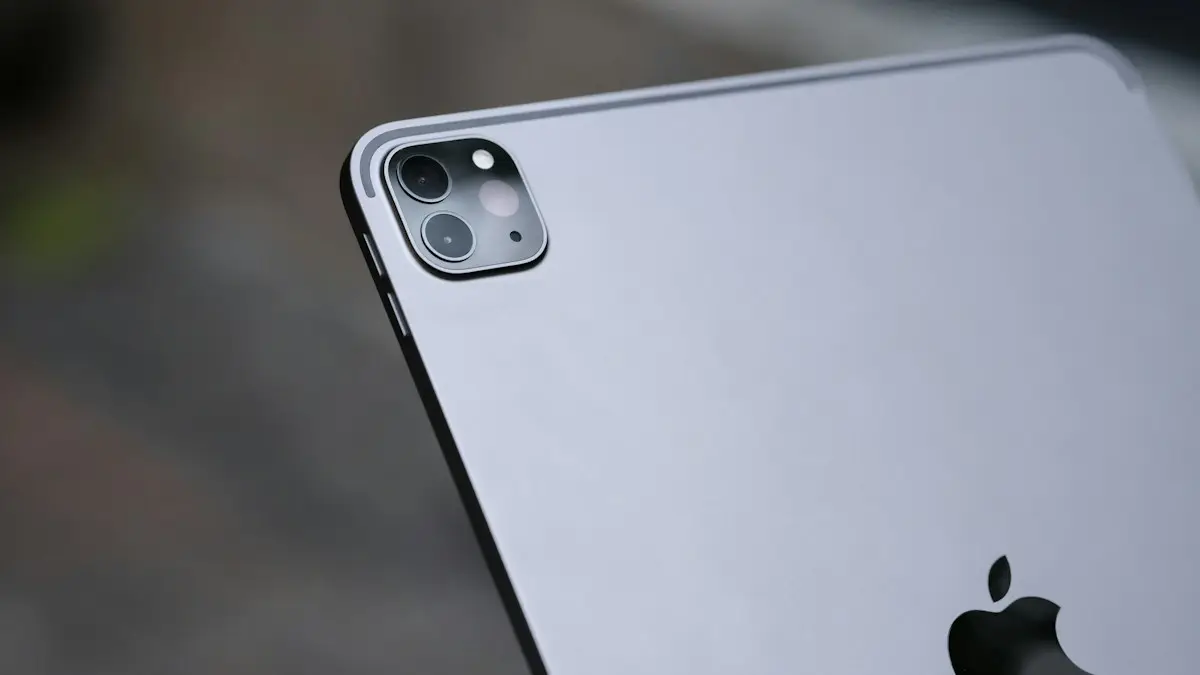
Photo by Thai Nguyen on Unsplash
An iPad that reboots on its own is worrying, but the cause is usually small. A buggy app, a nearly full drive or a bad cable can all do it. Only a minority of cases are real hardware faults. The fixes below go from the quickest and safest to the ones that erase data, so stop as soon as the restarts stop.
How to stop an iPad from restarting by itself
The fix
8 fixes, in order
- 1
Force restart.
No Home button: press Volume Up, then Volume Down, then hold the top button until the Apple logo appears. Home button: hold Home and the top button together.
- 2
Update iPadOS.
Settings › General › Software Update.
- 3
Free up storage.
Settings › General › iPad Storage.
- 4
Update all apps and delete ones that crash.
- 5
Try a different cable and adapter.
- 6
Look for a clue in Analytics.
Settings › Privacy & Security › Analytics & Improvements › Analytics Data. Many panic files point to a hardware or software fault.
- 7
Reset all settings.
Settings › General › Transfer or Reset iPad › Reset › Reset All Settings.
- 8
Restore with a computer.
Back up first, then connect to a Mac or PC and use Finder or the Apple Devices app to restore.
Why does my iPad keep rebooting?
A restart is the iPad’s way of recovering from a crash it cannot fix while running. The system hits a fault, shuts down and starts again. The fault can be in software or in hardware. Here are the common causes, from most to least likely:
- A crashing app. One app with a bug can take the whole system down, especially after an iPadOS update.
- Almost full storage. With no free space the system cannot write temporary files, and it can freeze or restart.
- A bad update or a bug in the current version. Early releases sometimes have problems that a later update fixes.
- A faulty cable, adapter or dirty port. Unstable power can reset the iPad, usually while it charges.
- Heat. A very hot iPad may shut down to protect itself and then start again.
- A worn battery or damaged logic board. These are the hardware causes, and they need a repair.
A single random restart is not a problem. It becomes one when it happens more than once a day, or when the iPad cannot finish starting up. If it never gets past the logo, jump to the guide on an iPad stuck on the Apple logo.
Is it a restart, a crash or a boot loop?
These look similar, but they point to different fixes. Watch what the screen does.
- The screen goes black, then the Apple logo and the lock screen appear: a normal restart after a crash. Work through the steps above.
- The Apple logo appears again and again and never reaches the lock screen: a boot loop. Go to recovery mode, as described in the Apple logo guide.
- Only the app closes and you return to the Home Screen: that is an app crash, not a restart. Update or reinstall the app.
- The screen freezes, then restarts: often low storage or heat.
Update iPadOS and your apps
Many reboot problems are bugs that Apple has already fixed. Open Settings › General › Software Update and install the latest version for your iPad. If the iPad restarts too often to finish, connect it to power and a Wi-Fi network, and try again. A computer can also install the update when the iPad is unstable.
Then update your apps. Open the App Store, tap your profile picture and scroll down to see pending updates. If the restarts began right after you installed one app, delete it. Touch and hold the app icon, tap Remove App, then Delete App. Wait a day. If the iPad is steady, the app was the cause, and you can install it again later or contact its developer.
Free up storage
Open Settings › General › iPad Storage and look at the bar at the top. If it is almost full, the iPad has no room to work. Aim for at least 5 GB free as a rough rule. The list below the bar shows which apps use the most space, and iPadOS often suggests offloading apps you rarely use. Offloading removes the app but keeps its data. Old videos, downloaded shows and large message attachments are the usual space hogs. If you have a lot of photos, a cloud backup is a better home for them than the iPad itself. See backing up an iPhone.
Check the charger, the cable and the port
If the iPad restarts only while it charges, suspect the power. Unplug it and use it for an hour. If the restarts stop, the charging setup is the problem. Try the cable and adapter that came with the iPad, or a certified replacement, and plug into a wall outlet, not a computer or a car port. Check the port with a flashlight. Lint packed inside can make a poor connection that cuts power for a moment. Lift it out gently with a wooden toothpick. Do not use metal. For more on this, read the guide to an iPad that will not charge.
Read the Analytics clue
The iPad keeps a log of crashes. Go to Settings › Privacy & Security › Analytics & Improvements › Analytics Data. If Share iPad Analytics is off, the list may be empty, and you may need to turn it on and wait for the next restart. Look for entries that start with “panic-full”. Many of them in a row, with similar text, point to a deeper fault. Entries that name an app point to that app. You do not need to understand the files. Their count and dates help an Apple technician, so note them.
Reset all settings before you erase anything
Reset All Settings puts system options back to the defaults without deleting your apps, photos or files. Go to Settings › General › Transfer or Reset iPad › Reset › Reset All Settings. You will have to rejoin Wi-Fi networks and set your preferences again. It fixes bad configurations, and it is a gentle step before a full restore. Do not choose Erase All Content and Settings yet.
Restore the iPad with a computer
A restore reinstalls iPadOS from scratch. It fixes damaged system files that a normal update cannot. It also erases the iPad, so make a backup first if the iPad stays up long enough. Use iCloud or a computer. If it will not stay on, you may only be able to restore from an older backup, so check how recent your last one is.
How to restore
- 1
Connect the iPad to a Mac or a Windows PC with a good cable.
- 2
Open Finder on a Mac, or the Apple Devices app on Windows.
- 3
Select the iPad, then click Restore iPad.
If the iPad does not appear, put it in recovery mode. The steps depend on the model, and they are listed in the Apple logo guide.
- 4
Set the iPad up again and restore your backup, once the install finishes.
You can try setting it up as new first, to see if it stays stable. If it does, restore your data in stages. If the restarts return only after you restore the backup, something inside the backup may be the cause. For the full wipe process, see resetting an iPad to factory settings.
When the problem is the battery or the hardware
If a clean restore with no backup still gives restarts, the fault is physical. A worn battery can fail to deliver power in short bursts, which makes the iPad shut down and start again. A damaged logic board or a failed component does the same. Liquid damage and drops are common triggers. These cannot be fixed at home. Apple, or an authorized service provider, can run a diagnostic and quote a repair. Check the iPad’s coverage by entering its serial number on Apple’s coverage page. If it has AppleCare+, some repairs cost a set fee or nothing. Read AppleCare+ versus paying for repairs if you are deciding.
Ask for the price before you agree to any repair. On an older iPad, a repair quote can come close to the price of a refurbished one, and older models stop receiving iPadOS updates after some years. Compare the two, and check trade-in offers before you spend.
How to keep it from happening again
- Keep at least 10% of the storage free.
- Install iPadOS updates when the battery is above 50% and you are on Wi-Fi.
- Use Apple or certified chargers and cables, and keep the port clean.
- Do not leave the iPad in a hot car or in direct sun.
- Back it up to iCloud or a computer regularly, so a restore never costs you data.
Frequently asked questions
Why does my iPad restart only when charging?
The cable or adapter may be faulty, or the charging port may be dirty. Try a different Apple or certified cable and a wall adapter, and clean the port gently.
Why does my iPad restart when I open one app?
That app is crashing the system. Update it, or delete it and install it again from the App Store.
Can a restore fix an iPad that keeps rebooting?
Yes, when the cause is software. If it still reboots after a clean restore, the battery or logic board is likely at fault and needs a repair.
Is an iPad that restarts by itself a sign of a virus?
Almost never. iPadOS apps are sandboxed, so random reboots are far more likely a bug, full storage or a hardware fault.
What to try next
People also ask
Why does my iPhone restart by itself?
The most common causes are a software bug after an update, an app that crashes the system, a worn battery that cannot supply enough power, a faulty SIM card, or a hardware fault such as a damaged charging port.
Read the full guide: iPhone keeps restartingHow do I get out of safe mode on a Pixel?
Just restart the phone normally. It starts in regular mode unless you enter safe mode again.
Read the full guide: Google Pixel keeps restartingHow long should I wait on the Apple logo?
During an update, the logo and progress bar can stay for up to an hour. If the bar has not moved in an hour, it is stuck.
Read the full guide: iPad stuck on Apple logoWhy does my Samsung restart at night?
That is almost certainly Auto restart, a Samsung feature that restarts the phone on a schedule to keep it running smoothly. You can turn it off in Settings › Device care › Auto optimization.
Read the full guide: Samsung phone keeps restartingRelated guides
iPhone keeps restarting
iPhone keeps restarting on its own or stuck in a restart loop? Find the cause with the panic log, then work through 9 fixes, from quick checks to repair.
Google Pixel keeps restarting
Google Pixel keeps restarting or stuck in a reboot loop? Test in safe mode, free up storage, update and use Google’s repair tool with these 8 fixes.

iPad stuck on Apple logo
iPad stuck on the Apple logo or restarting over and over? Force restart it the right way for your model, then use recovery mode and choose Update to keep data.

Samsung phone keeps restarting
Samsung Galaxy keeps restarting on its own? Check Auto restart, test in Safe mode, run Samsung Members diagnostics and try 6 more fixes before a reset.
More guides you may need

Apple Pay not working
Apple Pay not working at a store, online or on double click? Check the card, Face ID, the reader and iOS, then re-add the card. Eight fixes in order.
Apple Wallet verification not available
Apple Wallet verification not available when you add a card? Check the bank options, region and date, remove the card and re-add it from your bank app. 7 fixes.