

iPhone keeps restarting? 9 fixes that actually work
Random restarts usually come from a buggy update, an app, a worn battery or a bad SIM card. Start with the fixes that take seconds, then narrow it down.
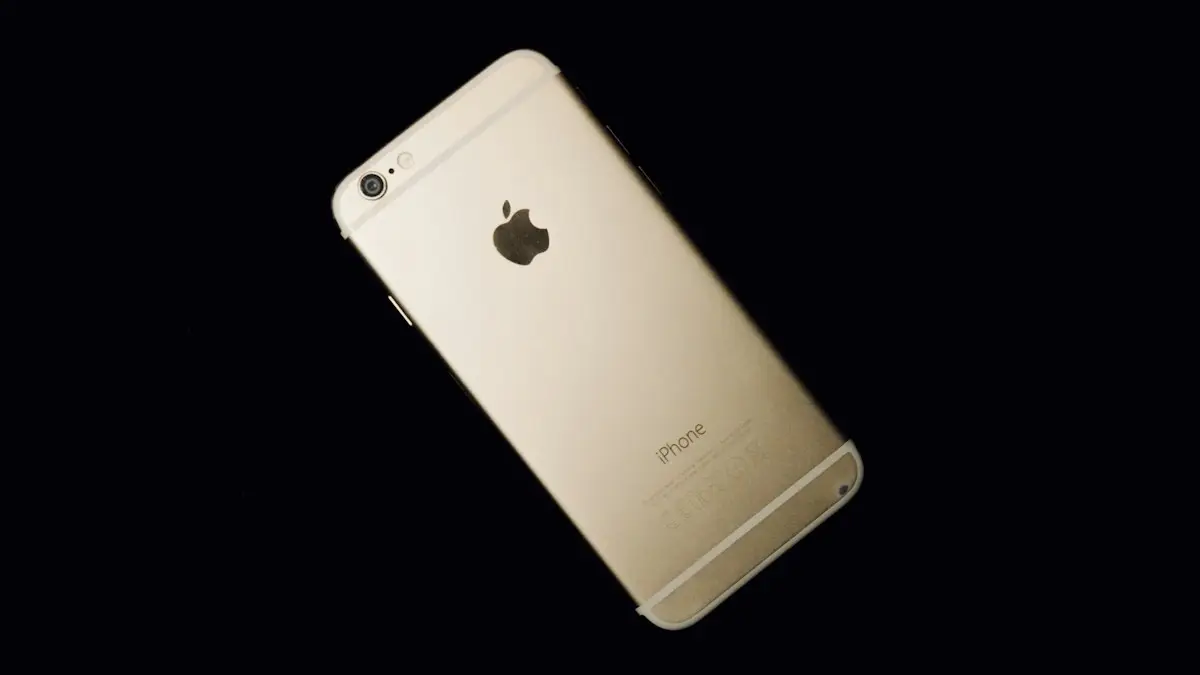
Photo by Safarulla Kasmi on Unsplash
There are two different problems people describe the same way. In a restart loop, the phone never finishes starting up and shows the Apple logo again and again. With random restarts, the phone works normally, then suddenly goes black and restarts every few minutes or hours. The fixes overlap, but if your phone never gets past the logo, jump to our guide for an iPhone stuck on the Apple logo.
Why your iPhone restarts on its own
- A software bug: the most common cause right after a major iOS update, and usually fixed in a small update soon after.
- An app: a badly behaved or outdated app can crash the whole system.
- A worn battery: it cannot supply peak power, so the phone shuts down under load.
- Heat: an overheating iPhone may shut down to protect itself.
- The SIM or carrier settings: less common, but easy to test.
- Hardware damage: a drop, water or a poor earlier repair can damage a sensor or cable.
Find the cause first: check the panic log
When iOS crashes hard enough to restart, it saves a report called a panic log. It takes a minute to check and it often points straight at the culprit.
- 1
Open Settings › Privacy & Security.
- 2
Scroll down and tap Analytics & Improvements, then Analytics Data.
- 3
Look for files that start with “panic-full” and today’s date.
If there are none, the restarts are probably not system crashes. Focus on apps and the battery.
- 4
Open the newest one and look near the top for a line with “Missing sensor(s)” or “userspace watchdog timeout”.
A missing sensor usually points to hardware, such as a damaged charging port cable or battery. A watchdog timeout usually points to software.
If the phone restarts roughly every three minutes, like clockwork, and the log mentions missing sensors, it is almost always hardware. iOS waits about three minutes for a sensor that never responds, then restarts. Common culprits are the charging port flex cable and the battery connection. No software fix will solve it, so skip to the repair section below.
How to stop an iPhone from restarting
The fix
Work through these in order
- 1
Force restart the iPhone.
Press and release volume up, press and release volume down, then press and hold the side button until the Apple logo appears. This works on iPhone 8 and later and clears most temporary glitches.
- 2
Update iOS.
Go to Settings › General › Software Update. Apple often fixes restart bugs in small updates released a week or two after a major release.
- 3
Update every app.
Open the App Store, tap your profile picture and tap Update All. An outdated app can crash the system after an iOS update.
- 4
Remove any app you installed just before the restarts started.
If the problem began right after installing something, delete it and see if the restarts stop.
- 5
Free up storage.
An almost full iPhone can become unstable. Check Settings › General › iPhone Storage and aim for at least a few gigabytes free. Our guide to clearing space without deleting photos walks through the quickest wins.
- 6
Take the SIM card out as a test.
A faulty SIM or a carrier settings problem can cause restarts. Remove the physical SIM with the tray tool and use the phone on Wi-Fi for a while. If the restarts stop, ask your carrier for a new SIM.
- 7
Check battery health.
Go to Settings › Battery › Battery Health & Charging. If Maximum Capacity is below 80% or you see a Service message, a battery replacement is the likely fix.
- 8
Reset all settings.
Go to Settings › General › Transfer or Reset iPhone › Reset › Reset All Settings. This keeps your photos and apps but resets Wi-Fi passwords, wallpaper and privacy settings to default.
- 9
Update or restore with a computer.
If the phone restarts too often to use, connect it to a Mac (Finder) or a Windows PC (Apple Devices app), put it in recovery mode and choose Update. Only choose Restore if Update fails and you have a backup, because Restore erases the phone.
iPhone restarts while charging
If restarts happen only on the charger, try a different Apple or MFi certified cable and adapter, and clean lint from the port with a wooden toothpick. A damaged cable or accessory can send unstable power. If it restarts on any charger but not on a wireless or MagSafe pad, the charging port is a strong suspect.
iPhone restarts when it gets hot
An iPhone that gets too hot shows a temperature warning and may switch off to cool down. Heavy gaming, navigation in a hot car, fast charging under a pillow or leaving the phone in the sun can all do it. Take off the case, stop charging, and let it cool in the shade. If it overheats and restarts during light use, the battery or a stuck process is often to blame. See why your iPhone gets hot.
How to tell whether the fix worked
Use the phone normally for a day or two after each fix, and note when it restarts. Then check Analytics Data again. If no new panic files appear, the problem is solved. If they keep appearing with the same message, the fix did not address the cause, so move on to the next step rather than repeating the same one. Keeping a short note of the date and what you were doing at each restart makes the pattern much easier to spot, and it helps a technician too.
Running a beta? Leave it
iOS beta versions are not finished and restart more often. Go to Settings › General › Software Update › Beta Updates and choose Off. You will move to the next public release when it arrives. To go back right away you need to restore with a computer, which erases the phone, so back up first.
After a drop or water
Restarts that start after a drop or a splash point to physical damage, even if the phone looks fine. Back up immediately, stop charging with a cable if a Liquid Detected alert appears, and see what to do if your phone gets wet. Then book a repair before it gets worse.
Why does my iPhone restart when it gets cold or at low battery?
That pattern points to the battery. A worn battery struggles to deliver power in cold weather or when it is nearly empty, and the phone shuts down or restarts to protect itself. A replacement usually solves it completely.
Repair: battery, port or new iPhone?
If the fixes above do not help, it is time for a repair. Apple and Apple Authorized Service Providers can run diagnostics and tell you which part is at fault. A battery replacement is the most common fix for random restarts and costs far less than a new phone. If you have AppleCare+, battery service is included at no charge when the battery holds less than 80% of its original capacity. See whether replacing an iPhone battery is worth it.
If the fault is on the logic board, the repair can cost a large share of a new phone. For an older iPhone, compare that with its trade-in value in how much your iPhone is worth before deciding. Whatever you choose, back up the iPhone before handing it over.
Frequently asked questions
Why does my iPhone restart by itself?
The most common causes are a software bug after an update, an app that crashes the system, a worn battery that cannot supply enough power, a faulty SIM card, or a hardware fault such as a damaged charging port.
Will a force restart delete anything?
No. A force restart only switches the phone off and back on. Your photos, messages and apps stay exactly where they are.
Can a bad battery make an iPhone restart?
Yes. A worn battery can drop its voltage suddenly under load, and the iPhone restarts to protect itself. Check Settings › Battery › Battery Health & Charging. Below 80% makes this more likely.
Why does my iPhone restart every 3 minutes?
A restart about every three minutes usually means iOS cannot read a sensor, often on the charging port or battery connection. The panic log will say “Missing sensor(s)”. This needs a repair.
What to try next
People also ask
Why does my iPad restart only when charging?
The cable or adapter may be faulty, or the charging port may be dirty. Try a different Apple or certified cable and a wall adapter, and clean the port gently.
Read the full guide: iPad keeps restartingHow do I get out of safe mode on a Pixel?
Just restart the phone normally. It starts in regular mode unless you enter safe mode again.
Read the full guide: Google Pixel keeps restartingWhy does my Samsung restart at night?
That is almost certainly Auto restart, a Samsung feature that restarts the phone on a schedule to keep it running smoothly. You can turn it off in Settings › Device care › Auto optimization.
Read the full guide: Samsung phone keeps restartingWhy does my Samsung turn off at 20 percent?
A worn battery cannot deliver enough power under load, so the phone shuts down early. Check the battery in Samsung Members and replace it if it is weak.
Read the full guide: Samsung keeps turning offRelated guides
iPad keeps restarting
iPad keeps restarting or turning on and off by itself? Force restart it, update iPadOS, free up storage, remove bad apps and restore with a computer if needed.
Google Pixel keeps restarting
Google Pixel keeps restarting or stuck in a reboot loop? Test in safe mode, free up storage, update and use Google’s repair tool with these 8 fixes.

Samsung phone keeps restarting
Samsung Galaxy keeps restarting on its own? Check Auto restart, test in Safe mode, run Samsung Members diagnostics and try 6 more fixes before a reset.
Samsung keeps turning off
Samsung phone keeps turning off by itself, even with battery left? Check the battery in Samsung Members, remove the case, test safe mode and try 6 more fixes.
More guides you may need

iPhone keeps asking to trust this computer
iPhone keeps asking to trust this computer every time you plug in? Learn the three real causes and Apple's six-step fix to make the alert stop for good.
iPhone keyboard not showing up
iPhone keyboard not showing up in Messages, Safari or another app? Disconnect Bluetooth, remove extra keyboards, reset the dictionary and try 5 more fixes.