

How to set up voicemail on iPhone (step by step)
Voicemail on iPhone takes one tap, a password and a greeting. If the button is missing, your carrier needs to switch it on.
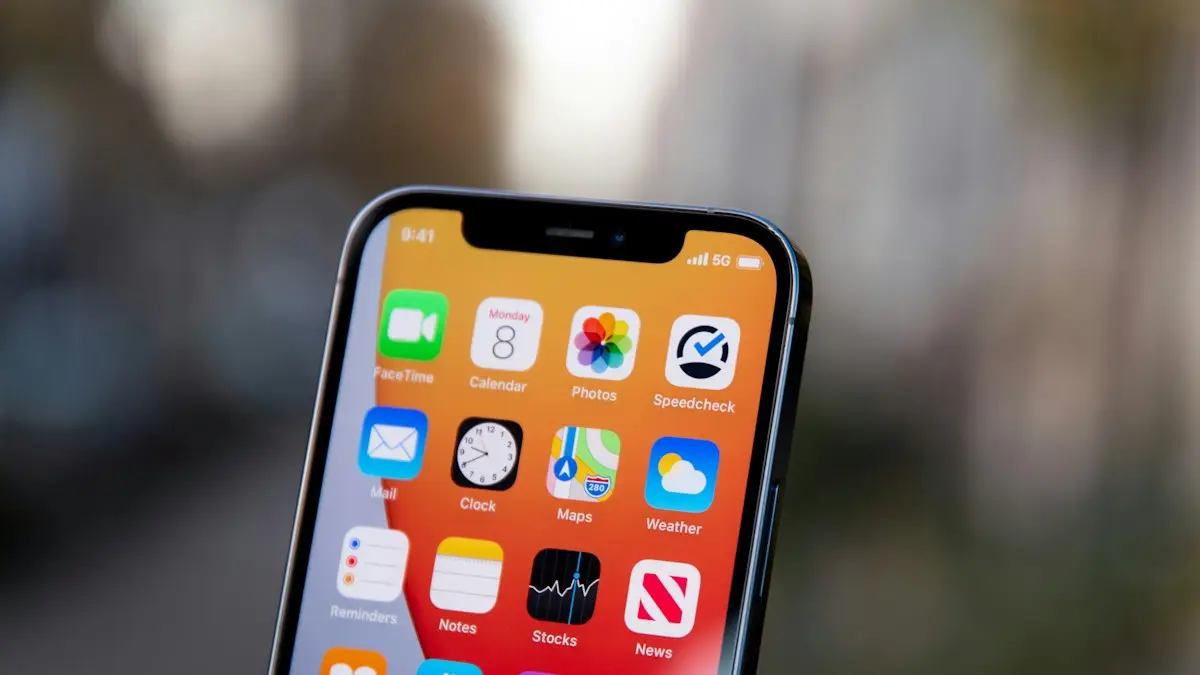
Photo by freestocks on Unsplash
The fix
Set up visual voicemail
- 1
Open the Phone app and tap Voicemail.
- 2
Tap Set Up Now.
- 3
Create a password and enter it again.
- 4
Choose Default or Custom greeting.
For Custom, tap Record, speak, then tap Stop.
- 5
Tap Save.
The fix
If Set Up Now is missing
- 1
Open the keypad and press and hold 1.
- 2
Follow the voice prompts to set a PIN and greeting.
- 3
Still nothing? Ask your carrier to turn on voicemail for your line.
How voicemail works on iPhone
Your voicemail box belongs to your carrier, not to Apple. The iPhone only shows it. On most US carriers, iPhone uses visual voicemail: messages download to the Phone app as a list you can play in any order, with transcripts on supported models. Setting up voicemail means creating the mailbox on the carrier side by choosing a password and a greeting. You do it once per line, and again after switching carriers.
How to set up voicemail on iPhone, step by step
- Open the Phone app. In older iOS versions, tap Voicemail at the bottom right. In the newer Phone app layout, voicemail may be in its own tab or under a menu at the top; look for Voicemails.
- Tap Set Up Now. If you see a list of messages or an empty list with no button, the mailbox is already set up.
- Enter a password of 4 to 6 digits, tap Done, then enter it again. Some carriers allow up to 7 or more digits.
- Choose a greeting: Default plays a standard message with your number, Custom lets you record your own.
- For Custom, tap Record, speak, tap Stop, then Play to check it.
- Tap Save.
Pick a good voicemail password
Avoid 1234, 0000, your birth year or the last digits of your phone number. Voicemail boxes with weak passwords have been used to break into other accounts, because some services read verification codes out loud by phone. Your iPhone saves the password, so you will rarely need to type it again.
Write a voicemail greeting that works
Keep it short, around 10 seconds. Say your name so callers know they reached the right person, and tell them what to leave. For example: "Hi, you've reached Sam. Leave your name, number and a short message, and I'll call you back." Do not mention that you are away on vacation. Record in a quiet room with the phone close to your mouth. To change it later, see our guide on changing your voicemail greeting.
Carrier notes for Verizon, AT&T and T-Mobile
- Verizon: visual voicemail is included on most postpaid plans. If Set Up Now does not appear, dial *86 and follow the prompts. Manage the password in the My Verizon app.
- AT&T: visual voicemail works on iPhone with most plans. Hold 1 if the button is missing. Manage the password in myAT&T.
- T-Mobile: visual voicemail is built into the iPhone Phone app. Hold 1 or dial 123 to reach the mailbox. Manage it in the T-Life app.
Prepaid brands and some MVNOs may not support visual voicemail on iPhone. In that case you can still use regular voicemail by holding 1, and messages are played by phone instead of in a list.
US Cellular customers: set up voicemail on iPhone
T-Mobile completed its purchase of UScellular's wireless operations on August 1, 2025, and US Cellular customers are moving to T-Mobile's systems over time. Which steps work depends on whether your line has moved yet, so check your account if you are not sure. Plans and steps can change, and the two carriers' own pages are the final word.
- Line still on the UScellular network: UScellular's support pages say you can reach your mailbox by dialing your own number, dialing *86 or pressing and holding 1. They say visual voicemail on iPhone needs iOS 15 or later, and you tap Set Up in the Voicemail tab, enter a new password twice and pick a greeting.
- Line moved to T-Mobile: T-Mobile's support pages say *86 no longer works with the new mailbox. Press and hold 1, dial your own number or dial 123 instead. They say that after a restart, your iPhone shows a Set Up option where you create a PIN and a greeting, and new messages do not appear in the Phone app until that is finished.
- Old messages: T-Mobile says old UScellular voicemails should move to the new mailbox automatically, but the move is not guaranteed. Save any message you cannot lose, using the Share button, before your line moves.
If messages still do not show in the list, T-Mobile says visual voicemail needs some free storage on the phone, so clear space and restart. Then read iPhone voicemail not working.
Voicemail transcription
Supported iPhone models show a text transcript of each message in English and some other languages. Tap a message to see it. Transcripts are generated on the iPhone and can be wrong for names, numbers and noisy calls, so listen when it matters. If transcripts never appear, check that your iPhone language and region are supported, and that you have enough free storage.
Live Voicemail
Live Voicemail shows a live transcript on screen while the caller is leaving a message, and you can pick up mid message. Turn it on in Settings › Apps › Phone › Live Voicemail (on older iOS, Settings › Phone). It works alongside your carrier mailbox. Calls from unknown numbers that Silence Unknown Callers sends away may also go to Live Voicemail.
Test your voicemail
Call your iPhone from another phone, let it ring out, and leave a short message. It should appear in the voicemail list within a minute or two. If callers hear a message that the mailbox is not set up, set-up did not finish. If the message reaches the mailbox but does not show in the list, see iPhone voicemail not working.
Set up voicemail after switching carriers or phones
When you move your number to a new carrier, your old mailbox and its messages are gone, and you must set up a new one. When you move to a new iPhone on the same carrier, the mailbox stays, but you may need to enter the password again. Save any voicemails you want to keep before switching: open the message, tap the Share button and save it to Files or send it to yourself.
Two lines, eSIM or dual SIM
Each line has its own mailbox. If you have two lines, the voicemail screen shows a selector at the top so you can switch between them. Set up each one separately. Voicemail for a line only works while that line is turned on in Settings › Cellular.
Common setup errors
- Password incorrect right after setup: the carrier may still have an older password. Reset it through the carrier app or 611.
- Voicemail is currently unavailable: a carrier side problem. Turn Airplane Mode on and off, restart, then try again later.
- Set Up Now keeps coming back: the setup did not save. Hold 1 and finish setup by phone.
- No voicemail tab at all: update to the latest iOS and check for a carrier settings update in Settings › General › About.
Change your voicemail password later
Go to Settings › Apps › Phone › Change Voicemail Password (on older iOS, Settings › Phone). Enter the new password twice. If the iPhone asks for the current password and you do not know it, reset it through your carrier instead. A reset password from the carrier will then need to be entered on the iPhone the next time you open voicemail.
Set how long the phone rings before voicemail
iPhone has no setting for the number of rings. The carrier controls it, usually around 20 to 30 seconds. Some carriers let you change it by calling support or with a forwarding code. On GSM networks such as AT&T and T-Mobile, the code **61*voicemailnumber**seconds# works on many lines, with seconds in steps of 5 up to 30. Ask your carrier for the right voicemail number before you try it.
Do you need voicemail at all?
Many people now text instead of leaving messages, and spam callers fill mailboxes with robocalls. Still, banks, doctors, schools and delivery drivers often leave voicemails, and some services reach you only by voice. A short greeting and a regular cleanup is the best balance. If spam is the problem, see our guide to blocking spam calls on iPhone.
Delete old voicemails
Swipe left on a message and tap Delete. Deleted messages move to Deleted Messages at the bottom of the voicemail list, where you can tap Clear All to remove them for good. A full mailbox stops callers leaving new messages, so check it every few weeks.
Setting up voicemail on iPad or Apple Watch
An iPad with cellular data does not have carrier voicemail for phone calls. Calls relayed from your iPhone use the iPhone's mailbox. An Apple Watch with cellular shares your iPhone number and voicemail, so there is nothing separate to set up. You can play voicemails on the Watch in the Phone app once they arrive on the iPhone.
Set up the mailbox on the iPhone first, and every paired device picks it up.
Frequently asked questions
Why is there no Set Up Now button?
Voicemail may already be set up, or your plan does not include visual voicemail. Press and hold 1 on the keypad to call voicemail and set it up by voice.
I forgot my voicemail password. What now?
Go to Settings › Apps › Phone › Change Voicemail Password. If that option is missing, your carrier can reset it.
Why does my iPhone not have a Set Up Now button?
Your carrier has not turned on visual voicemail for the line, or the mailbox is already set up. Hold 1 to set it up by phone, or call your carrier and ask them to activate visual voicemail.
What is the default voicemail password on iPhone?
There is no Apple default. Carriers set their own, often the last 4 to 7 digits of your phone number on a new line. You can reset it through your carrier's app or support.
Sources
Official pages these steps are based on. Menus can differ by software version.
People also ask
Can I have different voicemail greetings on iPhone?
You get one active greeting per line, either Default or Custom. iOS has no setting for different greetings for different callers. Re-record it when you need a temporary away message.
Read the full guide: Change voicemail greeting on iPhoneHolding 1 does not call voicemail. What now?
The voicemail number is missing. In the Phone app, open Settings › Voicemail › Voicemail number and enter your own number or the one your carrier gives you.
Read the full guide: Set up voicemail on AndroidWhat does the red number on the iPhone Phone app mean?
It counts your missed calls and new voicemails. Opening the Missed tab and listening to or marking voicemails as read clears it.
Read the full guide: iPhone red dot on Phone appShould I erase my stolen phone right away?
Not at once. Mark it as lost first, so you can still track it. Erase it only when you are sure you will not get it back, because erasing stops tracking.
Read the full guide: Phone stolen: what to doRelated guides
Change voicemail greeting on iPhone
Record a new voicemail greeting on your iPhone in the Phone app, switch back to the default greeting, or change it by calling voicemail if your carrier needs.
Set up voicemail on Android
Set up voicemail on any Android phone by pressing and holding 1, creating a PIN and recording a greeting. Plus visual voicemail on Samsung and Pixel.
iPhone red dot on Phone app
iPhone red dot on Phone app that will not go away? Check voicemail, Deleted Messages and Recents, refresh your carrier count and turn off the badge.

Phone stolen: what to do
What to do if your phone is stolen: lock it, track it, call your carrier, protect your accounts and file a police report. Steps for iPhone and Android.
More guides you may need
iPhone Safari settings
Change iPhone Safari settings in one place: default browser, search bar position, SafeSearch, autofill address, DNS and IP address, for iOS 18 and iOS 26.
Lock iPhone screen from touch
Lock your iPhone screen from touch while a child watches a video. Turn on Guided Access, triple click the side button, switch Touch off and tap Start.