

Pixel visual voicemail not working? Fix Activating and stuck setup
Google's Phone app only supports visual voicemail on certain carriers, and the Activating message is not explained anywhere official. Here is a checklist that starts with your carrier.
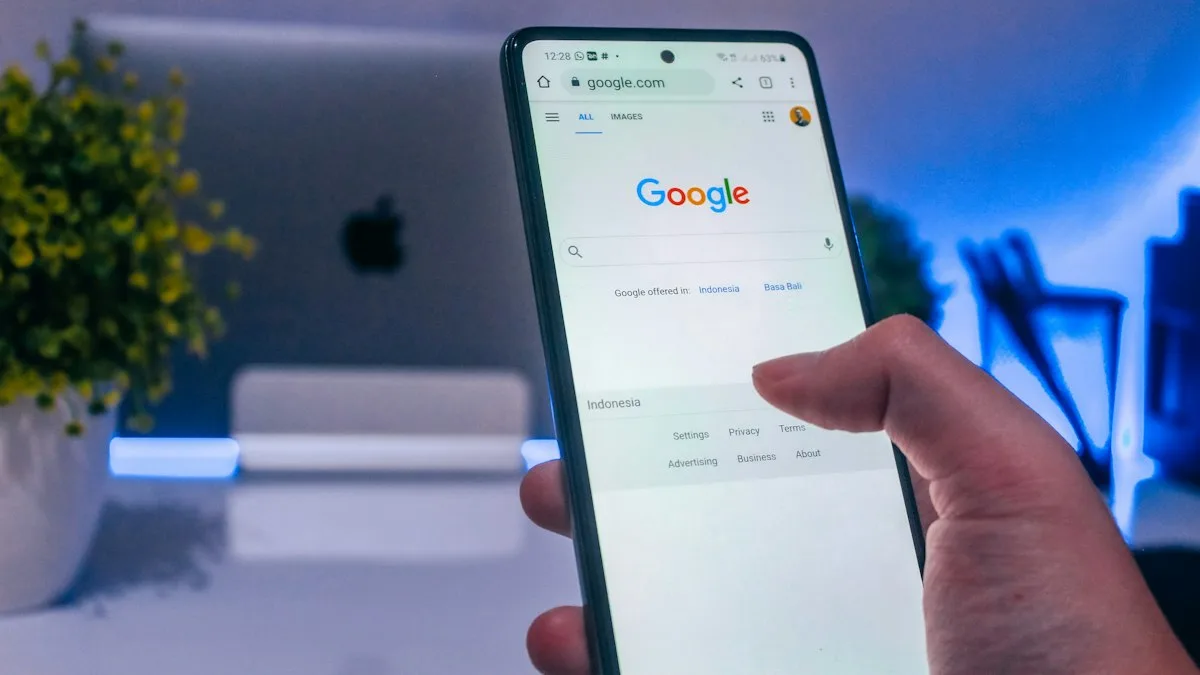
Photo by Arkan Perdana on Unsplash
You open the Phone app and tap Voicemail. Instead of messages, it says Activating visual voicemail, and it keeps saying it. Or the list is empty while your carrier insists you have messages. Visual voicemail on a Pixel depends on three things lining up: the app, your carrier and your plan.
The fix
7 fixes, in order
- 1
Check that your carrier supports it.
Google's list of carriers with visual voicemail on the Phone app includes AT&T, Cellcom, Coriolis, Google Fi, O2, Orange and T-Mobile. It does not include Verizon. Not all carriers or regions offer the feature.
- 2
Turn Visual voicemail on in the Phone app.
Open the Phone app, tap More options at the top right, tap Settings, tap Voicemail, and turn on Visual voicemail. With two SIMs, tap a SIM first and repeat for each one.
- 3
Make sure no carrier voicemail app is in the way.
Google says that when you use your carrier's voicemail app, the Phone app's visual voicemail turns off to avoid a conflict. Pick one.
- 4
Toggle it off, wait, and turn it on.
Same screen. Wait a few seconds between the two taps. Several T-Mobile owners report this clears a stuck Activating state.
- 5
Restart the Pixel and update.
Hold the power button and restart. Then open Settings › System › Software updates and install anything waiting.
- 6
Clear the Phone app data.
Open Settings › Apps, find the Phone app, tap Storage & cache, and clear storage. Users also report fixes from clearing Carrier Services data. Back up important voicemails first.
- 7
Call your carrier.
Ask whether visual voicemail is turned on for your line and plan, and ask them to refresh the provisioning on your SIM.
Why is my Pixel stuck on Activating visual voicemail?
The Phone app asks your carrier to turn on visual voicemail, and then waits for an answer. While it waits, you see Activating. If the answer never arrives, the message just sits there. Three things stop the answer: the carrier does not support the feature for your plan, the carrier has not provisioned your line, or something on the phone is blocking the request.
| What you see | Likely cause | Try first |
|---|---|---|
| Activating that never ends | Carrier did not answer | Toggle off and on, restart, call the carrier |
| No Voicemail tab at all | Feature not offered or off | Check the carrier list, turn it on in Settings |
| Empty list, you know you have messages | Not synced, or basic voicemail not set up | Hold 1 to hear voicemail, clear app data |
| No alerts for new messages | Notification or service setting | Settings › Voicemail › Advanced Settings › Service |
| Worked, then stopped after a SIM change | Line needs provisioning | Call the carrier |
Is your carrier on the list?
This is the check most people skip. Google's list does not include Verizon, and Verizon owners fill community threads with the same complaint. That does not mean Verizon voicemail is broken. It means the Phone app's own visual voicemail may not be the way Verizon wants you to read messages, so ask what Verizon supports on your plan. For AT&T, Google adds a tip: make sure your data plan includes access to visual voicemail.
If you buy a Pixel unlocked and bring it to a carrier, you may hit more gaps than if you buy it from the carrier. If you are still deciding on a new carrier or plan, our guide to setting up voicemail on Android covers the basic voicemail you need first.
Set up basic voicemail before visual voicemail
Forum replies point out that the line has to be set up with ordinary voicemail first. Open the Phone app dialpad, press and hold 1, and follow the prompts to record a greeting and set a PIN if you are asked. If a voicemail has never been set up, visual voicemail has nothing to show. Google's page also says that if you cannot find Voicemail in the app, you can call your voicemail instead.
Two SIMs on one Pixel
Google says that with multiple SIMs you go to More options, Settings, Voicemail, tap a SIM, and turn on Visual voicemail for each line. It also warns that visual voicemail on multiple SIMs may not be supported by your device or carrier. If only one of your lines works, that may be the reason, and not a fault in the phone.
Do not delete before you save
Voicemail works but you get no alerts
This is a different problem. Google's help page covers it in a short section on notifications that do not work. It says to contact your provider about downgrading to basic voicemail, and to check Settings, Voicemail, Advanced Settings, Service. If alerts are the only problem, start there. For a wider checklist on any Android phone, see our guide to voicemail problems on any Android phone.
What a working setup looks like
When visual voicemail is on and the carrier answers, the Phone app shows a Voicemail tab at the bottom. Tap it and your messages appear in a list that you can play without calling in. Google says that if you cannot find Voicemail there, you can call your voicemail instead. So the quickest test of the whole chain is to press and hold 1 on the dialpad. If the call connects to your greeting, the carrier side is fine and the problem is the app or the provisioning for visual voicemail.
Check mobile data and the Phone app version
Visual voicemail moves your messages through a data connection, not a normal call, so make sure mobile data is on and you have signal. Google's AT&T tip, to make sure your data plan includes access to visual voicemail, points the same way. Wi-Fi alone may not be enough for the first activation. Then open the Play Store and check that the Phone app by Google has no update waiting. An old build of the app can fail to activate while a new one works.
After a new SIM, eSIM or carrier switch
A new line often needs a fresh visual voicemail activation. If it worked before you swapped a SIM or moved to a new carrier, the old provisioning is gone and the app is waiting for the new one. Turn the setting off and on, restart, and then ask the new carrier whether visual voicemail is on for your plan. Remember Google's note that the carrier may keep a copy of old recordings, so ask about saved messages before you move.
Transcripts are limited
If your voicemails show but have no transcript, this may be by design. Google's page says transcripts are available only for certain carriers, in English and Spanish, on Android 8.0 or later. If your carrier is not on that list, the audio will work and the text will not. That is not a fault in the phone.
When none of it works
If you have checked the carrier, toggled the setting, restarted and cleared the app data, and the Pixel is still stuck, the problem is probably on the carrier's side. Ask them to confirm visual voicemail is provisioned for your line. Test your SIM in another phone, or another SIM in your Pixel, so you know which side is at fault. A software update can also fix a stuck app, so make sure the phone is current. See updating an Android phone. If the Pixel is also restarting on its own, read a Pixel that keeps restarting.
Frequently asked questions
Why is my Pixel stuck on Activating visual voicemail?
Google's help page does not explain that message. Common causes are an unsupported carrier or plan, a missing basic voicemail setup, or a stale connection. Toggle Visual voicemail off and on, then restart.
Does Verizon support visual voicemail on Pixel?
Google's list of carriers does not include Verizon. Ask Verizon what it supports on your plan, and see whether it offers its own voicemail app.
Where is the Visual voicemail setting on a Pixel?
Open the Phone app, tap More options at the top right, tap Settings, tap Voicemail and turn on Visual voicemail. On a phone with two SIMs, tap a SIM and repeat.
Will I lose voicemails if I turn visual voicemail off?
Google says turning it off deletes the recordings from your Phone app, but your carrier might keep a copy. Save any message you need before you toggle it.
What to try next
Sources
Official pages these steps are based on. Menus can differ by software version.
People also ask
How long should an eSIM take to activate?
Many activate in minutes. If it still says Activating after about 20 to 30 minutes, work through the steps and contact your carrier, because it may need to reissue the eSIM.
Read the full guide: eSIM stuck activatingWhy does my iPhone say Visual Voicemail is currently unavailable?
The iPhone cannot reach your carrier’s voicemail server, usually because cellular data is off or weak. Turn on cellular data, toggle Airplane Mode and try again.
Read the full guide: iPhone voicemail not workingWhy do callers not get my voicemail?
Voicemail may not be set up, the mailbox may be full, or call forwarding sends calls elsewhere. Hold 1 to check the mailbox and ask your carrier to reset forwarding.
Read the full guide: Android voicemail not workingIs a phone bought from Apple, Samsung or Google unlocked?
Phones bought at full price directly from Apple, Samsung or the Google Store are normally unlocked. A phone bought with a carrier deal or carrier financing is usually locked to that carrier, even if you bought it in an Apple Store.
Read the full guide: Is my phone unlocked?Related guides
eSIM stuck activating
eSIM stuck on Activating on your iPhone? Wait a few minutes, toggle Airplane Mode, restart, update carrier settings and check the line, then call your carrier.
iPhone voicemail not working
iPhone voicemail not working or Visual Voicemail unavailable? Check cellular data, call forwarding and a full mailbox, update carrier settings and more.
Android voicemail not working
Android voicemail not working or no voicemail alerts? Test by holding 1, check the voicemail number, clear the visual voicemail app and try 5 more fixes.
Is my phone unlocked?
How do I know if my phone is unlocked? Check in Settings on iPhone, Samsung or Pixel, test a SIM or eSIM, and see the 2026 Verizon, AT&T and T-Mobile rules.
More guides you may need
Pixel Wi-Fi low quality
Pixel says your Wi-Fi is low quality even with full bars? Learn what the warning measures, why the phone jumps to mobile data and how to make it stay on Wi-Fi.

Record a call on Android
Learn how to record a call on Android with the Phone app on Pixel, Samsung and other phones, where recordings are saved, and the consent laws to know first.