

AirPods not connecting to iPhone? 8 fixes that work
Most AirPods connection problems come down to a flat case, Bluetooth, or a pairing that needs to be redone. Here is the order that works fastest.
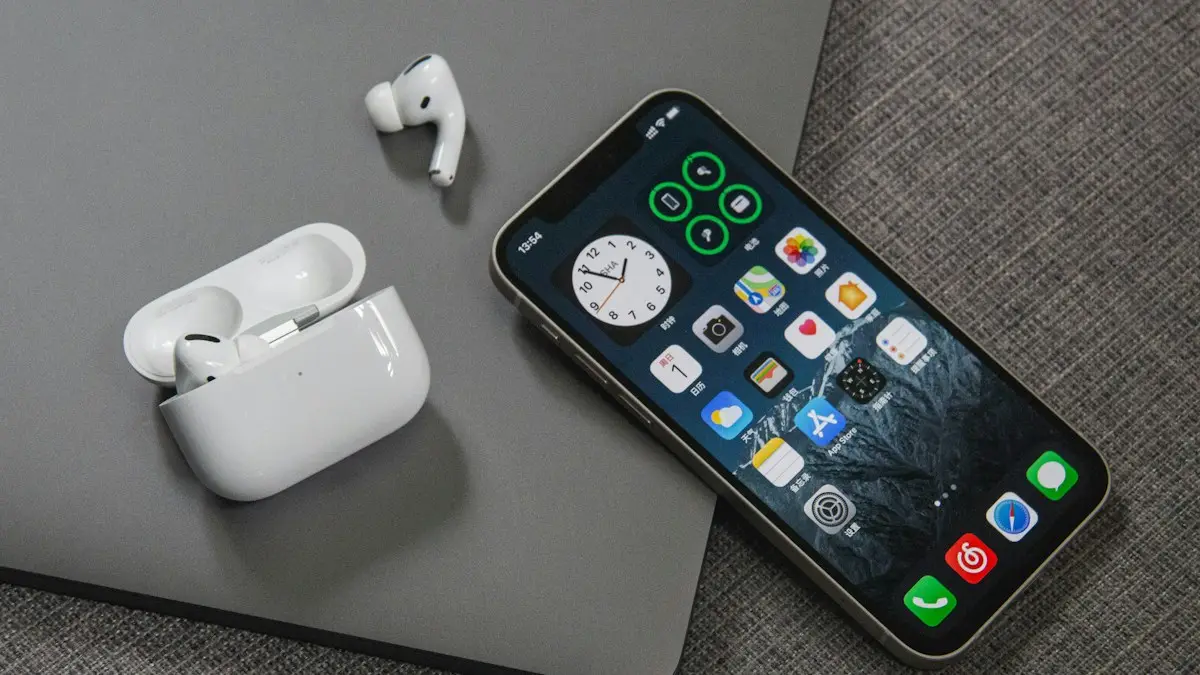
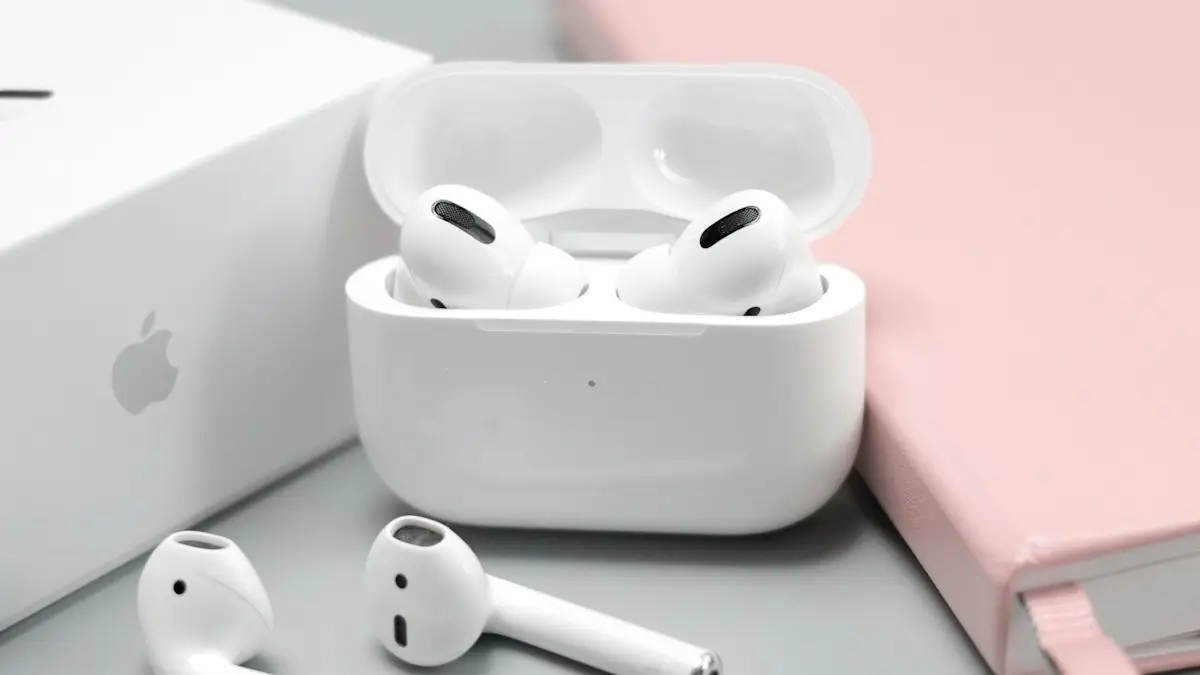
Photo by Vista Wei on Unsplash
AirPods pair through Bluetooth and your Apple Account, so a connection problem can sit in the AirPods, the case, the iPhone or the account. The good news is that almost every case is fixed without a repair. The order below starts with the causes that take seconds to rule out.
Why won't my AirPods connect?
- The case or the AirPods are out of charge, often without you noticing.
- Bluetooth is off, or the iPhone is sending audio to another device such as a car or speaker.
- The AirPods are connected to your iPad, Mac or another iPhone on the same Apple Account.
- The pairing record on the iPhone is corrupted after an update, and needs to be removed and set up again.
- Dirt on the charging contacts stops one AirPod from charging, so it never wakes up.
What the case light is telling you
- Flashing white: ready to pair. Open Settings › Bluetooth and choose them.
- Amber with AirPods in: charging. With nothing in, the case itself needs charge.
- Flashing amber: a pairing error. Reset the AirPods, then pair again.
- No light: the case is out of charge. Charge it for 15 minutes first.
How to fix AirPods that won’t connect
The fix
Try these in order
- 1
Charge the case and AirPods.
Put both AirPods in the case, close the lid and charge for at least 15 minutes. A flat case is the most common reason they will not connect.
- 2
Turn Bluetooth off and on.
Go to Settings › Bluetooth, turn it off, wait a few seconds and turn it back on. Use Settings rather than Control Center, because the Control Center button only disconnects devices until tomorrow instead of turning Bluetooth fully off.
- 3
Pick the AirPods as the audio output.
Open Control Center, press and hold the music card, tap the AirPlay icon and choose your AirPods from the list.
- 4
Restart your iPhone.
A restart clears most Bluetooth glitches. Turn the iPhone off, wait 30 seconds, turn it back on, then open the AirPods case next to it again.
- 5
Update iOS.
Go to Settings › General › Software Update. AirPods firmware updates install automatically when the AirPods are charging near an updated iPhone.
- 6
Forget the AirPods and pair again.
Go to Settings › Bluetooth, tap the ⓘ next to your AirPods, then Forget This Device. Open the case next to the iPhone and follow the setup card.
- 7
Reset the AirPods.
Put the AirPods in the case, close the lid for 30 seconds, then open it. On AirPods 1 to 3 and AirPods Pro 1 and 2, press and hold the setup button on the back of the case for about 15 seconds until the light flashes amber, then white. AirPods 4, AirPods 5 and AirPods Pro 3 have no button: double-tap the front of the case while the light is on, and repeat as the light changes, until it flashes amber then white. See our AirPods reset guide for every model.
- 8
Remove VPN or device management profiles.
Some VPN apps and work profiles interfere with Bluetooth. Check Settings › General › VPN & Device Management, remove anything you do not need and restart.
If the case light stays off even on a charger, or one AirPod always shows a much lower battery in the widget, the real problem is charging, not Bluetooth. Try a different cable and adapter, or a Qi or MagSafe pad if your case supports it. Our guide to AirPods charging trouble goes through every cause.
How to pair AirPods from scratch
After a reset, pair them as if they were new. The short version is below; our guide to connecting AirPods to an iPhone covers first-time setup in more detail.
- 1
Unlock your iPhone and go to the Home Screen.
- 2
Put both AirPods in the case and open the lid next to the iPhone.
- 3
Wait for the setup card, then tap Connect.
If no card appears, put the AirPods into pairing mode: hold the setup button on the back of the case, or double-tap the front of the case on AirPods 4, AirPods 5 and AirPods Pro 3, until the light flashes white.
- 4
Follow the prompts.
The AirPods are now paired with every Apple device signed in to your Apple Account.
Check the AirPods firmware
With the AirPods connected, go to Settings, tap your AirPods near the top, and scroll to About to see the version. There is no update button. Firmware installs automatically when the AirPods are in their case, charging, and near your iPhone on Wi-Fi. If you think an update is overdue, leave them like that for 30 minutes. Newer AirPods features, such as hearing health tools, also need a recent iOS version on the iPhone.
AirPods connecting to the wrong device?
AirPods signed in to your Apple Account switch automatically to whichever iPhone, iPad or Mac starts playing audio. That is handy when it works, and confusing when a Mac in another room grabs them. To stop them jumping away, open Settings, tap your AirPods, then Connect to This iPhone, and choose When Last Connected to This iPhone. Do the same on your iPad and Mac, so none of them take the AirPods automatically.
Connected but no sound?
- Check the volume. Press the volume up button while audio plays; AirPods have their own volume level.
- Open Control Center, touch and hold the music card, tap the AirPlay icon and make sure your AirPods are ticked, not the iPhone or a speaker.
- Check Settings › Accessibility › Audio & Visual. If Balance is set fully to one side, one AirPod will be silent.
- If only calls fail, the microphone setting may be the issue. See our guide to AirPods not working on calls.
AirPods Max not connecting?
AirPods Max have no case button. Charge them for at least 15 minutes, then press and hold the noise control button to enter pairing mode, until the light flashes white. To reset them, press and hold the noise control button and the Digital Crown together for about 15 seconds, until the light flashes amber and then white. Pair them again from Settings › Bluetooth.
Stopped connecting after an iOS update?
Major updates such as iOS 27 sometimes break the pairing record. Restart the iPhone first. If that does not help, forget the AirPods in Settings › Bluetooth, reset them and pair again. Then leave them charging near the iPhone for 30 minutes so any new AirPods firmware for the update can install.
Connecting AirPods to Android, Windows or a Mac
AirPods work with any Bluetooth device. On Android or Windows, put them in pairing mode as above, then choose them in the phone’s or PC’s Bluetooth settings. You lose automatic switching, the setup card and some controls, but music and calls work. On a Mac signed in to the same Apple Account, they appear in the Sound or Bluetooth menu automatically.
Lost one AirPod, or still not working?
If one AirPod is missing, open Find My and select your AirPods. You can play a sound on each earbud separately if it is in Bluetooth range. Apple sells single replacement AirPods and replacement cases, and AppleCare+ covers accidental damage and battery wear. Before paying, check your coverage at checkcoverage.apple.com with the serial number from Settings › your AirPods › About.
Frequently asked questions
Why is only one AirPod connecting?
The other AirPod is usually flat or dirty. Put both in the case, check the charging contacts and the inside of the case are clean, charge for 30 minutes and try again. If it still fails, reset the AirPods.
What do the lights on the AirPods case mean?
Flashing white means ready to pair. Amber means charging or low battery. Flashing amber can mean a pairing error, which a reset usually fixes. Green means fully charged.
Why do my AirPods connect to my iPad instead of my iPhone?
AirPods switch automatically between Apple devices signed in to the same Apple Account. On your iPhone, go to Settings › [your AirPods] and set Connect to This iPhone to When Last Connected to This iPhone.
Do AirPods need a software update to connect?
Sometimes. AirPods update themselves when charging near a connected iPhone on Wi-Fi. Keep your iPhone on the latest iOS too.
What to try next
Sources
Official pages these steps are based on. Menus can differ by software version.
People also ask
What does the red iPhone icon on my Apple Watch mean?
The watch is disconnected from your iPhone. Bring them close together and check that Bluetooth and Wi-Fi are on.
Read the full guide: Apple Watch not connectingWhy does no setup card appear?
Make sure Bluetooth is on and the iPhone is unlocked on the Home Screen. If it still does not show, hold the setup button on the case or reset the AirPods.
Read the full guide: Connect AirPods to iPhoneWhy does my iPad say incorrect password when it is right?
The network may have changed its password or security type. Forget the network, restart the router, and join again, typing the password carefully.
Read the full guide: iPad not connecting to Wi-FiWhy do my AirPods switch to my Mac or iPad?
Automatic switching moves them to whichever Apple device starts playing. Set Connect to This iPhone to When Last Connected to This iPhone.
Read the full guide: AirPods keep disconnectingRelated guides
Apple Watch not connecting
Apple Watch not connecting to iPhone or showing a red iPhone icon? Check Bluetooth and Airplane Mode, restart both, update, and re-pair without losing data.
Connect AirPods to iPhone
Connect AirPods to your iPhone in seconds with the setup card, or pair them manually in Bluetooth settings. Also how to connect AirPods to a new iPhone.
iPad not connecting to Wi-Fi
iPad not connecting to Wi-Fi or showing no internet? Forget and rejoin the network, turn off Private Address and VPN, restart the router and try 5 more fixes.
AirPods keep disconnecting
AirPods keep disconnecting from your iPhone? Turn off automatic switching and ear detection, charge both buds, forget and pair again, and reset if needed.
More guides you may need
AirPods says Not Your AirPods
AirPods says not your AirPods? Learn what it means, check the serial number, remove old owners in Find My and reset secondhand or swapped AirPods.

Apple Account cannot be created
Apple Account cannot be created or says 'cannot create at this time'? Check your connection, software, VPN and details, or sign up on the web. 7 fixes.