

Android Auto not connecting? 10 fixes for wired and wireless
Android Auto needs a data cable, the right USB mode and permission from the car. Most connection failures come down to one of these.
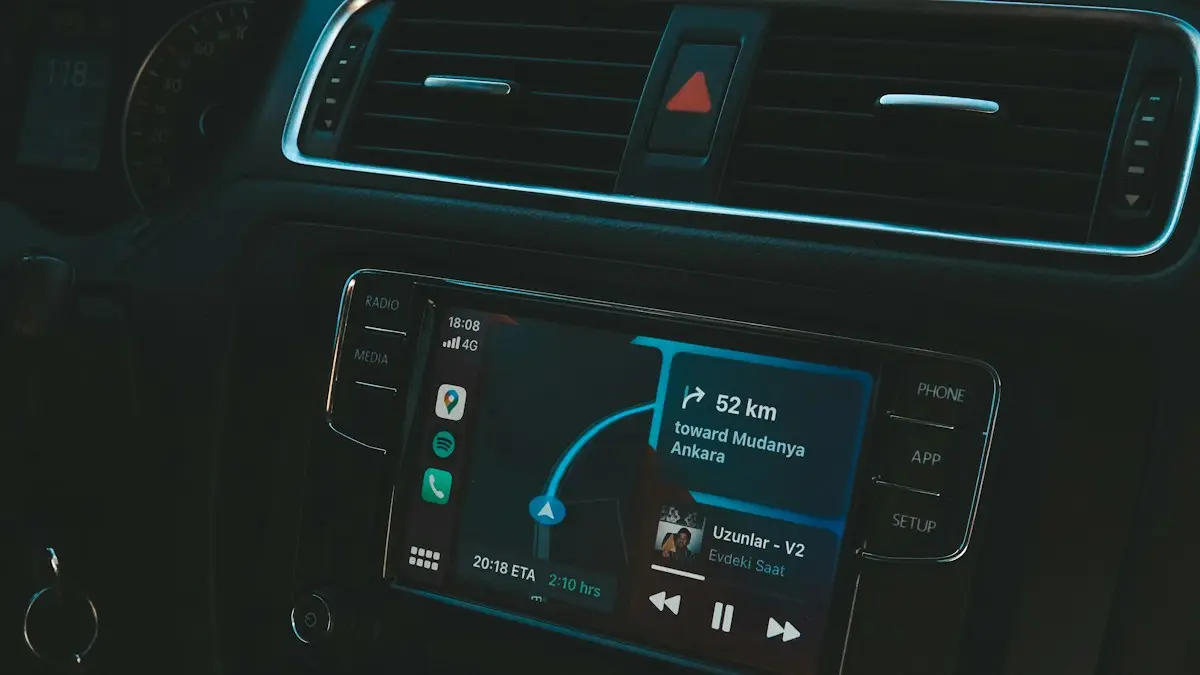
Photo by Mert Kahveci on Unsplash
Android Auto asks a lot of a small connection. It needs a cable that carries data, a phone that is allowed to run in the background, a car that has the feature turned on and software that matches on both sides. When one piece is off, you see a loading screen that never ends, a message that the phone is not supported, or a link that drops every few minutes. These fixes work through the likely causes in order.
10 fixes for Android Auto not connecting
The fix
10 fixes, in order
- 1
Use a good data cable.
Many cables only charge. Use a short USB cable that supports data, ideally under 3 feet.
- 2
Try each USB port.
Only some car ports support Android Auto. Look for one with a phone or smartphone icon.
- 3
Clean the phone’s USB-C port.
Remove lint with a wooden toothpick so the cable sits firmly.
- 4
Check USB mode.
When you plug in, pull down the notification shade. If USB is set to Charging only, tap it and choose File transfer or Android Auto.
- 5
Turn on Android Auto in the car.
Some cars have a setting to enable Android Auto or smartphone projection in the infotainment menu.
- 6
Update Android Auto and Google apps.
Update Android Auto, Google, Google Maps and Google Play services from the Play Store.
- 7
Allow unrestricted battery use.
Go to Settings › Apps › Android Auto › Battery and choose Unrestricted, so the phone does not cut the connection to save power.
- 8
Wireless: turn on Bluetooth and Wi-Fi.
Wireless Android Auto needs both, even if you are not on a Wi-Fi network.
- 9
Forget the car and connect again.
In Android Auto settings, open Previously connected cars and remove your car. Also forget it in Bluetooth settings, and remove the phone in the car’s menu. Restart both, then reconnect.
- 10
Clear Android Auto’s cache.
Go to Settings › Apps › Android Auto › Storage and tap Clear cache.
Why won’t my phone connect to Android Auto?
The usual causes fall into four groups. The cable is first: a charge-only cable, a damaged one or one that is too long will fail without a clear warning. Next is the phone’s setup, including the USB mode, missing permissions and battery limits that stop Android Auto from running. Third is the car, which may have the feature off, a USB port that does not support it, or old software. The last group is a pairing record that no longer matches on one side. Work from the cheapest test, a new cable, toward the more involved ones, such as a reset of the car’s phone list.
Wired connection: cable, port and USB mode
Use the cable that came with the phone, or a good one from a known brand with a data symbol. Avoid cheap cables and long ones. Plug it into the car port marked for phones, since a port used only for charging will not start Android Auto. Pull down the notification shade after you connect. If it shows USB charging this device, tap it and choose File transfer or Android Auto. On some Samsung phones the choice appears as Transferring files. Look at the phone’s port with a flashlight and clean out lint with a wooden toothpick, since a loose plug breaks the link when the car moves.
Permissions, updates and battery settings on the phone
Open the Android Auto settings and check that the phone has all the permissions it asks for, including location, contacts, phone and notifications. Update Android Auto, Google, Google Maps and Google Play services in the Play Store, and install any system update waiting in Settings. Then go to Settings › Apps › Android Auto › Battery and pick Unrestricted. On Samsung phones also check that Android Auto is not in the list of sleeping apps in Settings › Battery › Background usage limits. Turn off battery saver while you drive, since it can stop the connection after a few minutes.
Wireless Android Auto: what it needs
Wireless Android Auto needs a phone and a car that both support it, along with Bluetooth, Wi-Fi and location turned on. You do not need to be on a Wi-Fi network, but Wi-Fi must be switched on. Pair the phone with the car in Bluetooth first, then accept the prompt to use Android Auto. If it works once and then fails, forget the car in Android Auto settings, in Bluetooth and in the car menu, then start again. A wireless adapter may need its own firmware update. Many drivers keep a cable in the car as a backup, because wireless can drop more often than wired.
Samsung, Pixel and other brands
- Pixel and Android One: Settings › Connected devices › Connection preferences › Android Auto. Check Previously connected cars and Add new cars to Android Auto.
- Samsung: Settings › Connections › More connection settings › Android Auto on some versions, or search for Android Auto. Check the USB mode and the battery limits.
- Other brands: use the search bar in Settings to find Android Auto, and check any extra permission or autostart setting your brand adds.
Forget the car and clear Android Auto’s data
In Android Auto settings, open Previously connected cars and remove the car. Remove it in Bluetooth settings as well, then delete the phone in the car’s phone list. Restart the phone and the car and connect again. If the loading screen still hangs, clear the app’s cache from Settings › Apps › Android Auto › Storage. As a bigger step you can clear storage, which resets the app and its saved cars, and you will set it up again. See the full walk-through on setting up Android Auto from scratch.
Android Auto keeps disconnecting after it connects
If it starts and then drops, the cause is often the cable moving, a car port that gives weak power, or a phone that is too hot. Keep the cable still and the phone out of the sun. Try another port and make sure Do Not Disturb and battery saver are off. If you also see Bluetooth dropping in other places, read about Bluetooth dropping on Android. A phone that is behind on updates can also fail, so check Android software updates.
Error messages and what they usually mean
- Android Auto isn’t available on your device: update the app and Android, and check that the phone meets the car’s requirements.
- Check your USB cable: the cable lacks data wires or is damaged. Replace it with a short, certified data cable.
- Needs permission: open Android Auto settings and accept the permission prompts, then reconnect.
- Stuck on the loading logo: clear the app’s cache, restart the phone and try a different USB port.
Keep it working: small habits that help
Use the same short cable every time, keep the port free of lint and update Android Auto and Google Play services when the Play Store asks. Restart the phone once a week, because a phone that has run for weeks can get slow and fail to start the connection. Keep a spare cable in the glove box, since a cable is the part that most often wears out.
When to check the car or replace the phone or cable
If another Android phone connects normally, the fault is in your phone, so try a different cable first and then a factory reset only as a last step after a backup. If other phones fail too, ask the dealer to check the head unit and its software. Dealers can also test the USB port. A new, certified cable costs little and solves most cases, so buy that before you pay for a repair. For Bluetooth-only trouble in the car, see Bluetooth that will not connect to your car.
Frequently asked questions
Where is the Android Auto app on my phone?
On Android 10 and later, Android Auto is built in rather than a separate app. Find it in Settings by searching for Android Auto, or under Connected devices › Connection preferences › Android Auto.
Does my car support wireless Android Auto?
Only some cars and aftermarket stereos do. Check your car’s manual or the manufacturer’s website. If not, you need a USB cable, or a wireless adapter.
Why does Android Auto say my phone is not supported?
The phone may run an old Android version, or the car may need a software update. Update both, and check that the phone meets the car’s Android Auto requirements.
Why does Android Auto connect and then disconnect?
A cable that only half works is the most common cause, followed by battery optimization. Try a short data cable and set Android Auto to Unrestricted battery use.
What to try next
People also ask
Do I need to download Android Auto?
On Android 10 and later it is built in. On older phones, install Android Auto from the Google Play Store.
Read the full guide: Set up Android AutoWhy does wireless CarPlay keep disconnecting?
Wireless CarPlay uses a direct Wi-Fi link to the car. If your iPhone auto-joins another network, such as public Wi-Fi at a gas station, the link drops. Turn off auto-join for those networks.
Read the full guide: CarPlay keeps disconnectingWhy does CarPlay need Siri?
CarPlay is built around voice control for safety, so you can send messages and get directions without touching the phone. If Siri is turned off, CarPlay will not start. Turn on Siri in Settings › Siri (or Siri & Search).
Read the full guide: CarPlay not workingWhy does my phone connect to the car but play no sound?
The car may be on another audio source, or media audio is turned off for that connection. Pick Bluetooth as the source on the car screen and check the device’s settings on your phone.
Read the full guide: Bluetooth won’t connect to carRelated guides
Set up Android Auto
Set up Android Auto for the first time with a USB cable or wirelessly, grant the right permissions, and customize which apps show on your car’s screen.
CarPlay keeps disconnecting
CarPlay keeps disconnecting and reconnecting? Swap the cable, clean the port, stop your iPhone joining public Wi-Fi and try 6 more fixes for a steady link.
CarPlay not working
Apple CarPlay not working or not connecting? Check Siri, Screen Time, the cable and your car’s settings, then re-pair your iPhone with these 10 fixes.
Bluetooth won’t connect to car
Phone Bluetooth won’t connect to your car? Forget and re-pair it on both sides, clear old devices from the car, check audio settings and try 6 more fixes.
More guides you may need
Delete Snapchat account
Delete your Snapchat account at accounts.snapchat.com or from the app settings. Save your Memories first, cancel Snapchat+, and know the 30 day window.

Start a Spotify Jam
Start a Jam on Spotify from any song or playlist, invite friends by link or QR code, and let them add songs. The host needs Premium, guests can use Free.