

How to block a number on iPhone (and what the caller sees)
Blocking stops calls, texts and FaceTime from one person. It takes a few taps and they are not told.
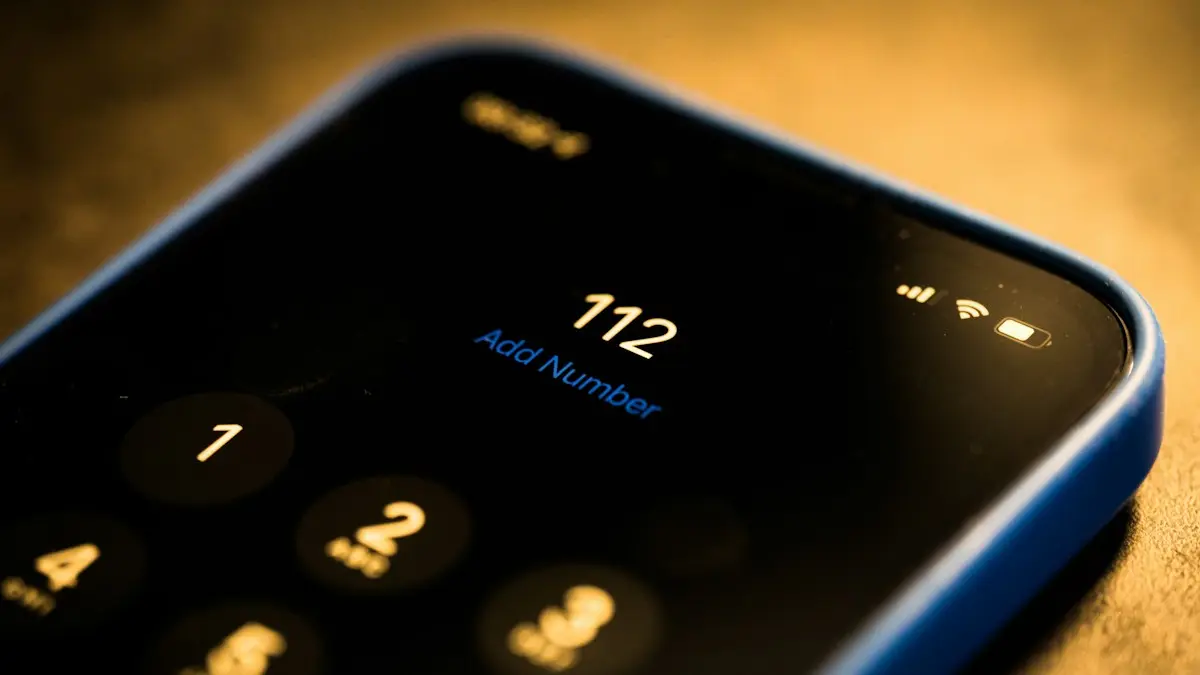
Photo by Dimitri Karastelev on Unsplash
The fix
Block from Recents
- 1
Open Phone and tap Recents.
- 2
Tap the info button next to the number.
- 3
Scroll down and tap Block Caller, then Block Contact.
The fix
Block from Messages
- 1
Open the conversation and tap the name or number at the top.
- 2
Tap Info, then Block Caller.
The fix
Block a number that is not in Recents
- 1
Add the number as a contact first.
- 2
Go to Settings › Apps › Phone › Blocked Contacts.
- 3
Tap Add New and choose the contact.
What happens after you block someone
- Their calls go straight to voicemail and you get no ring.
- Their texts and iMessages are not delivered to you.
- FaceTime calls from them do not come through.
- Blocking on one Apple device blocks on all devices using your Apple Account.
What blocking does and does not do
Blocking a number tells your iPhone to ignore calls, texts and FaceTime from it. The block applies to that exact number or email, not to the person. If someone calls from a new number, a different phone or an app such as WhatsApp, the block does not stop it. It also does not delete earlier conversations. The person is not told you blocked them, though they may guess when calls go to voicemail at once and messages never show Delivered.
Block from FaceTime, Mail and contacts
- FaceTime: open FaceTime, tap the info button next to the call and choose Block this Caller.
- Contacts: open the contact, scroll down and tap Block this Caller.
- Messages: open the conversation, tap the name at the top, tap Info, then Block this Caller.
- Mail: Mail has a separate Block Sender option for email under the sender's name. It sends their messages to Trash.
Block unknown callers without blocking each number
Go to Settings › Apps › Phone and turn on Silence Unknown Callers. Calls from numbers that are not in your contacts, recent outgoing calls or Siri suggestions go straight to voicemail and show in Recents. This stops most spam but can also silence a doctor's office or a delivery driver you have not saved, so check Recents and voicemail often. For texts, go to Settings › Apps › Messages and turn on Filter Unknown Senders, which moves messages from unknown senders into a separate list. It does not block them, it sorts them.
Use your carrier's free spam tools
Carriers offer free call filtering that works before the call reaches your phone. AT&T has ActiveArmor, T-Mobile has Scam Shield and Verizon has Call Filter, though features and prices change, so check your carrier's page for what your plan includes. These tools flag likely spam, block known scam numbers and let you add your own blocks. They work well beside iPhone blocking. For a full walkthrough, read how to block spam calls on iPhone.
Blocked numbers and voicemail
A blocked caller can usually still leave a voicemail. You do not get an alert, but the message appears in the Blocked Messages folder at the bottom of the Voicemail tab. Check it occasionally if you block someone whose message you might need. Carriers differ, and some do not store blocked voicemails at all.
How to see and edit your block list
Open Settings › Apps › Phone › Blocked Contacts. On older iOS versions, it is under Settings › Phone › Call Blocking & Identification. The list shows every number and email you blocked, including those from Messages and FaceTime. Swipe left on one to unblock it. Tap Edit to remove several at once. Because the list syncs through your Apple Account, blocks apply on your iPad and Mac as well.
Block a number that keeps changing
Scammers often use new numbers that look like yours, with the same first six digits. Blocking each one is a losing game. Use Silence Unknown Callers, the carrier filter and, for texts, Report Junk at the bottom of an iMessage from an unknown sender. Never reply to a suspicious text or tap its link. Replying tells the sender your number is active. If a person you know keeps contacting you from new numbers, you may need to report it to your carrier or the police, and keep screenshots as a record.
Blocked, but still getting calls?
- The caller uses a different number or an app such as WhatsApp. Block them in that app too.
- The number is hidden or shown as No Caller ID. Silence Unknown Callers handles those.
- The block is not saved. Open Blocked Contacts and check the number is on the list.
- You blocked the number in a contact card with a different format. Add each version of the number.
- Update iOS and restart the phone if blocking fails. See iPhone not receiving calls if real calls stop coming through.
Block a number on a child's iPhone
If you manage a child's iPhone through Family Sharing, you can limit who can call and message them with Communication Limits in Screen Time, which is stronger than blocking one number at a time. Open Settings › Screen Time › Communication Limits and choose Contacts only for allowed times. You can also turn on Content & Privacy Restrictions. For setup help, read how to set up an iPhone for a child.
When to report instead of only block
If someone threatens you, stalks you or keeps contacting you after you asked them to stop, save screenshots, note the dates and numbers, and report it. Contact your carrier, who can block the number at the network level in some cases, and consider contacting local police. Blocking protects your phone, but a record helps if you need to act later.
Block a number on your old phone or after a switch
When you move to a new iPhone with a backup, your blocked list usually comes with it, since it is tied to your Apple Account. If you move from Android, you need to block numbers again. Take a screenshot of your block list before you switch phones.
Block calls and texts: step by step recap
- Phone › Recents › tap the info button › Block this Caller.
- Messages › open the chat › tap the name › Info › Block this Caller.
- FaceTime › tap the info button › Block this Caller.
- Settings › Apps › Phone › Blocked Contacts to review or add numbers.
- Settings › Apps › Phone › Silence Unknown Callers for numbers not in your contacts.
Menu names move between iOS versions. If you do not see Apps in Settings, older versions list Phone and Messages as separate entries.
Block a business, a bank or an automated call
Automated calls often come from numbers that change. Blocking them one by one rarely works. Add numbers you trust to your Contacts, then use Silence Unknown Callers so the rest go to voicemail. If a company keeps calling after you asked to stop, tell them clearly to remove you from their list, and keep a note of the date. In the US, you can add your number to the National Do Not Call Registry at donotcall.gov, which stops many legitimate telemarketers. It does not stop scammers, who ignore the list.
Block an email address on iPhone
In the Mail app, open the message, tap the sender's name at the top, then Block this Contact. Their future emails go straight to Trash. If you change your mind, open Settings › Apps › Mail › Blocked Senders and remove the address. Blocking an email does not stop texts from the same person, so block each one where needed.
Block a number before you answer
When an unknown number rings, you can swipe to decline it and then block it from Recents. Do not press any key if a recording asks you to, because that can confirm your number is real. If you answered by mistake and the caller sounds like a scam, hang up, block the number and do not call back.
Frequently asked questions
Does the person know I blocked them?
They are not notified. Their calls go to voicemail and their iMessages never show Delivered on their side.
Can a blocked number leave a voicemail?
Yes, on most carriers. You get no alert, but the message appears under Blocked Messages at the bottom of the Voicemail list.
How do I unblock someone?
Settings › Apps › Phone › Blocked Contacts. Swipe left on the number and tap Unblock.
Can a blocked person see that I blocked them?
No. They are not notified. They may notice calls go to voicemail and messages do not show Delivered.
Does blocking a number block WhatsApp too?
No. Blocking in the Phone or Messages app only affects calls, texts and FaceTime. Block the person separately in WhatsApp.
Sources
Official pages these steps are based on. Menus can differ by software version.
People also ask
Why can't I name a group chat?
The group is SMS or MMS, usually because someone uses Android without RCS. Only iMessage and RCS groups can be named.
Read the full guide: iPhone keyboard settingsWhat does a blocked caller hear?
Usually the call goes to voicemail or ends after one ring. They are not told they are blocked.
Read the full guide: Block a number on AndroidWhy are my iPhone contacts showing as numbers after an update?
An update or a sign-in prompt can switch off iCloud Contacts, or the iPhone may still be re-syncing. Check that Contacts is on in your iCloud settings, connect to Wi-Fi and give it a few minutes.
Read the full guide: Contacts showing as numbersWill silencing unknown callers block important calls?
Calls from numbers you have not saved go to voicemail, which can include doctors or delivery drivers. On iOS 26, Ask Reason for Calling is a better middle ground, because real callers can say who they are.
Read the full guide: Block spam calls on iPhoneRelated guides

iPhone keyboard settings
Change iPhone keyboard settings fast: turn off autocorrect, add a keyboard, edit a contact, rename a group chat and hide or change your caller ID on any iOS.
Block a number on Android
Block a number on your Android phone from Recents or Phone settings on Samsung and Pixel. Also how to block texts, add a number by hand and unblock later.
Contacts showing as numbers
iPhone contacts showing numbers instead of names in calls and Messages? Find the cause fast, turn contact sync back on and get every name back safely.
Block spam calls on iPhone
Stop spam and robocalls on your iPhone. Use Screen Unknown Callers in iOS 26, block numbers, turn on your carrier’s free spam filter and 3 more methods.
More guides you may need
Move iCloud backup to Google Drive
You cannot move a full iPhone backup from iCloud to Google Drive, but you can move photos, files, contacts and calendar. See each method and what to expect.

Phone bill too high
Why is my phone bill so high this month? Check these 9 common causes, from expired promos to device payments and fees, and learn how to fix each one.