

How to tell if someone blocked you on iMessage (5 signs)
Apple never tells you that you are blocked. A few clues together give you a good idea.
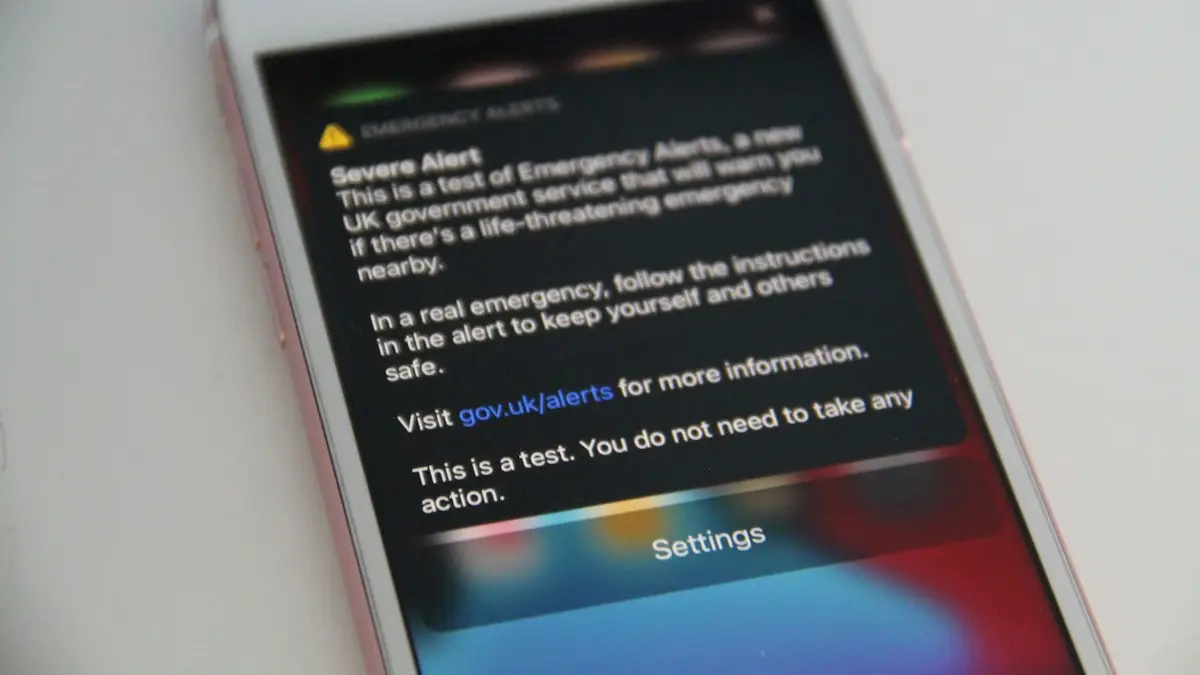
Photo by Ethan Wilkinson on Unsplash
5 signs to check
- No Delivered under your last message. Earlier messages said Delivered, new ones say nothing.
- Calls go straight to voicemail. One ring or none, every time, for days.
- FaceTime never connects.
- No Focus status. If they had Focus on, you would often see a notice that notifications are silenced.
- Nothing changes for days. A dead or lost phone usually comes back online soon.
How blocking works on iPhone
When someone blocks your number or Apple Account on iPhone, their phone quietly rejects your calls, messages and FaceTime. Your iPhone is not told. Messages leave your phone and look sent, but they never arrive. Calls go straight to voicemail, and if you leave a voicemail it goes to a Blocked Messages section the person rarely checks. This is by design: Apple does not want a block to cause conflict.
What each sign means
No Delivered label. When iMessage delivers a message, it shows Delivered under it, then Read if they have read receipts on. If older messages in the chat say Delivered and new ones show nothing for days, the messages are not arriving. That fits a block, but also a phone that is off or offline.
Calls go to voicemail after one ring or none. A normal call to a phone that is on rings several times. A blocked call usually goes to voicemail at once, or after a single short ring. A phone that is off or in Airplane Mode does the same, so check again later.
FaceTime never connects. FaceTime calls to someone who blocked you keep ringing on your side without being answered, or fail. They never see them.
No Focus notice. If they had a Focus or Do Not Disturb on with Share Focus Status turned on, Messages often shows "[Name] has notifications silenced" under the chat. Not seeing it does not prove anything, but seeing it means they are likely not blocking you.
Test without being pushy
- Look at the last message that said Delivered and when it was sent.
- Send one short message and wait a day.
- Try one call. Note how many rings you hear.
- Wait. A phone that is off or lost usually comes back within a few days.
Do not send many messages or call repeatedly. If you are blocked, none of them arrive anyway. If you are not, you may come across as pressuring.
Other reasons it looks like a block
- Phone off, broken or lost: messages wait and calls go to voicemail.
- No signal or no data: common when traveling or in rural areas.
- iMessage turned off or switched to Android: messages may fail or turn green. See why your texts are green instead of blue.
- Changed phone number: messages go to the old number and may not deliver.
- Focus or Do Not Disturb: messages still deliver, but they will not see them.
- Your own iMessage problem: if no one gets your messages, check iMessage problems on your iPhone.
Green bubbles and blocking
Many people think a block turns messages green. Usually it does not. The iPhone keeps trying iMessage, and the bubble stays blue without Delivered. A green bubble means your iPhone sent it as SMS or RCS, usually because the other phone could not be reached through iMessage. If Send as Text Message is on in your settings, a blocked iMessage might fall back to SMS after a while, and that SMS is blocked too.
Signs they did not block you
- New messages show Delivered or Read.
- Calls ring through several times before voicemail.
- You see a notifications silenced notice.
- They reply on another app, like WhatsApp or Instagram, that you have not been blocked on.
Can you message someone who blocked you?
Not through the blocked number or Apple Account. Trying to get around a block with new numbers or accounts can be seen as harassment, and in some cases it is illegal. If you think the block was a mistake, you can ask a mutual friend to mention it, or wait for them to reach out. If it is about something urgent, like shared custody or bills, use the channel you agreed on, such as email or a lawyer.
Did you block them by accident?
Check your own list: Settings › Apps › Phone › Blocked Contacts (on older iOS, Settings › Phone › Blocked Contacts). If their number is there, swipe left and tap Unblock. Messages they sent while blocked are not delivered later. Our guide on blocking and unblocking on iPhone has the details.
If they turned off iMessage
Someone who moved to Android but did not deregister their number may stop getting iMessages. They can deregister at Apple's selfsolve.apple.com/deregister-imessage page. Messages to them then go as green SMS or RCS and deliver normally.
When to stop worrying
After a week of no Delivered labels and calls that never ring, while the person posts or replies to others, a block is the most likely answer. It is hard to hear, but respecting it is the right call. If someone blocking you leaves you unsure about something safety-related, such as a child or a vulnerable family member, contact a trusted person who can check on them instead.
Does blocking on iPhone block WhatsApp too?
No. Blocking a number on iPhone covers phone calls, Messages and FaceTime only. WhatsApp, Instagram, Snapchat and other apps have their own block lists. Someone may block you in one place and not another. For WhatsApp, the signs are different; see how to tell if you are blocked on WhatsApp.
Can you see if someone read your message when blocked?
No. Read receipts only show when a message is delivered and the person has read receipts on. When you are blocked, the message never arrives, so it can never show Read. If a message later shows Delivered, you are not blocked, at least not any more.
Does the blocked person get your messages after unblocking?
No. Messages sent while blocked are lost. After they unblock you, only new messages arrive. If you sent something important while blocked, they never saw it.
Are you blocked or is it a Focus filter?
Focus modes can hide messages from certain people without blocking them. The messages still deliver and show Delivered, and they may see them later. Focus also allows urgent notifications if you tap Notify Anyway when that option appears. If you see Delivered, it is not a block.
Check your own settings too
- Make sure iMessage is on: Settings › Apps › Messages › iMessage.
- Check your Send & Receive addresses match the number they have saved.
- Restart your iPhone and try sending to someone else.
If messages fail to everyone, the problem is on your end, not theirs.
Summary
A missing Delivered label, calls that go straight to voicemail and FaceTime that never connects, lasting for days, together point to a block. Any one of them alone has many other causes. There is no app or trick that can confirm it.
What if you want to block someone yourself?
Open the chat, tap their name at the top, tap Info and scroll to Block this Caller. They will not be told, and they will see the same signs described on this page. You can unblock them any time from the same screen or your Blocked Contacts list.
Whichever side you are on, a block is a clear signal. Give it time and space rather than trying to work around it.
And if it turns out their phone was simply off or lost, the Delivered label will return as soon as it is back online.
Frequently asked questions
If I am blocked, do they still get my texts later?
No. Messages sent while you are blocked are never delivered, even if they unblock you later.
Does a green bubble mean I am blocked?
Not by itself. It also happens when their iPhone is off, has no data, or they switched to Android.
Will my iMessage turn green if I am blocked?
Usually not. When you are blocked, messages normally stay blue but never show Delivered. Green bubbles more often mean iMessage is off or the phone has no data.
Can I tell if someone blocked me without calling?
Not reliably. The missing Delivered label is the main clue, and it has other causes too. A call or FaceTime test adds more evidence.
People also ask
Does one gray tick always mean blocked?
No. It also shows when their phone is off, has no internet or they deleted WhatsApp.
Read the full guide: Blocked on WhatsApp?What should I do if I get a scam text?
Do not click links or reply. Report the message by forwarding it to 7726 (SPAM), report it to the FTC at reportfraud.ftc.gov, then delete and block the number.
Read the full guide: Spot scam textsWhy can't I name a group chat on my iPhone?
The group probably includes someone who is not using iMessage, such as an Android user, so it is an SMS or MMS group. Only iMessage groups can be named.
Read the full guide: Change group chat name on iPhoneHow long can I recover deleted messages?
Apple keeps deleted messages in Recently Deleted for 30 to 40 days on iOS 16 and later. After that, they are removed from the iPhone and from Messages in iCloud.
Read the full guide: Recover deleted texts on iPhoneRelated guides
Blocked on WhatsApp?
Think you are blocked on WhatsApp? Look for one gray tick, no last seen or profile photo, calls that never connect, and a failed group add. What each one means.
Spot scam texts
How to tell if a text is a scam: 8 warning signs, common scam types, what to do if you clicked a link and how to report scam texts on iPhone and Android.
Change group chat name on iPhone
How to change group chat name on iPhone: open the group in Messages, tap the names and choose Change Name and Photo. Fix a group that can't be renamed.
Recover deleted texts on iPhone
Recover deleted text messages on iPhone from the Recently Deleted folder in Messages, another Apple device or a backup. What works, and what does not.
More guides you may need
What kind of phone
What kind of phone do I have? Find your exact model on iPhone or Android in under a minute with Settings, the back of the phone, the box or your account.
Where is the clipboard
Where is the clipboard on my phone? iPhone has no clipboard app, but Android keyboards do. See how to view, paste, pin and clear what you copied on each.