

What does No Caller ID mean on a phone call, and can you find out who it is?
No Caller ID means the call arrived without a number you can see. Usually the caller hid it, sometimes the network lost it. Here is how to tell which, how to try to find out who it was, and how to stop the calls.
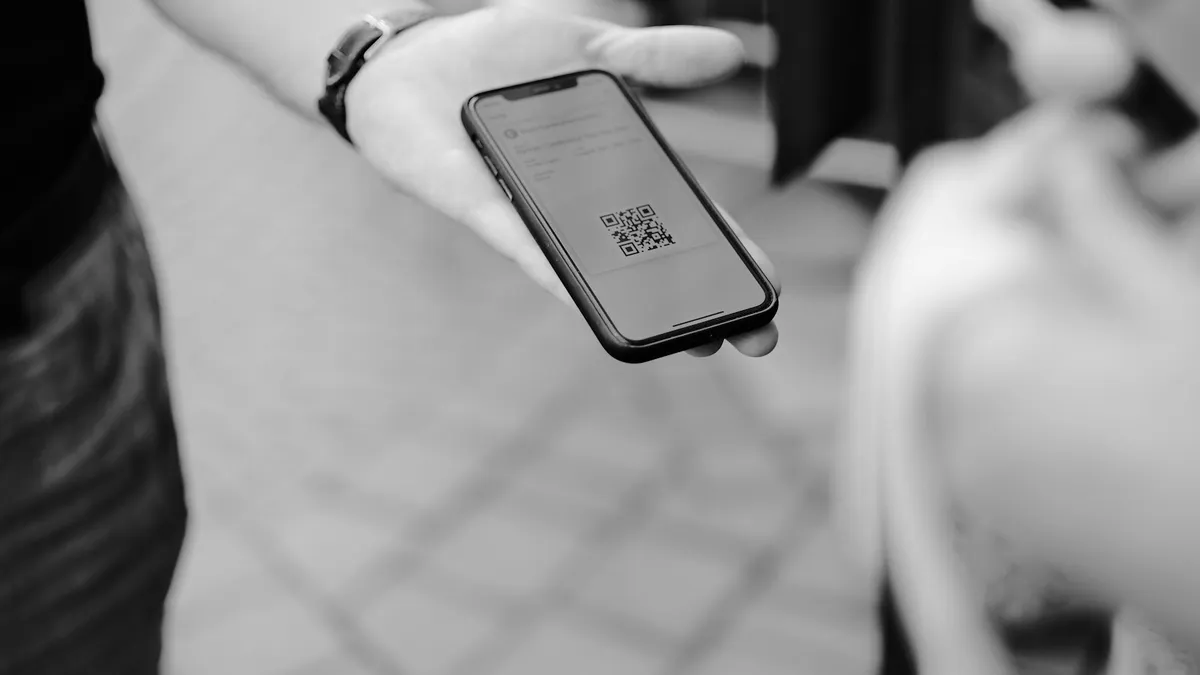
Photo by Claudio Schwarz on Unsplash
Your phone rings, and instead of a name or a number, the screen says No Caller ID. It could be a doctor's office, a delivery service, a friend with a private line or a scammer. You have no way to tell, and that is the whole problem. This guide explains what the message means, how it differs from Unknown and Private, what you can realistically do to find out who it was, and how to stop the calls if they keep coming. We also cover the things that are not worth trying, because several popular tips do not work as promised.
What does No Caller ID mean?
Every call carries a number, and your carrier passes it to your phone so it can show it. No Caller ID appears when that number is missing from the call. Two things cause it. The first and most common is that the caller hid the number on purpose, using a phone setting, a code such as *67, or a carrier block. The second is that the number got lost on the way. Calls that cross several networks, calls from some internet phone services and calls from abroad can arrive without their number attached.
The message is not a verdict on the caller. It tells you that the information is missing, not that the person is dangerous. Still, because spam and scam callers often hide their number, it is sensible to be careful.
No Caller ID, Unknown, Private and Blocked: is there a difference?
The wording depends on your phone and your carrier, and there is no strict standard. As a rule of thumb, based on what several guides report:
- No Caller ID, Private, Blocked or Anonymous: the caller chose to hide the number.
- Unknown or Unknown Caller: the network could not pass a number to your phone. It is often a technical gap, not a choice.
- Scam Likely, Spam Risk or Suspected Spam: your carrier or phone has decided the number looks like spam. The number is usually still visible.
The difference matters for one reason. Unmasking tools only work on a number that was hidden on purpose, and even then they are not guaranteed. If the number never arrived, there is nothing to unmask.
Who calls with No Caller ID?
- People with a privacy habit. Some people hide their number on every call. Our guide to hiding your number shows how easy it is.
- Doctors, hospitals and clinics. Many medical offices use a private line, so patient calls come without a number.
- Government and legal offices, banks and businesses. Some use blocked numbers for staff calls.
- Telemarketers and scammers. A hidden number makes it harder for you to block or report them.
- Calls from another country or a web calling service. The number may not be passed through.
- Someone you know, calling from a work or shared line.
Can you find out who called?
Sometimes, but do not expect much. Here is what is worth knowing.
- Check voicemail first. A real caller usually leaves a message, and the voicemail often answers the question.
- Try *69. In the US, *69 is a last call return code on many carriers. It may call back the most recent caller, and some carriers charge a small fee. It often does not work for blocked numbers, and it may say that the number cannot be returned.
- Ask the carrier about *57 or call trace. Some carriers offer a call trace for harassment cases. It does not show you the number. It reports the call to the carrier, and you may need to give details to the police.
- Look at the time and pattern. A call at the same hour every day suggests a business or a robot. A call after you filled in a form may be that company.
- Be careful with unmasking apps. Some paid services say they reveal blocked numbers. Their coverage is limited, and they cost money. Read the terms and reviews first, and never give them access to your contacts without thinking.
If you are being harassed or threatened, keep a log of the date, time and what was said, and contact your carrier and local police. They can request records that you cannot.
Should you answer a No Caller ID call?
If you are expecting a call from a doctor, a recruiter or a delivery, answer it. If you are not, let it go to voicemail. A real caller leaves a message. A robot or a scammer rarely does. If you do answer:
- Do not say yes to a question, and do not confirm your name, address or date of birth.
- Never read out a verification code, a PIN or a password, whoever says they are calling.
- Hang up if you are pushed to pay quickly, buy gift cards or install an app.
- Call back the real company on a number from its website or your statement.
How to stop No Caller ID calls on iPhone
Silence unknown callers on iPhone
- 1
Open Settings and tap Phone.
On some iOS versions it is under Settings, Apps, Phone.
- 2
Tap Silence Unknown Callers.
Turn it on.
- 3
Check your recents and voicemail from time to time.
The call is not blocked. It goes straight to voicemail and shows in the recents list.
Be careful with this setting. The iPhone does not tell No Caller ID apart from any number that is not in your contacts, so it silences both. A pharmacy, a school or a courier that calls from a number you have not saved will also go to voicemail. If that is a worry, add the numbers you expect to your contacts, or use the iPhone's Focus feature to allow certain people. For more spam tools, read how to block spam calls on iPhone.
How to stop No Caller ID calls on Android
Android phones use different Phone apps, so the names vary. The idea is to find the block setting and turn on the option for unknown or private callers.
- Google Phone app: open Phone, tap the three dots, tap Settings, and look for Blocked numbers or Spam and Call Screen. Turn on the option for unknown or private callers where it appears, and turn on the spam filter.
- Samsung Galaxy: open Phone, tap the three dots, tap Settings, then Block numbers. Turn on Block calls from unknown callers, or the option for numbers that are not in your contacts.
For a step by step guide, see how to block spam calls on Android. Remember that blocking unknown callers can hide calls you want, so check your voicemail.
What can your carrier do?
Major US carriers offer free or paid tools for spam: call filters, caller name labels and a way to block anonymous callers. The tool names change, so open your carrier's app and search for Call Filter, Scam Shield, ActiveArmor or spam protection, or ask support. Reporting spam calls to your carrier also helps. You can forward spam texts to 7726, the spam reporting short code used by US carriers, and report unwanted calls to the Federal Trade Commission.
What if a No Caller ID call keeps coming at the same time?
A call that repeats at the same hour each day is usually automated, or a business that has your number on a list. Do not call back a number you do not know, and do not press a key to be removed, because that tells a robot that your line is live. Write down the date and time, let it ring out, and use the block settings above. If the calls are about a debt or an account you do not recognize, contact the company using a number from your own statement, not from the call.
Still getting No Caller ID calls?
Restart the phone, update the system and the Phone app, and check that the block settings are on. If the calls are frequent and scary, tell your carrier, ask about a number change as a last step and keep your records. If you are worried that you called someone from a hidden number yourself and they did not pick up, read our guide to calling with a hidden number.
Frequently asked questions
Is No Caller ID the same as Unknown?
Not always. No Caller ID usually means the caller hid the number, while Unknown often means the network could not pass the number along. Both look alike on screen, and the steps to deal with them are similar.
Can you find out who called from No Caller ID?
Usually not. Dialing *69 may return the last call on some carriers, but private calls are often not returnable. Your carrier can only help in serious cases such as harassment.
Is it safe to answer a No Caller ID call?
It is safer to let it go to voicemail. If it matters, the caller will leave a message. Do not give out codes, card numbers or personal details to a caller you cannot identify.
How do I stop No Caller ID calls?
On iPhone, turn on Silence Unknown Callers. On Android, block unknown or private numbers in the Phone app settings. Your carrier may also offer a free spam or anonymous call filter.
What to try next
People also ask
Does *67 work on iPhone and Android?
Yes. *67 is a carrier code, so it works from any phone on most US carriers. Dial it, then the full number, and the person sees Private, Blocked or No Caller ID.
Read the full guide: Hide your numberWhere is my phone number on an iPhone?
Open Settings › Phone and look for My Number at the top. You can also check Settings › General › About, or the Contacts app under your own card.
Read the full guide: Find your phone numberIs there a clipboard app on iPhone?
No. iPhone holds one copied item at a time and has no built-in clipboard viewer. To see it, paste into Notes or use a Shortcuts action that shows the clipboard.
Read the full guide: Where is the clipboardCan I find my phone if it is off?
Pixel 8, Pixel 9 and Pixel 10 phones can be located for several hours after they power off or the battery dies, through the Find Hub network. Other phones show their last known location.
Read the full guide: Find a lost Android phoneRelated guides
Hide your number
Learn how to hide your number when calling from an iPhone or Android phone, for one call or every call, and why it sometimes fails. Steps for US carriers.
Find your phone number
How to find your phone number on iPhone and Android in seconds. Check Settings, Contacts, your carrier app or a quick call, and fix a number that shows Unknown.
Where is the clipboard
Where is the clipboard on my phone? iPhone has no clipboard app, but Android keyboards do. See how to view, paste, pin and clear what you copied on each.
Find a lost Android phone
Find a lost Android phone with Google Find Hub at android.com/find, or Samsung SmartThings Find. Ring it, see it on a map, lock it or erase it from any device.
More guides you may need
Choose a cell phone plan
How to choose a cell phone plan in 7 steps: check coverage, measure your data, compare real monthly costs, read the fine print and test before you commit.
Clear cache on iPhone
Clear cache on your iPhone to free space and fix slow apps. Clear Safari and Chrome data, offload apps and use in-app cache buttons, step by step.