

iPhone Duo Edge Light: what it is and how to turn it on
Edge Light turns the edges of the Duo's screen into a ring light for video calls. Here is what it needs, how to switch it on mid call and what to check when you cannot find it.
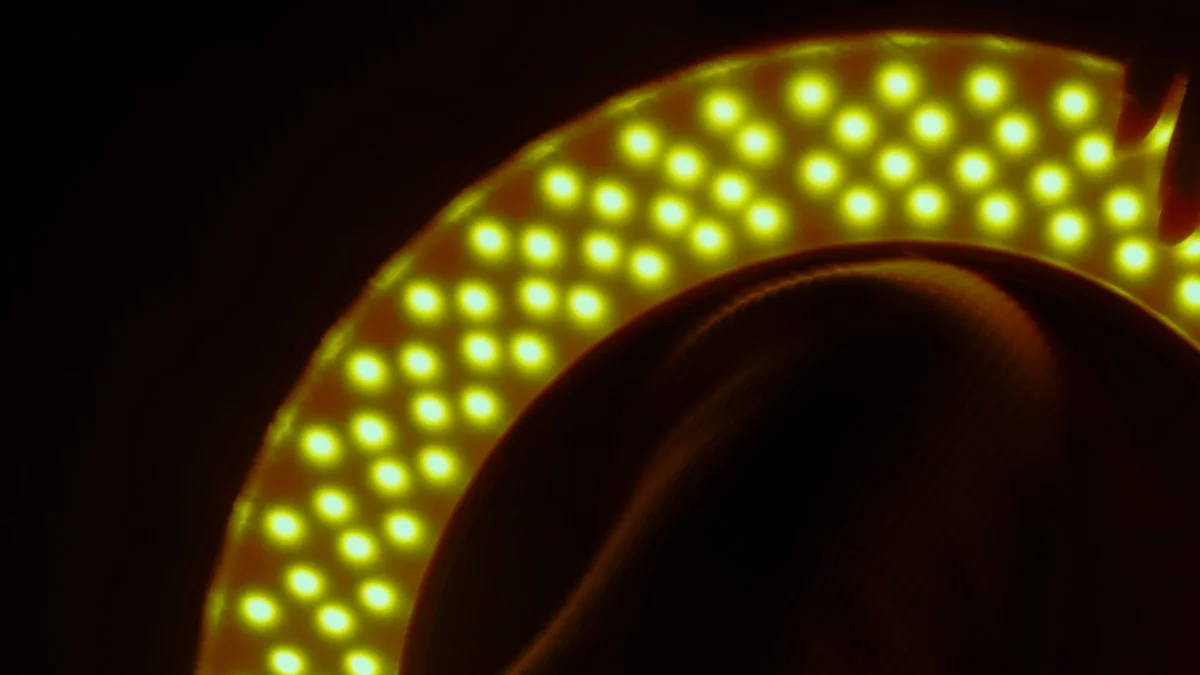
Photo by Lalla Omhani Arezki on Unsplash
What is Edge Light on iPhone Duo?
You are on a video call in a dim room, and your face looks like a shadow. A ring light fixes that, but nobody carries one around. Edge Light does the same job with the screen. It lights up the edges of the display so more light falls on your face.
MacRumors says the feature came to the iPhone from the Mac with iOS 27.2, and that it is exclusive to iPhone Duo. 9to5Mac describes it as a ring of light around the edge of the display, and lists it as the second of two Duo features in that update. The first is Apple Pencil support, which we cover in our guide to using an Apple Pencil on the Duo.
| Requirement | Detail |
|---|---|
| Phone | iPhone Duo. Reports say the feature is exclusive to it. |
| Software | iOS 27.2 or later. Check Settings › General › Software Update. |
| Posture | Unfolded. MacRumors says Edge Light is only available when the Duo is unfolded. |
| Apps | FaceTime and third party video calling apps. Zoom is the example named. |
The fix
How to turn on Edge Light during a call
- 1
Update to iOS 27.2 or later.
Open Settings › General › Software Update and install anything waiting.
- 2
Unfold the iPhone Duo and start a video call.
Use FaceTime or a supported video calling app.
- 3
Open Control Center during the call.
MacRumors says to swipe down from the corner of the screen, or press the circular status bar.
- 4
Tap the colored call controls bar at the top.
It opens the video effects.
- 5
Tap the light bulb button next to Edge Light.
The edges of the screen light up. Tap it again to turn the light off.
Automatic or manual: how to set the light
Edge Light has an Automatic toggle. When it is on, the phone adjusts the brightness of the light to match the light in the room, so it gets stronger in a dark room and softer when the room is brighter. You do not have to do anything.
Turn Automatic off and you get sliders. One sets the intensity of the light and another sets the color temperature. A warmer setting gives a softer, yellow tone, and a cooler setting looks whiter and brighter. If your skin looks washed out, lower the intensity. If you look dim, raise it. Try it for a few seconds on a call with a friend before an important meeting.
Edge Light is not showing on my iPhone Duo
Neither MacRumors nor 9to5Mac gives a troubleshooting list, so this section is a checklist built from the requirements they do give. Go through it in order.
- Check the iOS version. Edge Light needs iOS 27.2 or later. Settings › General › Software Update tells you which version you have.
- Unfold the phone. The feature is only available when the Duo is unfolded. A half folded Duo standing on a table is fine according to MacRumors, but a closed one is not.
- Be on a video call. The light bulb button sits in the video effects, which show up during a call, not from Control Center on the Home Screen.
- Look in the right place. Open Control Center during the call, then tap the colored call controls bar at the top before you look for the light bulb.
- Try FaceTime first. Apple's own app is the sure bet. If it works there but not in another app, the other app may not support it.
- Restart the iPhone and rejoin the call. It clears a call screen that did not load all its controls.
If video calls themselves fail, the problem is not Edge Light. See our guide to FaceTime that will not connect.
Which apps support Edge Light?
MacRumors says you can enable it in FaceTime and third party video calling apps such as Zoom. It does not mention Google Meet or WhatsApp, so whether Edge Light works there is unconfirmed. The fastest way to know is to start a call in the app and look for the light bulb in the video effects. If you do not see it, the app may not support the feature yet, and the app developer would have to add it.
Tips for better light on a video call
Edge Light is a small light source close to your face, so a few habits make it work better. These are general video call tips, not Apple instructions.
- Face the screen straight on. The light comes from the edges, so it lights you best from the front.
- Keep a window or lamp in front of you when you can, and behind the phone. A bright window behind you makes your face dark whatever the screen does.
- Start with Automatic on, then switch to manual only if the result looks off.
- Use the warmer color setting if the light looks harsh.
- Stand the Duo partly folded on a table for hands free calls. MacRumors says it works well that way.
Edge Light compared with a real ring light
A screen is a weaker light than a dedicated ring light, and it sits only at the edges of the display, so do not expect studio results. What it gives you is convenience. It is always with you, it needs no cable and it turns on in two taps. For a quick call from a hotel room or a parked car, that is often enough. For a podcast, a livestream or a long recorded meeting, a separate light on a stand still does better, because it can be larger and farther from your face.
A good setup for hands free calls
MacRumors points out that Edge Light works well with the Duo standing partly folded. That gives you a phone that props itself up on a desk with the camera at a sensible height. Before a call, place the phone so the camera sits near eye level, turn on Edge Light and check your own preview. If you can see your face clearly without squinting, you are done. If the image looks flat, move closer to the screen or turn a lamp toward your face instead of lighting the room from behind.
Test the setup with someone you trust before a job interview or a work call. Ask them how you look. Your own preview can be misleading, because the screen light changes how the picture looks to you but not always how it looks to the other person.
Does Edge Light drain the battery?
We found no number from Apple or from the reports we read, so we cannot say how much. A bright screen uses more power than a dim one, and a video call already uses a lot. If you take long calls on battery, plug the phone in, and turn Edge Light down or off when the room is bright enough without it.
Is Edge Light the same as the Mac feature?
MacRumors says the feature came to the iPhone from the Mac, and 9to5Mac calls it a macOS feature that has come to iOS. The idea is the same: use the screen as a soft light source. We have not compared the two side by side, so do not expect identical controls. The iPhone version, as described, has an Automatic toggle and manual sliders for intensity and color temperature.
More about the iPhone Duo
If you are still deciding on the phone, our page on iPhone Duo price and release date has the basics. If an app looks stretched or cut off on the large display, see apps that look wrong on the Duo.
Frequently asked questions
What is Edge Light on iPhone Duo?
It lights the edges of the screen to brighten your face during video calls, like a ring light. It came to the iPhone from the Mac in iOS 27.2 and is exclusive to iPhone Duo.
How do I turn on Edge Light on iPhone Duo?
Unfold the Duo and start a video call. Open Control Center, tap the colored call controls bar, then tap the light bulb button next to Edge Light.
Does Edge Light work on other iPhones?
No. Reports say it is exclusive to iPhone Duo. We found no Apple page that lists any other iPhone.
Does Edge Light work in Zoom and other apps?
It works in FaceTime and third party video calling apps, and Zoom is the example named. Reports do not list other apps, so check inside the app you use.
What to try next
Sources
Official pages these steps are based on. Menus can differ by software version.
People also ask
Which Apple Pencil works with iPhone Duo?
Only Apple Pencil (USB-C). Apple says other Apple Pencil models aren't compatible with iPhone Duo, and its compatibility page lists iPhone Duo with iOS 27.2.
Read the full guide: Apple Pencil on iPhone DuoWhy are some apps small on my iPhone Duo?
Apple says apps built with the iOS 26 SDK or earlier appear in the center of the inner display with empty space around them. The developer has to update the app to fix that.
Read the full guide: iPhone Duo apps not optimizedWhy is the FaceTime app missing from my iPhone?
It may be restricted in Screen Time. Go to Settings › Screen Time › Content & Privacy Restrictions › Allowed Apps & Features and turn on FaceTime and Camera. You can also reinstall it from the App Store.
Read the full guide: FaceTime not workingHow much does the iPhone Duo cost?
Apple lists $1,999 as the U.S. starting price, or $83.29 a month for 24 months. Storage options are 256GB, 512GB, 1TB and 2TB, so higher storage costs more. Check Apple's store page for each tier.
Read the full guide: iPhone Duo price and release dateRelated guides
Apple Pencil on iPhone Duo
Which Apple Pencil works with iPhone Duo? Only Apple Pencil (USB-C), with iOS 27.2. See how to pair and charge it, use Scribble, and fix pairing problems.
iPhone Duo apps not optimized
iPhone Duo apps not optimized? See why some apps sit in a small centered window, what you can and can't fix, and how to check and update your apps.
FaceTime not working
FaceTime not working, not connecting or missing from your iPhone? Check the connection, FaceTime settings, Screen Time and the date with these 9 fixes.
iPhone Duo price and release date
iPhone Duo price and release date from Apple's own pages: $1,999 start, October 23 availability, storage, colors, eSIM-only and trade-in credit explained.
More guides you may need

iPhone won't pair with laptop
iPhone Bluetooth not pairing with your Windows or Mac laptop, or the code never shows? Keep Bluetooth settings open, forget the device on both sides, restart.
iPhone won't turn off
iPhone won't turn off? On newer models you hold the side and volume buttons, not just the side button. Here are 5 ways to shut it down, even when frozen.