

iPhone stuck on the charging screen? What to do
A battery icon that never goes away usually means the battery is empty or the iPhone is not getting enough power. A longer charge and a force restart fix many cases.
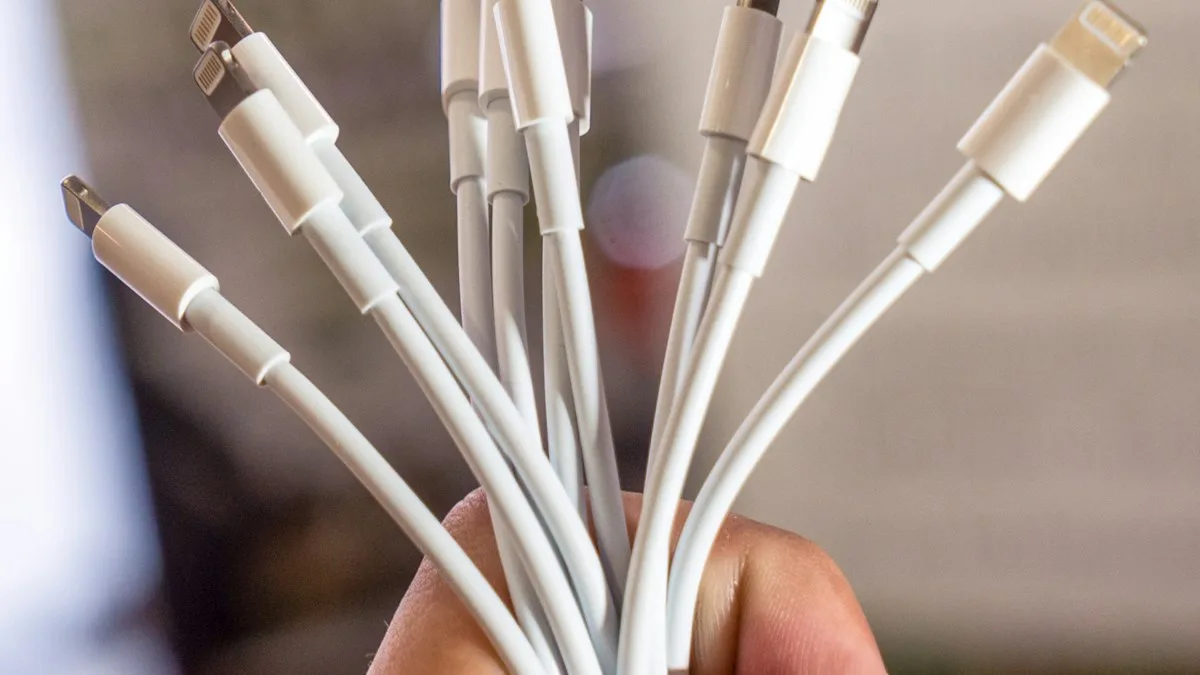
Photo by Mika Baumeister on Unsplash
A charging or low battery screen is normal for a minute when an empty iPhone starts to charge. It is a problem when it stays there for an hour, or never gives way to the Apple logo. This guide is for that case. If your screen stays completely black with no sign of charging, see an iPhone that will not turn on.
The fix
Fix 1: Charge for an hour on a wall adapter
- 1
Plug into a wall adapter, not a computer or a weak power bank.
- 2
Leave it for at least an hour.
A deeply drained battery may show only the charging screen for a long time before it has enough power to start.
- 3
Try to turn it on again.
Fix 2: Try a different cable and adapter
A damaged cable or a weak adapter can supply just enough power to show the charging screen and not enough to start the iPhone. Use a cable you know works with another device and a wall adapter from a reputable maker. Check the cable ends for bent pins or fraying.
Fix 3: Check the charging port
Lint in the port stops the plug from seating properly. Turn the iPhone off if you can, shine a light into the port, and gently lift out lint with a wooden toothpick. Do not use metal and do not push hard. See an iPhone that is not charging for more on the port.
The fix
Fix 4: Force restart
- 1
Press and release Volume Up quickly.
- 2
Press and release Volume Down quickly.
- 3
Hold the side button until the Apple logo appears.
Keep holding even if the screen goes dark first. This works on iPhone 8 and later and does not erase anything.
On an iPhone 7, hold the side button and Volume Down together. On an iPhone 6s or older, hold the Home button and the top or side button together.
Fix 5: Charge it again while it is off
After a force restart that does not work, plug in the iPhone again and wait another 30 minutes. If you see the Apple logo and then a red battery or the charging screen again, the battery is not holding charge.
Fix 6: Recovery mode if the Apple logo appears and stops
If the iPhone moves past the charging screen but then sticks on the Apple logo, that is a different problem. See our guide to an iPhone stuck on the Apple logo.
When it is the battery or the iPhone
- The same charging screen returns after an hour on a different charger: the battery may be worn out, or the iPhone may have a charging fault.
- The iPhone was dropped or got wet before the problem began: other parts may be damaged.
- The iPhone is old and the battery health was already low.
At that point, take it to Apple or an authorized repair provider. A battery replacement is often the fix, and our guide to whether a battery replacement is worth it helps you decide before you pay.
What the charging screen means
A black screen with a battery icon, or a battery with a lightning bolt, tells you the iPhone is charging but not yet ready to start. A red battery or a cable icon means the battery is flat or the connection is not enough. After a deep discharge the iPhone may need a few minutes before it shows anything, and up to an hour before it starts. If it never moves past this screen, something is blocking the start: the cable, the port, a software fault or the battery.
How long to wait and what progress looks like
Leave the iPhone on a wall charger and do not press buttons for 30 minutes. A healthy phone will usually show the Apple logo or the lock screen. If it shows the logo and then returns to the battery screen, it is trying to start and failing, which points to software or the battery. If nothing changes at all after an hour, try the fixes above, then the recovery mode steps.
Use a cable, not a wireless charger
Charge with a cable and a wall adapter first. Some wireless chargers cannot wake a fully drained iPhone. Try a certified cable, a different adapter and a different outlet. Inspect the port for lint, and do not use sharp metal. If you suspect water, read about the Liquid Detected message before you charge again.
When it is time to pay for a repair
If the iPhone returns to the same screen after a recovery mode update, the battery or the charging parts are the likely fault. Check whether you are still covered with how to check phone warranty, and compare the cost of a battery with the value of the phone in whether an iPhone battery replacement is worth it. Back up whatever you can first, and see making an iPhone backup if the phone starts again, even briefly.
What to do while you wait
While the iPhone charges, avoid pressing buttons repeatedly, because each press can restart the countdown. Use a spare phone to check Apple's system status or to book a repair appointment so you are ready if it does not recover. If you have an Apple Watch, AirPods or a Mac signed in to the same Apple Account, you can also open Find My to see the last known location and battery of the iPhone.
Frequently asked questions
Why is my iPhone stuck on the charging screen?
The battery is usually empty or the charger is not giving enough power. A damaged cable, a dirty port or a worn battery can also keep the iPhone on the charging screen.
How long should I charge before I try again?
Leave it on a wall charger for at least an hour. A deeply drained battery can take a while to show anything.
Will force restarting delete my data?
No. A force restart does not erase anything.
Is it the battery or the charger?
Try another cable and wall adapter first. If a different charger shows the same screen after an hour, the battery or the iPhone needs service.
What to try next
People also ask
How long should iPhone storage take to calculate?
A few seconds to a couple of minutes is normal, and longer on a nearly full phone. If it is still calculating after about five minutes, restart the iPhone.
Read the full guide: Storage stuck calculatingWhat causes the iPhone white screen?
A software crash, a failed or interrupted iOS update, or a loose or damaged display after a drop. If the iPhone still rings or vibrates, the phone is working and the screen or software is the problem.
Read the full guide: iPhone white screenWhy won’t my iPhone turn on even when charging?
The cable or adapter may be faulty, the port may be blocked with lint, or the battery may be so drained it needs up to an hour before the screen responds. Try another cable and leave it on a wall charger for an hour.
Read the full guide: iPhone won't turn onHow do I know if the screen is broken?
If the phone rings, vibrates and connects to a computer but the screen stays black after a force restart, the display or its cable is likely damaged.
Read the full guide: Android black screenRelated guides

Storage stuck calculating
iPhone storage stuck on calculating or not loading? Wait it out, restart, free some space and update iOS, or check storage from a computer when Settings fails.

iPhone white screen
iPhone screen turned white? Tell a software glitch from a hardware fault, force restart by model, use recovery mode to update, and know when to repair.
iPhone won't turn on
iPhone won't turn on or stuck on a black screen? Charge it, force restart it the right way, and use recovery mode with these 7 fixes before paying for repair.
Android black screen
Android phone black screen but it still rings or vibrates? Charge it, force restart it, raise the brightness and try safe mode before blaming the screen.
More guides you may need

Mail unsent message
Mail on your iPhone shows 1 unsent message and will not clear? Open the Outbox, send or delete the stuck email, then check the server settings and account.
No backups available
Getting no backups available when you restore an iPhone? Check your Apple Account, Wi-Fi, iOS version and iCloud backup list to find the backup that is missing.