

How to delete your Instagram account (or deactivate it)
You can delete Instagram right in the app. It is permanent after 30 days, so save anything you want to keep first.
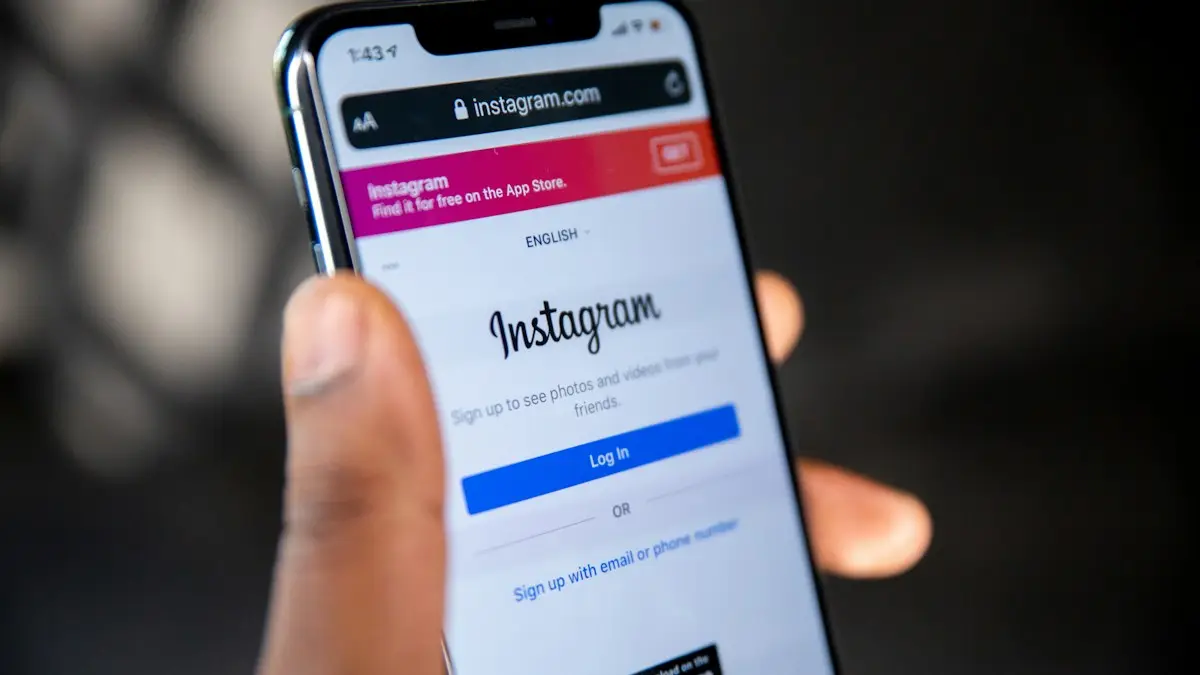
Photo by Solen Feyissa on Unsplash
The fix
Delete your Instagram account
- 1
Download your data first.
Accounts Center › Your information and permissions › Download your information.
- 2
Open your profile and tap the menu (☰).
- 3
Tap Accounts Center › Personal details › Account ownership and control.
- 4
Tap Deactivation or deletion and choose the account.
- 5
Select Delete account, tap Continue, choose a reason and enter your password.
Deactivate vs delete: which one do you want?
- Deactivate: hides your profile, photos, comments and likes until you log back in. Nothing is deleted. You can only deactivate once a week.
- Delete: starts a 30 day countdown. After that, your profile, photos, videos, comments, likes and followers are removed permanently, and the username becomes available to others after a while.
If you might come back, deactivate. If you are sure you are done, delete. Deleting cannot be undone after the 30 days.
Download your photos and data first
- Open your profile, tap the menu (three lines), then Accounts Center.
- Tap Your information and permissions › Download your information.
- Tap Download or transfer information, choose your Instagram account and pick All available information or only what you want.
- Choose Download to device, set the date range to All time, choose HTML (easy to read) or JSON, and pick media quality High.
- Tap Create files. Meta emails you a link, usually within a few hours but sometimes up to a few days.
The download link expires after a few days, so save the files soon after the email arrives. Download on a computer if you have many photos.
Delete Instagram on iPhone and Android
The steps are the same on both. Open your profile, tap the menu, then Accounts Center › Personal details › Account ownership and control › Deactivation or deletion. Pick the Instagram account, tap Delete account, then Continue. Choose a reason, enter your password and confirm. If you see Settings and activity instead of Accounts Center, scroll and tap Accounts Center from there.
Delete Instagram on a computer
Go to instagram.com and log in. Click More (three lines) at the bottom left, then Settings. Click Accounts Center › Personal details › Account ownership and control › Deactivation or deletion. Choose the account and follow the steps. The web method helps if the app keeps crashing; see Instagram keeps crashing.
What happens during the 30 days
Your account is hidden from everyone right away. Your profile cannot be found, and your comments and likes disappear. If you log in during the 30 days, Instagram asks whether you want to keep the account. Choose Keep account to cancel the deletion. After 30 days, Instagram starts removing your content, which Meta says can take up to 90 days to clear from its systems and backups. Some information may be kept longer for legal reasons.
Cancel subscriptions and Meta Verified first
Deleting Instagram does not always stop payments. If you pay for Meta Verified, creator subscriptions or other purchases through Apple or Google, cancel them in your phone's subscription settings before you delete. See cancel subscriptions on iPhone or cancel subscriptions on Android. If you paid with a card in Accounts Center, cancel it there under Meta Pay or Subscriptions.
Delete one account when you have several
If you run more than one Instagram account, Accounts Center lists them all. On the Deactivation or deletion screen, choose only the account you want gone. The others stay. Make sure you are logged in to the right one before you confirm, because the password asked for is for the account being deleted.
What about Threads and Facebook?
Threads profiles are tied to Instagram. Before you delete Instagram, open Threads and decide whether to deactivate or delete your Threads profile in its own settings. Facebook is separate, so deleting Instagram does not delete Facebook. If you want to leave both, see how to delete Facebook.
Delete Instagram if you forgot your password
You must log in to delete an account. On the login screen, tap Forgot password and reset it by email or text. If codes do not arrive, read Instagram not sending a code. If the account was hacked and you cannot get back in, use instagram.com/hacked to recover it first, then delete it.
Delete a child's Instagram account
A parent cannot delete a teen's account from Supervision. You need the teen's login, or you can report an account for a child under 13 using Instagram's form for underage accounts. For controls on a child's phone, see setting up an iPhone for a child or parental controls on Android.
Delete the Instagram app vs the account
Removing the app from your phone does not delete your account. Your profile stays public and people can still message you. Delete the app only after you have deleted or deactivated the account, or if you just want a break from scrolling without losing anything.
Not ready to delete?
- Make your account private and remove followers you do not want; see how to hide your following list.
- Turn off notifications or set a daily time limit in Settings and activity › Time management.
- Archive posts instead of deleting them, so only you can see them.
- Use Quiet mode to pause notifications for set hours.
Read how to hide your following list on Instagram for privacy steps that keep the account alive.
Deactivate Instagram step by step
- Open your profile, tap the menu, then Accounts Center.
- Tap Personal details › Account ownership and control › Deactivation or deletion.
- Choose the account and select Deactivate account.
- Enter your password, pick a reason and tap Continue.
To come back, simply log in. Your profile, photos and followers return as they were. Instagram may ask you to wait a little while after deactivating before you can reactivate, so do not panic if login is blocked for a few hours.
Why the Delete option might be missing
- The app is out of date. Update it, or use instagram.com in a browser.
- You opened the wrong menu. Look under Accounts Center, not the old Settings screen.
- The account is locked or under review. Unlock it first through the steps Instagram shows when you log in.
Once the 30 days have passed, trying to log in shows that the account cannot be found, which confirms the deletion is complete.
Will people know I deleted my account?
Instagram does not notify your followers. They simply stop seeing your profile, posts and Stories. If they search for your username, it will not show up, and old conversations show your account as Instagram User. Messages you sent stay in their inbox, but your name and photo are removed. Tags of you in other people's posts no longer link to a profile.
Take a few minutes to download your data, cancel any payments and log out everywhere before you confirm. Those three steps prevent nearly every problem people run into when they delete Instagram, from lost photos to surprise charges after the account is gone.
Remove Instagram from other apps first
If you signed in to other apps or websites with Instagram, you may lose access to them when the account is deleted. Check Accounts Center › Apps and websites, and switch those services to an email login before you delete.
Not sure yet? Deactivating is a temporary step you can undo by logging back in.
Deletion is final after the waiting period ends.
Frequently asked questions
How long until my Instagram account is gone?
It is hidden right away and permanently deleted 30 days after your request. Logging in during those 30 days cancels the deletion.
Does deleting Instagram delete Threads?
Your Threads profile is tied to your Instagram account. Deleting Instagram also removes the Threads profile.
Can I recover my Instagram account after deleting it?
Only within 30 days. Log in during that time and choose Keep account. After 30 days, the account and its content are gone for good.
Does deleting Instagram delete Threads too?
Deleting Instagram may affect your Threads profile, since Threads is tied to it. Check Threads' own settings before you delete, and delete or deactivate your Threads profile first if you want to keep control of it.
How do I delete Instagram without the app?
Go to instagram.com in a browser, log in, open Settings › Accounts Center › Personal details › Account ownership and control › Deactivation or deletion, and follow the same steps.
People also ask
Can I get my Facebook account back after deleting it?
Yes, if you log in within 30 days. After that, it is permanently deleted and cannot be recovered.
Read the full guide: Delete your Facebook accountCan I get my account back?
Yes, within 30 days. Log in with your username and password to reactivate it.
Read the full guide: Delete Snapchat accountDoes being logged out mean my Instagram was hacked?
Not always, but it can. If Instagram logs you out and your password no longer works, or you see logins you do not recognize in Accounts Center, secure your account right away.
Read the full guide: Instagram keeps logging me outWhy can’t I change my name on Facebook?
You changed it within the last 60 days, or the new name breaks Facebook’s rules, such as unusual characters, titles or words that are not a name.
Read the full guide: Change your name on FacebookRelated guides

Delete your Facebook account
Delete your Facebook account permanently from Accounts Center, download your photos first, and learn how deactivating differs and what happens after 30 days.
Delete Snapchat account
Delete your Snapchat account at accounts.snapchat.com or from the app settings. Save your Memories first, cancel Snapchat+, and know the 30 day window.

Instagram keeps logging me out
Instagram keeps logging you out? Find out why, check your account is not hacked, and try 8 fixes including updating, clearing cache and removing apps.
Change your name on Facebook
Change your name on Facebook in Accounts Center on your phone or computer. Learn the 60-day rule, Facebook’s name policy and how to add a nickname instead.
More guides you may need
See deleted Messenger messages
Find deleted Messenger messages in Archived chats, your notification history or a Facebook data download. And the truth about seeing messages someone unsent.

Start a Spotify Jam
Start a Jam on Spotify from any song or playlist, invite friends by link or QR code, and let them add songs. The host needs Premium, guests can use Free.