

Phone microphone not working? 9 fixes when people can’t hear you
A quick voice memo test shows whether the mic is broken or a setting is getting in the way.

Photo by Matt Botsford on Unsplash
When people say they cannot hear you, it is tempting to assume the microphone is broken. Usually it is not. The sound may be going into a Bluetooth headset in your bag, an app may not have permission to use the mic, or a case may be covering the holes. The test below takes one minute and tells you whether you are dealing with a setting or a hardware fault.
Your phone has more than one microphone
- Bottom mic: used for normal calls and voice memos.
- Top or front mic: near the earpiece; used for speakerphone, FaceTime, selfie video and noise cancellation.
- Rear mic: near the rear cameras; used when you record video with the back camera.
Apple suggests testing all three: record a voice memo, then a video with the front camera, then one with the back camera, and play each back. On Samsung, Samsung Members › Support › Phone diagnostics has a Mic test. Whichever recording is silent or crackly points to the mic at fault. If all three sound fine, the hardware works and the problem is a setting or an app.
How to fix a phone microphone not working
The fix
9 fixes, in order
- 1
Test with a voice memo and a selfie video.
- 2
Make sure you are not muted on the call.
- 3
Turn off Bluetooth to stop headphones taking the mic.
- 4
Check microphone permission for the app.
- 5
Take off the case and screen protector.
- 6
Clean the mic holes with a soft dry brush.
- 7
Restart the phone.
- 8
Update the software.
- 9
Test in safe mode on Android, then book a repair if still silent.
Check microphone privacy settings
- Android microphone access switch: Android 12 and later have a Microphone access toggle in Quick Settings and in Settings › Security & privacy › Privacy controls. When it is off, apps record silence. Turn it on.
- App permissions on Android: Settings › Apps › [app] › Permissions › Microphone › Allow.
- iPhone: Settings › Privacy & Security › Microphone, and turn on the app. Screen Time restrictions can also block changes here.
iPhone Mic Mode on calls
During a FaceTime or supported app call on iPhone, open Control Center and tap Mic Mode. Standard is the default. Voice Isolation filters out background noise and is best in loud places. Wide Spectrum picks up everything around you, including traffic and TV, which can make you hard to hear. If people say you sound far away or noisy, switch to Standard or Voice Isolation. Many Android phones have similar voice focus options in the call screen.
Mic works in one app but not another
If normal calls work but WhatsApp, Zoom, Discord or Instagram do not, check that app’s microphone permission, update it, and look inside its own settings for an audio input choice, which may be pointing at a Bluetooth device. Only one app can use the mic at a time, so close voice recorders or other calling apps running in the background. Reinstalling the app clears its settings if nothing else works.
Where are the mic holes, and how to clean them
On most phones the call mic is a small hole or grille on the bottom edge, next to the charging port. The second mic is near the earpiece at the top, and the third is a tiny hole beside the rear cameras. Pocket lint, dust, sand and makeup can slowly block them, especially the bottom one, which faces down into pockets and bags.
- 1
Turn off the phone and remove the case.
- 2
Brush each mic hole gently with a soft, dry, clean toothbrush.
- 3
Lift loose lint with a small piece of tape pressed lightly over the hole.
- 4
Skip pins, needles, liquids and compressed air.
They can puncture the protective mesh or push debris onto the mic itself.
Also check that your case and screen protector have cutouts over every mic. Cheap cases sometimes cover the rear or bottom mic, and a thick protector can block the top one.
Siri or Google Assistant cannot hear you
- On iPhone, check Settings › Siri and make sure listening for “Siri” or “Hey Siri” is on. Turning it off and on again re-runs the voice setup.
- On Android, open the Google app › Settings › Voice › Voice Match and retrain the voice model.
- Make sure Low Power Mode or battery saver is not limiting background listening.
- If voice memos work but the assistant does not, it is a setting, not the microphone.
Quiet or noisy video recordings
If your videos sound muffled, check that your fingers are not covering the rear mic near the cameras while you hold the phone. Samsung and Pixel cameras include options such as wind noise reduction and audio zoom, which can make sound quieter or change what is picked up; try turning them off. On iPhone, recent models offer audio mix options for video, such as in-frame and studio sound, which focus on voices. Test in a quiet room to compare.
Is another app holding the mic?
An orange dot at the top of an iPhone screen, or a green mic icon on Android, means an app is using the microphone right now. Open Control Center on iPhone or pull down Quick Settings on Android to see which app it is. A voice recorder, a translation app or a call that did not end properly can hold the mic and leave other apps silent. Close that app and try again. See what the orange dot on iPhone means.
Microphone stopped after an update
Updates sometimes reset permissions or leave an app out of date. Restart the phone, update every app, and check microphone permissions again for the apps you call with. If the problem started with a new iOS or One UI version and affects every app, watch for a follow-up update, since audio bugs are usually fixed quickly. Resetting all settings, which keeps your data, is a good last software step before a repair.
Is it the mic or the connection?
If people hear you in bursts, robotic or cutting out, the problem is usually signal, not the microphone. Test by calling from a place with full bars, or turn on Wi-Fi Calling at home, and ask the other person whether it sounds any better. If the voice memo test is perfect but calls break up, see why calls keep dropping.
Stuck on a headset or Bluetooth mic
If the phone thinks headphones are connected, it uses their mic instead of its own. Turn off Bluetooth and check that no car, earbuds, headset or smartwatch has taken the call. On phones with USB-C, lint in the port can make the phone think a headset is plugged in. Turn it off and clean the port gently with a wooden toothpick.
After water, a drop or a repair
Water in a mic hole makes you sound muffled until it dries, which can take a day. See what to do if your phone gets wet. A drop can damage a mic or its cable, and a mic that stopped working right after a screen or battery repair may have a loose connector, so return to the same repair shop first.
Getting it repaired
If one test recording stays silent after all the fixes, the mic needs repair. It is covered under warranty when it fails on its own, and under AppleCare+, Samsung Care+ or carrier insurance for accidental damage, for a fee. See AppleCare+ costs and coverage. Until then, a wired or Bluetooth headset with a mic lets you keep making calls. When you book the repair, say which test recording was silent, the voice memo, the front video or the back video. That tells the technician exactly which microphone to replace, and it avoids paying for a part that was never the problem.
Frequently asked questions
Why can people hear me on speaker but not normally?
Phones use a different mic for each mode. The bottom mic may be blocked or damaged. Clean it and test again.
Is it safe to use a pin to clean the mic?
Use a soft dry brush instead. A pin can push through the mesh and damage the mic.
How do I test my phone’s microphone?
Record a voice memo and play it back, then record a short video with the front camera and one with the back camera. Each test uses a different mic, so a silent one shows which mic has the problem.
Why can’t people hear me on WhatsApp when normal calls work?
WhatsApp does not have microphone permission, or it is set to use a Bluetooth device. Turn on its microphone permission, disconnect Bluetooth, and update the app.
What to try next
People also ask
Why can I hear the call but they can’t hear me?
The microphone may be blocked by dirt, set to the AirPod you are not wearing, or the app may not have microphone permission. Set Microphone to Automatically Switch AirPods and clean the mic openings.
Read the full guide: AirPods not working on callsWhy is my Pixel call so quiet?
Common causes are weak mobile signal, a Bluetooth device taking the audio, a case or screen protector over the earpiece, or dirt in the speaker. Google's help page lists each as a check.
Read the full guide: Pixel call volume too lowWhy does Siri not respond when my iPhone is face down?
By default, iPhone does not listen for “Siri” when it is face down or covered, to avoid accidental activations. Turn it face up, or change this in Accessibility › Siri with Always Listen for “Siri”.
Read the full guide: Siri not workingWhy does only the front or back camera work?
If one lens works and the other stays black after a restart, that camera module is likely damaged and needs repair.
Read the full guide: Phone camera not workingRelated guides
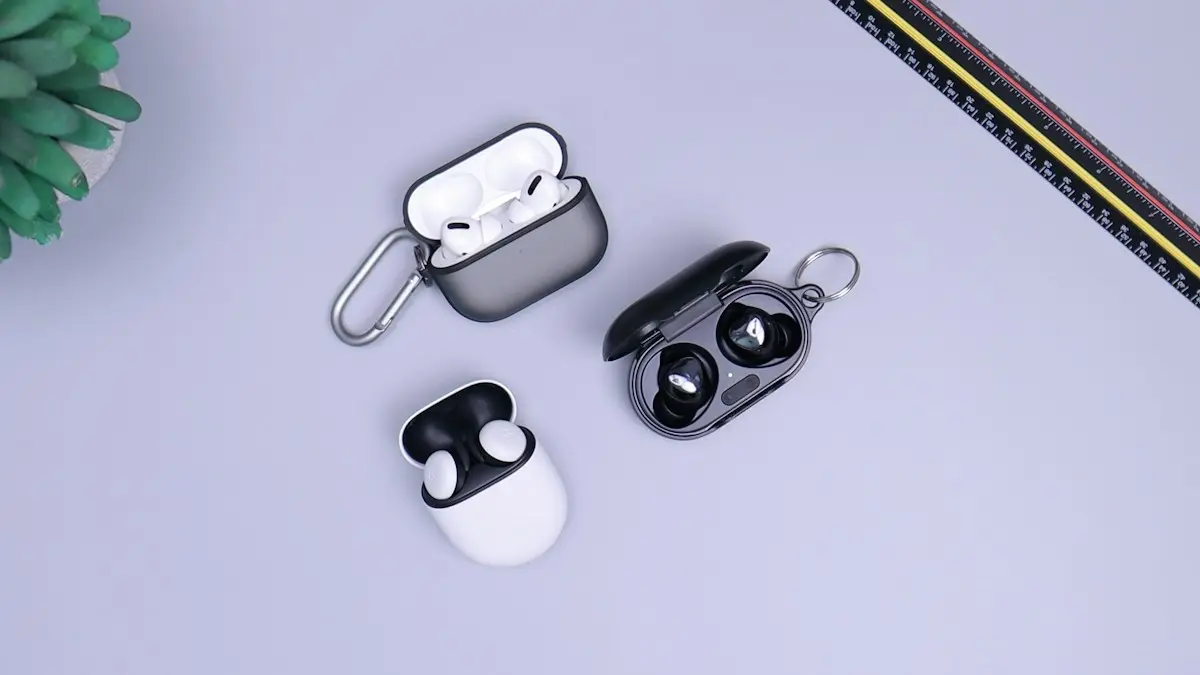
AirPods not working on calls
People can’t hear you on AirPods, or calls sound bad? Pick AirPods as the call audio, reset the Microphone setting, clean the mics and try 5 more fixes.
Pixel call volume too low
Pixel call volume too low or the caller sounds quiet and unclear? Check signal, Bluetooth, Wi-Fi, the case and the speaker with Google's own steps. 8 fixes.
Siri not working
Siri not working or not responding to “Hey Siri”? Check Siri settings, the microphone, Screen Time and your connection with these 10 fixes for iPhone.

Phone camera not working
Phone camera showing a black screen or not opening? Close the app, switch lenses, check permissions and storage, restart and try 4 more fixes.
More guides you may need
Verizon verification code
Verizon not sending verification code texts for logins and apps? Check blocked short codes, spam filtering, your plan blocks and port delays, then call Verizon.
All circuits are busy
Hearing all circuits are busy on a cell phone call? Learn what it means, how to tell if it is your carrier or theirs, and how to get your call through.