

How to stop spam texts on iPhone (iOS 26 and iOS 27)
Your iPhone can hide most spam texts on its own. Turn on a few settings, report what gets through, and never tap links in unknown texts.
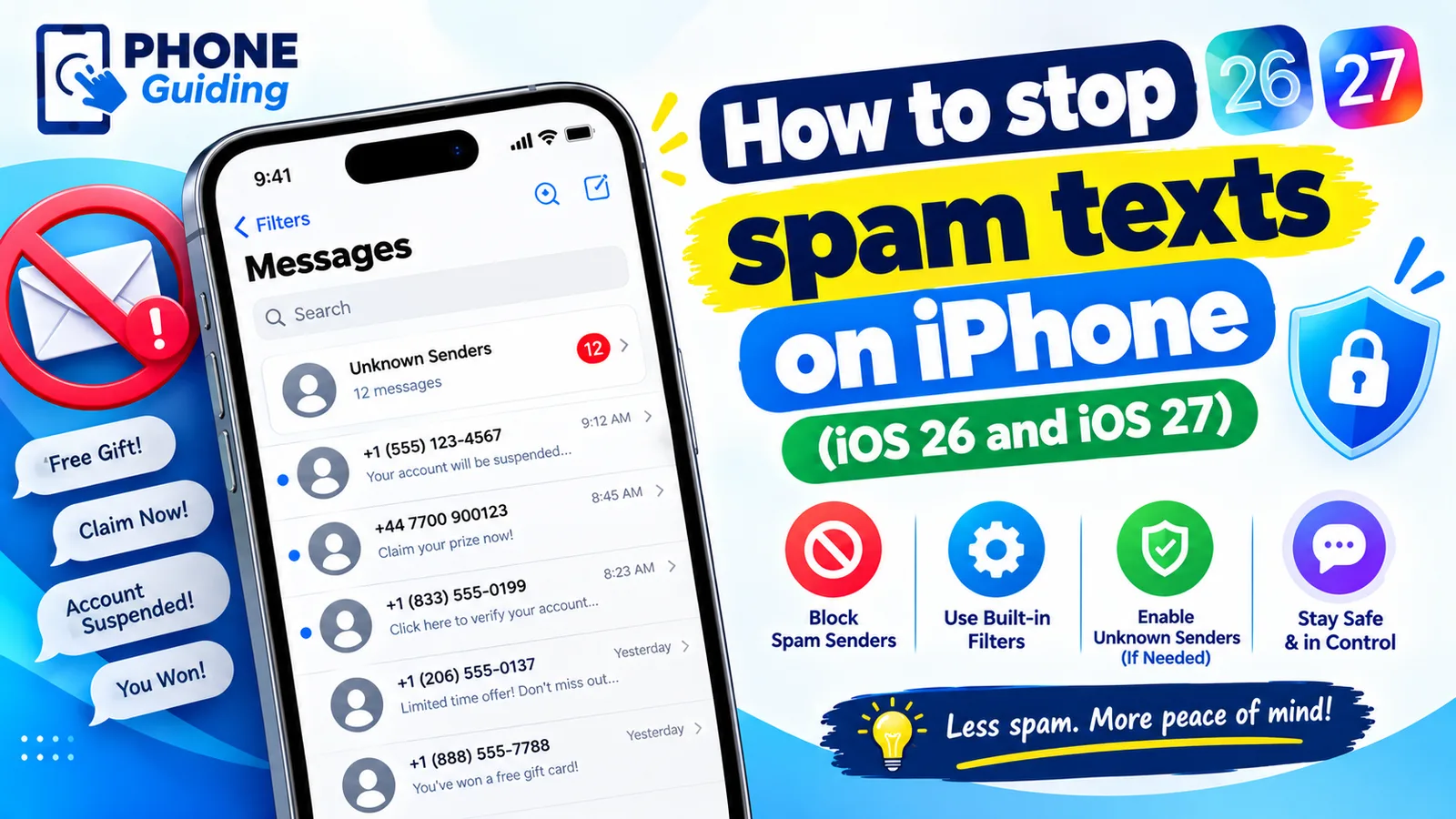
Fake delivery notices, unpaid toll warnings, “wrong number” chats and bank alerts arrive on almost every phone now. You cannot stop scammers from trying, but you can stop their texts from reaching your inbox and your attention. iOS 26 and iOS 27 have much stronger built-in tools than older versions, and they are free. Here are seven ways, from the settings that do the most to the extra steps for stubborn senders, plus how to spot a scam.
How to stop spam texts on iPhone
The fix
7 ways, in order
- 1
Keep Filter Spam turned on.
On iOS 26 and later, Messages detects spam on the iPhone itself and moves it to a Spam folder with no notification. It is on by default; check it in Settings › Apps › Messages.
- 2
Turn on Screen Unknown Senders.
In the same settings screen, turn on Screen Unknown Senders. Texts from numbers not in your contacts go to an Unknown Senders list instead of your main inbox, without notifications. On older iOS versions the setting is called Filter Unknown Senders.
- 3
Report and delete spam that gets through.
Open the message and tap Report Spam, or Delete and Report Spam, under the text. This sends it to Apple and, for SMS, your carrier, which helps block the sender for everyone.
- 4
Forward SMS spam to 7726.
For green-bubble texts, touch and hold the message, tap More, tap the forward arrow, and send it to 7726 (SPAM on the keypad). US carriers use these reports to block numbers.
- 5
Block persistent senders.
Open the conversation, tap the sender at the top, tap Info, then Block this Caller. Blocked numbers cannot text, call or FaceTime you. Scammers change numbers often, so filtering does more than blocking. To see or undo blocks, go to Settings › Apps › Messages › Blocked Contacts.
- 6
Turn on your carrier’s spam protection.
Verizon, AT&T and T-Mobile all offer free spam protection in their apps, and some block known spam texts before they reach you. Open your carrier’s app and check its security or call filter settings.
- 7
Keep your number private where you can.
Use Hide My Email or a secondary number for online sign-ups and contests, and avoid entering your cell number on sites you do not trust. Register your number at donotcall.gov too; it will not stop scammers, but it cuts down legitimate telemarketing.
Where filtered texts go
Open Messages and tap the Filter button, the three lines at the top. You see Messages, Unknown Senders and Spam, plus other lists depending on your settings and region. Spam messages have their links disabled for your safety. If a real message ended up there, select it, tap Not Spam and choose Move to Inbox. Check the Unknown Senders list now and then, because delivery drivers, doctors’ offices and two-factor codes from new services can land there.
Spam coming through iMessage
Some spam arrives as blue iMessages from email addresses or foreign numbers. Report it with Report Spam, which goes to Apple. If spammers keep reaching you at an email address linked to iMessage, go to Settings › Apps › Messages › Send & Receive and untick that email, so only your phone number can receive iMessages.
Marketing and political texts
Texts from stores you shopped with, and from political campaigns, are not always scams. Legitimate senders must honor opt-out requests, so replying STOP usually works for them. If you are not sure the sender is real, do not reply; report it as spam instead. For stores, you can also turn off text marketing in your account settings on their website.
Added to a spam group chat?
If strangers add you to an iMessage group, tap the group icons at the top and choose Leave This Conversation, if it is shown. Some groups do not allow leaving, for example when members use SMS; in that case, mute the conversation with Hide Alerts and report it as spam. Blocking the individual numbers also stops them reaching you in new groups.
Spam filter apps
The App Store has apps that add extra filtering. Once installed, you choose one in Settings › Apps › Messages under the unknown and spam filtering options. These apps can only see texts from people not in your contacts, not your personal conversations. Many carriers’ security apps work the same way. The built-in filtering is enough for most people, so try it first before paying for an app.
On a child’s iPhone
Turn on Screen Unknown Senders for them, and use Screen Time’s Communication Limits so only contacts you approve can reach them. Talk to them about never tapping links in texts from people they do not know.
Common scam texts in 2026
- Unpaid toll: claims you owe E-ZPass, SunPass or another toll agency a small fee, with a link. Toll agencies do not collect this way; check your account on the official website.
- Package delivery problem: pretends to be USPS, UPS or FedEx and asks you to update an address or pay a fee.
- Bank or Apple account alert: says your account is locked or a payment failed and gives a link or number to call.
- Wrong number: a friendly stranger texts “Is this Sarah?” and tries to start a conversation, often leading to investment or romance scams.
- Job offers and prizes: easy remote jobs or winnings that require a fee or your personal details.
Tapped a link or replied by mistake?
- If you only opened the page and entered nothing, close it and clear Safari history in Settings › Apps › Safari. You are very likely fine.
- If you entered card details, call your bank using the number on your card and ask for a new card.
- If you entered your Apple Account or email password, change it straight away and turn on two-factor authentication.
- If a page told you to install a profile or app, remove it. See our guide to checking your iPhone for malware.
How to tell a real text from a scam
- Urgency: “your account will be closed today” or “pay within 24 hours” is a classic pressure tactic.
- Odd links: real companies use their own domain. Scam links use look-alike addresses, random letters or link shorteners.
- A request for codes, passwords or card numbers. Real companies never ask for these by text.
- Small amounts: a $3 toll or $1.99 redelivery fee is designed to seem too small to question, while the real goal is your card details.
- A text you did not expect, from a company you do not even use.
When in doubt, do not use anything in the message. Open the company’s own app, or type its website address yourself, and check your account there.
Report scam texts to the FTC
In the US, you can report scam texts to the Federal Trade Commission at reportfraud.ftc.gov. It takes a few minutes, and you can paste in the sender’s number and the text of the message. Reports help investigators spot trends and warn the public. If you lost money, also report it to your bank and to the FBI’s Internet Crime Complaint Center at ic3.gov.
Real messages going to spam?
Save important numbers, such as your doctor, pharmacy, child’s school and bank, as contacts, so their texts always reach your main inbox. If you rely on texts from new numbers, such as delivery updates, check the Unknown Senders list daily, or turn off Screen Unknown Senders and rely on Filter Spam alone. If a verification code does not seem to arrive, look in Unknown Senders before asking for another one.
Frequently asked questions
Should I reply STOP to spam texts?
Only to real businesses you signed up with. For unknown or scam texts, do not reply at all, because any reply confirms your number is active and can bring more spam.
Why am I getting so many spam texts?
Phone numbers leak through data breaches, sign-up forms and random number generators. Scammers send texts to millions of numbers at once, so it is rarely personal.
What happens when I report a text as spam?
Reporting in Messages shares the message with Apple and, for SMS, your carrier. It helps block the sender for everyone, and the conversation is deleted from your iPhone.
Can a spam text hack my iPhone?
Just receiving or reading a text is very unlikely to harm your iPhone. The danger is tapping a link and entering details on a fake page. Messages even disables links in texts it files as spam.
How do I block spam SMS messages on my iPhone?
Open the message, tap the sender at the top, tap Info, then Block this Caller. To catch more, turn on Screen Unknown Senders in Settings › Apps › Messages on iOS 26.
What to try next
Related guides
FaceTime sensitive content warning
FaceTime paused your call with a sensitive content warning? Learn what triggers it, how it works on your iPhone, and where to turn it off in Settings.
iPhone coverage expired
iPhone says coverage expired in Settings? Learn what it means, how to check the real dates, when you can still renew AppleCare and what to do if it is wrong.
Mail unsent message
Mail on your iPhone shows 1 unsent message and will not clear? Open the Outbox, send or delete the stuck email, then check the server settings and account.
No backups available
Getting no backups available when you restore an iPhone? Check your Apple Account, Wi-Fi, iOS version and iCloud backup list to find the backup that is missing.
More guides you may need
iPhone camera unknown part
iPhone camera unknown part message after an update or repair? Learn what Unknown, Genuine and Used mean, how to check, and when it is worth fixing.
iPhone contacts missing
iPhone contacts missing or disappeared? Check your Lists, iCloud and Gmail sync, then restore contacts from iCloud.com or a backup. 7 ways to get them back.