

Bluetooth won’t connect to car? 9 fixes for iPhone and Android
Most car Bluetooth problems come from an old pairing that has gone bad. Removing it on both sides and pairing fresh fixes most of them.
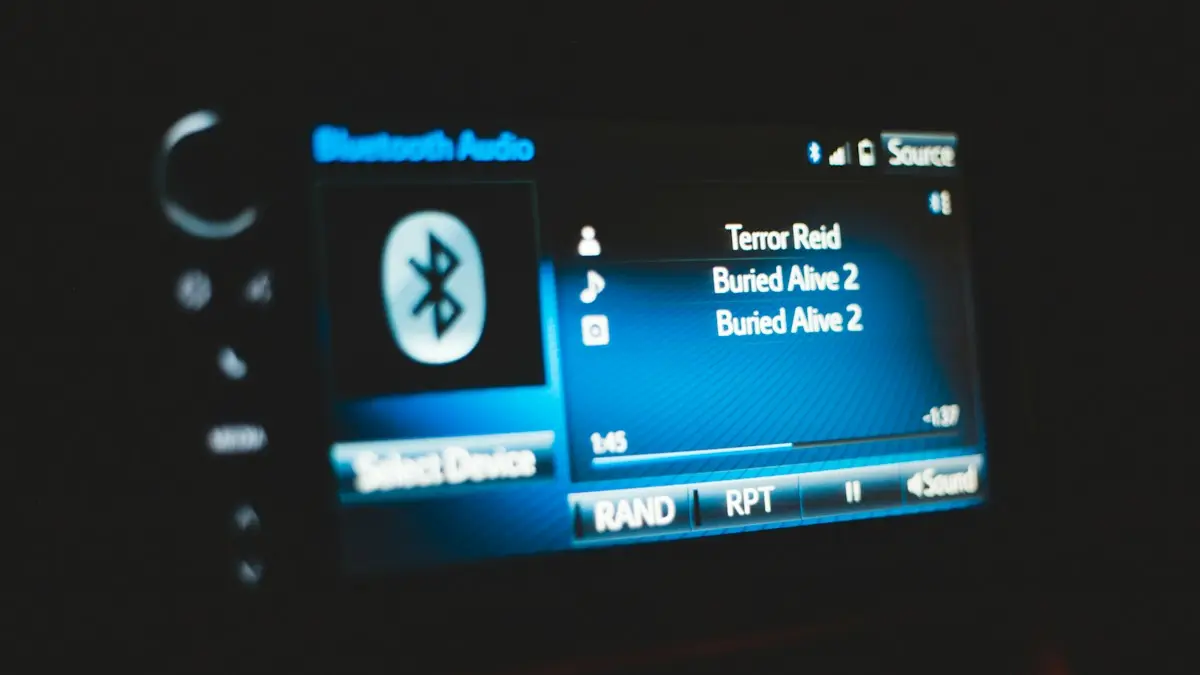
Photo by Erik Mclean on Unsplash
A phone that paired with your car for years and suddenly will not is one of the most common Bluetooth complaints. The cause is rarely a broken phone. More often the car has a full or corrupted list of devices, or the saved pairing on one side no longer matches the other. The fixes below work for iPhone and Android, and for most makes of car.
How to fix it when Bluetooth won’t connect to your car
The fix
9 fixes, in order
- 1
Turn Bluetooth off and on again on the phone.
- 2
Restart the phone and turn the car fully off and on.
- 3
Forget the car on your phone.
On iPhone, tap the info button next to it and choose Forget This Device. On Android, tap the gear and choose Unpair.
- 4
Delete your phone and old phones from the car.
Look for Phone, Bluetooth or Connections in the car’s settings.
- 5
Pair again from the car.
Start pairing on the car screen, choose it on your phone and confirm the code on both.
- 6
Allow contacts and calls when the phone asks.
- 7
Check the audio options.
In the car’s entry in your phone’s Bluetooth list, turn on Calls and Media audio.
- 8
Clear the Bluetooth cache on Android.
Settings › Apps › show system apps › Bluetooth › Storage › Clear cache.
- 9
Update the phone and the car.
Check the carmaker’s app or dealer for head unit updates.
Why won’t my phone connect to my car’s Bluetooth?
A car stereo and a phone each store a record of the other. When one record is deleted, changed by an update or damaged, the two sides disagree and the connection is refused without a clear message. Other common causes are a full device list in the car, a second phone that connects first, a phone in Airplane Mode or Low Power Mode, and software that is too old to speak the same version of Bluetooth. A few cars also block pairing while the vehicle is moving, so park first and set the handbrake. Knowing this explains why the fix is nearly always to delete the pairing on both sides and start over.
Delete the old pairing on both sides
On an iPhone, open Settings › Bluetooth, tap the ⓘ next to the car’s name and choose Forget This Device. On Samsung, go to Settings › Connections › Bluetooth, tap the gear and choose Unpair. On Pixel, open Settings › Connected devices, tap the gear next to the car and choose Forget. Then go to the car. Open its Phone, Bluetooth or Connections menu and delete your phone, along with old phones you no longer use. The names vary by maker, but the idea is the same. Skipping the car side is the mistake that makes this fix fail for most people, because the car still holds the bad record.
Pair the phone again, step by step
- Park the car, turn it on and open the Bluetooth or Phone menu on the screen.
- Choose Add device or Pair new phone. The car starts searching and may show its name and a code.
- On your phone, turn Bluetooth on and tap the car’s name in the list of nearby devices.
- Check that the same code appears on both screens and confirm on both.
- Allow access to contacts, call history and messages if the phone asks. Refusing these can leave calls working but the contact list empty.
Connected, but no sound or no calls
Sometimes the phone pairs but nothing plays. The car may be set to radio, USB or another source, so choose Bluetooth audio on its screen. On the phone, open the car’s entry in the Bluetooth list and check that Media audio (or Media on iPhone) and Phone calls are on. Turn the volume up on both the phone and the car, because they are separate. If calls work but music does not, the media profile is missing. Forgetting and pairing again usually fixes it. Some older cars play call audio only, which is a limit of the stereo, not a fault in your phone.
Full device list and the one-phone problem
Many cars store only five to ten phones. If the list is full, a new phone will fail with no helpful error. Delete old phones, rental cars you paired with and former family members’ phones. Some cars also connect to one phone at a time, with a priority order. If your partner’s phone is nearer or paired first, it will take the link. Turn Bluetooth off on that phone, or set yours as the first device in the car’s menu. A few cars let you choose which phone has priority, and it is worth a look in the settings.
iPhone and Android differences
- iPhone: Settings › Bluetooth shows the car under My Devices. Turn off Low Power Mode, since it can cut background connections, and keep iOS updated. Wired and wireless CarPlay use more than Bluetooth, see CarPlay not working.
- Android: Clearing the Bluetooth cache and setting Bluetooth to Unrestricted battery use helps, and some phones also have a Bluetooth version or audio codec setting in Developer options. See Bluetooth that keeps dropping on Android.
Update the phone and the car’s software
Install the newest iOS or Android update first. Then check the car. Some makers send infotainment updates through an app, a USB stick or the dealer, and many are free. A software update can add support for newer phones and fix pairing bugs. Your car’s manual or the maker’s website lists the steps for your model. If the car offers over-the-air updates, connect it to Wi-Fi and check its settings menu. Keep in mind that a few older cars never get updates, and for those the cheapest fix may be a Bluetooth adapter that plugs into the aux port or the cigarette lighter.
Reset the car’s infotainment system
If the stereo refuses every phone, even a friend’s, the head unit may need a reset. Look in its settings for Reset or Factory reset, or hold the power knob for about ten seconds, which restarts most units. A full reset erases saved phones, radio presets and navigation favorites, so note them first. Check the manual for your model before you try it, because the exact steps differ between makers.
Rental cars, new cars and shared vehicles
Rental and shared cars fill up with strangers’ phones, so the list is often full or the unit asks for a pairing code you do not know. Delete the previous renter’s phones if the menu lets you, or look for a Guest or Add phone option. Remember to delete your own phone when you return the car, since it holds your contacts and call history. In a new car, check the settings for a Bluetooth pairing mode that has a timer, and start pairing within a minute of opening the menu. Some brands need the car in Park with the engine running before they accept a new phone.
Privacy: what your car keeps after you pair
When you allow contacts and messages, the car may copy your contact list and call history to its own memory. Deleting the phone in the car’s menu usually removes it, but check that the data is gone if you sell the car or return a rental. Allow only what you need. If you do not want the car to read your texts, say No when the phone asks for message access, and calls and music will still work.
When to ask a dealer or a car audio shop
If a second phone will not pair either, the fault is in the car. Book a visit with the dealer, who can check for a software update or a known recall, and ask whether it is covered by warranty. A car audio shop can also fit a newer stereo or an adapter, which may cost less than a dealer repair on an older vehicle. If only your phone fails, test it with other Bluetooth devices. For general pairing trouble with accessories, read about iPhone Bluetooth problems, and if you use a cable, see Android Auto not connecting.
Frequently asked questions
Why does my phone connect to the car but play no sound?
The car may be on another audio source, or media audio is turned off for that connection. Pick Bluetooth as the source on the car screen and check the device’s settings on your phone.
How many phones can a car remember?
Many cars store only five to ten devices. When the list is full, new phones fail to pair, so delete old ones.
Why does my car say my phone is not compatible?
Older head units may not support newer phones or certain features. Update the car’s software, and if that fails, ask the dealer whether your model has a known pairing issue.
Should I reset the car’s infotainment system?
Only as a late step. A reset clears every saved phone and setting, but it often fixes a head unit that refuses all new pairings.
People also ask
Why can’t my iPhone find my Bluetooth device?
The device is probably not in pairing mode, or it is connected to another phone, tablet or computer. Turn Bluetooth off on those, then put the accessory into pairing mode.
Read the full guide: iPhone Bluetooth not workingWhy does no setup card appear?
Make sure Bluetooth is on and the iPhone is unlocked on the Home Screen. If it still does not show, hold the setup button on the case or reset the AirPods.
Read the full guide: Connect AirPods to iPhoneWhat is the Bluetooth PIN to pair an iPhone with a laptop?
There is usually none to type. Your iPhone and the laptop show a number, and you confirm it matches on both. If a device asks for a code, try the one in its manual.
Read the full guide: iPhone won't pair with laptopWhere is the Android Auto app on my phone?
On Android 10 and later, Android Auto is built in rather than a separate app. Find it in Settings by searching for Android Auto, or under Connected devices › Connection preferences › Android Auto.
Read the full guide: Android Auto not connectingRelated guides
iPhone Bluetooth not working
iPhone Bluetooth not working or not finding devices? Put the accessory in pairing mode, forget and re-pair it, and try 7 more fixes before resetting anything.
Connect AirPods to iPhone
Connect AirPods to your iPhone in seconds with the setup card, or pair them manually in Bluetooth settings. Also how to connect AirPods to a new iPhone.

iPhone won't pair with laptop
iPhone Bluetooth not pairing with your Windows or Mac laptop, or the code never shows? Keep Bluetooth settings open, forget the device on both sides, restart.
Android Auto not connecting
Android Auto not connecting to your car or keeps disconnecting? Swap the cable, check USB mode, forget the car and fix battery settings with these 10 fixes.
More guides you may need
All circuits are busy
Hearing all circuits are busy on a cell phone call? Learn what it means, how to tell if it is your carrier or theirs, and how to get your call through.
Cracked phone screen
Can you use a phone with a cracked screen? Yes, briefly, but cracks spread and let in water. Learn the risks, how to protect it now and when to repair.