

CarPlay not working? 10 fixes for wired and wireless CarPlay
CarPlay depends on your iPhone, the cable or wireless link, and the car. These checks go through all three, starting with settings that quietly block it.
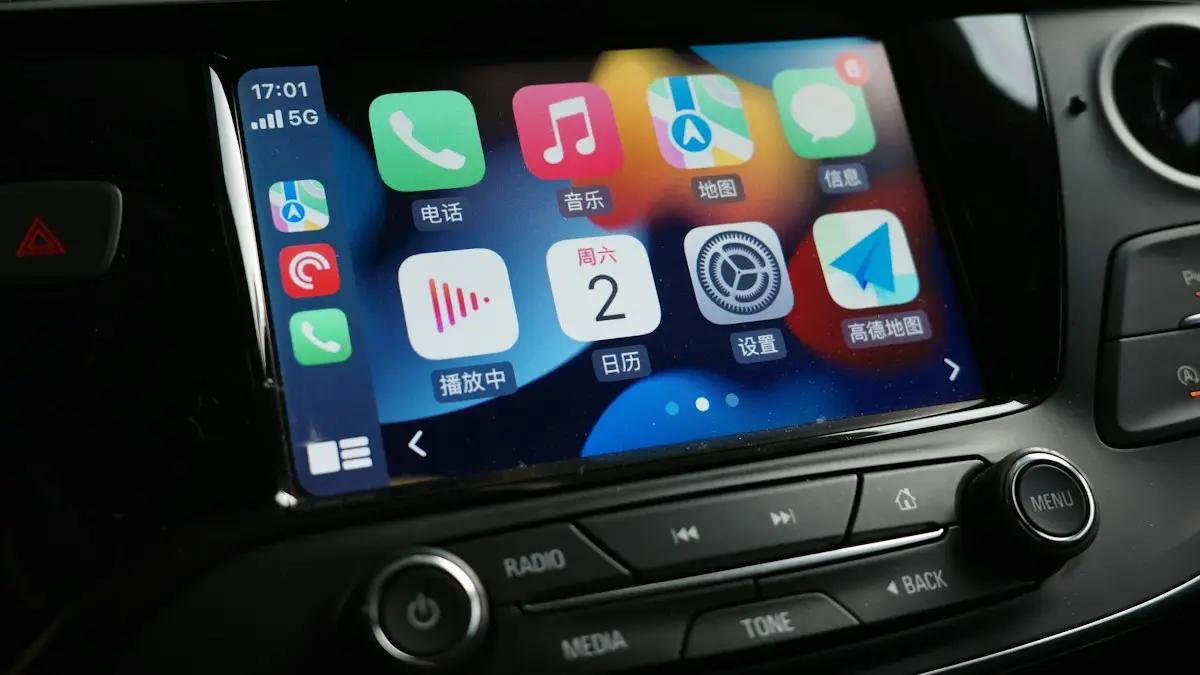
Photo by Li Yan on Unsplash
First, check your iPhone and car support it
- CarPlay works with any recent iPhone. The newest CarPlay features need iOS 27, which runs on iPhone 11 and later.
- Your car or stereo must support CarPlay. Many cars from 2016 onward do, but check the owner’s manual.
- Wireless CarPlay needs a car that supports wireless CarPlay. Many cars only support it with a USB cable.
- CarPlay must be available in your country or region. It is fully supported in the US.
CarPlay depends on three things working together: your iPhone’s settings, the connection (a USB cable, or Bluetooth plus Wi-Fi for wireless), and the car’s infotainment system. The fixes below check all three, starting with the settings that quietly block CarPlay without any error message.
How to fix CarPlay
The fix
Try these in order
- 1
Restart the iPhone and the car.
Turn the car off, open and close the driver’s door so the infotainment system fully shuts down, wait a minute, then start it again. Restart the iPhone at the same time. Many cars keep the screen system running for a while after you switch off, so a quick off and on often does not reset it.
- 2
Make sure Siri is on.
Go to Settings › Siri and turn on Siri (Listen for “Siri” or Press Side Button for Siri). CarPlay will not start without it.
- 3
Check Screen Time restrictions.
Go to Settings › Screen Time › Content & Privacy Restrictions › Allowed Apps & Features and make sure CarPlay is on.
- 4
Allow CarPlay while locked.
Go to Settings › General › CarPlay, tap your car and turn on Allow CarPlay While Locked.
- 5
Wired: try another cable and port.
Use an Apple or certified cable, and try each USB port in the car. Clean lint out of the iPhone’s port with a wooden toothpick. Short cables are more reliable than long ones, and a cable that works for charging may still be too worn to carry data.
- 6
Wireless: turn on Bluetooth and Wi-Fi.
Wireless CarPlay needs both. Check that Wi-Fi is on even if you are not connected to a network. Wireless CarPlay runs over a private Wi-Fi link to the car, so go to Settings › Wi-Fi, find the car’s network under My Networks, tap the info button and make sure Auto-Join is on.
- 7
Check the car has CarPlay turned on.
Some cars have a setting to enable CarPlay or smartphone projection in the infotainment menu. If CarPlay does not open by itself, select the CarPlay icon on the car’s screen. Some cars also let a driver profile turn CarPlay off.
- 8
Forget the car and pair again.
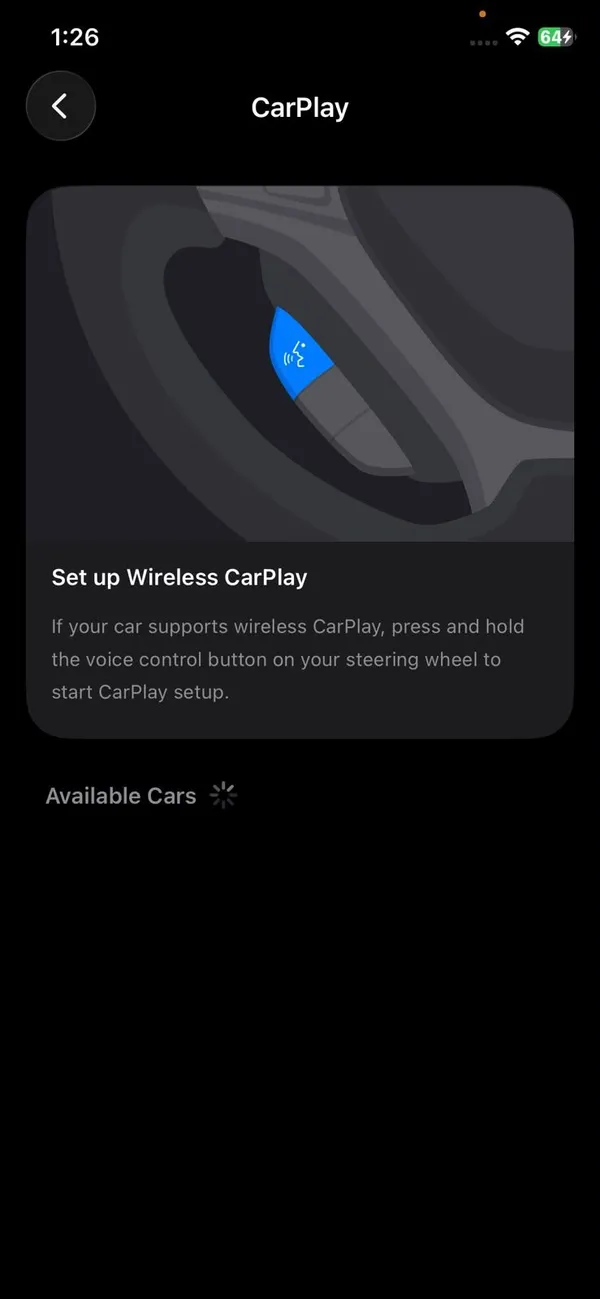
On the iPhone, go to Settings › General › CarPlay, tap the car and choose Forget This Car. Remove the iPhone from the car’s phone list too, then set it up again from the car’s screen.
- 9
Update iOS and the car’s software.
Update the iPhone in Settings › General › Software Update. Many carmakers also release infotainment updates through an app, over the air or at the dealer. Your car’s manual or the brand’s app, such as myChevrolet, FordPass or Toyota, shows whether an update is waiting. Dealers often install them free during a service visit if you ask.
- 10
Reset network settings.
Go to Settings › General › Transfer or Reset iPhone › Reset › Reset Network Settings. This clears saved Bluetooth and Wi-Fi connections, including the car, so pair everything again afterward. Your photos and apps are not touched.
CarPlay stopped working after the iOS 27 update
After a big update, some drivers see a blank or frozen screen, or the car sees the iPhone but the iPhone does not see the car. Forget the car on the iPhone, delete the phone from the car’s list, restart both and pair again. That clears the old connection record, which is usually what breaks after an update. Then check for an iOS point update over the next few weeks; Apple typically fixes widespread CarPlay bugs quickly.
iOS 27 also adds CarPlay features such as audio scrubbing and any Home Screen widget on the CarPlay dashboard, and Apple says wireless connections are more reliable. Not every feature reaches every car: some need a newer infotainment system, and the upgraded Siri needs an iPhone that supports Apple Intelligence (iPhone 15 Pro or later). A missing new feature is not a fault.
Black screen, frozen screen or no sound
- Black or frozen CarPlay screen: unplug the cable or turn off Bluetooth, wait 10 seconds and reconnect. If it keeps happening, restart the car’s system; many cars restart the screen if you hold the volume knob or power button for 10 to 20 seconds, but check your manual.
- CarPlay shows, but no sound: on the car, select the CarPlay or iPhone audio source. On the iPhone, check that the volume is up and that audio is not going to AirPods or another Bluetooth device.
- Calls work but music does not: the car may be connected over Bluetooth only, not CarPlay. Reconnect with the cable, or reselect CarPlay on the car’s screen.
Siri not responding in CarPlay
Press and hold the voice button on the steering wheel, or touch and hold the Home button on the CarPlay screen. If nothing happens, check that Siri is on and that Allow Siri When Locked is on in Settings › Siri, since the phone is usually locked while you drive. A noisy cabin, open windows or a car microphone covered by a sun visor also make Siri miss words.
Google Maps, Waze or Spotify missing
Only apps built for CarPlay appear on the car’s screen. Google Maps, Waze, Spotify, Audible and most major music, podcast and messaging apps support it. If one is installed but missing, open Settings › General › CarPlay, tap your car, tap Customize and add it back. Update the app too, and open it once on the iPhone, since some apps need you to sign in there first.
Using a USB-C iPhone or an adapter?
iPhone 15 and later use USB-C. If your car has only USB-A ports, use a certified USB-C to USB-A cable, or a USB-C to Lightning Adapter where the car expects a Lightning cable. Apple notes that some cable and adapter combinations do not work with every car, so if CarPlay drops, try a single direct cable instead of chaining adapters. Plug into the port marked with a phone or CarPlay icon, since other ports may only charge.
Aftermarket stereo or wireless adapter?
If you added CarPlay with an aftermarket stereo from brands like Pioneer, Kenwood, Sony or Alpine, updates come from that maker, not the car dealer. Check its support site for firmware. Plug-in wireless CarPlay adapters, which turn wired CarPlay into wireless, are a common source of drops and lag. Test with a cable directly: if that works, the adapter is the problem, and a firmware update or a different adapter usually fixes it.
Using a rental or a friend’s car? CarPlay works the same way. When you return it, delete your iPhone from the car’s phone list and tap Forget This Car on the iPhone, so the next driver cannot see your contacts or messages.
Frequently asked questions
Why does CarPlay need Siri?
CarPlay is built around voice control for safety, so you can send messages and get directions without touching the phone. If Siri is turned off, CarPlay will not start. Turn on Siri in Settings › Siri (or Siri & Search).
Does any USB cable work with CarPlay?
No. Charge-only or cheap cables often cannot carry data. Use an Apple cable or a certified one, and plug into the car’s USB port marked with a CarPlay or phone icon.
Why does CarPlay work with a cable but not wirelessly?
Your car may only support wired CarPlay, or Wi-Fi and Bluetooth are off on the iPhone. Check the car’s manual and both switches.
Why does my new car not have CarPlay?
Not every carmaker offers it. Some newer GM electric vehicles, such as the Chevrolet Blazer EV, use GM’s own system instead of CarPlay. Check the car’s specifications before you buy if CarPlay matters to you.
What to try next
Sources
Official pages these steps are based on. Menus can differ by software version.
People also ask
Why does wireless CarPlay keep disconnecting?
Wireless CarPlay uses a direct Wi-Fi link to the car. If your iPhone auto-joins another network, such as public Wi-Fi at a gas station, the link drops. Turn off auto-join for those networks.
Read the full guide: CarPlay keeps disconnectingWhere is the Android Auto app on my phone?
On Android 10 and later, Android Auto is built in rather than a separate app. Find it in Settings by searching for Android Auto, or under Connected devices › Connection preferences › Android Auto.
Read the full guide: Android Auto not connectingDo I need to download Android Auto?
On Android 10 and later it is built in. On older phones, install Android Auto from the Google Play Store.
Read the full guide: Set up Android AutoWhy can’t my iPhone find my Bluetooth device?
The device is probably not in pairing mode, or it is connected to another phone, tablet or computer. Turn Bluetooth off on those, then put the accessory into pairing mode.
Read the full guide: iPhone Bluetooth not workingRelated guides
CarPlay keeps disconnecting
CarPlay keeps disconnecting and reconnecting? Swap the cable, clean the port, stop your iPhone joining public Wi-Fi and try 6 more fixes for a steady link.
Android Auto not connecting
Android Auto not connecting to your car or keeps disconnecting? Swap the cable, check USB mode, forget the car and fix battery settings with these 10 fixes.
Set up Android Auto
Set up Android Auto for the first time with a USB cable or wirelessly, grant the right permissions, and customize which apps show on your car’s screen.
iPhone Bluetooth not working
iPhone Bluetooth not working or not finding devices? Put the accessory in pairing mode, forget and re-pair it, and try 7 more fixes before resetting anything.
More guides you may need
Apple Watch not texting Android
Apple Watch texts to an Android phone fail or stay red? Check the paired iPhone, SMS and MMS, iMessage and contact settings, then restart and re-pair if needed.

Apple Watch not vibrating
Apple Watch quiet for texts, calls or notifications? Check haptic alerts, Focus, the iPhone unlock rule and per-app settings before you reset or repair it.