

How to turn off Find My iPhone (on the phone or online)
Find My must be off before you sell or trade in an iPhone. It takes your Apple Account password and a few taps.
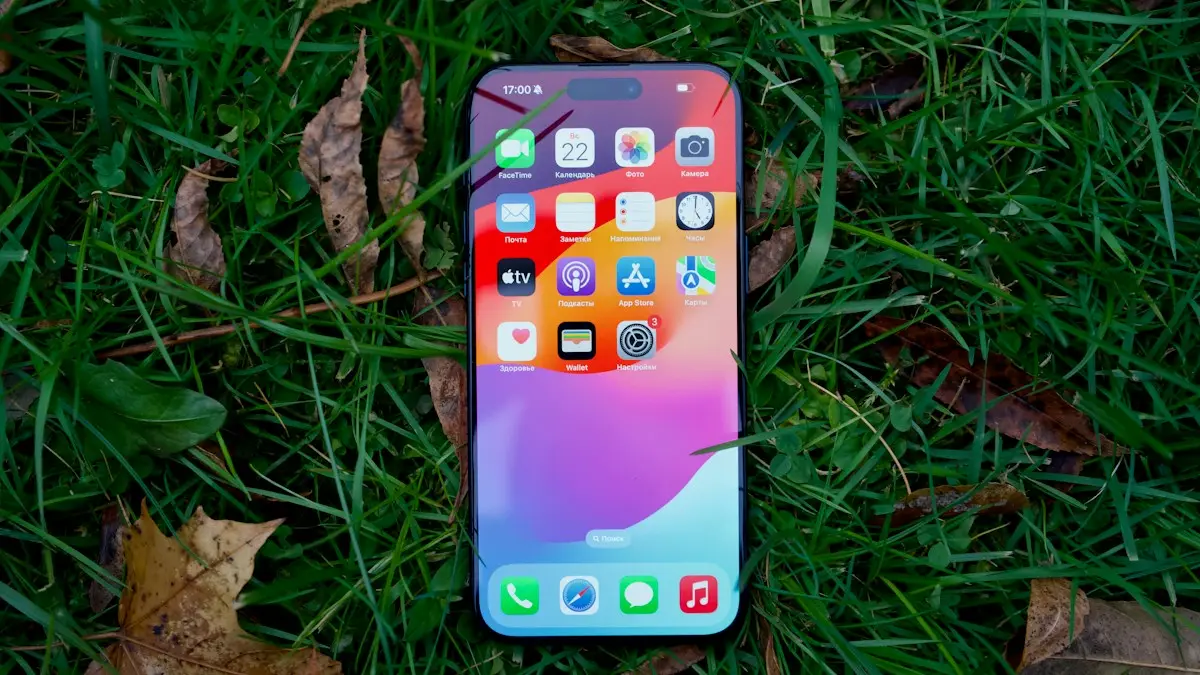
Photo by Georgiy Lyamin on Unsplash
Find My is what lets you locate a lost iPhone on a map, and it also turns on Activation Lock, which ties the phone to your Apple Account so nobody else can erase and reuse it. That is great protection while you own the phone, but it has to come off before anyone else can use it. You need to turn it off before selling, giving away or trading in an iPhone. Keep it on at all other times.
When should you turn off Find My?
- Selling or giving the iPhone away: yes, always. The next owner cannot set it up otherwise.
- Trading in with Apple or a carrier: yes. Trade-in programs reject phones that are still locked.
- Sending it for repair: follow what Apple or the repair shop tells you; some repairs need it off, others do not.
- Because you do not want to be tracked: usually not needed. Find My does not share your location with anyone unless you choose to share it.
How to turn off Find My iPhone
The fix
On the iPhone
- 1
Open Settings and tap your name at the top.
It is the first item, with your picture and Apple Account email.
- 2
Tap Find My, then Find My iPhone.
The screen shows whether Find My iPhone, Find My network and Send Last Location are on.
- 3
Turn off Find My iPhone.
With Stolen Device Protection on and the iPhone away from home or work, you are asked for Face ID and may have to wait an hour before you can finish. At home it happens straight away.
- 4
Enter your Apple Account password and tap Turn Off.
You get an email from Apple confirming Find My was turned off. If you did not do it yourself, change your password straight away.
The fix
From a computer or another phone
- 1
Go to icloud.com/find and sign in.
Use the Apple Account the iPhone was signed in with.
- 2
Select the iPhone from All Devices.
Check the name and model so you pick the right one.
- 3
Erase it if needed, then choose Remove This Device.
Use this if you already sold the phone, or it is broken and you cannot get into Settings. Removing it turns off Activation Lock so the new owner can set it up.
What changes when Find My is off
- You can no longer see the iPhone on a map, play a sound on it, or mark it as lost.
- Activation Lock turns off, so anyone who erases the phone can set it up as their own.
- The iPhone stops appearing in Find My on your other devices and at icloud.com/find.
- Your photos, messages and apps are not affected. Nothing is deleted.
To turn it back on, return to Settings › your name › Find My › Find My iPhone and switch it on. Also turn on Find My network, so the phone can be found when it is offline, and Send Last Location, so it reports where it was before the battery died.
Worried Find My is tracking you?
Find My on its own does not share your location with anyone. Only you can see where your devices are, after signing in. Location sharing with friends and family is a separate setting under Find My › Share My Location, and the People tab in the Find My app shows exactly who can see you. If you are worried someone else has access, use Safety Check in Settings › Privacy & Security instead of turning off Find My, since Find My is what protects your phone if it is stolen.
A child’s or family member’s iPhone
Find My is tied to the Apple Account signed in on that iPhone, so it needs that account’s password, not the family organizer’s. For a child, the parent usually knows the password and can turn it off on the child’s iPhone. If a family member has died, Apple has a separate process for access to a deceased person’s account and devices, which needs documents such as a death certificate.
Screen broken or iPhone will not turn on?
You do not need a working iPhone to turn off Find My. Sign in at icloud.com/find on any computer, select the broken iPhone and choose Remove This Device. If it is offline, it is removed from your account and Activation Lock is lifted, so a repair shop or trade-in buyer can use it. If you are sending it to Apple for repair or trade-in, Apple’s instructions for that service tell you whether to do this.
Forgot your Apple Account password?
You cannot turn off Find My without it, but you can reset it. On the iPhone, the password prompt usually offers Forgot password, which lets you reset it with the iPhone’s passcode. Otherwise go to iforgot.apple.com, or use the Apple Support app on another device. If you cannot reset it, Apple can start account recovery, which can take several days for security reasons.
What is Activation Lock?
When Find My is on, Activation Lock is on too. After the iPhone is erased, it asks for the owner’s Apple Account and password before anyone can set it up again, and shows iPhone Locked to Owner. That is what makes a stolen iPhone nearly useless to a thief. It also means an iPhone that was not properly removed from the old owner’s account cannot be used by the next one.
Bought a used iPhone that is still locked?
- 1
Contact the seller.
Ask them to sign in at icloud.com/find, select the iPhone and choose Remove This Device. It takes them a minute and works from anywhere.
- 2
Restart the iPhone.
After the seller removes it, restart the phone and set it up again. The lock screen should be gone.
- 3
Ask Apple, if you have the original receipt.
Apple can remove Activation Lock with an Activation Lock support request if you can show proof of purchase from the original sale. A receipt from a private seller is not enough.
- 4
Otherwise, return it.
If the seller will not remove it, ask for a refund through the marketplace or your card company. Apple advises never to buy an iPhone showing Activation Lock.
Turn off Find My on other Apple devices
- iPad: the same steps as iPhone, in Settings › your name › Find My.
- Mac: System Settings › your name › iCloud › Find My Mac, then Turn Off.
- Apple Watch: unpair it in the Watch app on your iPhone; that turns off Activation Lock for the watch.
- AirPods: remove them from Find My in the Find My app, or tap Forget This Device in Bluetooth settings, before selling them.
Before you hand the iPhone over
- Back up the iPhone, then erase it with your password so Find My and Activation Lock are off.
- Check icloud.com/find no longer lists the phone, or remove it there. Buyers on sites like Swappa and eBay often ask for proof that the phone is unlocked from your account.
- Remove the iPhone from Apple Pay and from your trusted devices list under Settings › your name on your new phone.
- Take out the physical SIM card if it has one, and transfer your eSIM to your new phone first, so you do not lose your number.
- Unpair your Apple Watch and sign out of iMessage and FaceTime if you are moving to an Android phone.
Frequently asked questions
Can I turn off Find My without the password?
No. The Apple Account password is required, which is what stops thieves. Reset the password at iforgot.apple.com if you forgot it.
Why do I have to wait an hour?
Stolen Device Protection adds a Security Delay when the iPhone is away from familiar places. Wait the hour, or do it at home.
I bought a used iPhone that is still linked. What now?
Ask the seller to sign in at icloud.com/find, select the iPhone and choose Remove This Device. Only they can do it, or Apple with the original proof of purchase.
Does erasing the iPhone turn off Find My?
Only if you erase it on the phone with Erase All Content and Settings and enter your Apple Account password. Erasing with a computer or remotely leaves Activation Lock on.
What to try next
Sources
Official pages these steps are based on. Menus can differ by software version.
People also ask
Why won't my iPhone erase all content and settings?
The usual causes are Find My or Activation Lock needing your Apple Account, a wrong passcode, an unfinished eSIM prompt, or a software glitch. Restart, update iOS, sign out of your Apple Account and try again.
Read the full guide: Erase All Content and Settings failsCan I find my iPhone if it is off or dead?
Often, yes. iPhone 11 and later can usually still be located through the Find My network for a while after they turn off or the battery runs low. Otherwise, Find My shows the last known location for up to seven days.
Read the full guide: Find a lost iPhoneDoes erasing an Apple Watch remove Activation Lock?
No. Apple says erasing on the watch leaves Activation Lock in place, so the Apple Account and password are still needed. Unpairing with the iPhone, or removing the watch at iCloud.com, turns it off.
Read the full guide: Unpair Apple Watch without iPhoneWhy does my new iPhone say no backups available?
Usually because you signed in with a different Apple Account than the one that made the backup, or the old phone never completed a backup. A weak Wi-Fi connection can also hide the list.
Read the full guide: No backups availableRelated guides
Erase All Content and Settings fails
Erase All Content and Settings not working? Fix Find My and Apple Account blocks, eSIM prompts and stuck erases, or erase from a computer or iOS Recovery.
Find a lost iPhone
Find your lost iPhone with Find My on another Apple device or at icloud.com/find from any phone. Play a sound, see its last location and turn on Lost Mode.
Unpair Apple Watch without iPhone
Unpair Apple Watch without iPhone using the watch itself or iCloud.com. See what each method does to Activation Lock and your cellular plan before you sell it.
No backups available
Getting no backups available when you restore an iPhone? Check your Apple Account, Wi-Fi, iOS version and iCloud backup list to find the backup that is missing.
More guides you may need
AirPods no location found
AirPods no location found in Find My? It rarely means they are gone. See what the message means, what to check right now and how to improve your chances.

AirPods one side not working
Fix AirPods when one side is silent, quiet or louder than the other. Check balance, clean the mesh, reset the pair and learn when a single bud needs replacing.