

iPhone alarm not going off or silent? 10 fixes that work
Few phone problems cost as much as an alarm that stays quiet. The cause is almost always a setting, not a broken phone. Here is how to find it tonight, before you rely on the alarm again.
Photo by Gary Ruiz on Unsplash
When an alarm fails, it usually fails in one of two ways. Either it never went off at all, or it went off with no sound, just a vibration or a volume too quiet to hear. The fixes overlap, but knowing which one happened saves time.
- It never went off: look at fixes 1, 2, 3 and 8 first. These are about the alarm itself, the phone being on and the time.
- It went off silently or only vibrated: start with fixes 4 to 7. These are about the sound and volume.
Why is my iPhone alarm not going off?
The fix
Work through these 10 fixes
- 1
Check the alarm is on and set for the right time.
Open the Clock app and tap Alarms. The switch next to the alarm must be green. Check AM and PM carefully. 7:00 PM instead of 7:00 AM is one of the most common reasons an alarm “fails”. If it should ring every day, tap the alarm and look at Repeat. Never means it rings once and then switches itself off.
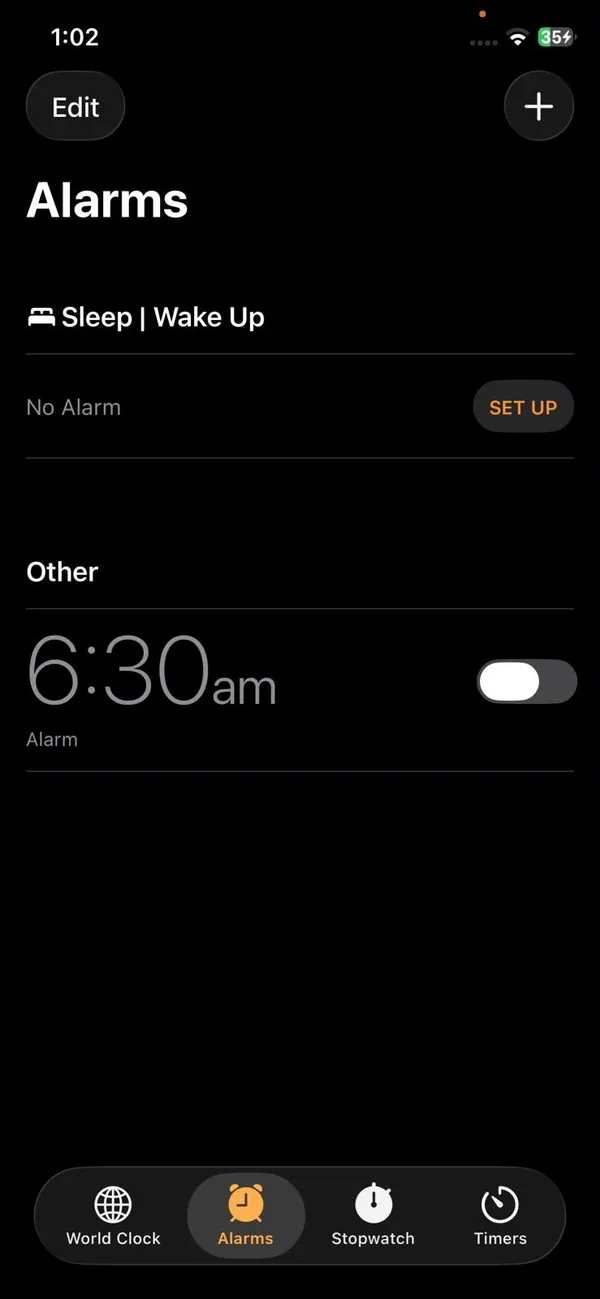
A gray switch means the alarm will not ring. - 2
Keep the iPhone on and charged overnight.
An iPhone cannot sound an alarm when it is powered off or the battery is dead. If the phone died overnight, the alarm never had a chance. Charge it at night, and check the cable is actually charging. See our guide to an iPhone that will not charge if it keeps stopping.
- 3
Delete the alarm and create a new one.
A single alarm can get stuck, especially one created years ago or restored from a backup. Swipe left on it, tap Delete, then tap the plus button to add a fresh one. If you have dozens of old alarms, delete the ones you no longer use so the right one is easy to find.
- 4
Make sure the alarm has a sound.
In the Clock app, tap Edit, tap the alarm, then tap Sound. If it says None, the alarm only vibrates. Choose a built-in ringtone. If you picked a song, switch to a built-in tone for a night to test. A song that is no longer downloaded or no longer in your library can leave the alarm quiet.
- 5
Turn up the alarm volume.
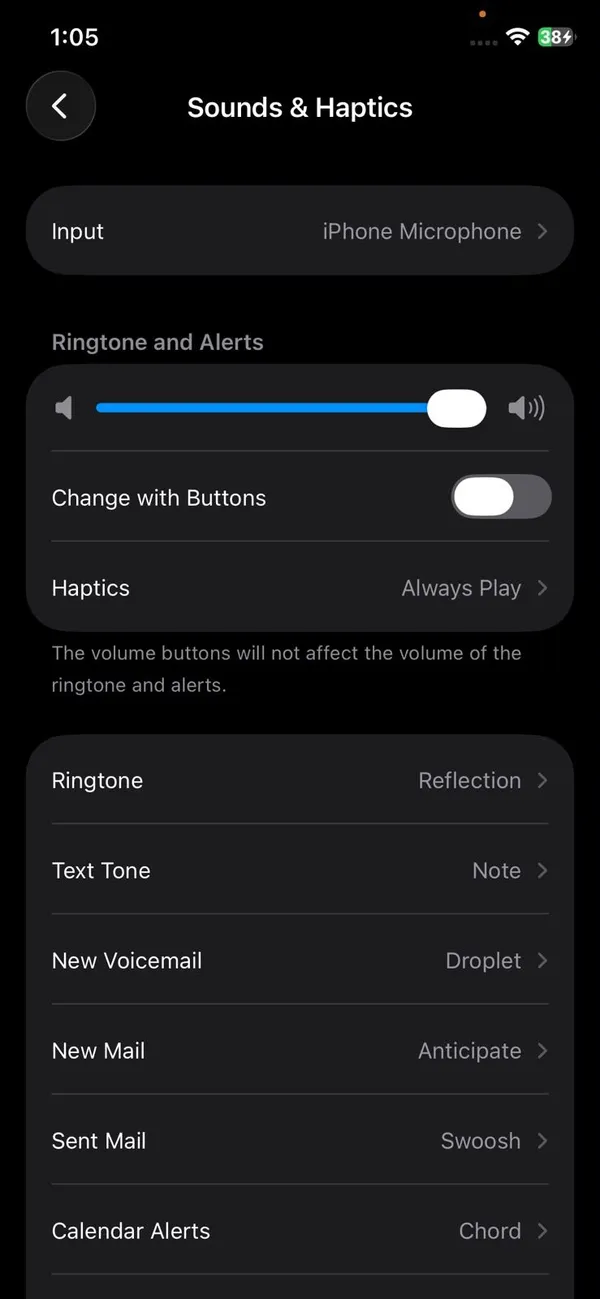
On iOS 26 and earlier, alarms use the ringtone volume. Go to Settings › Sounds & Haptics and drag the Ringtone and Alerts slider up. If Change with Buttons is off, the side buttons only change media volume, so a loud video does not mean a loud alarm. On iOS 27, see the next section for the new separate alarm volume.
- 6
Turn off Attention Aware Features.
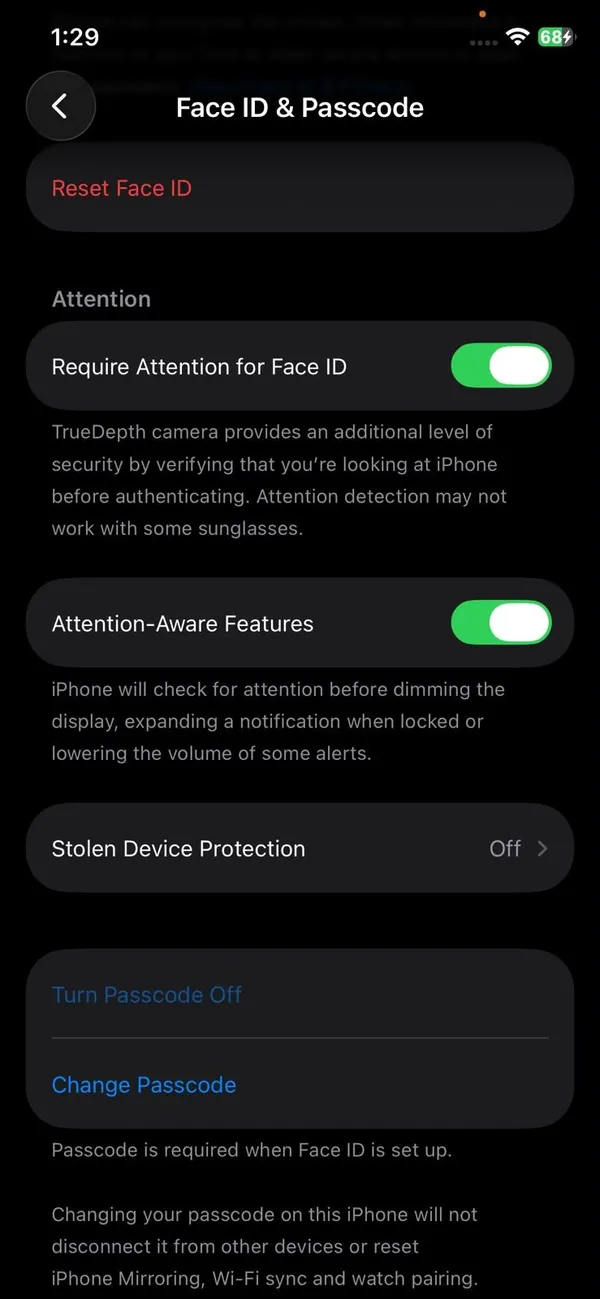
On iPhones with Face ID, this feature lowers the volume of alarms and alerts when it sees you looking at the screen. If you check your phone just as the alarm goes off, it can drop to a whisper. Go to Settings › Face ID & Attention and turn off Attention Aware Features.
- 7
Check where the sound is going.
Apple says alarms play through the iPhone speaker and through connected headphones at the same time. If you fall asleep with AirPods in, the alarm should still sound from the phone. Test it: set an alarm for two minutes from now with your headphones connected and make sure you hear the speaker too.
- 8
Check the date, time and time zone.
Go to Settings › General › Date & Time and turn on Set Automatically. If the time zone is wrong after travel, alarms ring at the wrong hour. Our guide on updating the time zone when you travel explains how.
- 9
Restart and update your iPhone.
Many “iPhone alarm not going off after update” reports clear up with a restart. Then install any update in Settings › General › Software Update, since Apple often fixes Clock bugs in small updates.
- 10
Test the speaker, then reset settings as a last resort.
Play music with no headphones connected. If you hear nothing or it crackles, the speaker is the problem, not the alarm. If music plays normally, go to Settings › General › Transfer or Reset iPhone › Reset › Reset All Settings. This resets settings like Wi-Fi and wallpaper but does not delete your photos, apps or messages. You will need to set your alarms again.
New in iOS 27: a separate alarm volume
For years, the only way to make an iPhone alarm louder was to raise your ringtone volume too. iOS 27, released in September 2026, finally separates them. If your alarm is too quiet on iOS 27, this is the setting to check:
- 1
Open Settings and tap Sounds & Haptics.
- 2
Find Alarms and Timers.
Turn off Match Ringtone Volume. A separate slider appears.
- 3
Drag the alarm slider up.
Now you can keep calls and texts quiet while your alarm stays loud. The catch: if this slider is low, your alarm will be quiet even with the ringtone at full volume. After updating to iOS 27, check it once.
Not sure which version you have? Look in Settings › General › About. If this option is missing, you are on iOS 26 or earlier, and the Ringtone and Alerts slider controls your alarms.
Using a Sleep schedule? That alarm has its own settings
The Wake Up alarm from a Sleep schedule is different from a normal alarm. It shows at the top of the Clock app under Sleep | Wake Up and has its own sound and its own volume slider, separate from everything above.
- In the Clock app, tap Change next to Sleep | Wake Up. Make sure the Wake Up Alarm switch is on.
- Under Alarm Options, check the Sounds & Haptics choice and drag the volume slider up. People often set this once, very low, and forget about it.
- A schedule can be set for weekdays only. If the alarm did not ring on a Saturday, check which days the schedule covers in the Health app under Sleep › Full Schedule & Options.
- If you changed or turned off the alarm for the next wake-up only, the change applies to that one morning and the schedule goes back to normal after it.
Alarm vibrates but no sound in StandBy?
StandBy is the clock-style screen that appears when your iPhone is charging on its side. Apple notes that haptics are turned off for alarms in StandBy, so the alarm relies on sound alone. If the sound is set to None or the volume is low, a StandBy alarm can pass in near silence. Make sure the alarm has a real tone, as in fix 4.
How to make sure your alarm works tomorrow
Do this quick test before bed, especially after an update or a new phone:
- Set a test alarm for two minutes from now with the same sound as your morning alarm.
- Put the phone face down and leave the room, so Attention Aware cannot lower the volume.
- Listen for it from where you sleep. If it is too quiet, raise the volume or pick a louder tone.
- Delete the test alarm and confirm your real alarm is on, with the right AM or PM.
- Plug in the charger and check the battery icon shows it charging.
Some tones are much louder than others. Short, sharp tones cut through sleep better than soft ones. If you need a tougher sound, here is how to change your alarm sound. And if you tend to hit snooze too often, you can shorten the snooze time on iOS 26 and later.
Frequently asked questions
Does Silent mode stop my iPhone alarm?
No. Apple confirms that Silent mode, the Ring/Silent switch and Do Not Disturb do not affect alarms from the Clock app. If your alarm was silent, the cause is the alarm sound, the volume or another setting.
Why does my iPhone alarm only vibrate?
The alarm's sound is set to None, or the alarm volume is at zero. Open the Clock app, tap Edit, tap the alarm, tap Sound and pick a ringtone, then raise the alarm volume in Settings › Sounds & Haptics.
Will my alarm go off if my iPhone is turned off?
No. An iPhone that is powered off or has a dead battery cannot sound an alarm. Keep it charged overnight and never switch it off when you need to wake up.
Why did my alarm go off quietly and then get louder?
If your alarm is the Wake Up alarm from a Sleep schedule, or you were looking at the phone with Attention Aware Features on, the volume can start low. Check the Sleep schedule volume slider and Face ID & Attention settings.
What to try next
Sources
Official pages these steps are based on. Menus can differ by software version.
People also ask
Why is my iPhone alarm silent?
The alarm sound may be set to None, the alarm volume may be very low, or a Bluetooth speaker or headphones may be connected. On iOS 27, check the separate alarm volume in Sounds & Haptics. Silent mode does not silence alarms.
Read the full guide: Change alarm sound on iPhoneWhy does my iPhone ringer get quieter when I look at it?
Attention Aware Features lower the volume of some alerts when the iPhone sees that you are paying attention to the screen. Apple says this is on purpose. You can turn it off in Face ID settings.
Read the full guide: iPhone ringer volume going downCan I change the notification sound for Instagram or Snapchat?
Usually not. The app decides its own sound. Check the app's notification settings in case it offers a choice, and use WhatsApp's own settings for WhatsApp.
Read the full guide: iPhone sound settingsWhy does my Samsung turn off at 20 percent?
A worn battery cannot deliver enough power under load, so the phone shuts down early. Check the battery in Samsung Members and replace it if it is weak.
Read the full guide: Samsung keeps turning offRelated guides
Change alarm sound on iPhone
Change your iPhone alarm sound to a new tone or a song in the Clock app, set the alarm volume and vibration, and fix an alarm that makes no sound.
iPhone ringer volume going down
Ringer gets quieter by itself? Turn off Attention Aware Features, fix Change with Buttons and check Bluetooth to keep your iPhone ringer at the level you set.
iPhone sound settings
Change iPhone sound settings in one place: text tones, vibration, quiet alerts, voicemail ring time and alarm snooze, with steps for iOS 26 and older.
Samsung keeps turning off
Samsung phone keeps turning off by itself, even with battery left? Check the battery in Samsung Members, remove the case, test safe mode and try 6 more fixes.
More guides you may need
iPhone coverage expired
iPhone says coverage expired in Settings? Learn what it means, how to check the real dates, when you can still renew AppleCare and what to do if it is wrong.

iPhone flashlight not working
Fix an iPhone flashlight that will not turn on, is greyed out, missing from Control Center or too dim. Step by step, and how to tell a bug from a failed LED.