

iPhone not ringing for incoming calls? 10 settings to check
When calls go straight to missed without a sound, a setting is almost always to blame. Here is every place to check, starting with the most common.
Photo by Mediamodifier on Unsplash
Missing calls because the phone stayed quiet is frustrating, especially when it is a doctor, a school or a job offer, but it is rarely a fault. Apple has added many ways to silence calls over the years: Silent mode, Focus, unknown caller screening, per-contact ringtones and more. Any one of them can be switched on by accident or by a schedule. The checklist below goes through every one, starting with the most common.
First, a 20-second test. Go to Settings › Sounds & Haptics and tap Ringtone, then tap any ringtone in the list. If you hear it, the speaker works and the cause is a setting. If you hear nothing at full volume, jump to the speaker test at the end of the list.
Why is my iPhone not ringing?
The fix
Check these 10 things in order
- 1
Turn off Silent mode.
On models with a switch above the volume buttons, push it toward the screen so no orange shows. On iPhone 15 Pro and later, and iPhone 16 and later, press and hold the Action button or open Control Center to switch Silent mode off.
- 2
Turn off Do Not Disturb or Focus.
Open Control Center and tap Focus. If one is on, tap it to turn it off. Check Settings › Focus for schedules that turn one on automatically, such as Sleep.
- 3
Raise the ringtone volume.
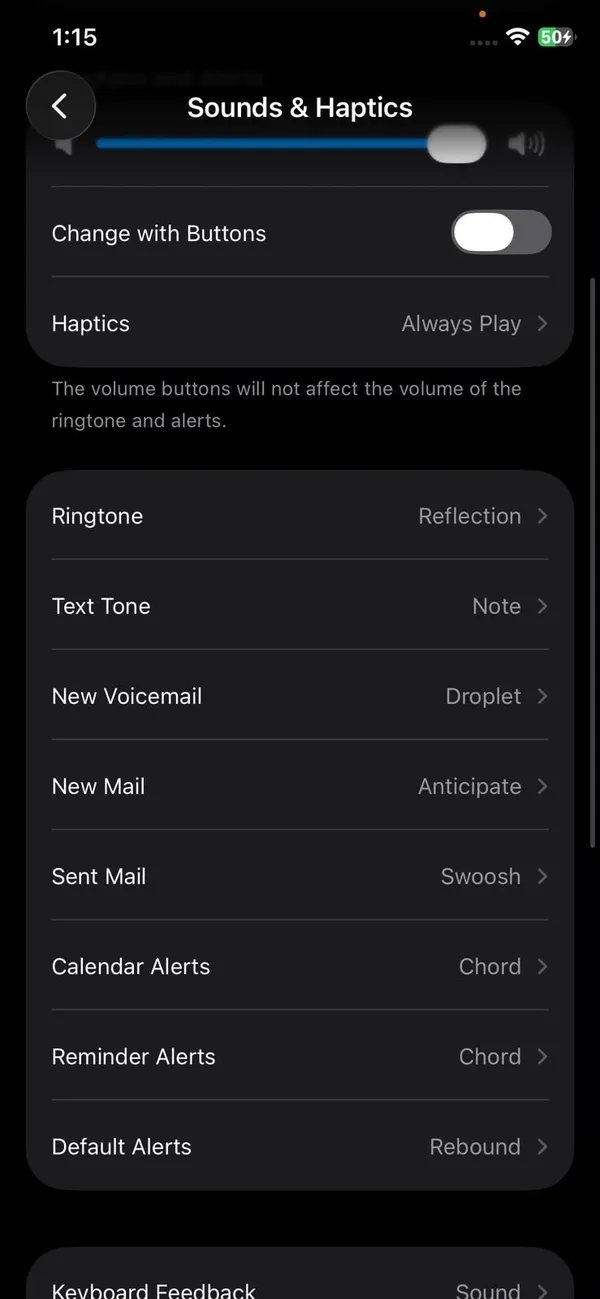
Go to Settings › Sounds & Haptics and drag Ringtone and Alert Volume up. If Change with Buttons is off, the side buttons only change media volume.
- 4
Make sure a ringtone is selected.
In the same menu tap Ringtone and pick a sound. “None” means silence.
- 5
Disconnect Bluetooth devices.
AirPods, a car or a speaker can take the ringtone. Turn off Bluetooth in Control Center for a moment and test with a call. AirPods left in a pocket or bag, out of their case, are a common culprit: the call rings in the earbuds where you cannot hear it.
- 6
Check how unknown callers are handled.
Go to Settings › Apps › Phone. On iOS 26 check Screen Unknown Callers; on earlier versions check Silence Unknown Callers. These stop numbers that are not in your contacts from ringing.
- 7
Check the caller’s own ringtone.
Open the contact in the Phone app, tap Edit and look at Ringtone. A custom ringtone set to None silences only that person.
- 8
Turn off call forwarding.
Go to Settings › Apps › Phone › Call Forwarding and make sure it is off. Not every carrier shows this option.
- 9
Restart the iPhone and update iOS.
A restart clears audio glitches that can mute the ringer. Then install any update in Settings › General › Software Update.
- 10
Test the speaker.
Play a video or music without headphones. If you hear nothing or it crackles, the speaker needs repair. If music plays fine, try Settings › General › Transfer or Reset iPhone › Reset › Reset All Settings.
A Focus that turns itself on
If your iPhone stops ringing at the same time every day, or only in certain places, a Focus schedule is the likely cause. Open Settings › Focus, tap each Focus, and look under Set a Schedule. Sleep turns on with your bedtime schedule from the Health app, Driving can start when the phone connects to a car, and any Focus can have Smart Activation, which switches it on based on your habits. Also check Share Across Devices at the bottom of the Focus screen: with it on, a Focus you started on your Mac or iPad also silences your iPhone.
Unknown numbers not ringing? Call screening explained
Since iOS 26, the iPhone can screen calls from numbers that are not in your contacts. Depending on the option you picked in Settings › Apps › Phone › Screen Unknown Callers, the caller may be asked for their name and reason before your phone rings, or be silenced completely and sent to voicemail. That is great for spam, but it can also hold back a new doctor’s office or a delivery driver. Choose Never to let every call ring, or see our guide to turning off call screening on iPhone for each option.
Numbers you have called recently, and numbers that appear in your Messages or Mail, are usually treated as known. Saving an important number as a contact is the surest way to make it ring.
Rings but too quietly, or only vibrates
- Attention Aware Features: when you are looking at the iPhone, it lowers the ringtone volume. Turn this off in Settings › Face ID & Passcode if you want a full-volume ring every time.
- Case or cover: a thick case can muffle the bottom speaker. Test without it.
- Dirty speaker grille: lint in the bottom speaker holes lowers the volume. Brush it gently with a soft, dry toothbrush.
- Haptics only: under Sounds & Haptics › Haptics, check the vibration settings. If you feel vibration but hear nothing, the phone is in Silent mode.
Rings once, then goes to voicemail
The number of rings before voicemail is set by your carrier, usually around 20 to 30 seconds. If calls cut to voicemail after one ring, a Focus, a carrier spam filter or call screening may be sending them there. You can often ask your carrier to lengthen the ring time; our guide on how many rings before voicemail on iPhone explains how.
Calls ring somewhere else instead
- Apple Watch: calls can ring on the watch and be answered or silenced there. If you covered the watch or it was on your wrist with Silent mode on, the iPhone may stay quiet. Check the Watch’s sound settings in the Watch app.
- Mac or iPad: with Calls on Other Devices on, a call can be picked up on a nearby Mac or iPad. Turn it off in Settings › Apps › Phone › Calls on Other Devices if that is confusing.
- Car: if CarPlay or car Bluetooth connected in the driveway, the call rings in the car.
Carrier spam filters can stop calls ringing
US carriers screen calls before they reach your iPhone. Verizon Call Filter, AT&T ActiveArmor and T-Mobile Scam Shield can send calls they think are spam straight to voicemail, so the phone never rings. Real callers, like doctors’ offices, delivery drivers and schools, sometimes get caught. Open your carrier’s app, check its blocked or filtered call list, and add numbers you need to its allowed list. Also check our guide to blocking spam calls on iPhone for settings that balance blocking with missing nothing important.
Let important people always ring
If you use Silent mode or a Focus often but never want to miss certain people, turn on Emergency Bypass for them. Open the contact, tap Edit, tap Ringtone and turn on Emergency Bypass. Their calls ring out loud even in Silent mode or a Focus. You can also add them as allowed people in each Focus under Settings › Focus.
Using two lines?
With two SIMs or eSIMs, each line can be set up differently. Go to Settings › Cellular and check that both lines are turned on. If you are on a call on one line, calls to the other may go straight to voicemail, depending on your carrier and whether Wi-Fi Calling is on for both lines.
If the phone does not ring because the call never arrives, and you only see a missed call or voicemail later, that is a network problem rather than a sound problem. See our guide to an iPhone not receiving calls.
Frequently asked questions
Why does my iPhone not ring but still vibrates?
The phone is in Silent mode, or the ringtone volume is at zero. Check the Ring/Silent switch or Action button, then raise Ringtone and Alert Volume in Settings › Sounds & Haptics.
Why do calls from some people not ring?
Unknown callers may be silenced, the contact may have a silent ringtone assigned, or a Focus may only allow certain people through. Check the contact’s ringtone and your Focus settings.
Why does my iPhone ring only once and then go to voicemail?
Your carrier sets how long it rings before voicemail. A Focus or Silence Unknown Callers can also cut it short. Our guide to calls going straight to voicemail covers the fixes.
Why is my ringtone so quiet?
The Ringtone and Alert Volume is low, or Attention Aware Features lowered it because you were looking at the phone. Raise the slider in Sounds & Haptics.
What to try next
People also ask
Why does my Samsung not ring when I am using an app?
Incoming calls may be set to show as a small pop-up while you use apps, and the ringtone can be quieter or muted by the app. Check Phone app › Settings › Call display while using apps, and raise the ringtone volume.
Read the full guide: Android phone not ringingWhy does Do Not Disturb keep turning on by itself?
A schedule or automation is turning it on, or Share Across Devices is copying it from your iPad, Mac or Apple Watch. Check Set a Schedule in Settings › Focus › Do Not Disturb, and turn off Share Across Devices in Settings › Focus if needed.
Read the full guide: Change Do Not Disturb on iPhoneWhy does my iPhone not vibrate in Silent mode?
The Haptics setting may be set to not play in Silent Mode. Open Settings, tap Sounds & Haptics, tap Haptics and choose an option that plays in Silent Mode.
Read the full guide: iPhone not vibratingIs 74% battery health OK on an iPhone?
It works, but it is worn. Apple considers a battery below 80% of its original capacity worn out. At 70% to 79% you will notice shorter days and may see sudden shutdowns in the cold or at low charge. A replacement fixes it.
Read the full guide: Check iPhone battery healthRelated guides
Android phone not ringing
Android phone not ringing for incoming calls? Check sound mode, Do not disturb, Mute all sounds and call forwarding with 10 fixes for Samsung and Pixel.
Change Do Not Disturb on iPhone
Change Do Not Disturb on iPhone: turn it on or off, let family and repeated calls through, set a schedule, and stop it from turning on by itself.
iPhone not vibrating
iPhone not vibrating for calls, texts or alerts? Check System Haptics, the Haptics setting, Vibration in Accessibility, Focus and Silent mode. 8 fixes.
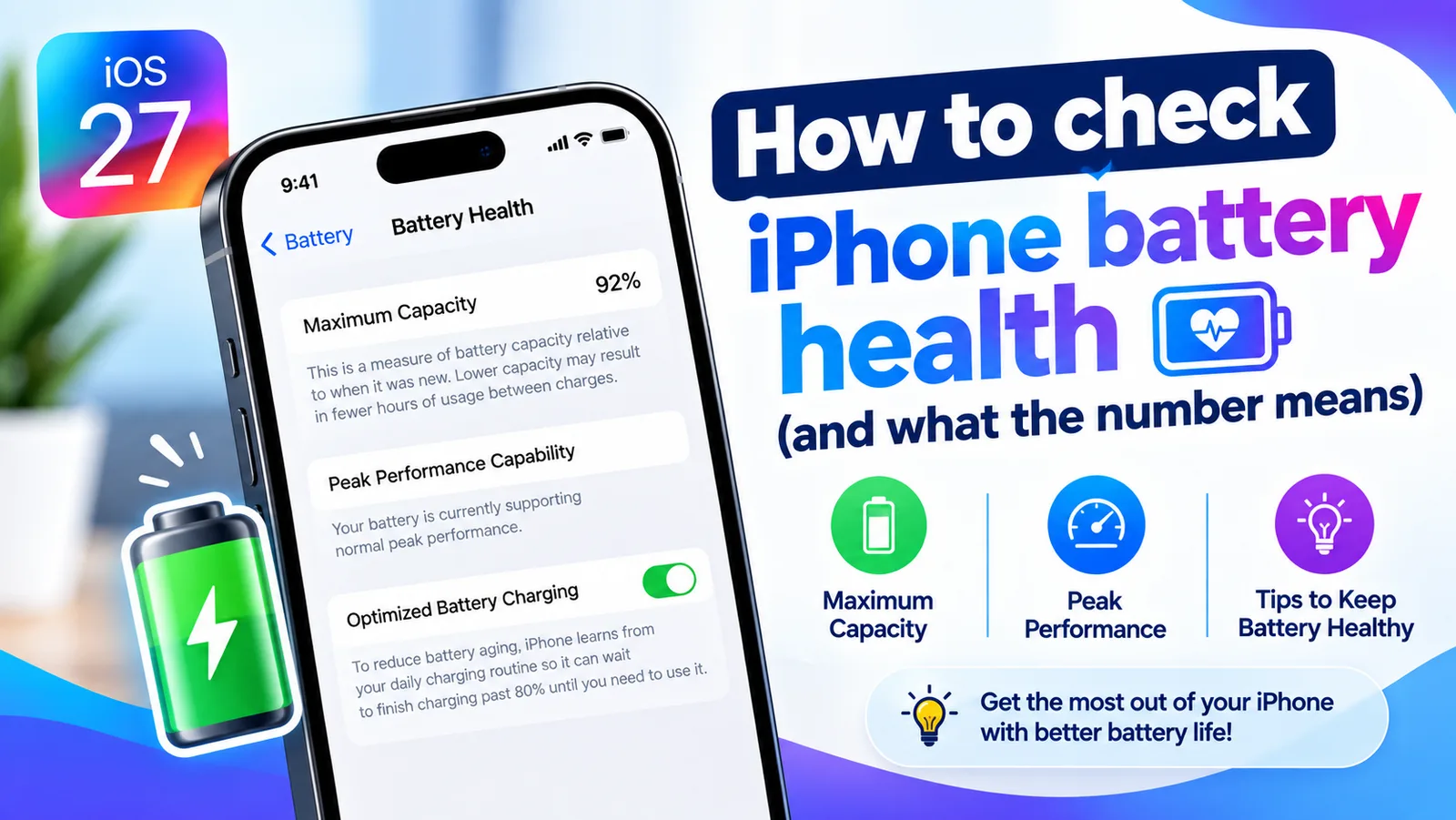
Check iPhone battery health
Find your iPhone's Maximum Capacity in Settings, understand what the percentage tells you, and learn when a battery replacement is actually worth it.
More guides you may need

iPhone won't pair with laptop
iPhone Bluetooth not pairing with your Windows or Mac laptop, or the code never shows? Keep Bluetooth settings open, forget the device on both sides, restart.
iPhone won't turn off
iPhone won't turn off? On newer models you hold the side and volume buttons, not just the side button. Here are 5 ways to shut it down, even when frozen.