

iPhone Quick Start not working? 8 fixes when it will not start
When Quick Start will not start, the old iPhone shows no prompt or the new one will not see it. Eight fixes from Apple's own requirements, plus other ways to set up and move your data.
Photo by Thai Nguyen on Unsplash
You turned on the new iPhone, held it next to your old one, and waited for the Quick Start prompt. Nothing came up. Or the new phone says it is looking for nearby devices and never finds one. Or the prompt flashed and vanished. Quick Start is a convenient way to move your data, but it is picky. It needs a few things to be right on both phones, and one small miss stops it before it begins. This guide uses Apple's own requirements as a checklist, then gives eight fixes and other ways to set up if it will not work.
What does Quick Start need to work?
Apple's Quick Start page lists the basics. Check each one before you try again.
- Software: the current device needs iOS 11 or iPadOS 13 or later, and Apple recommends both devices run the latest version.
- Connection: the current device should be on Wi-Fi with Bluetooth on. Apple also says to connect the new device to Wi-Fi or its cellular network.
- Position: the current device is unlocked and on the Home Screen, and the new device is placed near it.
- Time: you will not need the current device for several minutes, because Quick Start occupies both.
- Not managed: a new device that is enrolled in Apple School Manager or Apple Business cannot use Quick Start to transfer from the current device.
Fix 1: Unlock the old iPhone and go to the Home Screen
The prompt appears only on an unlocked phone that is sitting on the Home Screen. If the old phone is on the Lock Screen, in an app or in the Camera, it may not show the prompt. Unlock it, press Home or swipe up to the Home Screen, and leave it there while the new iPhone is on its Hello screen. Turn the screen back on if it dims.
Fix 2: Turn on Bluetooth and Wi-Fi on the old iPhone
Quick Start finds the other phone over Bluetooth. Open Settings on the old iPhone and make sure Bluetooth is on, and that Wi-Fi is on and connected. If you only toggled them in Control Center, check Settings, because Control Center switches can leave Bluetooth only partly on. Also turn off Airplane Mode and any VPN. If the Wi-Fi is not working, see our guide on Wi-Fi that keeps disconnecting.
Fix 3: Update the old iPhone and the new one
Apple recommends the latest iOS on both. On the old phone, open Settings, tap General, tap Software Update and install what is offered. The new iPhone may offer an update on its own during setup. A big gap between the two versions can make Quick Start behave oddly, and an update can fix a bug that stops it from starting. If you are unsure how, see how to update an iPhone.
Fix 4: Keep both phones close, plugged in and awake
Hold the new iPhone a few inches from the old one. Plug both into power, since Quick Start is hard on the battery. If the prompt disappears from the old phone, Apple's page says to restart both devices. Wake the old screen and wait a minute before you restart, because the prompt can take a short time to appear.
Fix 5: Restart both iPhones
A restart clears many small faults. Restart the old iPhone and the new one, then start again from the Hello screen. If a normal restart does not help, a force restart is the stronger version. On an iPhone with Face ID, press and release volume up, press and release volume down, then hold the side button until the Apple logo appears. Do this on both, not one.
Fix 6: Check that the old phone is signed in to your Apple Account
The prompt on the old iPhone offers to set up the new one using your Apple Account. If the old phone is not signed in, or it is stuck on a sign-in or verification message, the prompt may not appear. Open Settings and look at the top of the screen. If you see a sign-in request, resolve it first. If you cannot sign in, see our guide on an Apple Account that keeps asking for a password.
Fix 7: Make sure the phones are not managed
Apple says a new device enrolled in Apple School Manager or Apple Business cannot use Quick Start to transfer from the current device. If the new iPhone belongs to an employer or a school, ask the administrator. A personal iPhone usually is not managed, but one bought from a business sale or reseller can be, so ask if you are not sure.
Fix 8: Set up another way
If Quick Start still will not start, you do not need it. Apple lists other ways to move your data. Set up the new iPhone manually, sign in with your Apple Account and restore from an iCloud backup. Or use a wired transfer or a backup on your computer. Each is covered in our guides on how to set up a new iPhone and restoring from a backup. If you have not backed up the old iPhone recently, do it first. Open Settings, tap your name, tap iCloud, tap iCloud Backup and tap Back Up Now.
Why does Quick Start look for nearby devices and not find one?
The new iPhone is scanning for the old one over Bluetooth. It will not find it if Bluetooth is off on the old phone, if the old phone is locked or off the Home Screen, or if the two are too far apart. Thick cases, a crowded room full of other Bluetooth devices and a low battery can make it worse. Remove the case from the old phone, hold the two together and unplug any accessory that is paired with it, such as a speaker, then try again.
Does Quick Start need cellular service?
Apple says the new device connects to Wi-Fi or its own cellular network during setup, and you might be asked to activate your cellular service. If you are moving your number to a new line, you may see an extra step for that. If the number part fails after the transfer, read our guide on an iPhone that keeps asking to transfer a phone number. The transfer of your apps and data does not depend on cellular, as long as the phones have Wi-Fi.
Does the new iPhone have to be unused?
Quick Start is made for the Hello screen at the start of setup. If the new iPhone is already set up, the prompt will not appear. In that case, erase the new iPhone from Settings, General, Transfer or Reset iPhone, then Erase All Content and Settings, and go through setup again. Only do this on a phone that has nothing you want to keep. If you are not sure, set up as new and restore from a backup instead.
What if Quick Start starts but then fails?
That is a different problem, and each message has its own fix. If the new iPhone sits on a waiting screen, see iPhone stuck on Waiting for Other iPhone. If it shows an error, see iPhone unable to complete data transfer. And if it stalls on Preparing to Transfer, our guide on that stall explains the wait.
What should you avoid?
- Do not erase the old iPhone until the new one has everything.
- Do not install transfer apps from websites that you do not know.
- Do not use the old phone for other things while Quick Start runs.
- Do not skip the backup. It is the safest route if anything fails.
Still not working?
Try a different Wi-Fi network, a different room and another cable if you use a wired transfer. If the new iPhone will not show the Hello screen properly, or buttons do not respond, it may be faulty, and Apple Support can check it. Keep the old iPhone as it is until the new one has all your data.
Frequently asked questions
Why does the prompt not show on my old iPhone?
The old iPhone must be unlocked on the Home Screen, on Wi-Fi, with Bluetooth on. Apple says to restart both devices if the setup prompt disappears.
What iOS version does Quick Start need?
Apple says the current device needs iOS 11 or later (iPadOS 13 for an iPad), and recommends updating both devices to the latest version.
Can a work or school iPhone use Quick Start?
Not always. Apple says a new device enrolled in Apple School Manager or Apple Business cannot use Quick Start to transfer from another device.
What can I do if Quick Start never works?
Set up the new iPhone manually and restore from an iCloud or computer backup, or use a wired transfer. Apple has guides for each method.
What to try next
People also ask
What does Waiting for Other iPhone mean?
It is the Quick Start screen where the new iPhone waits for your old iPhone to confirm and send data. Apple does not document this exact screen, but the transfer needs both phones awake, close and powered.
Read the full guide: iPhone stuck on Waiting for Other iPhoneI already set up my new iPhone. Can I still transfer?
Yes, but you must erase it first. Go to Settings › General › Transfer or Reset iPhone › Erase All Content and Settings, then use Quick Start when setup starts again.
Read the full guide: Transfer data to a new iPhoneWhy does my iPhone say it is unable to complete the data transfer?
The link between your old and new iPhone dropped, or one of them has old software, a weak Wi-Fi connection or low battery. Restarting both phones and trying again fixes many cases.
Read the full guide: iPhone unable to complete data transferIs there an official time for a Quick Start transfer?
No. Apple says transfer time depends on network conditions and the amount of data, and it gives no fixed number.
Read the full guide: How long an iPhone transfer takesRelated guides
iPhone stuck on Waiting for Other iPhone
iPhone stuck on Waiting for Other iPhone during setup? Restart both phones, check Wi-Fi and Bluetooth, update, or switch to iCloud. 8 fixes that work.
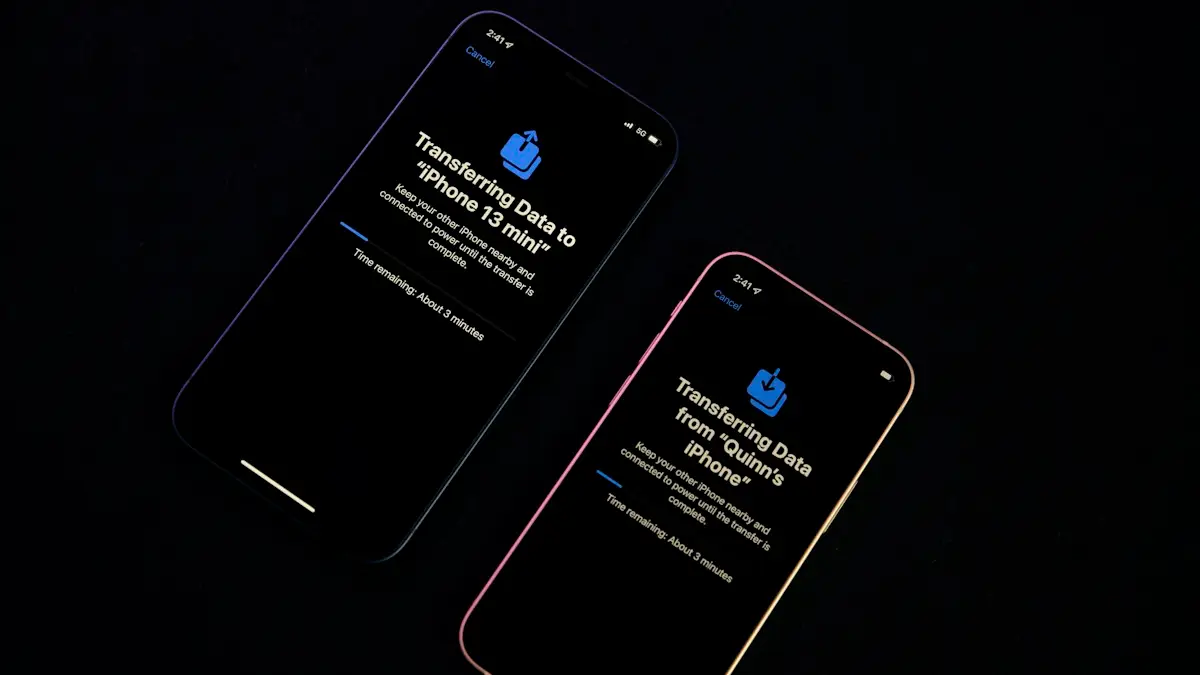
Transfer data to a new iPhone
Move everything to your new iPhone with Quick Start, an iCloud backup or a computer. Keeps apps, photos, messages and settings, plus your eSIM and WhatsApp.
iPhone unable to complete data transfer
iPhone unable to complete data transfer in setup? Restart both phones, update, switch to a cable or iCloud, and fix an Apple logo stall. 7 fixes.

How long an iPhone transfer takes
How long does an iPhone transfer take? Apple gives no fixed time. See what changes it, Quick Start vs iCloud vs cable, and how to tell slow from stuck.
More guides you may need
iPhone Wi-Fi won’t turn on
iPhone Wi-Fi won’t turn on, greyed out or stuck off? Check Airplane Mode and Screen Time, reset network settings, update iOS and know when the chip is at fault.

iPhone won't pair with laptop
iPhone Bluetooth not pairing with your Windows or Mac laptop, or the code never shows? Keep Bluetooth settings open, forget the device on both sides, restart.