

Is fast charging bad for your battery? What actually wears it out
Fast charging does add some wear, but the bigger enemy is heat and sitting at 100 percent. Here is what to change, and what to ignore.
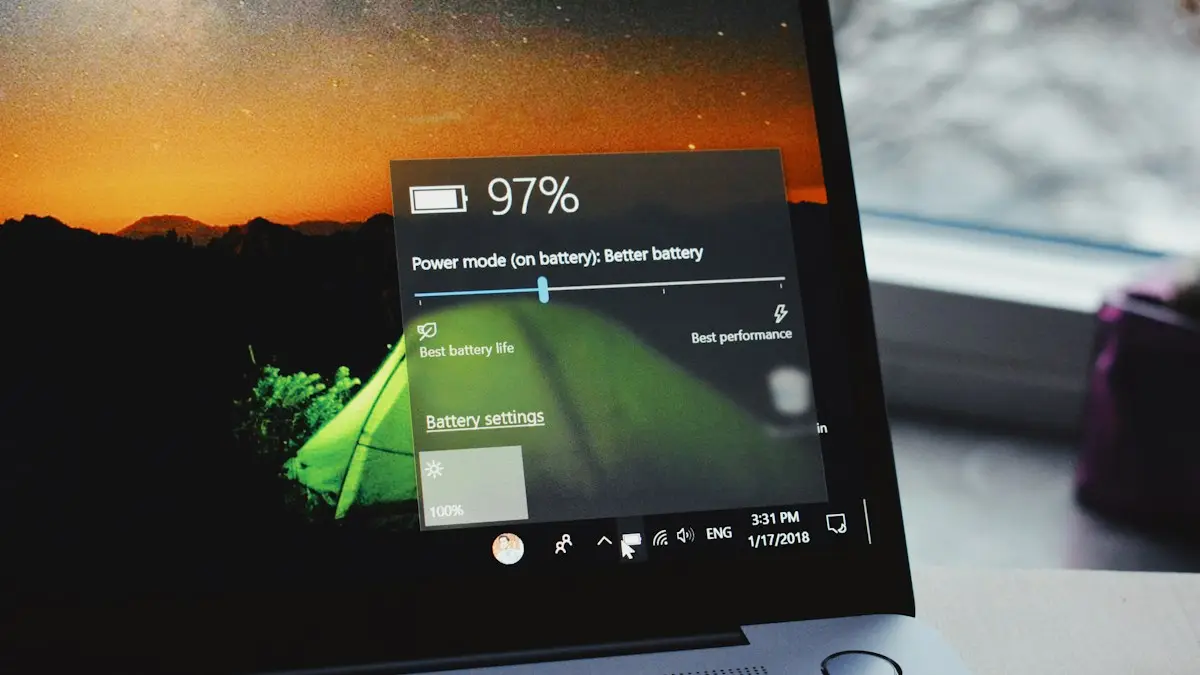
Photo by Panos Sakalakis on Unsplash
Fast charging has a reputation for ruining batteries, and that reputation comes from older phones and cheap chargers. Today's phones manage the speed themselves, and the charger only offers what the phone chooses to take. The truth sits in between: charging faster does produce more heat, and heat wears a lithium-ion battery over time. This guide explains what wears a battery, what a fast charger changes and what to do if you want your battery to last as long as possible.
What really wears out a phone battery
- Heat. High temperature is the biggest factor. Charging in a hot car, under a pillow or while gaming heats the battery.
- Time at 100 percent. A full battery that stays plugged in holds more stress than one at 80 percent.
- Deep cycles. Draining to 0 and charging to 100 every day wears the battery faster than small top-ups.
- Age. Every battery loses capacity as it goes through charge cycles, no matter how you treat it.
So is fast charging bad?
Fast charging pushes more current into the battery, which creates more heat, and heat is the factor that ages it. The effect depends on how well the phone manages it. Modern phones charge quickly only while the battery is low, then slow down sharply as it fills, and they reduce speed if the temperature rises. That is why most phones reach about half in half an hour but take much longer to fill the last part. Studies and maker notes suggest fast charging used normally has a small effect over a few years, much smaller than leaving the phone hot or full. For most people, it is a good trade for the time saved.
When fast charging is a good idea
- You need a quick top-up before leaving the house.
- You charge during the day while you are using the phone, and you keep it out of the sun.
- Your phone has a certified charger and a case that does not trap heat.
When a slower charger is better
- You charge overnight and the phone sits at 100 percent for hours.
- The phone gets warm, or you play games or use maps while it charges.
- You keep the phone in a thick case or on a soft surface while charging.
- Your battery is already old, and you want to keep it going.
If you charge at night, a slower 5 to 10 watt charger or a charger with a battery limit puts less stress on the phone and takes the same practical time. For more about leaving a phone plugged in, read whether it is bad to charge your phone overnight.
How to limit charging on iPhone
- 1
Open Settings › Battery › Charging.
The menu name can differ by iOS version. Look for Charging Optimization or Battery Health & Charging.
- 2
Turn on Optimized Battery Charging.
Your iPhone learns your routine and waits to finish charging past 80 percent until you need it. See what optimized battery charging does.
- 3
On supported iPhones, set a Charge Limit.
Newer models offer a limit such as 80, 85, 90, 95 or 100 percent in the same menu. An 80 percent cap reduces wear if you do not need a full battery.
- 4
Check how your battery is doing.
Battery Health & Charging shows Maximum Capacity. See how to check your iPhone battery health.
How to limit charging on Samsung and Pixel
- Samsung: open Settings › Battery › Charging (or Battery protection on some versions). Look for Protect battery, which stops charging at 85 percent, and Fast charging, which you can turn off. Options vary by phone and One UI version.
- Pixel: open Settings › Battery › Charging optimization. Adaptive charging slows charging overnight, and newer Pixels have a limit option. The names depend on your Android version.
- Other Android phones: look in Settings › Battery for a setting called Optimized charging, Battery protection or Charge limit.
Is wireless charging worse for the battery?
Wireless charging wastes more energy as heat than a cable, because the coils in the charger and the phone are never perfectly lined up. That heat is what makes it slightly worse for the battery over years. A well-aligned magnetic charger, a thin case and a cool room reduce the effect. For daily overnight charging, a cable is gentler. For a desk or a nightstand where you top up in short bursts, wireless is fine. Learn how the newer magnetic standards compare in MagSafe vs Qi2 chargers.
A daily charging routine that is easy to keep
- 1
Top up during the day, not from zero.
Plug in at 20 to 30 percent for short bursts. Small top-ups are easier on the battery than full drains.
- 2
Use a fast charger when you are in a hurry, and a slower one overnight.
Keep a low-wattage charger on the nightstand, and the fast one in your bag or car.
- 3
Turn on your phone's charging limit or optimized charging.
It does the work for you, with no need to unplug at 80 percent.
- 4
Keep the phone cool.
Take it out of a thick case if it is warm, and do not charge it on a sunny windowsill or on the dashboard.
- 5
Do not worry about the occasional full charge.
Going to 100 percent before a long day is fine. The goal is to avoid making it a constant habit.
Myths about phone charging
- "Never let it hit 0 percent." Occasional low battery is fine. It is repeated deep drains over years that add wear.
- "Overcharging will blow up the battery." Phones stop charging at 100 percent and have protection built in. The concern is long time at full charge and heat, not an explosion.
- "You must use only the original charger." Not true. A certified charger from a good brand works well. The risk is cheap, uncertified ones.
- "Fast charging ruins phones in a year." Not in current phones, which manage speed and temperature.
- "Closing apps saves battery." It rarely helps, and reopening them can use more power.
Choose a safe charger
- Use the charger from your phone's maker, or a reputable brand that supports USB Power Delivery.
- Look for safety marks such as UL, and for MFi certification on Lightning cables.
- Avoid very cheap chargers and cables with no brand, which may lack proper protection.
- Replace frayed cables and bent connectors, which can overheat.
- Do not charge under a pillow or on a bed, where heat cannot escape.
How hot is too hot while charging?
A phone that feels warm while it charges is normal. One that is too hot to hold comfortably is not. Apple suggests keeping iPhones in ambient temperatures between 62 and 72 degrees Fahrenheit (16 to 22 degrees Celsius) for best results, and says they work between 32 and 95 degrees. If your phone warns about temperature, stop charging and let it cool in the shade, not in a fridge. Sudden changes can cause condensation. If it overheats often, check for a heavy app running in the background, a damaged cable or a worn battery.
Charging slowly when you expected fast?
If your phone charges slower than it should, the charger, the cable or the port may be the problem, or the phone may be hot. Fast charging needs a charger and cable that both support the speed, and a clean port. Check why a phone charges slowly for fixes.
How long will your battery last?
Apple says its batteries keep up to 80 percent of their capacity after a set number of full charge cycles, which is 500 for older iPhones and 1,000 for the iPhone 15 and later. Android makers give similar figures. A cycle is the total of charging that adds up to 100 percent, so two 50 percent charges count as one. Most people reach that point after two to three years of daily use. When capacity falls, see if a battery replacement is worth it.
Frequently asked questions
Does fast charging reduce battery life?
A little, because faster charging produces more heat and every battery wears with use. Modern phones slow down as they warm up, so the difference over a few years is usually small.
Is wireless charging worse than a cable?
It is usually less efficient and makes more heat, which can wear the battery slightly faster. A cable is the cooler choice, though wireless is fine for casual top-ups.
Should I use a slower charger to protect my battery?
It helps if you charge overnight or the phone gets warm. For daytime top-ups, a fast charger is fine because the phone controls how much power it accepts.
Can a cheap fast charger damage my phone?
Yes. An uncertified charger may supply unstable power or poor protection. Use a charger from the maker or a reputable brand that follows the USB Power Delivery standard.
What to try next
People also ask
What charger do I need for fast charging?
At least 20W USB-C Power Delivery for iPhone, and a 25W or stronger USB-C PD charger with PPS for Samsung Super Fast Charging. Newer iPhone 17 and 18 models charge faster still with 40W or 60W.
Read the full guide: Phone charging slowlyCan a phone overcharge?
No. The phone stops charging at 100 percent and only tops up small drops.
Read the full guide: Charging overnightIs Slow Charger bad for my battery?
No. Charging slowly is gentle on the battery. It just takes longer to fill up.
Read the full guide: iPhone slow charger messageShould I leave Optimized Battery Charging on?
Yes, for most people. It only delays the last 20% when your iPhone predicts it will be plugged in for a long time, like overnight.
Read the full guide: Optimized Battery ChargingRelated guides
Phone charging slowly
Phone charging slowly? Use a stronger wall charger and good cable, clean the port, keep it cool and check settings that cap charging on iPhone and Android.
Charging overnight
Charging your phone overnight is safe with a good charger, and built-in features limit battery wear. Heat is the real risk, so here is how to charge safely.
iPhone slow charger message
iPhone says Slow Charger? It means your adapter or cable delivers less power than your iPhone can use. Here is what counts as slow and which charger fixes it.
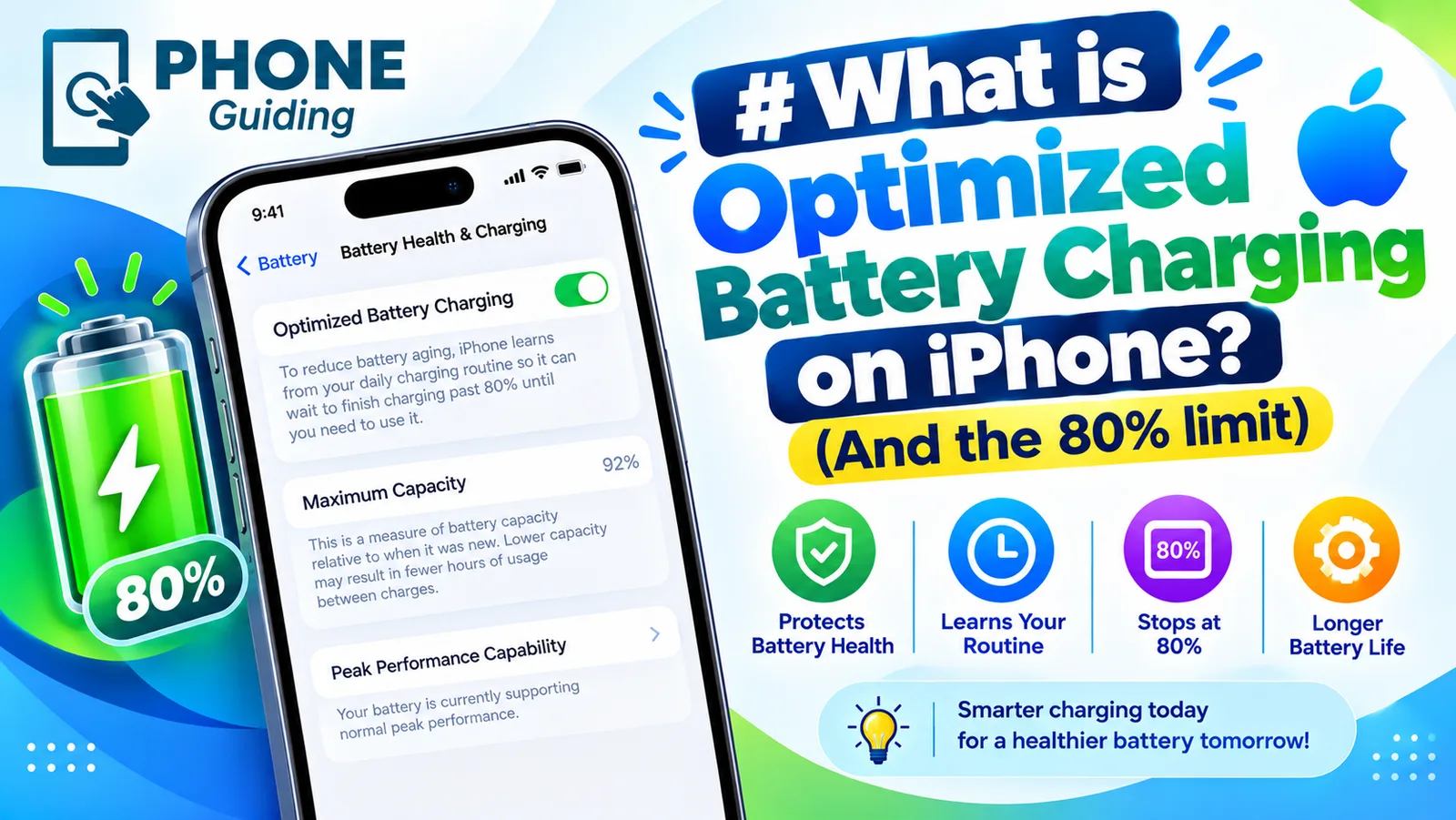
Optimized Battery Charging
Optimized Battery Charging holds your iPhone at 80% until you need it, to reduce battery wear. See how it differs from the Charge Limit and when to turn it off.
More guides you may need
What is 5G UC
5G UC is T-Mobile’s fastest 5G, called 5G UW on Verizon and 5G+ on AT&T. What the icon means, how fast it is and how it differs from plain 5G.
Which iPhones support eSIM
Every iPhone with eSIM support, from the XS and XR to the newest models. See if your iPhone 12 or 13 works, which are eSIM only, and how to check yours.