

Where is Location Services on iPhone? How to turn it on or off
Location Services is in Settings › Privacy & Security. Turn it off there and no app can see where you are.
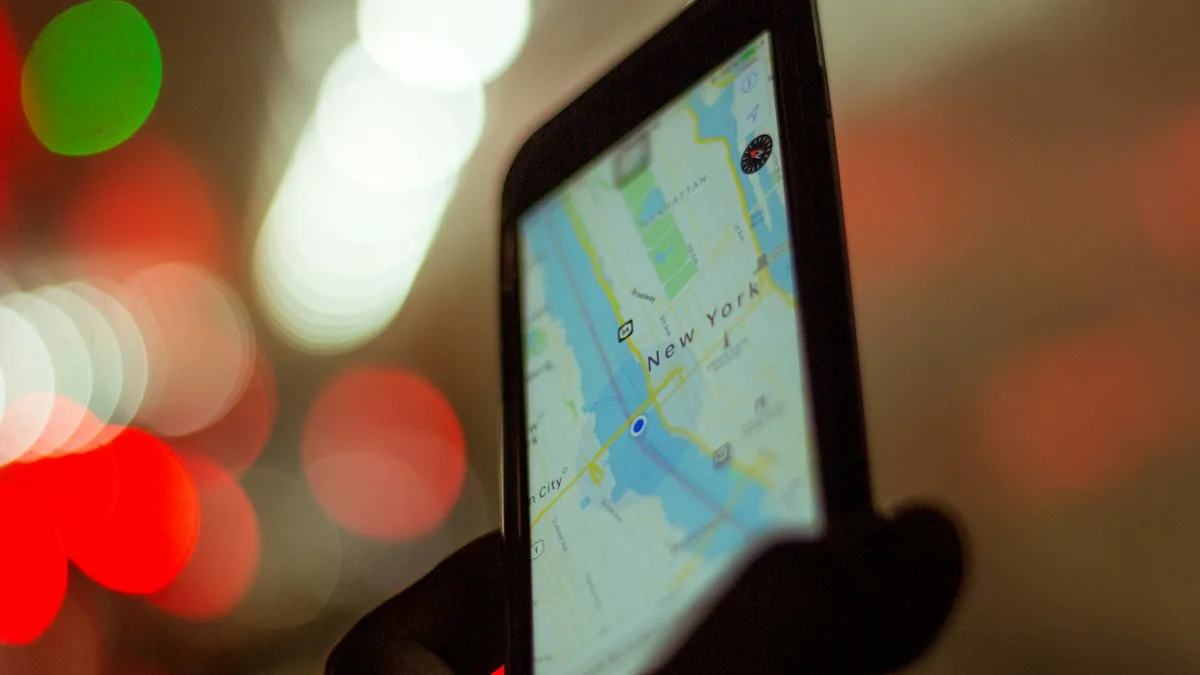
Photo by Enrique Alarcon on Unsplash
The fix
Open Location Services
- 1
Open Settings.
- 2
Scroll down and tap Privacy & Security.
- 3
Tap Location Services.
It is the first item. Switch it on or off at the top.
What each app option means
Under the main switch you see every app that has asked for your location. Tap one to choose:
- Never: the app cannot see your location.
- Ask Next Time Or When I Share: the app asks every time it needs it.
- While Using the App: the app sees your location only when it is open.
- Always: the app can use your location in the background too. Use this only for apps that need it, like a fitness tracker.
Precise Location: exact or approximate
Most apps also have a Precise Location switch. On, the app sees your exact position, which turn by turn directions need. Off, the app only sees a wide area. For a weather or news app, approximate is enough and protects your privacy.
System Services
Scroll to the bottom of the Location Services page and tap System Services. These are switches for iPhone features, not apps. Setting Time Zone is one of them, and Find My iPhone is another. Our guide to a time zone that will not change shows why the Setting Time Zone switch matters.
The arrow icon in the status bar
A small arrow near the top of the screen means an app has used your location, or may use it under certain conditions. To see which app, open Settings › Privacy & Security › Location Services, where each app shows its own arrow.
Location Services greyed out or off by itself?
- Check Settings › Screen Time › Content & Privacy Restrictions › Location Services and set it to Allow.
- A work or school profile may lock it. Look in Settings › General › VPN & Device Management.
- Restart the iPhone and open the setting again.
If Find My shows the wrong place, see Find My not updating location. To share your location with a friend on purpose, read how to share your location from iPhone.
Should you turn Location Services off?
For most people, no. Maps, weather, Find My and many other features need it. A better choice is to keep it on and set apps you do not trust to Never or While Using the App. Turn it off only if you have a reason, and remember that Find My cannot locate a lost iPhone while it is off.
Other ways to open Location Services
The standard path is Settings › Privacy & Security › Location Services. If you cannot find it, pull down on the Settings screen and type Location in the search box, then tap the result. You can also reach one app's location choice from that app's own page: open Settings, scroll to the app, tap it and choose Location. On an iPad the path is the same. An Apple Watch uses the iPhone's setting, and you can review it in the Watch app on the iPhone under Privacy.
Location Services, Find My and Share My Location are different
Three settings get mixed up. Location Services is the master switch that lets apps and the iPhone use your position. Find My is the feature that locates your lost devices. Share My Location is the choice to let family or friends see where you are, and it lives under Settings › your name › Find My. If you turn Location Services off, apps lose access to your position and Find My cannot show where the iPhone is, so think twice before you switch it off on a phone you might lose. To share on purpose, see our guide to sharing your location from iPhone.
See which apps used your location
You can check what your apps did. Go to Settings › Privacy & Security › App Privacy Report and turn it on. After a few days it lists which apps accessed your location and when. Inside Location Services, an arrow beside an app shows a recent use: a purple arrow means it used your location recently, and a gray arrow means it did within the last 24 hours. Use this list to switch off apps that ask for more than they need.
System Services you may want to review
At the bottom of the Location Services screen, tap System Services. Here you can turn off items such as location-based suggestions, Significant Locations (the history your iPhone keeps to learn your routine) and analytics. Keep Setting Time Zone on if you travel, and keep Emergency Calls & SOS on. Emergency calls can share your location with responders in some situations, so check Apple's page on Emergency SOS if you want details for your model and country.
A quick privacy check you can do today
Once you know where the setting is, spend two minutes on it. Open Location Services and scan the list from the top. Any app set to Always that you rarely open, such as a shopping or game app, can usually be changed to While Using the App or Never. Turn off Precise Location for apps that only need your city, like a weather widget. Do the same review every few months, because new apps ask for access when you install them and it is easy to tap Allow without thinking.
Frequently asked questions
Where is Location Services on iPhone?
Open Settings › Privacy & Security › Location Services. The main switch is at the top.
Will turning off Location Services stop Find My?
Yes, for locating the iPhone. Turn Location Services back on, or Find My cannot show where the iPhone is.
What does Precise Location do?
Precise Location lets an app see your exact position. Turn it off for an app and it only sees your approximate area, which is enough for weather.
Why is Location Services greyed out?
Screen Time restrictions or a work or school profile can lock it. Check Settings › Screen Time › Content & Privacy Restrictions › Location Services.
What to try next
People also ask
Can I still call 911 after turning these off?
Yes. Hold the side and a volume button, then drag the Emergency Call slider, or dial 911 as normal.
Read the full guide: Turn off Emergency SOSWhy did FaceTime pause my call with a warning?
Your iPhone detected video that may contain nudity and stopped the call to ask what you want to do. The check happens on the device, and Apple does not receive the video.
Read the full guide: FaceTime sensitive content warningWhy does Safari think I am in another state?
Websites usually guess your location from your IP address. Mobile carriers, VPNs and Private Relay can give you an address that belongs to another city or state.
Read the full guide: Safari wrong locationCan I find my iPhone if it is off or dead?
Often, yes. iPhone 11 and later can usually still be located through the Find My network for a while after they turn off or the battery runs low. Otherwise, Find My shows the last known location for up to seven days.
Read the full guide: Find a lost iPhoneRelated guides

Turn off Emergency SOS
Stop your iPhone calling 911 by accident: turn off Call with Hold and Release, Call with 5 Button Presses and Crash Detection in Settings › Emergency SOS.

FaceTime sensitive content warning
FaceTime paused your call with a sensitive content warning? Learn what triggers it, how it works on your iPhone, and where to turn it off in Settings.
Safari wrong location
Safari showing the wrong city or state on your iPhone? Find out why sites guess your location from your IP address and how to fix it with a few settings checks.
Find a lost iPhone
Find your lost iPhone with Find My on another Apple device or at icloud.com/find from any phone. Play a sound, see its last location and turn on Lost Mode.
More guides you may need

How long an iPhone transfer takes
How long does an iPhone transfer take? Apple gives no fixed time. See what changes it, Quick Start vs iCloud vs cable, and how to tell slow from stuck.
Activate eSIM on iPhone
How to activate eSIM on iPhone with a QR code, manual details or your carrier's app. Steps for Verizon, AT&T and T-Mobile, plus fixes when activation fails.