

Apple Trade In value lower than quoted: why it changes and what you can do
Apple’s quote is an estimate. After a third-party inspection, the value can change if the phone does not match your description or Find My is still on. You can accept or decline the new price, and declining keeps your phone.
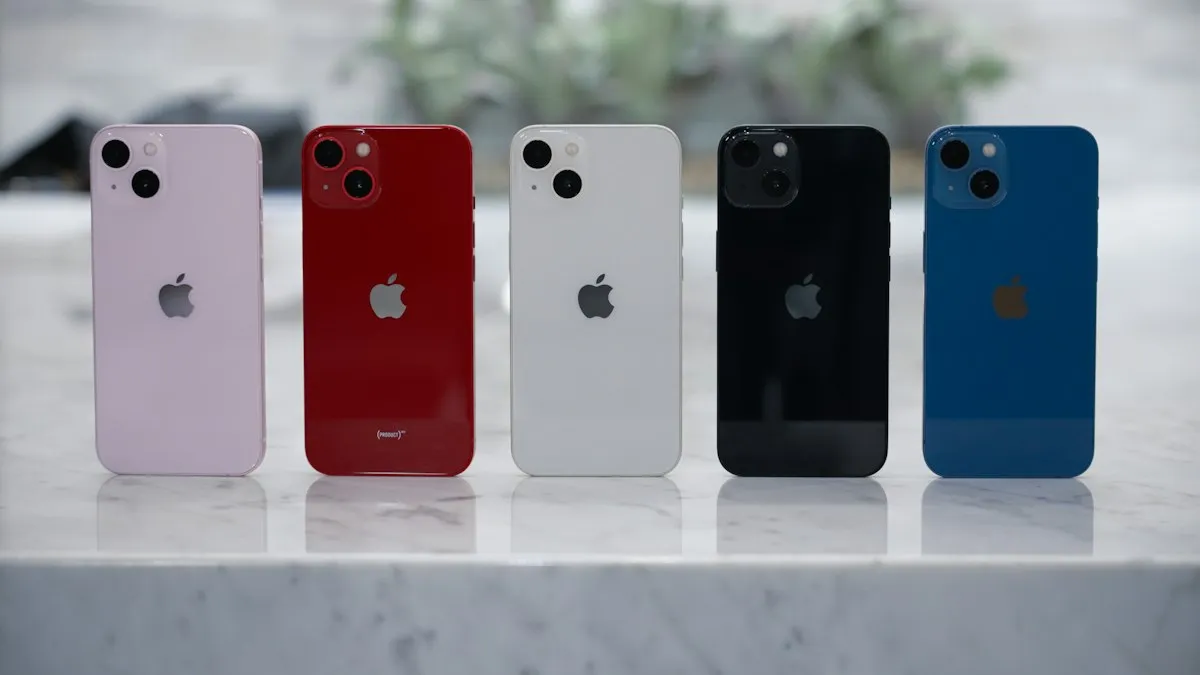
Photo by Daniel Romero on Unsplash
You got an online estimate from Apple Trade In, shipped your old iPhone, and then an email says the value has changed. Your phone is worth less than the quote, and you have to decide what to do. It feels like a bait and switch, but it follows a process that Apple describes in its terms. The quote you saw was an estimate based on what you told Apple. The final number comes after a third-party vendor inspects the phone. This guide explains why the number changes, what your choices are, and how to avoid a cut next time.
Why is the Apple Trade In value lower than quoted?
Apple’s United States trade-in terms state that trade eligibility and values are subject to the vendor’s inspection. They list the situations that can change a quote: when inspection results differ from what you described, when Find My iPhone is not removed, and when the device is not received within 14 days of the trade-in box delivery. If the value changes, the terms say you will be contacted to accept or decline the revised price. The terms also say Apple or its vendor may refuse, cancel or limit any trade-in for any reason.
What are the most common reasons for a lower offer?
- Condition worse than described: scratches, cracks, dents, a lifted screen or a damaged back glass that you did not mention.
- Features that do not work: a broken camera, Face ID, speaker or buttons, or a battery that fails a test.
- Find My iPhone still on: Apple lists this as a reason the quote may change. A phone locked to your Apple Account cannot be reset.
- The wrong model or storage: a phone that does not match the model or capacity you chose.
- Late delivery: the device arrived after the window in the terms.
- A carrier or financial issue: a phone with an unpaid balance or a block.
Can you decline the revised offer?
Yes. Apple’s terms say that a trade-in is final and cannot be cancelled by you, unless the quoted value has been revised and you declined. So the revised price is the point where you get a choice. If you decline, the transaction ends. Community members report that Apple then sent the phone back, although Apple’s terms do not say how the return works. If you paid for your new device using an instant trade-in credit, ask Apple what happens to that credit before you decline.
What to do when the email arrives
- 1
Read the reason in the email.
Look for the condition or issue that the vendor found.
- 2
Compare it to your phone.
Check for scratches, cracks and working features. If you find the vendor right, the cut is fair.
- 3
Decide whether the new price still beats your other options.
See the section below on comparing offers.
- 4
Accept or decline within the time stated.
Apple’s message tells you how and by when.
- 5
If you decline, ask when and how the device returns.
Track the shipment and check the phone when it arrives.
How do you avoid a lower offer?
- Describe the phone honestly. If you hide a flaw, the inspection finds it.
- Turn off Find My iPhone and sign out of your Apple Account before you ship. See how to turn off Find My iPhone.
- Back up your data first, then erase the phone. Apple’s terms say you are responsible for your data.
- Check that the camera, speakers, buttons and Face ID work, and check battery health. See how to check iPhone battery health.
- Ship within 14 days after the trade-in box arrives.
- Take photos of the phone before you pack it, and keep the tracking number.
What if Apple Trade In says the serial number is invalid?
That error stops many people before they ship. Apple needs the serial number for an accurate quote. Open Settings › General › About, tap and hold the serial number to copy it, and paste it. A community member solved the problem by typing the number in capital letters. Another thread suggested that the system may have had a temporary problem for several users. Very old models may also have no trade-in value. If the number is right and the page still rejects it, contact Apple Support.
Should you fix the phone before trading it in?
Often not. A cracked screen can cost more to fix than the trade-in value gains. Look at the repair cost first, such as the iPhone screen replacement cost, and compare it with the difference between a damaged and a good-condition quote. If a repair costs more than the difference, trade it in as it is and describe the damage clearly.
How does Apple Trade In compare with other options?
Apple’s offer is convenient. It applies as credit toward a new device and requires no listing, shipping to a buyer or haggling. Selling to a person usually brings more money but takes time and carries risk. Carriers and retailers run their own offers with conditions. Read our guides on how to trade in a phone and sell an iPhone and get at least two quotes. Take the best net amount, after fees, shipping and effort.
What happens to your data during a trade-in?
Apple’s terms put the responsibility for your data on you. Back up the phone to iCloud or a computer, sign out of your Apple Account, turn off Find My iPhone, and erase the device with Erase All Content and Settings. If you skip the erase, the vendor will usually wipe the phone, but you should not rely on that. Remove your SIM card or eSIM plan too, and remove the phone from your Apple Account’s device list if it still shows. A clean erase also helps the inspection, because a phone that is still signed in cannot be tested.
Is it worth trading in a broken phone?
It can be. Apple and other programs accept some damaged phones at a lower value. The quote asks about the screen, the back, the buttons and the features, and it lowers the value to match. Compare that value with the cost of a repair and with what a buyer pays for parts. If the phone is badly damaged, the offer may be small, but it is still more than recycling. If the phone no longer powers on, check the terms for the model.
What if you disagree with the inspection?
Decline the revised value, ask for the phone to be returned, and contact Apple Support. Ask for the inspection notes, because they should name the defect they found. When the phone returns, compare it with the photos you took. If the vendor misgraded it, you can resubmit or sell it somewhere else. Keep copies of all emails and the tracking number, and do not throw away the packaging until the matter is settled.
How long does an Apple Trade In take?
The timing depends on how you trade. In a store, the inspection happens while you wait. By mail, Apple sends a box, you ship the phone, and the vendor inspects it after it arrives. Apple’s terms mention a 14 day window after the box is delivered, so do not leave the box on a shelf. Once the vendor has the phone, expect an email about the result. If you have not heard anything after a week or two, use the tracking number and contact Apple.
Does a lower offer affect the credit on your new iPhone?
It can. If you took an instant credit at checkout, a lower final value means the difference may be charged to the payment method you used, according to Apple’s country terms. Read the email carefully, and keep a note of the amount. If you want to avoid a surprise, consider using the trade-in as a later credit or a gift card instead of an instant discount, and ask which choice applies to your order.
Frequently asked questions
Why did Apple lower my trade-in value?
Apple’s terms say the quote can change if inspection results differ from your description, if Find My iPhone is not removed, or if the device is not received within 14 days of the trade-in box delivery.
Can I decline the revised Apple Trade In offer?
Yes. Apple’s terms say the trade-in is final unless the quoted value has been revised and declined by you. Community reports say declined devices were sent back.
Do I need to turn off Find My before trading in?
Yes. Apple’s terms say the quote may change if Find My iPhone is not removed, so turn it off and sign out of your Apple Account before you send the phone.
Why does Apple Trade In say my serial number is invalid?
A typo is the most common cause. Copy the serial number from Settings › General › About, and enter it in capital letters. Contact Apple if it still fails.
What to try next
Related guides
Apple Wallet verification not available
Apple Wallet verification not available when you add a card? Check the bank options, region and date, remove the card and re-add it from your bank app. 7 fixes.
Continue setup on iPhone
Apple Watch says continue setup on iPhone but nothing happens? Finish pairing, restart, reset in pairing mode, or unpair and start again. Steps for each case.

Apple Account cannot be created
Apple Account cannot be created or says 'cannot create at this time'? Check your connection, software, VPN and details, or sign up on the web. 7 fixes.

AirPods keep beeping
AirPods keep beeping in your ears or from the case? Check battery tones, Find My Play Sound, Announce Notifications and dirty contacts. 7 causes and easy fixes.
More guides you may need
Apple Watch not texting Android
Apple Watch texts to an Android phone fail or stay red? Check the paired iPhone, SMS and MMS, iMessage and contact settings, then restart and re-pair if needed.

Apple Watch not vibrating
Apple Watch quiet for texts, calls or notifications? Check haptic alerts, Focus, the iPhone unlock rule and per-app settings before you reset or repair it.