

eSIM vs physical SIM on iPhone: which should you use in the US?
In the US, Apple's newer iPhones have no SIM tray, so for many people there is no choice to make. This guide shows who still can choose, how eSIM and a physical SIM compare, and when each one makes sense.
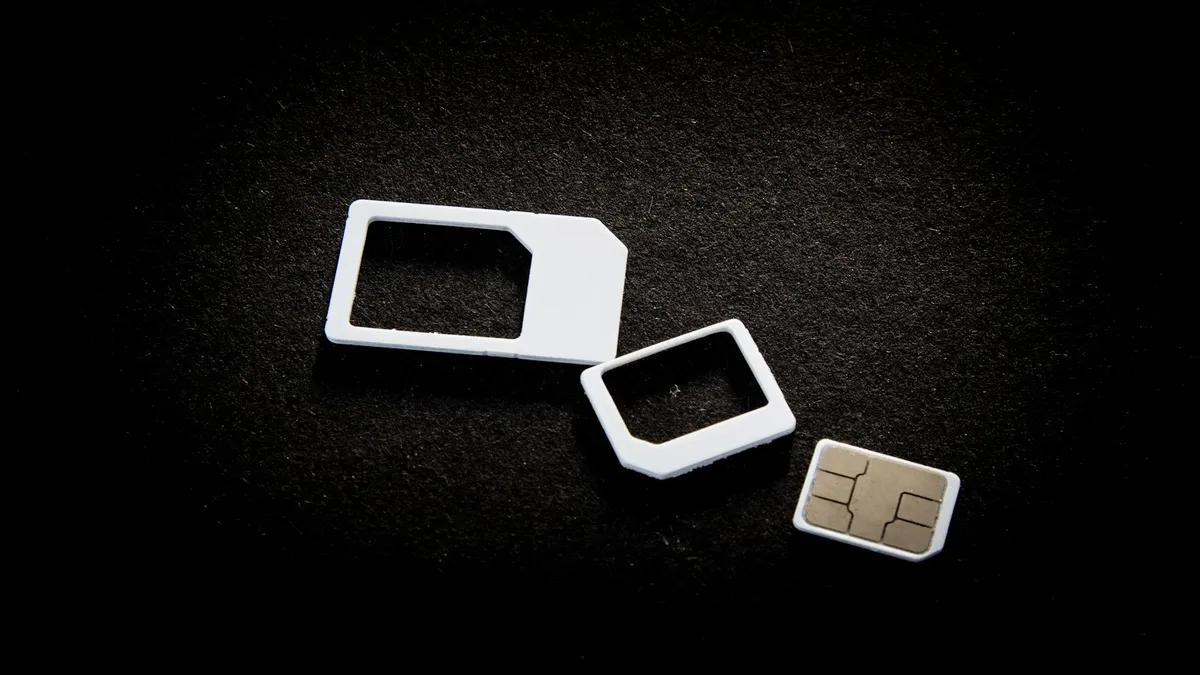
Photo by User_Pascal on Unsplash
Most articles on this topic treat it as a free choice. For many US readers it is not. If you bought a recent iPhone in the United States, Apple has already chosen for you. This guide starts with that fact, then shows who still has a real choice, and how the two compare.
Does your iPhone even have a SIM tray?
Apple's SIM page splits iPhones into groups. Here is the short version for US buyers.
| iPhone | What Apple says |
|---|---|
| iPhone Duo and iPhone Air | eSIM only |
| iPhone 18 Pro, 18 Pro Max, 17e, 17, 17 Pro and 17 Pro Max, bought in the US and some other regions | eSIM only |
| iPhone 16e and the iPhone 16 series, bought in the US | eSIM only |
| iPhone 15 and 14 series, bought in the US | eSIM only |
| iPhone 13 models and earlier | Have a SIM tray for a nano-SIM; iPhone 13 and later support Dual eSIM |
The same models bought outside those regions can use eSIM and a nano-SIM. Apple says that in some countries you can only activate certain models with an eSIM. Check your exact model on Apple's page, because the list changes with each new release. For a model list and more detail, read which iPhones support eSIM.
eSIM vs physical SIM iPhone: how they compare
| Topic | eSIM | Physical SIM |
|---|---|---|
| Setup | Digital: carrier app, QR code or transfer. Needs Wi-Fi or a hotspot to activate in most places | Insert a card; some carriers still need a call or app |
| Switching phones | Apple's eSIM Quick Transfer needs iOS 18.4 or later on both iPhones, signed in to your Apple Account | Move the card by hand |
| Security | Apple says an eSIM can't be removed if your iPhone is lost or stolen | A thief can pull the card |
| Travel | Add a travel eSIM and keep your home line (Dual eSIM) | Swap cards or add a tray-based second SIM |
| Compatibility | Needs a carrier that supports eSIM | Works with almost any carrier on a model with a tray |
| Battery | Apple makes no claim | Apple makes no claim |
Is eSIM better for battery life?
There is no Apple statement that either one saves battery. Many web pages say there is no real difference, but most of those pages are written by companies that sell eSIMs, so I would not rely on them. A fair summary is that battery life is not a good reason to pick one. If your battery drains fast, look at settings and apps first, not the type of SIM.
When eSIM is the better choice
- You travel. Apple says supported iPhones can run two eSIMs, so you can keep your home number and add a local or travel plan. Read how to use your phone in Mexico for a US example.
- You worry about theft. Apple points out that an eSIM can't be removed if your iPhone is lost or stolen.
- You switch iPhones. Quick Transfer moves your number to the new phone, and Apple says iOS 26 or later can move more than one number.
- You want two lines. Dual eSIM works on iPhone 13 and later, with no tray needed.
When a physical SIM still makes sense
- You use an older iPhone with a tray and move one card between phones.
- Your carrier or plan does not support eSIM. Apple says you need a carrier that supports it.
- You switch to an Android phone often. Apple says to contact your carrier for a transfer from Android, though iOS 26 lets some carriers and makers support transfers both ways.
- You want to set up without Wi-Fi. Apple says eSIM needs Wi-Fi or a hotspot, though in some countries eSIM-only models can activate without it.
How to switch from a physical SIM to an eSIM
Apple says you can convert a physical SIM to an eSIM on the same iPhone if your carrier supports it. The steps in Apple's guides are:
Convert a physical SIM to an eSIM
- 1
Open Settings and tap Cellular.
- 2
Tap Set Up Cellular or Add eSIM.
- 3
Choose the number that uses your physical SIM.
- 4
Tap Convert to eSIM and follow the prompts.
If you don't see it, your carrier may not support it. Ask the carrier.
- 5
Remove the physical SIM if told to, then restart the iPhone.
Apple says the old SIM stops working after conversion.
If the new eSIM will not activate, read our guides on an eSIM stuck on activating and how to activate an eSIM on iPhone. For a new phone, see moving an eSIM to a new iPhone.
What about a travel eSIM?
Apple lists two travel options. You can roam with your normal carrier, or you can add a local or travel eSIM from another provider. For the second option, your iPhone can't be carrier locked. Apple says to check Settings, General, About, and look for Carrier Lock showing No SIM Restrictions. Apple also says you may need Wi-Fi to install it, and that you can keep your home line for calls and texts while the travel eSIM handles data.
If your phone is locked, read our guide on whether you can use an eSIM on a locked iPhone. Using both lines can still bring roaming fees from your home line, so check your plan first.
Which should you choose? A simple guide
- Bought an iPhone 14 or later in the US: you are on eSIM. Learn how to manage it.
- Own an iPhone 13 or earlier and rarely change phones: either works. eSIM is a bit more flexible.
- Travel often: eSIM, with a second line for data.
- Move between iPhone and Android: ask your carrier first, because transfers vary.
- Your carrier does not support eSIM: use a physical SIM or change carriers.
How does eSIM Quick Transfer work?
Moving to a new phone is where eSIM can feel easier or harder than a card. Apple's eSIM Quick Transfer moves your number from one iPhone to another without a visit to a store. Apple lists these conditions: both iPhones are signed in with your Apple Account, the old iPhone is unlocked with its passcode, Bluetooth is on, and both run iOS 18.4 or later. During setup you follow the prompts. After setup you open Settings, tap Cellular, tap Set Up Cellular or Add eSIM, and choose Transfer From Nearby iPhone.
Apple adds that when the plan on the new iPhone activates, it deactivates your previous SIM. So do not wipe or sell the old phone until the new one has service. Some carriers support Quick Transfer and some do not, so ask yours.
Can you use an eSIM and a physical SIM together?
On models with a SIM tray, yes. Apple says models with a tray can use a physical SIM and an eSIM together when traveling, and that iPhone 13 models and later support Dual eSIM, which means two eSIMs at once. On an eSIM-only iPhone there is no tray, so a second line must be a second eSIM. If your carrier does not offer eSIM, you cannot add a physical card to those phones.
What if your phone is lost, stolen or broken?
Apple points out that an eSIM can't be removed if your iPhone is lost or stolen. That helps against a thief who would pull a card and use your number in another phone. It also means your carrier is the one who moves your plan to a new device. Call your carrier, have your account PIN ready, and ask to move the line to the replacement phone. Apple also says that if a new iPhone does not accept an old SIM, you should contact your carrier to move your account to the SIM that came with the phone or to get a new one.
What to ask your carrier before you switch
- Do you support eSIM on my plan, and on my iPhone model?
- Can I convert my physical SIM, or do I need a new eSIM?
- Do you support eSIM Quick Transfer when I get a new iPhone?
- What do I do if I move to an Android phone later?
- Is my iPhone unlocked, in case I want a travel eSIM?
If you plan to change carriers, our guide on unlocking an iPhone from its carrier covers what the lock means for any new SIM or eSIM.
Common mistakes
- Buying an eSIM plan before checking your carrier. Apple says your carrier must support eSIM.
- Deleting the eSIM by accident. Erasing an eSIM can mean calling your carrier to get the plan back.
- Forgetting Wi-Fi during setup. Apple says activation usually needs Wi-Fi or a hotspot.
- Choosing for battery. Apple makes no battery claim for either.
- Using a locked phone with a travel eSIM. A carrier lock can block it.
Limits of this guide
I have not tested eSIM and physical SIM side by side on a phone, so I make no battery or speed claims. Apple's SIM list changes with each release, so check Apple's page for your exact model. Carrier support for features such as Quick Transfer and conversion varies, so ask your carrier before you switch.
The short version
On a US iPhone 14 or later, you use an eSIM because there is no tray. On older iPhones you can choose, and eSIM wins on switching, travel and security while a physical SIM wins on moving between phones. If you want the basics first, start with our explainer on what an eSIM is.
Frequently asked questions
Is my iPhone eSIM only in the US?
Apple's SIM page lists iPhone 14 and later models bought in the United States as eSIM only, along with iPhone Air and iPhone Duo. iPhone 13 models and earlier have a SIM tray.
Does eSIM use more battery than a physical SIM?
Apple makes no battery claim on its eSIM pages. Most claims online come from eSIM sellers, so do not choose between them for battery life.
Can I switch from a physical SIM to an eSIM?
Yes, if your carrier supports it. Apple says you can convert a physical SIM to an eSIM on the same iPhone. After conversion, the physical SIM stops working.
Can I use two eSIMs on one iPhone?
Apple says iPhone 13 models and later support Dual eSIM. That lets you keep a home line and add a second eSIM, such as one for travel.
What to try next
Sources
Official pages these steps are based on. Menus can differ by software version.
People also ask
Is the iPhone 13 eSIM compatible?
Yes. All iPhone 13 models support eSIM. They also have a physical nano-SIM slot, so you can use one SIM and one eSIM.
Read the full guide: Which iPhones support eSIMIs an unlocked phone the same as a carrier phone?
The hardware is usually the same for iPhone and flagship Galaxy and Pixel models. The difference is the lock, the payment method and, on some Android phones, preinstalled carrier apps.
Read the full guide: Unlocked vs carrier phoneCan I use an eSIM on a locked iPhone?
Only an eSIM from the same carrier the iPhone is locked to. An eSIM from a different carrier will not activate until the iPhone is unlocked.
Read the full guide: eSIM on a locked iPhoneWhere is my phone number on an iPhone?
Open Settings › Phone and look for My Number at the top. You can also check Settings › General › About, or the Contacts app under your own card.
Read the full guide: Find your phone numberRelated guides
Which iPhones support eSIM
Every iPhone with eSIM support, from the XS and XR to the newest models. See if your iPhone 12 or 13 works, which are eSIM only, and how to check yours.
Unlocked vs carrier phone
Unlocked phone vs carrier phone: compare the real cost, bill credits, flexibility, resale value and updates, and find out which way of buying saves you more.
eSIM on a locked iPhone
A carrier locked iPhone only takes an eSIM from its own carrier. See how to check the lock in Settings, why a travel eSIM will not activate, and how to unlock.
Find your phone number
How to find your phone number on iPhone and Android in seconds. Check Settings, Contacts, your carrier app or a quick call, and fix a number that shows Unknown.
More guides you may need
iPhone contacts missing
iPhone contacts missing or disappeared? Check your Lists, iCloud and Gmail sync, then restore contacts from iCloud.com or a backup. 7 ways to get them back.
iPhone keeps asking to change passcode
iPhone keeps asking to change passcode or says to update it within 60 minutes? Find the profile or work email causing it, meet the rule and stop the prompt.