

How to clear app cache on Android (Samsung, Pixel, Xiaomi)
Clearing an app's cache is one of the safest fixes on Android. It removes temporary files without signing you out or deleting your data.
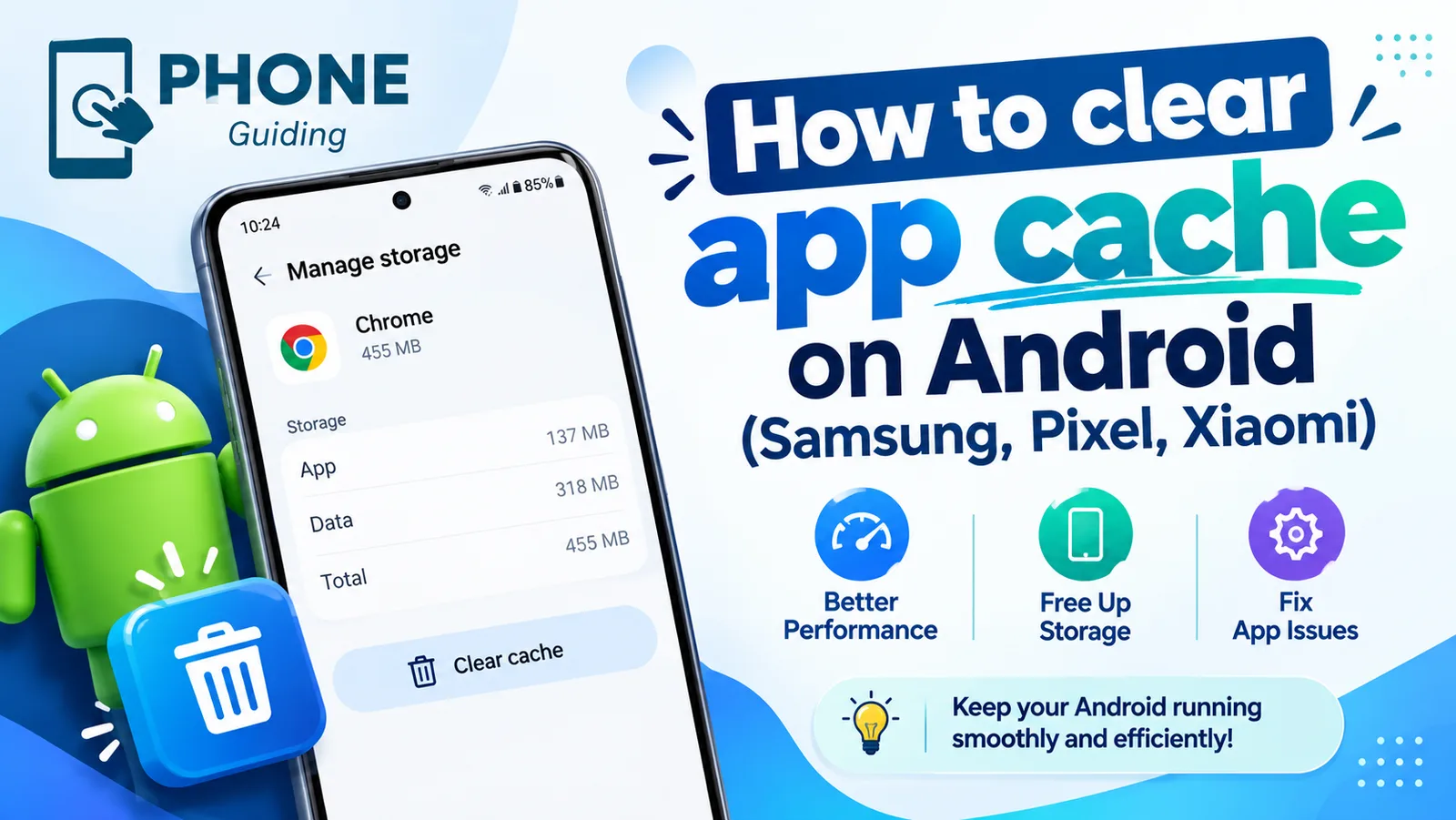
Apps save temporary files so they can load faster next time. Over time these files can grow to hundreds of megabytes, and sometimes they become corrupted, which makes an app crash, freeze or show old content. Clearing the cache removes them. The app simply downloads fresh copies when it needs them.
The fix
Samsung Galaxy (One UI)
- 1
Open Settings.
- 2
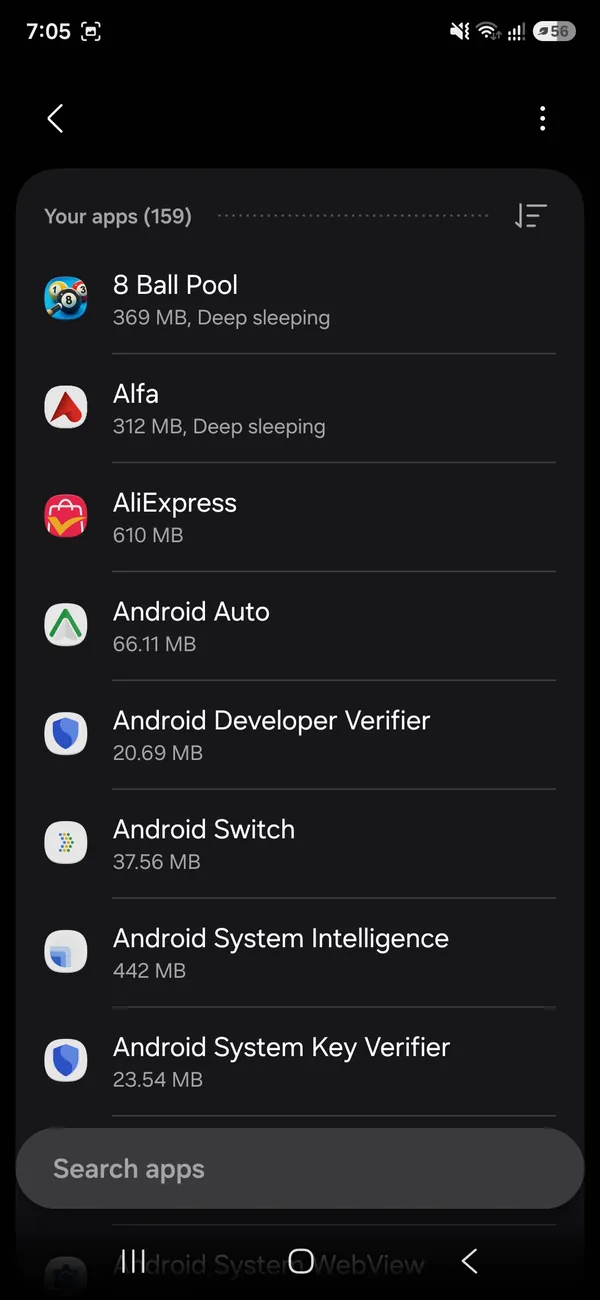
Tap Apps.
- 3
Find and tap the app.
- 4
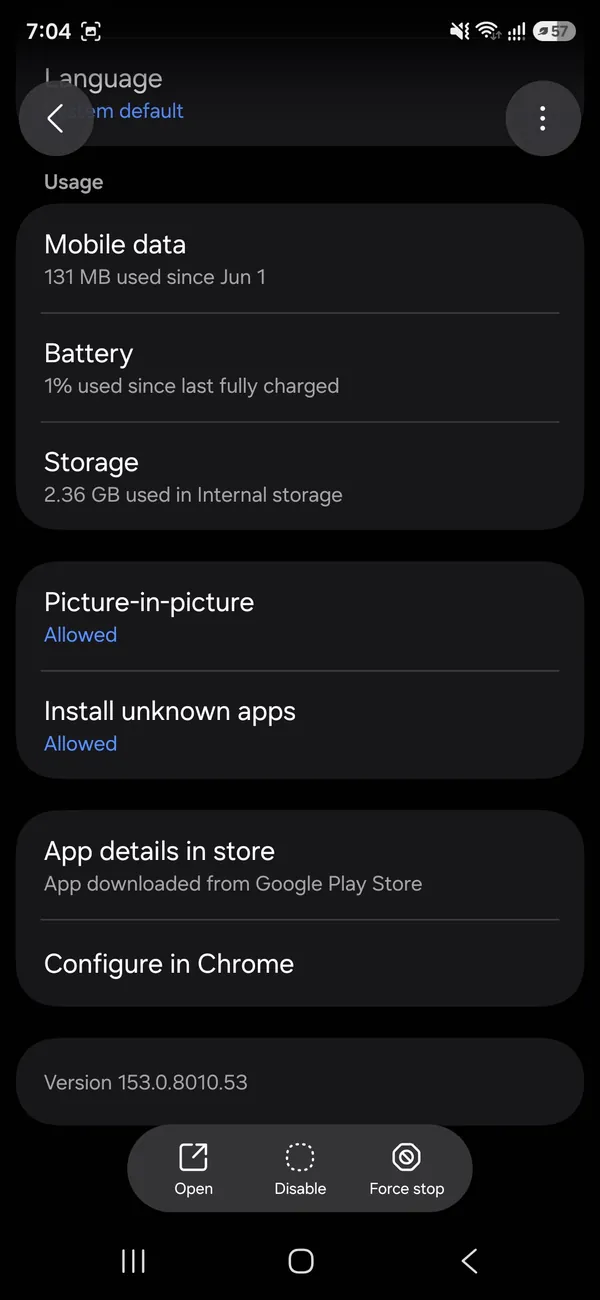
Tap Storage.
- 5
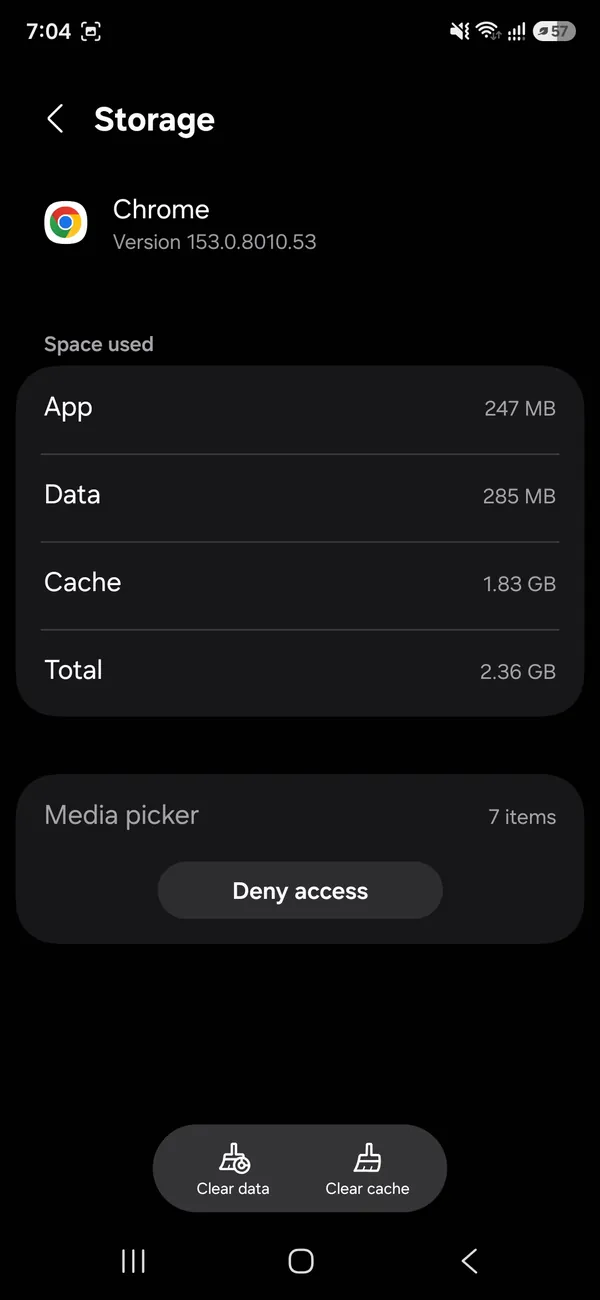
Tap Clear cache at the bottom right.
The fix
Google Pixel and stock Android
- 1
Open Settings.
- 2
Tap Apps, then See all apps.
- 3
Tap the app.
- 4
Tap Storage & cache.
- 5
Tap Clear cache.
The fix
Xiaomi, Redmi and POCO (HyperOS / MIUI)
- 1
Open Settings.
- 2
Tap Apps, then Manage apps.
- 3
Tap the app.
- 4
Tap Storage, or Clear data at the bottom.
- 5
Choose Clear cache.
Signs an app’s cache is the problem
- The app crashes or closes as soon as you open it.
- It shows old posts, prices or images that will not refresh.
- Images or videos load as grey boxes.
- The app’s storage keeps growing into gigabytes.
- A problem started right after an app update.
In all of these cases, clearing the cache is a safe first step before anything more drastic, such as clearing storage or reinstalling.
Motorola, OnePlus and other phones
Most Android phones follow the Pixel path: Settings › Apps › See all apps, tap the app, then Storage & cache › Clear cache. OnePlus and Motorola use nearly the same menus. If you cannot find the app, it may be a system app; open the menu in the top corner of the apps list and choose Show system. The long-press shortcut on the home screen icon, App info, works on almost every phone.
Does clearing cache free space for good?
Not permanently. The app starts building its cache again as you use it, so a social app may be back to its old size within weeks. That is normal, and it is why clearing cache is best used to fix a problem or to win back space in a pinch. If an app’s cache grows huge every time, look in its own settings for options such as data saver, lower video quality or a cache size limit, which some apps offer.
Which apps have the biggest caches?
In Settings › Apps, you can sort or check each app’s storage to see how much cache it holds. On most phones, these are the usual suspects:
- Chrome and other browsers, which store images from every site you visit.
- TikTok, Instagram, Facebook and Snapchat, which cache videos and photos from your feed.
- Spotify and YouTube Music, which cache recently played songs; Spotify also has its own Clear cache option in its storage settings.
- The Google app and Google Maps, which cache search results and map areas.
Clearing the cache of just these few apps often frees more space than all the others combined.
Browsers: app cache vs browsing data
Clearing Chrome’s app cache in Settings removes temporary files but keeps your history and sign-ins. If a website still misbehaves, clear browsing data inside Chrome: open the menu, then Delete browsing data, choose Cached images and files, and tap Delete data. Leave Cookies unticked if you want to stay signed in. In Samsung Internet, go to the menu › Settings › Personal browsing data › Delete browsing data.
Play Store and download problems
If apps will not download or update, clearing the cache of Google Play Store, and if needed Google Play services, is one of the standard fixes. Find them in Settings › Apps (on some phones, turn on Show system apps from the menu first). Clearing the Play Store’s storage is also safe; it resets the store’s settings but not your apps or purchases. See what to do when the Play Store is not working.
What Clear storage really does
- WhatsApp, Signal, Telegram: deletes chats on the phone. Only do it with a recent backup.
- Banking and payment apps: signs you out and may require you to verify the device again.
- Games: deletes progress that is not saved to the cloud.
- Google Play services: resets several Google features; generally safe, but you may need to set some things up again.
Clean up junk in bulk
Android no longer clears every app’s cache with one tap, but two built-in tools come close. On Samsung, open Settings › Device care (or Battery and device care) › Storage to see suggestions for unused apps, large files and duplicates. On other phones, the free Files by Google app has a Clean tab that finds junk files, old downloads and duplicates. Both are safer than third-party cleaner apps, which often show heavy ads and can slow the phone down. See how to free up storage on Android.
The system cache partition
Some Galaxy and other Android phones also have a Wipe cache partition option in recovery mode, which clears temporary system files without touching your data. It can help after a software update leaves the phone slow or buggy. Many newer phones have removed the option, so do not worry if yours does not show it; a restart and the steps above cover most of the same ground.
Cache problems after an Android update
Right after a major Android or One UI update, some apps misbehave because their cached files were built for the old version. If an app crashes or looks wrong only since the update, clear its cache first, then update the app from the Play Store, since developers often release fixes for new Android versions within days. Restart the phone once after the update has finished optimizing apps, which can take a day in the background. If several apps are affected, see how to update an Android phone for other post-update steps.
Is it safe to clear cache for every app?
Yes. Clearing cache never deletes your accounts, messages, photos or saved files, for any app. The only cost is that apps load a little slower and use some data while they rebuild their caches. The thing to be careful with is Clear storage, covered above, which is a very different button that sits right next to it.
Clear cache or archive the app?
Newer Android versions can archive apps you rarely use. Archiving removes the app itself, and its cache with it, but keeps your data and leaves the icon on the home screen so you can reinstall with one tap. It is a good option for big apps you only open once a month or so, such as airline or event apps. Turn on Automatically archive apps in the Play Store’s settings, under General, if your phone offers the option.
Check the result
After clearing, go back to the app’s Storage page: Cache should show 0 B or close to it. Your total free space appears in Settings › Storage, or Device care › Storage on Samsung, though it can take a moment to update. Then open the app and check that the problem is gone. Expect the first launch to be a little slower while it rebuilds what it needs from the internet.
If the app still misbehaves
- Update the app from the Google Play Store.
- Restart the phone.
- Tap Force stop on the app's info page, then open it again.
- Uninstall and reinstall the app, after checking your data is backed up.
Frequently asked questions
Will clearing cache delete my photos or messages?
No. Cache is temporary data the app can rebuild, such as thumbnails and downloaded images. Your account, messages and saved files are untouched.
Can I clear the cache of all apps at once?
Recent versions of Android no longer offer a one-tap option for every app. You can clear apps one at a time, or use the cleaning tool in Files by Google or Samsung's Device care to remove junk files in bulk.
How often should I clear cache?
Only when an app misbehaves or you need space. Cache makes apps load faster, so clearing it regularly just makes them slower until it rebuilds.
Does clearing cache free space for good?
Only for a while. Apps rebuild their cache as you use them, so the space comes back. Clear the cache to fix a misbehaving app, not as a regular storage routine.
What to try next
People also ask
Is it safe to clear cache on iPhone?
Yes. Cache is temporary data that apps rebuild. Clearing Safari data does sign you out of websites, so make sure you know your passwords or use iCloud Keychain.
Read the full guide: Clear cache on iPhoneDo cleaner or task killer apps speed up Android?
Usually not. Android manages memory on its own, and apps that constantly close others can make the phone slower and drain the battery. Use the built-in tools instead.
Read the full guide: Speed up a slow Android phoneCan someone still find a hidden app?
With simple hiding, yes: it still shows in Settings › Apps and sometimes in search. Apps in Secure Folder or Private space need your PIN or fingerprint.
Read the full guide: Hide apps on AndroidWhat does the red number on the iPhone Phone app mean?
It counts your missed calls and new voicemails. Opening the Missed tab and listening to or marking voicemails as read clears it.
Read the full guide: iPhone red dot on Phone appRelated guides
Clear cache on iPhone
Clear cache on your iPhone to free space and fix slow apps. Clear Safari and Chrome data, offload apps and use in-app cache buttons, step by step.
Speed up a slow Android phone
Why is your Android phone so slow? Find the cause, then speed it up with 10 fixes for Samsung, Pixel and other phones, from storage to animation settings.
Hide apps on Android
Hide apps on Android from the home screen, or lock them away in Samsung Secure Folder or Pixel Private space. Plus how to find and unhide them later.

iPhone red dot on Phone app
iPhone red dot on Phone app that will not go away? Check voicemail, Deleted Messages and Recents, refresh your carrier count and turn off the badge.
More guides you may need

Pixel Screen Reactions
Pixel Screen Reactions record your screen and selfie camera together on Android 17. See the steps, the entire screen rule, its limits and why it may be missing.

Pixel Wi-Fi low quality
Pixel says your Wi-Fi is low quality even with full bars? Learn what the warning measures, why the phone jumps to mobile data and how to make it stay on Wi-Fi.