

How to transfer data from Android to iPhone (even after setup)
Apple’s free Move to iOS app copies most of your data in one go. If your iPhone is already set up, you still have free options.
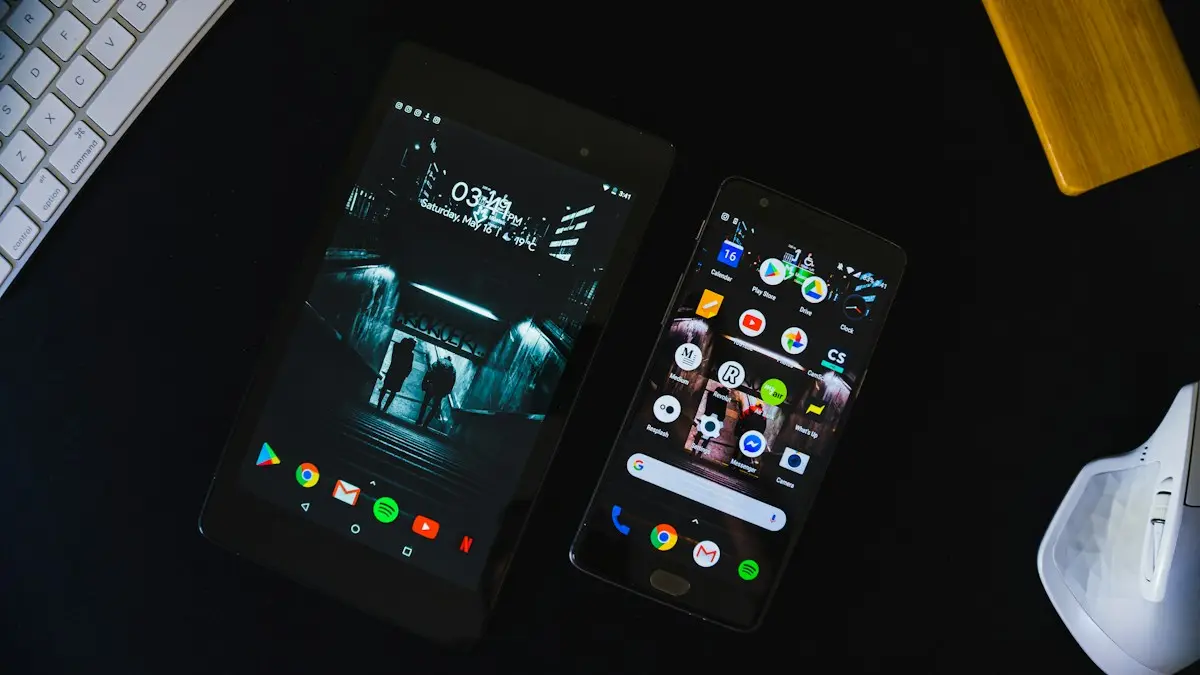
Photo by The Average Tech Guy on Unsplash
Switching from a Galaxy, Pixel or other Android phone to an iPhone is easier than it used to be. Apple’s free Move to iOS app copies most of what matters in one go, and your Google account fills most of the gaps. The key is timing: the smoothest transfer happens during iPhone setup, so read the checklist below before you turn the new iPhone on.
Before you start
- Plug both phones into power and keep them close together.
- Connect the Android phone to Wi-Fi.
- Make sure the iPhone has more free space than the data you are moving.
- Update Chrome and WhatsApp on the Android phone if you want to move them.
- Turn off Wi-Fi features that switch to mobile data on their own, such as Smart Network Switch on Samsung or Switch to mobile data automatically. They can break the connection between the phones.
- Back up the Android phone to Google first, in case anything goes wrong. See how to back up an Android phone.
What Move to iOS transfers, and what it does not
- Moves: contacts, message history, camera photos and videos, photo albums, files and folders, mail accounts, calendars, web bookmarks, some display and accessibility settings, WhatsApp chats and media, and a list of free apps that are also on the App Store.
- Does not move: music, books and PDFs, which you copy separately; paid apps, which you buy again; app data for most apps; saved passwords; and authenticator codes.
The fix
Method 1: Move to iOS during setup (best)
- 1
Turn on the new iPhone and follow setup until Transfer Your Apps & Data.
- 2
Tap From Android.
- 3
On the Android phone, install Move to iOS from the Google Play Store.
You can scan the QR code shown on the iPhone to find it.
- 4
Open Move to iOS, tap Continue and agree to the terms.
- 5
Enter the code shown on the iPhone into the Android phone.
- 6
Join the temporary Wi-Fi network the iPhone creates, if asked.
- 7
Choose what to transfer and tap Continue.
You can move contacts, messages, photos and videos, mail accounts, calendars, WhatsApp and some free apps.
- 8
Leave both phones alone until the bar finishes on the iPhone.
Using the Android phone or taking a call can stop the transfer.
The fix
Method 2: after setup, without erasing the iPhone
- 1
Contacts, calendar and Gmail.
On the iPhone go to Settings › Apps › Contacts › Contacts Accounts › Add Account › Google and sign in. Turn on Contacts, Calendars and Mail.
- 2
Photos and videos.
Back up with Google Photos on Android, then install Google Photos on the iPhone and sign in. To keep copies on the iPhone, download them or use Google Takeout.
- 3
Files.
Upload files to Google Drive on Android and open them with the Google Drive app on the iPhone.
- 4
Messages and WhatsApp.
Text messages and WhatsApp chats can only move with Move to iOS. If you need them, erase the iPhone and use Method 1.
Move to iOS failed or got stuck?
- Transfer interrupted: the Android phone lost the iPhone’s Wi-Fi network. Turn on airplane mode on the Android phone, then turn Wi-Fi back on, and disable Smart Network Switch or similar features.
- Code not accepted: the code expires. Go back on the iPhone to get a new one.
- Not enough space: the iPhone needs more free storage than the data you are moving. Leave out large videos and move them later with Google Photos.
- Stuck at one minute remaining: large video files can take a long time. Wait, and do not use either phone.
If it keeps failing, reset the iPhone, restart both phones, and try again with fewer items selected. You can move photos and files afterwards with the free methods above.
Passwords, authenticator codes and music
- Passwords: install Chrome on the iPhone and sign in, then turn on Chrome under Settings › General › AutoFill & Passwords. Your Google Password Manager passwords then fill in apps and Safari too.
- Authenticator codes: Google Authenticator can sync to your Google account or export accounts by QR code. Set it up on the iPhone before you reset the Android phone, or you may lock yourself out of accounts.
- Music: Spotify, YouTube Music and Apple Music keep your library in the cloud. Music files stored on the phone need to be copied to a computer and added to the Apple Music app.
- Samsung Notes and other brand apps: these are not on iPhone. Export notes, or sync them to a service that works on both, before you switch.
Your phone number and eSIM
Most US iPhones use eSIM only. Many carriers let you move your line during setup, or through their app, or you can ask the carrier to issue an eSIM for the new iPhone. See how to transfer an eSIM to a new iPhone. If your Android phone was bought from the carrier, you do not need it unlocked to move your number to an iPhone on the same carrier.
Texting Android friends from your iPhone
Messages with other iPhone users go over iMessage as blue bubbles. Messages with Android users go as green bubbles, using RCS on iOS 18 and later where your carrier supports it, which brings typing indicators, read receipts and better quality photos, or SMS otherwise. Check that RCS is on in Settings › Apps › Messages › RCS Messaging. See why some messages are green and others blue.
Android habits on an iPhone
- Back button: swipe right from the left edge of the screen to go back in most apps.
- Quick settings: swipe down from the top-right corner for Control Center; swipe down from the top-left or middle for notifications.
- Default apps: you can choose Chrome and Gmail as defaults in Settings › Apps, on each app’s page.
- Find My: turn it on in Settings › [your name] › Find My so a lost iPhone can be located and locked.
- Google apps: Google Maps, Photos, Drive, Gmail and Keep all work on iPhone with the same account.
Watches, earbuds and other accessories
Check your accessories before you switch. Current Galaxy Watch and most Wear OS watches do not work with iPhone, so plan for an Apple Watch if a smartwatch matters to you. Galaxy Buds and most other Bluetooth earbuds pair with an iPhone like any headset, though some features that need the Samsung app are lost. See how to connect Samsung earbuds to an iPhone. USB-C chargers and cables from your Android phone work with iPhone 15 and later.
What to do with your old Android phone
Keep it for a week or two in case something did not come across. Then sign out of your Google account, remove the screen lock, and factory reset it so the next owner is not blocked by Factory Reset Protection. Apple’s trade-in program accepts many Android phones for credit toward the iPhone, and carriers and resale sites take them too. A working Galaxy or Pixel from the last few years still has real value, so compare Apple’s offer with your carrier and a resale site before you decide. Remove the SIM card if it has one, and take off any case or screen protector you want to keep. If the phone is cracked or does not turn on, it can still be recycled for free at many electronics stores.
Frequently asked questions
Can I use Move to iOS after setting up my iPhone?
Not directly. Move to iOS only runs during setup. You can erase the iPhone and start setup again, or move data manually with your Google account and Google Photos.
Does Move to iOS transfer WhatsApp?
Yes. During the transfer you can choose WhatsApp, and your chats move to WhatsApp on the iPhone. You must use the same phone number.
Do my apps transfer from Android to iPhone?
Free apps that also exist on the App Store are suggested for download. Paid apps must be bought again, and app data usually does not move unless the app has its own cloud sign-in.
How long does Move to iOS take?
It depends on how much you move. Contacts and messages take minutes, while a large photo and video library can take an hour or more. Keep both phones plugged in and untouched until it finishes.
What to try next
People also ask
Why does my iPhone say it is unable to complete the data transfer?
The link between your old and new iPhone dropped, or one of them has old software, a weak Wi-Fi connection or low battery. Restarting both phones and trying again fixes many cases.
Read the full guide: iPhone unable to complete data transferCan I recover photos deleted more than 30 days ago?
Only if a copy exists somewhere else: an iPhone or computer backup made before you deleted them, another device that was offline, a shared album, a message you sent, or a cloud service such as Google Photos.
Read the full guide: Recover deleted photos on iPhoneWill my iMessages transfer to Android?
Text message history can be copied during setup, but iMessage itself does not work on Android. Turn it off before switching so new texts reach your Android phone.
Read the full guide: Transfer iPhone to AndroidWhy does Move to iOS not give me a code?
The iPhone shows a six-digit or ten-digit code after you tap Continue on the Move from Android screen. If none appears, Apple says to reset the iPhone and set it up again to generate one.
Read the full guide: Move to iOS not workingRelated guides
iPhone unable to complete data transfer
iPhone unable to complete data transfer in setup? Restart both phones, update, switch to a cable or iCloud, and fix an Apple logo stall. 7 fixes.
Recover deleted photos on iPhone
Recover deleted photos on iPhone from Recently Deleted, iCloud.com or a backup, and learn your honest options after 30 days before paying for recovery software.
Transfer iPhone to Android
Move contacts, photos, messages and apps from iPhone to Android with Google’s Android Switch or Samsung Smart Switch, and turn off iMessage so texts arrive.
Move to iOS not working
Move to iOS not working, no code or the transfer is stuck? Follow Apple's fixes for Wi-Fi, calls, storage and a reset to get the code. 8 fixes.
More guides you may need
Sell your Android phone
How to sell your Android phone safely: back up, remove your accounts, factory reset, check unlock status and pick a trade-in or private sale.
Set up Android Auto
Set up Android Auto for the first time with a USB cable or wirelessly, grant the right permissions, and customize which apps show on your car’s screen.